🌐 🇯🇵 JP | 🇺🇸 EN | 🇹🇭 TH | 🇪🇸 ES

Cómo recibir tu paquete en la tienda de conveniencia Lawson


Pasos a seguir cuando el producto está en tu carrito


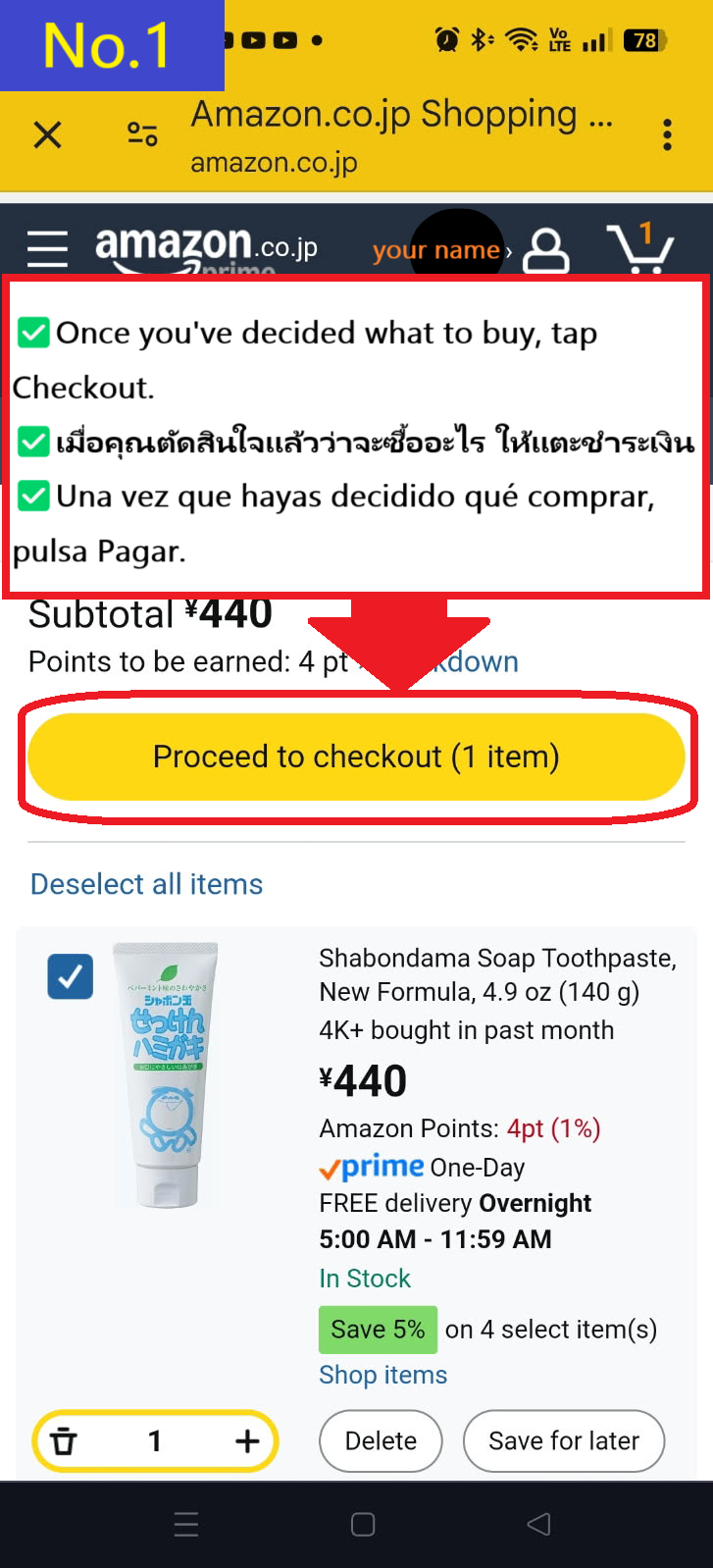
  • Si el artículo que deseas comprar es el mismo que está en tu carrito, pulsa "Proceder a pagar(Proceed to checkout)"
  • Image description of If the item you want to purchase is the same as the item in your cart, tap Proceed to checkout

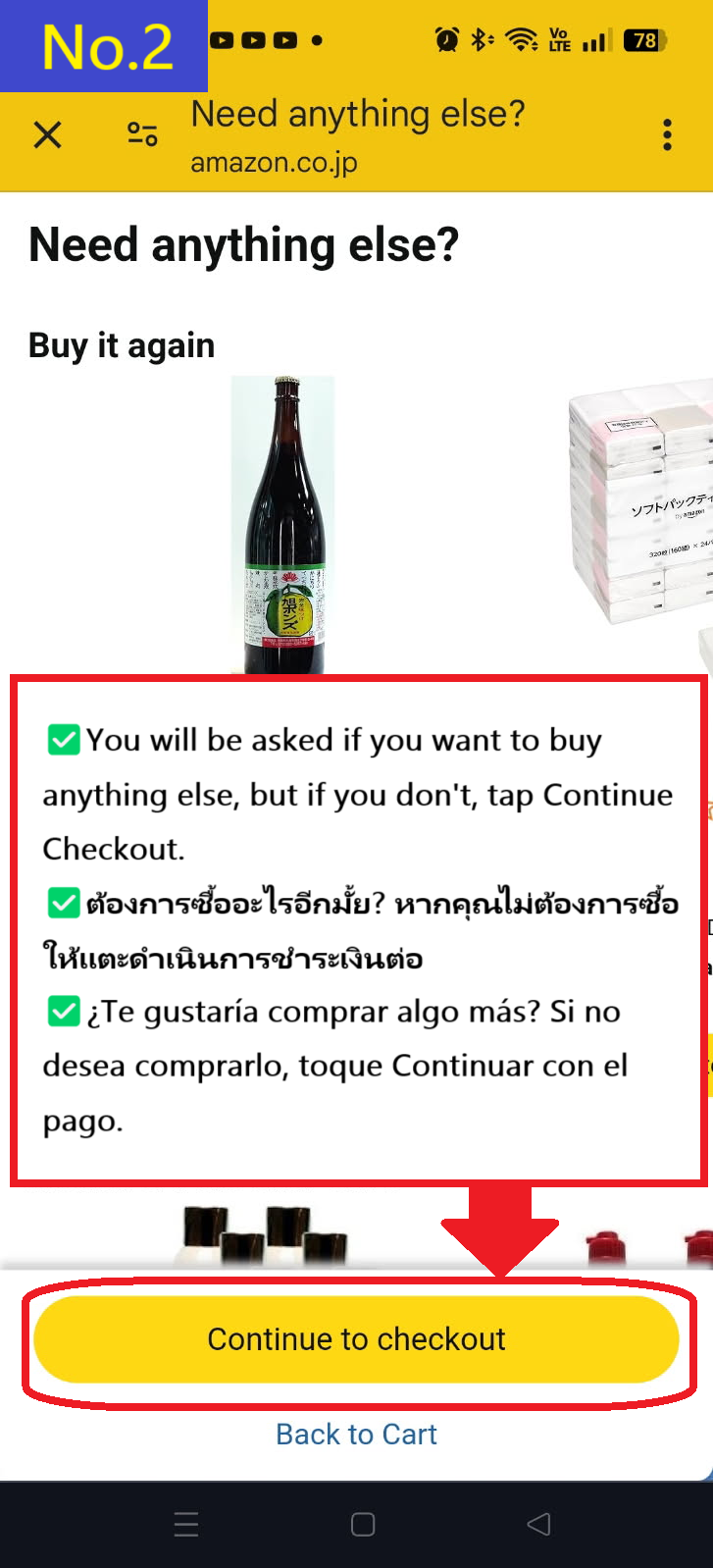
  • Se te recomendarán otros productos, pero si no los necesitas, pulsa "Continuar con el pago(Continue to checkout)"
  • Image description of You will be recommended other products, but if you don't need them, tap Continue to checkout.

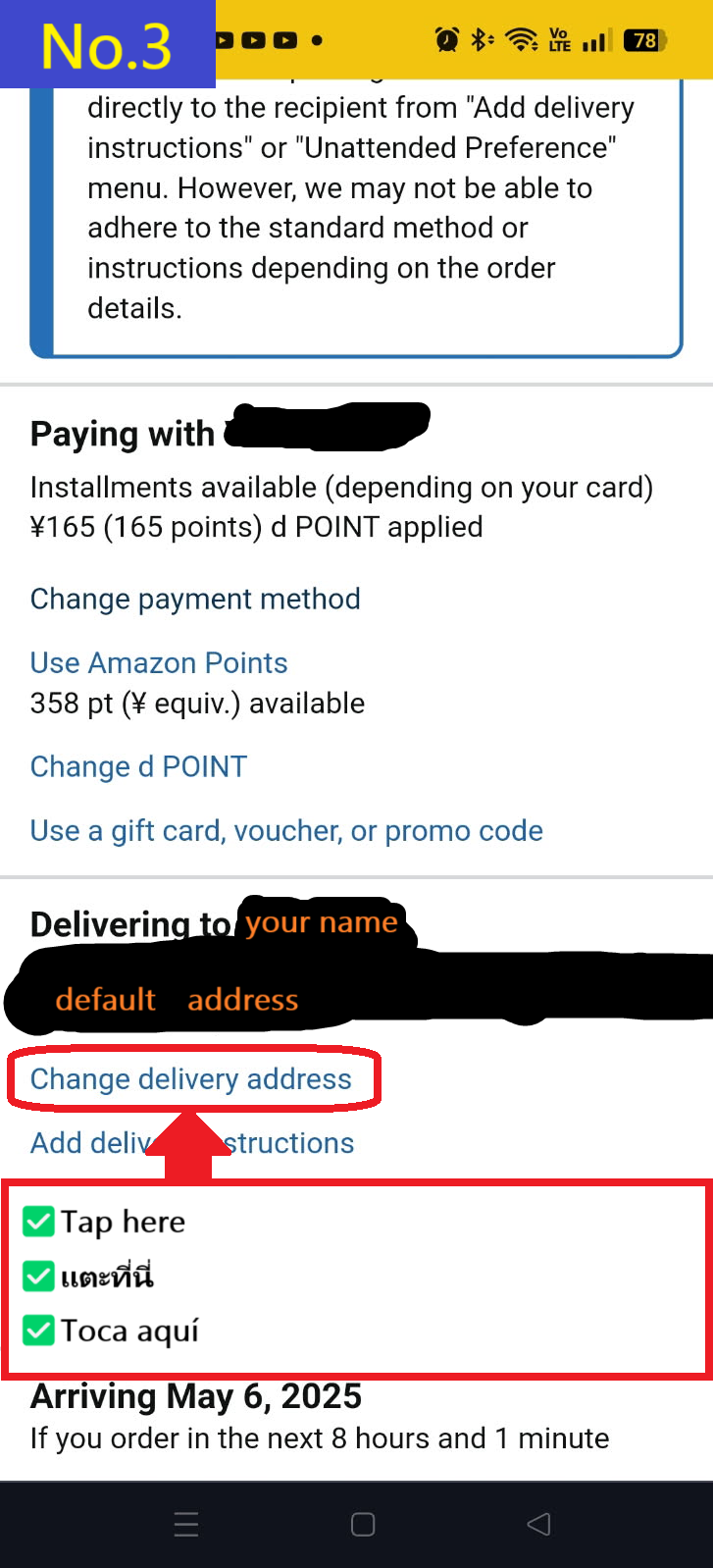
  • Pulsa en "Cambiar dirección de entrega(Change delivery address)" en la parte inferior
  • Image description of Tap Change delivery address at the bottom

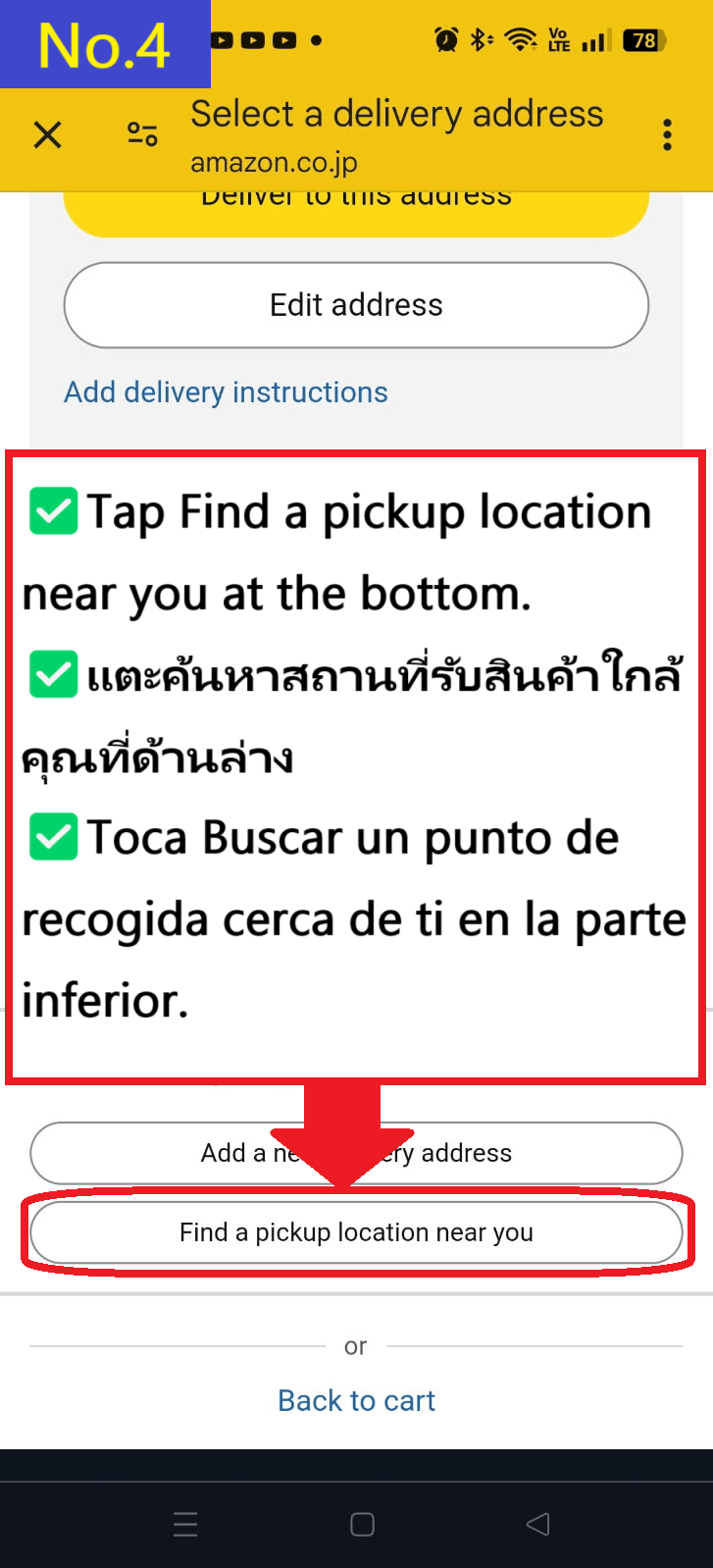
  • Pulsa en "Buscar un punto de recogida cercano(Find a pickup location near you)" en la parte inferior
  • Image description of Tap Find a pickup location near you at the bottom.

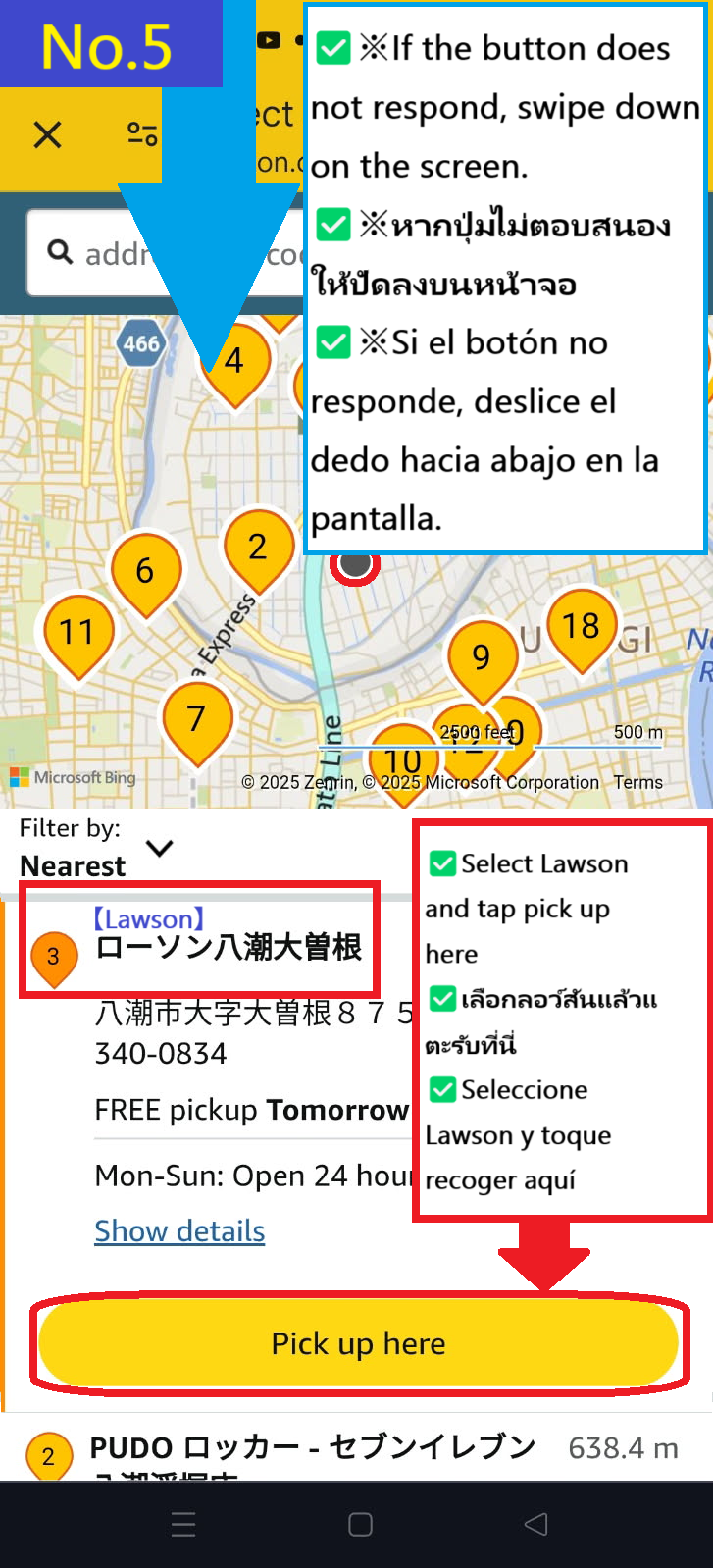
  • Esta vez, selecciona la tienda Lawson Yashio Ozone número 3 en el mapa y pulsa "Recoger aquí(Pick up here)"
    ※Si no puedes pulsar, desliza hacia abajo para recargar la pantalla, luego selecciona la tienda y pulsa "Recoger aquí(Pick up here)" de nuevo.
    Recomendamos instalar la app oficial de Amazon Japón, ya que este error se soluciona con ella.
  • Image description of This time, select Lawson Yashio Ozone store number 3 on the map and tap Pick up here.

    ✅ Descarga la aplicación oficial de Amazon Japón

    🍎 Descargar en App Store
    🤖 Descargar en Google Play


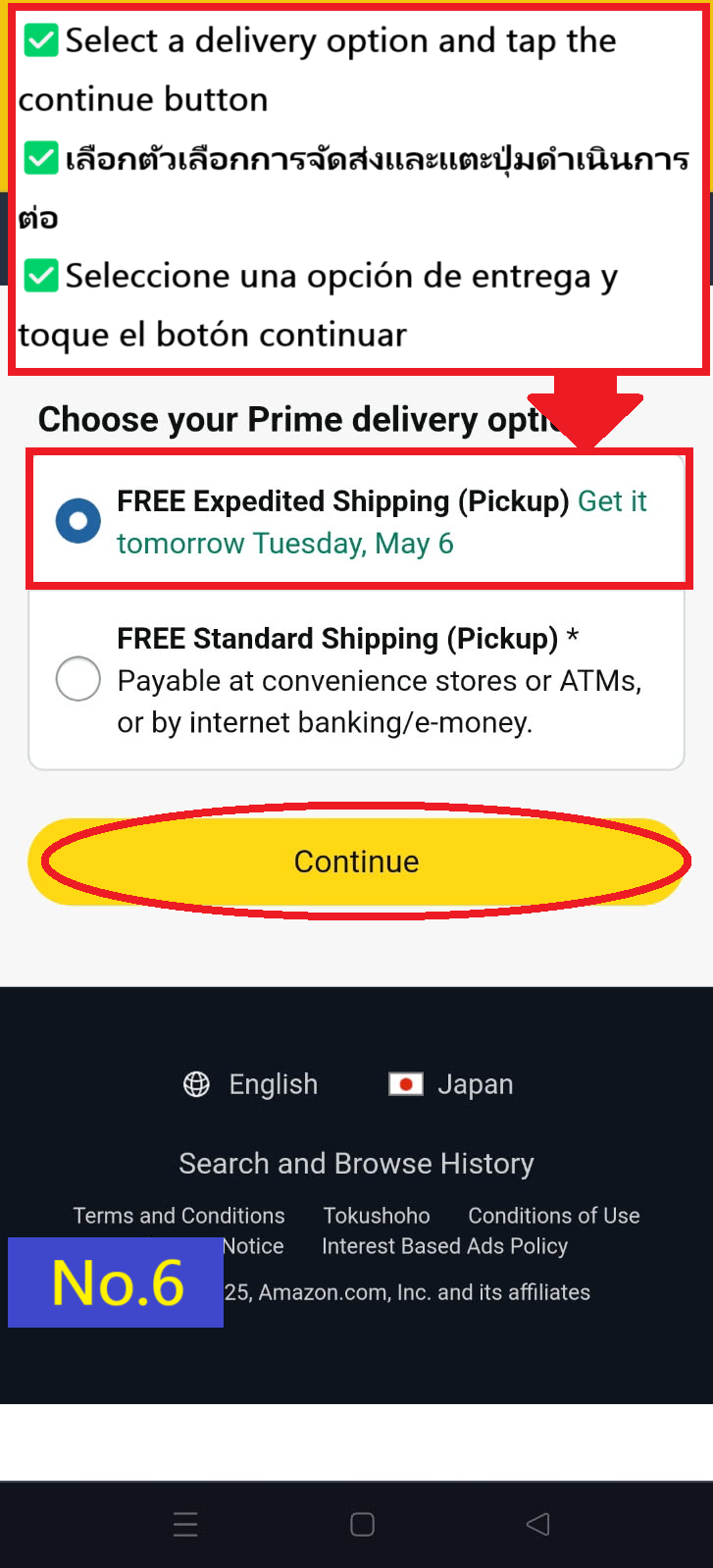
  • Selecciona tu opción de entrega preferida y pulsa "continuar(continue)"
  • Image description of Select your preferred delivery option and tap continue

  • Si deseas que esta sea tu dirección predeterminada, marca "establecer como dirección predeterminada(default to this delivery address)" y pulsa "Realizar pedido(Place your order)"
  • Image description of If you want to make this address the default, check default to this delivery address and tap Place your order.

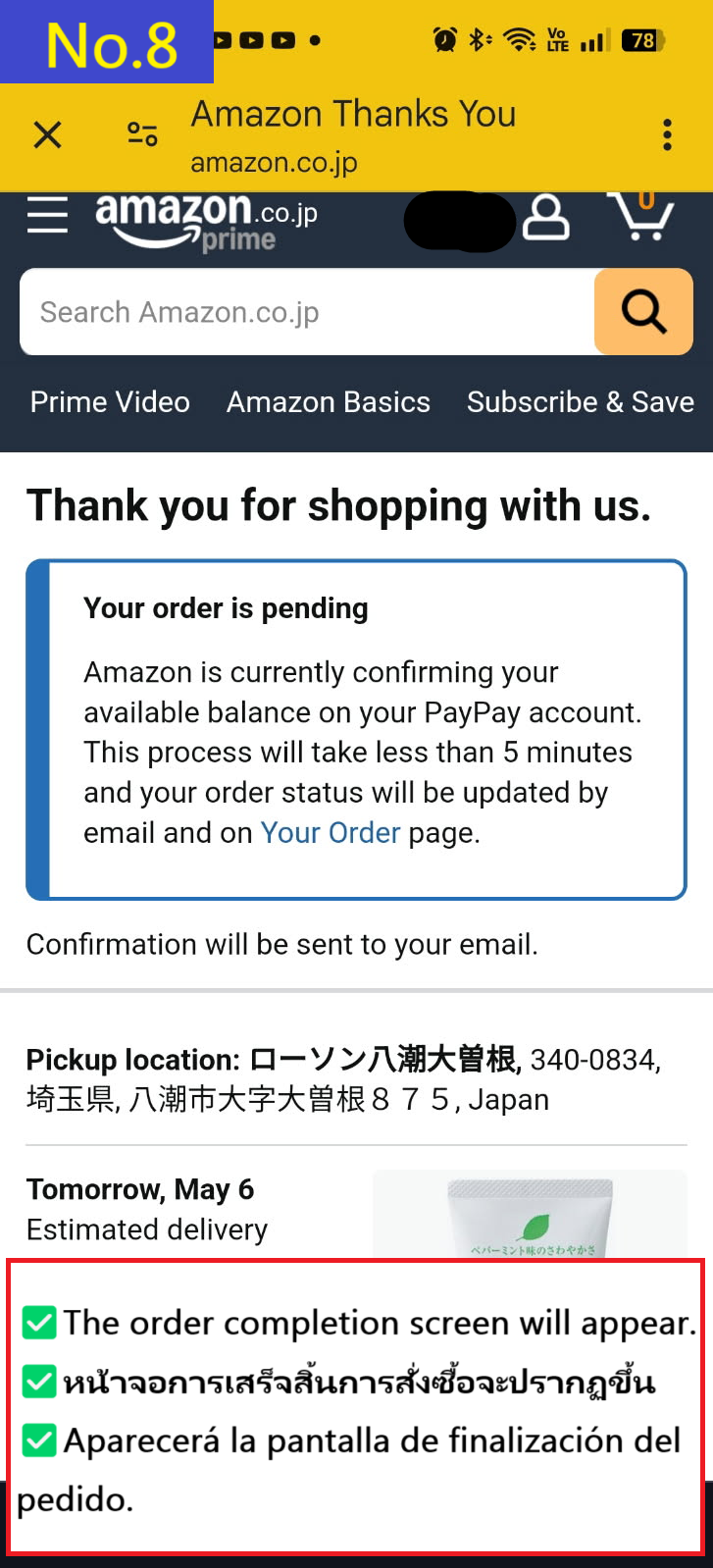
  • Aparecerá la página de confirmación del pedido
  • Image description of The order confirmation details page will appear.

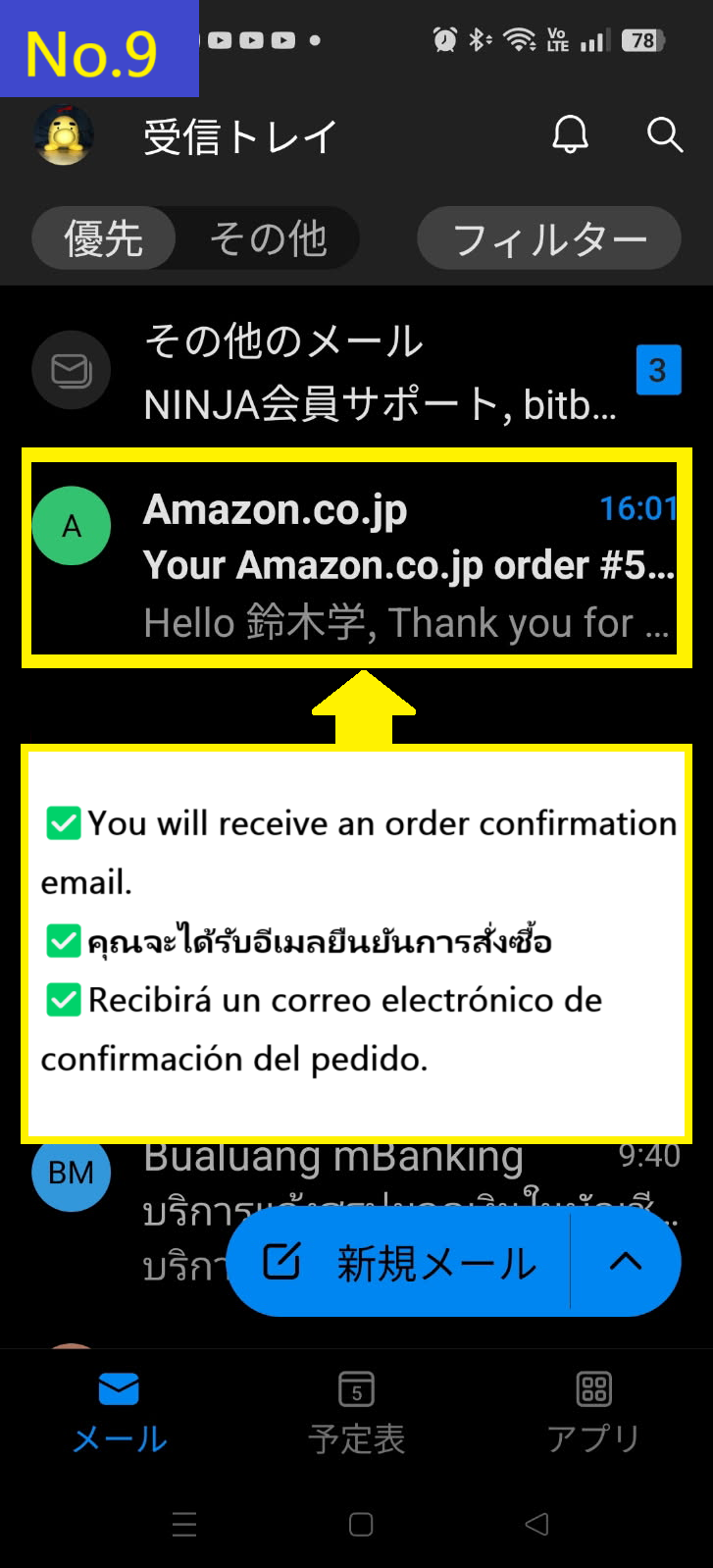
  • Primero, recibirás un correo de confirmación del pedido
  • Image description of First, you will receive an order email.

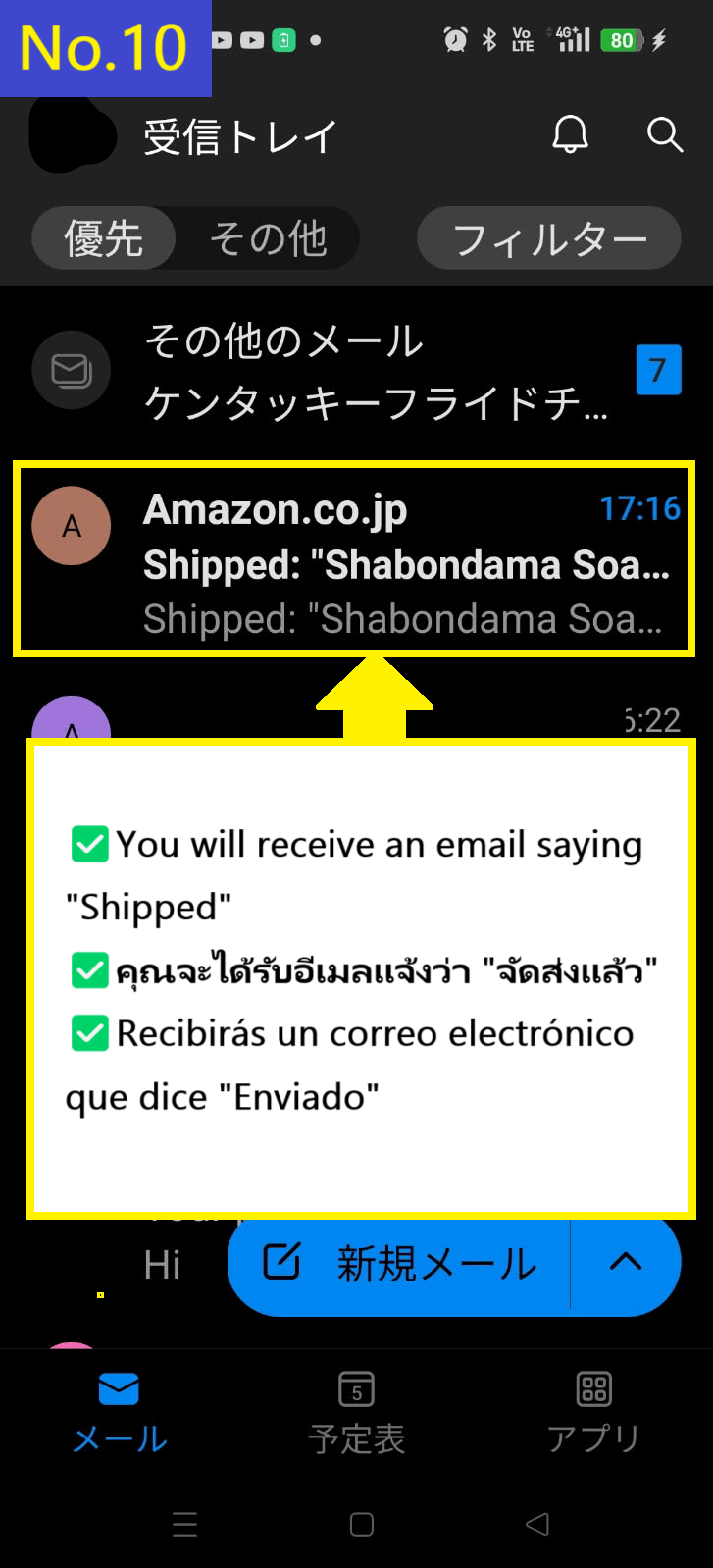
  • Recibirás el segundo correo con el aviso de "Enviado"
  • Image description of You will receive the Shipped email second.

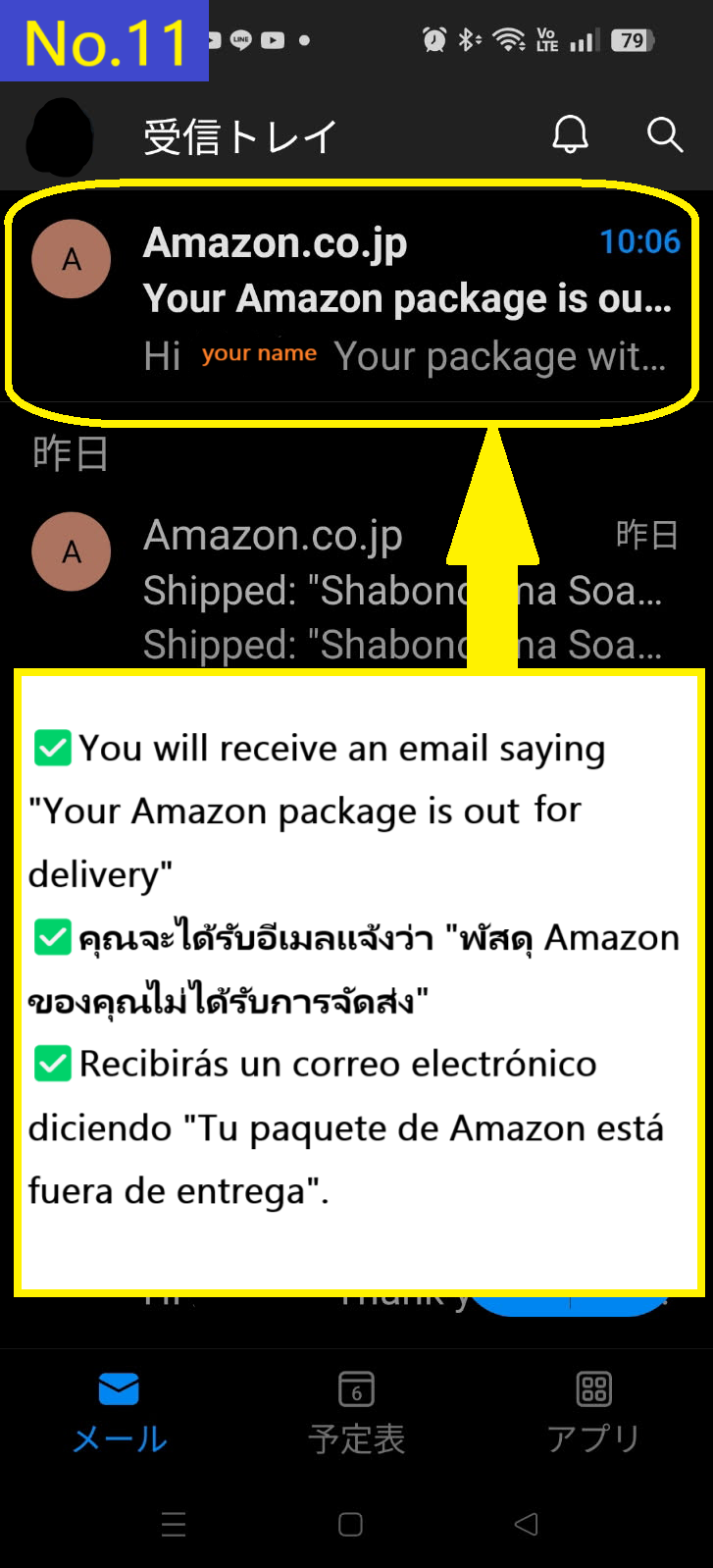
  • Recibirás el tercer correo diciendo que el paquete está en camino
  • Image description of You receive the third email saying that the package is out for delivery.

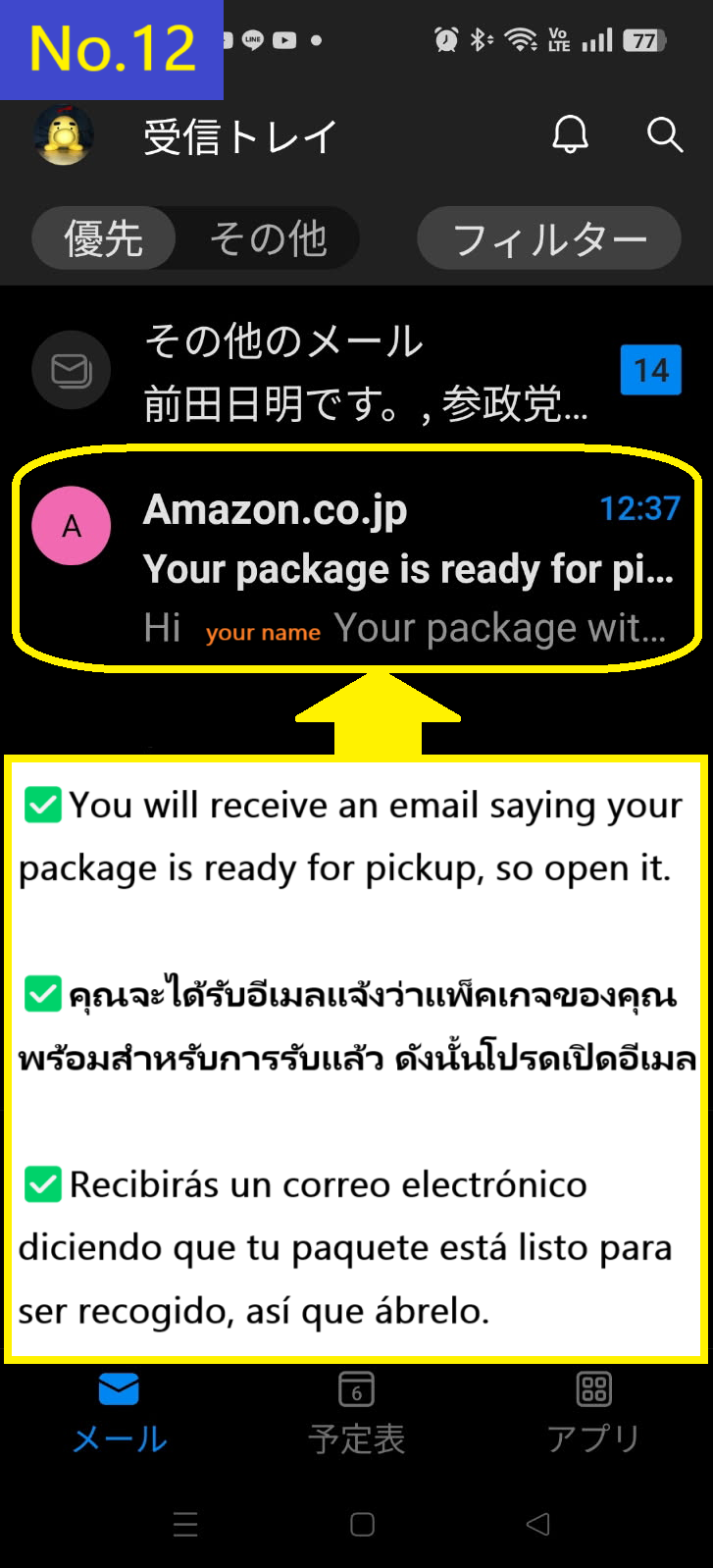
  • Recibirás un cuarto correo diciendo que tu paquete está listo para ser recogido
  • Image description of You will receive a fourth email saying your package is ready for pickup.

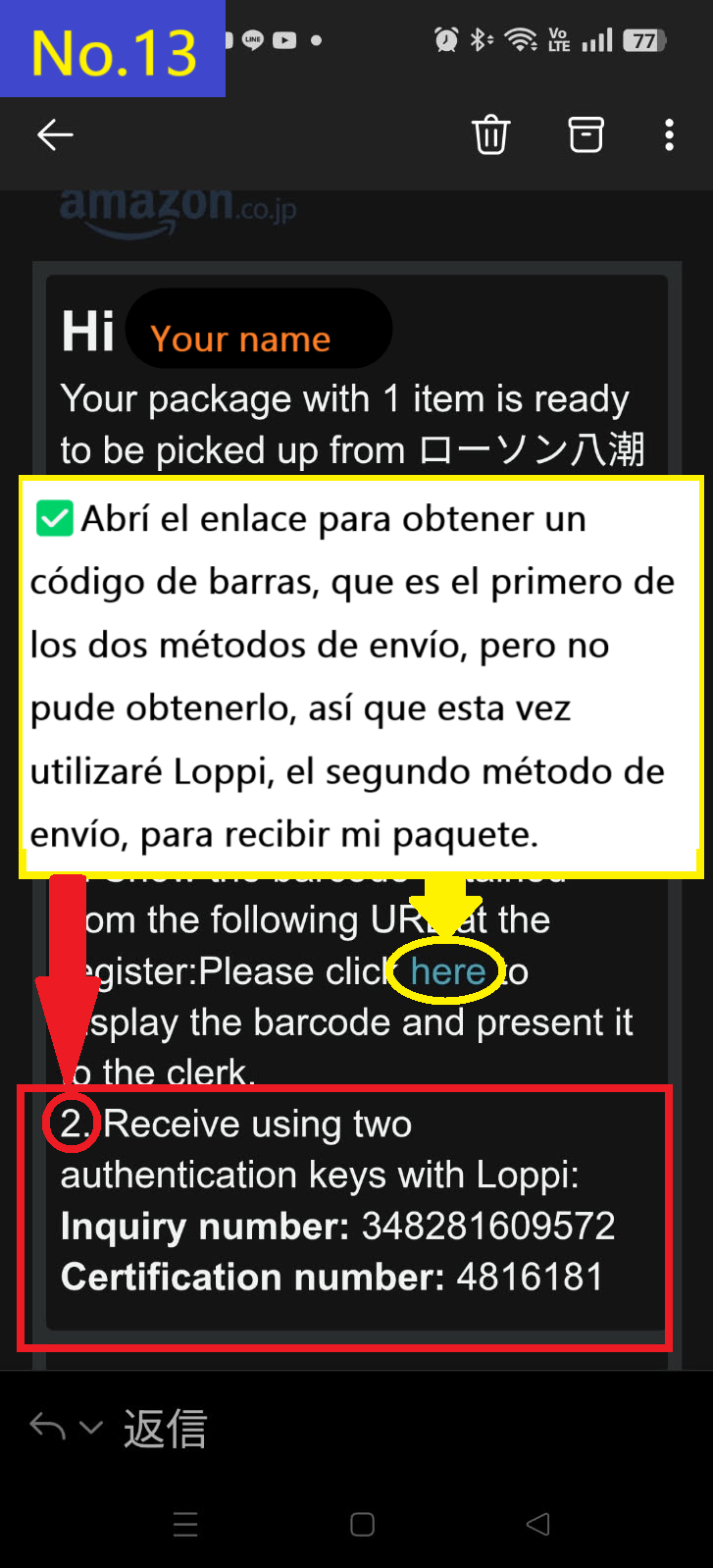
  • Había dos formas de recibir el paquete, pero como el enlace para obtener el código de barras no funcionó esta vez, explicaré cómo recibirlo en el terminal Loppi de Lawson utilizando el número de consulta y el número de verificación
  • Image description of There were two ways to receive the item, but the link to get the barcode didn't work this time, so I will explain how to receive it at the Loppi terminal at Lawson using the inquiry number and certification number.

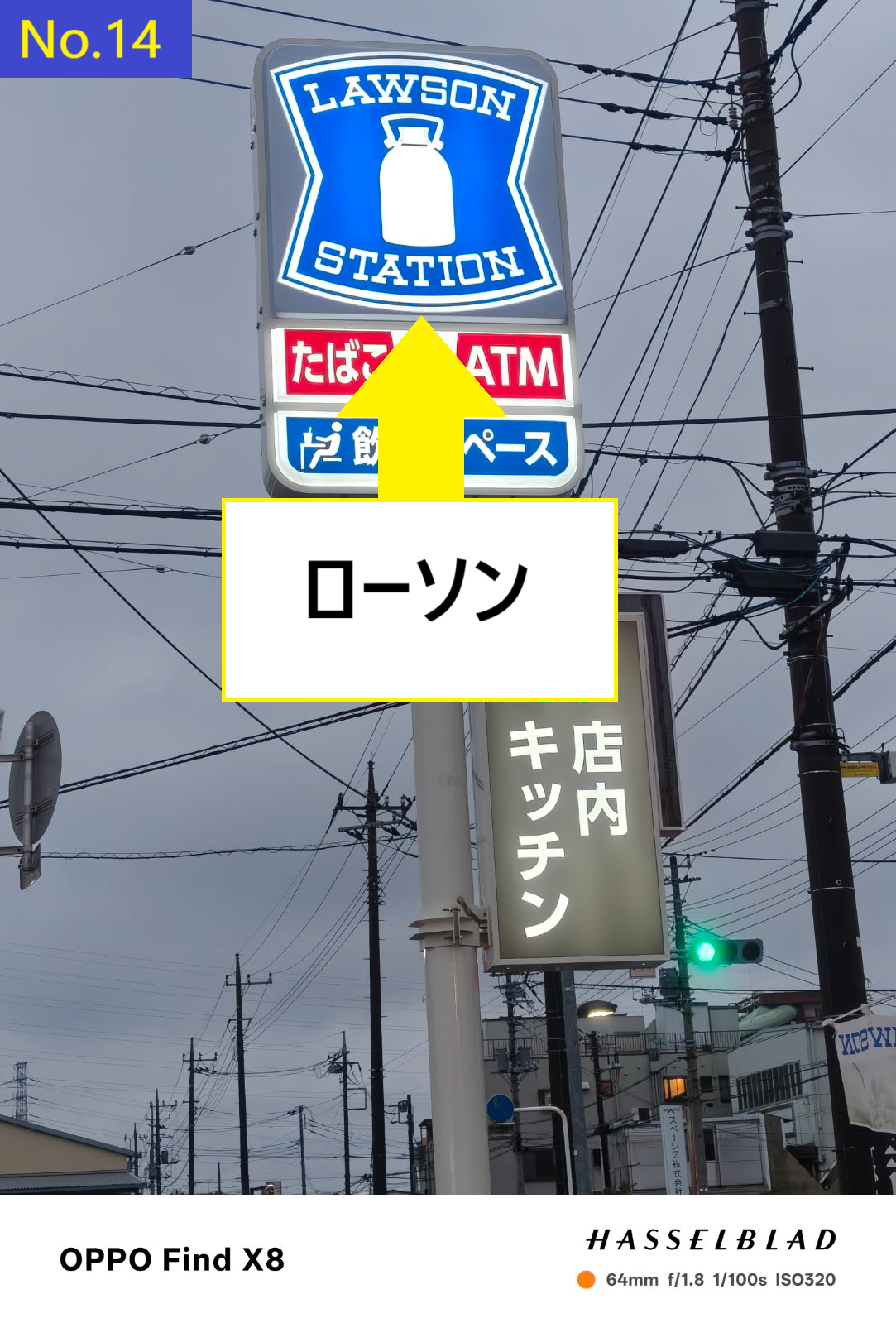
  • Este es el cartel de Lawson
  • Image description of This is the Lawson sign.

  • Esta es la tienda Lawson donde recogí mi pedido
  • Image description of This is the Lawson store where I received my order.

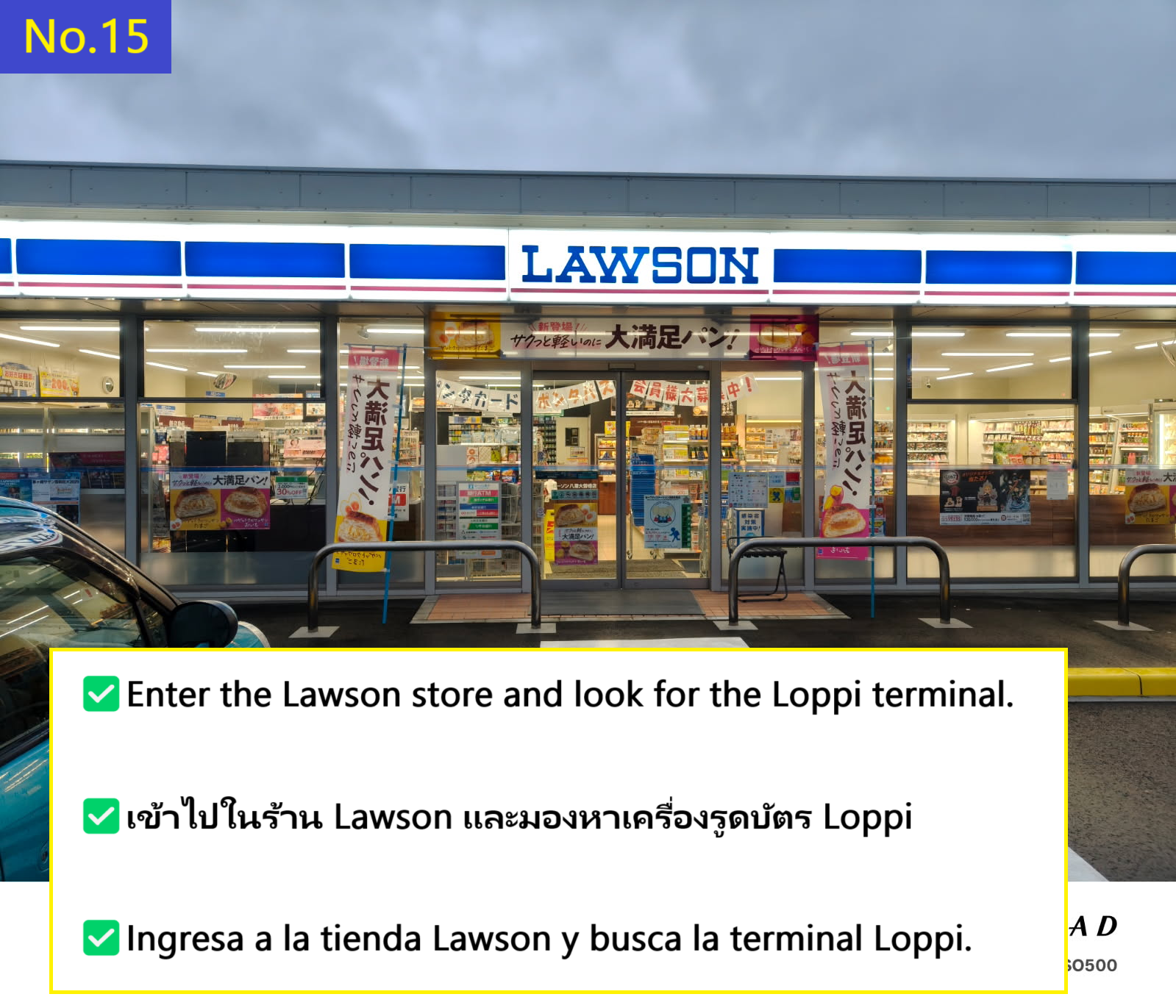
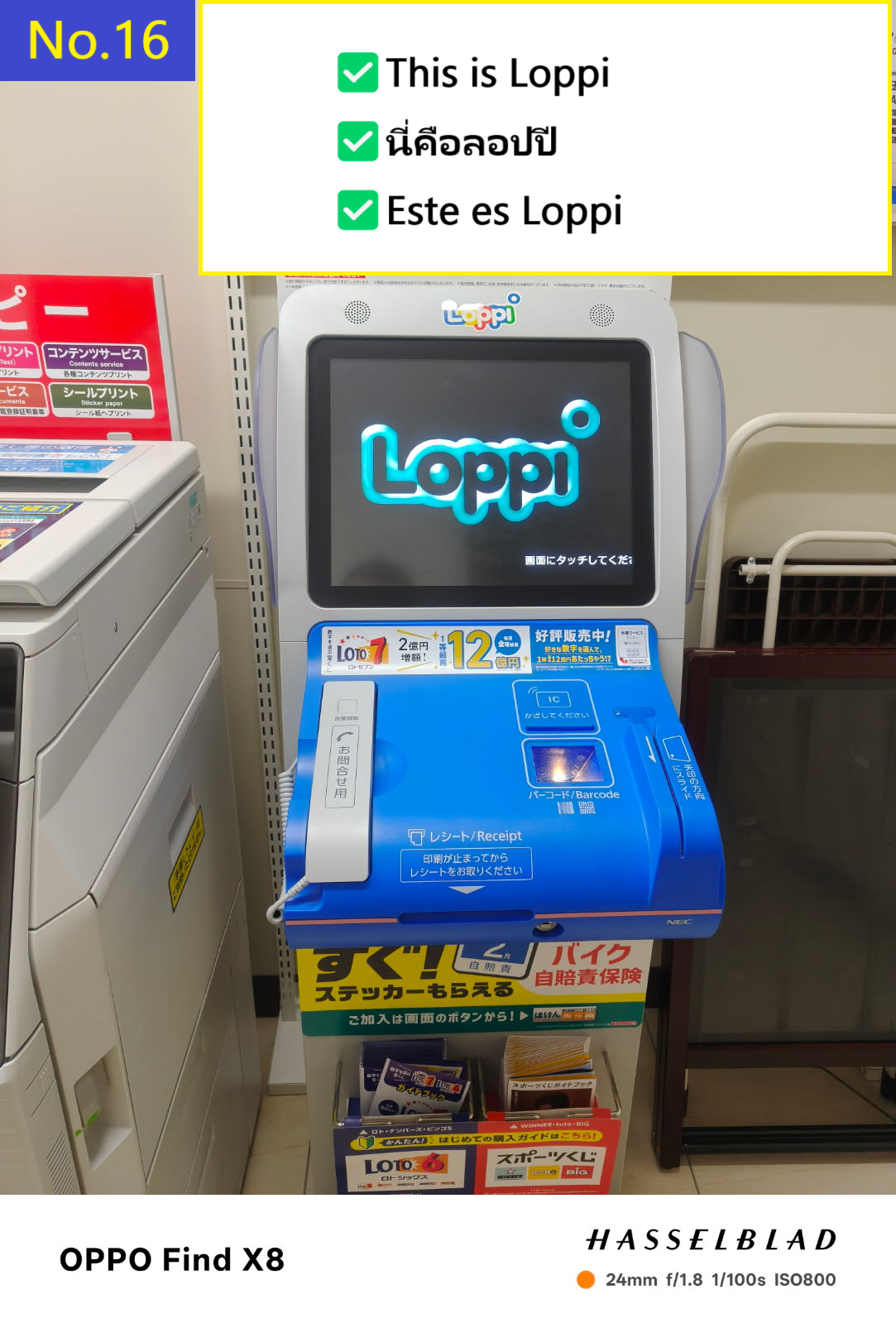
  • Entra en la tienda y busca el terminal Loppi
  • Image description of Enter the store and look for the Loppi terminal.

  • This completes the receipt of your luggage.
  • Image description of This completes the receipt of your luggage.

  • Take the receipt and go to the cash register inside the store. At this time, it will be easier if you use Google Translate or similar to translate "Amazon parcel pickup(アマゾンの荷物受取)" into Japanese and show the receipt and the translation screen to the cashier.
  • Image description of Take the receipt and go to the cash register inside the store.
     At this time, it will be easier if you use Google Translate or similar to translate Amazon parcel pickup(アマゾンの荷物受取) into Japanese and show the receipt and the translation screen to the cashier.

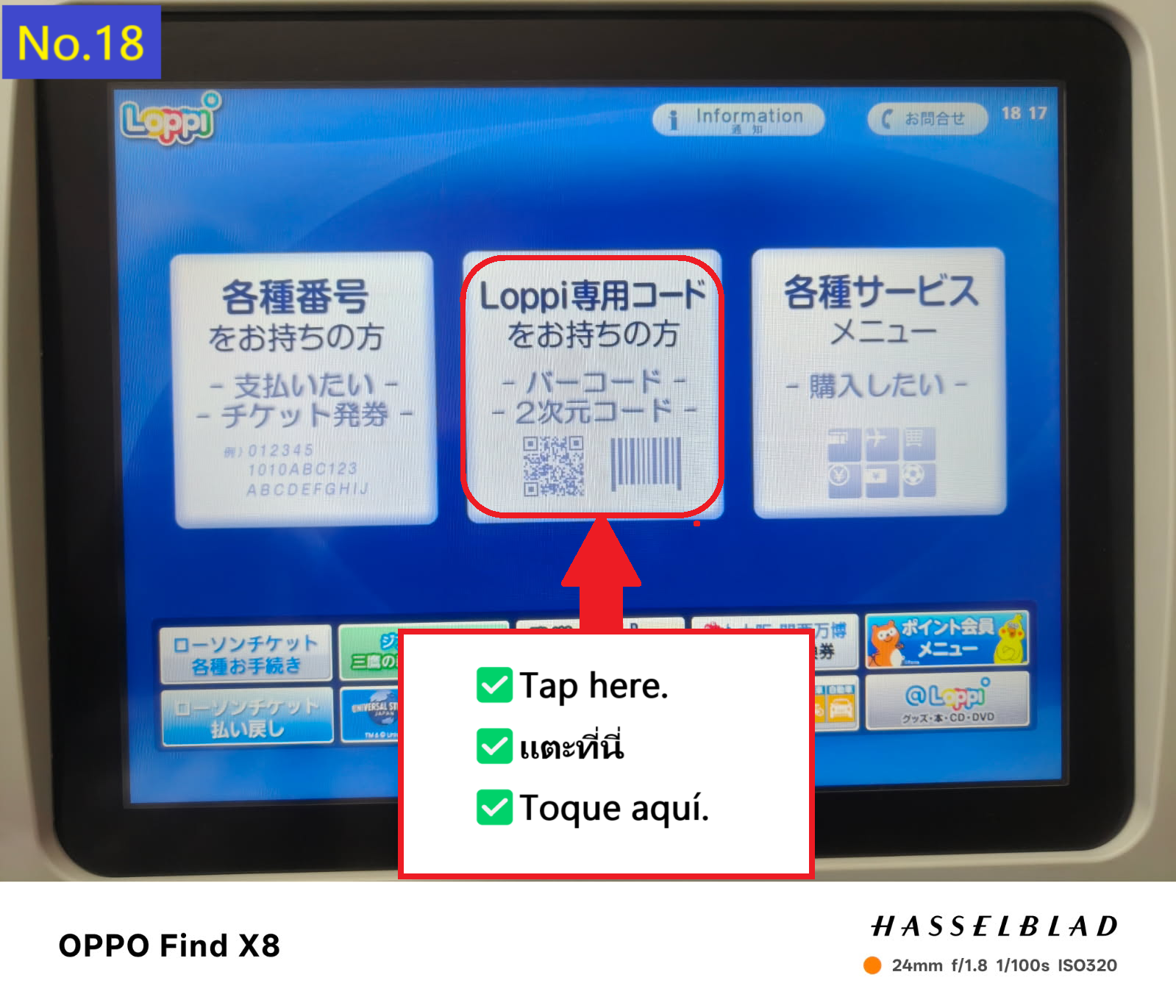
  • Intenté cambiar al idioma inglés, pero no funcionó, así que explicaré en japonés. Pulsa la pestaña de código Loppi en el centro
  • Image description of I tried to switch to English translation, but it didn't work and I'll explain it in Japanese. Tap the Loppi code tab in the middle.

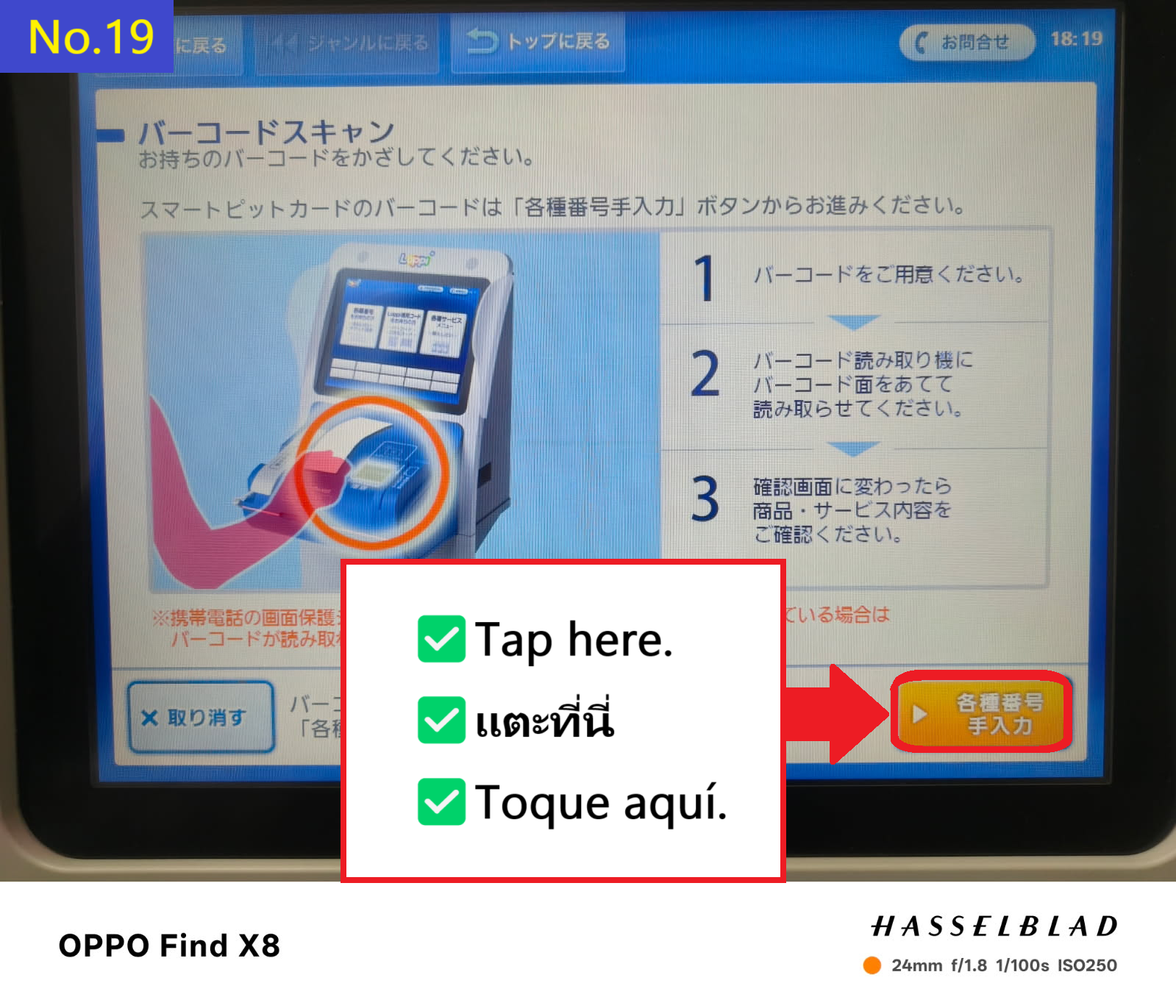
  • Pulsa en la pestaña naranja en la esquina inferior derecha
  • Image description of Tap the orange tab in the bottom right

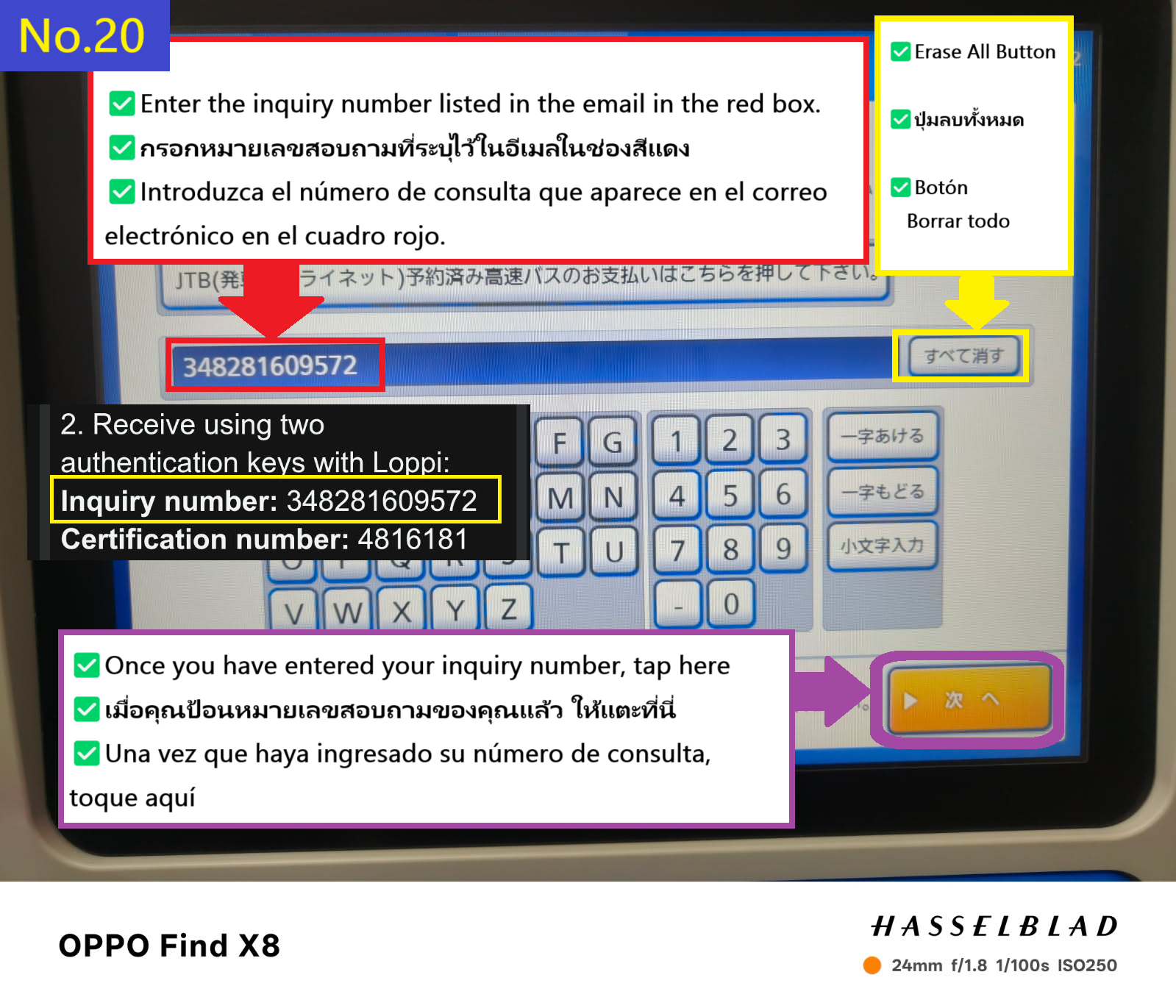
  • Primero, introduce tu número de consulta y pulsa la pestaña naranja en la parte inferior derecha
  • Image description of First, enter your inquiry number and tap the orange tab on the bottom right.

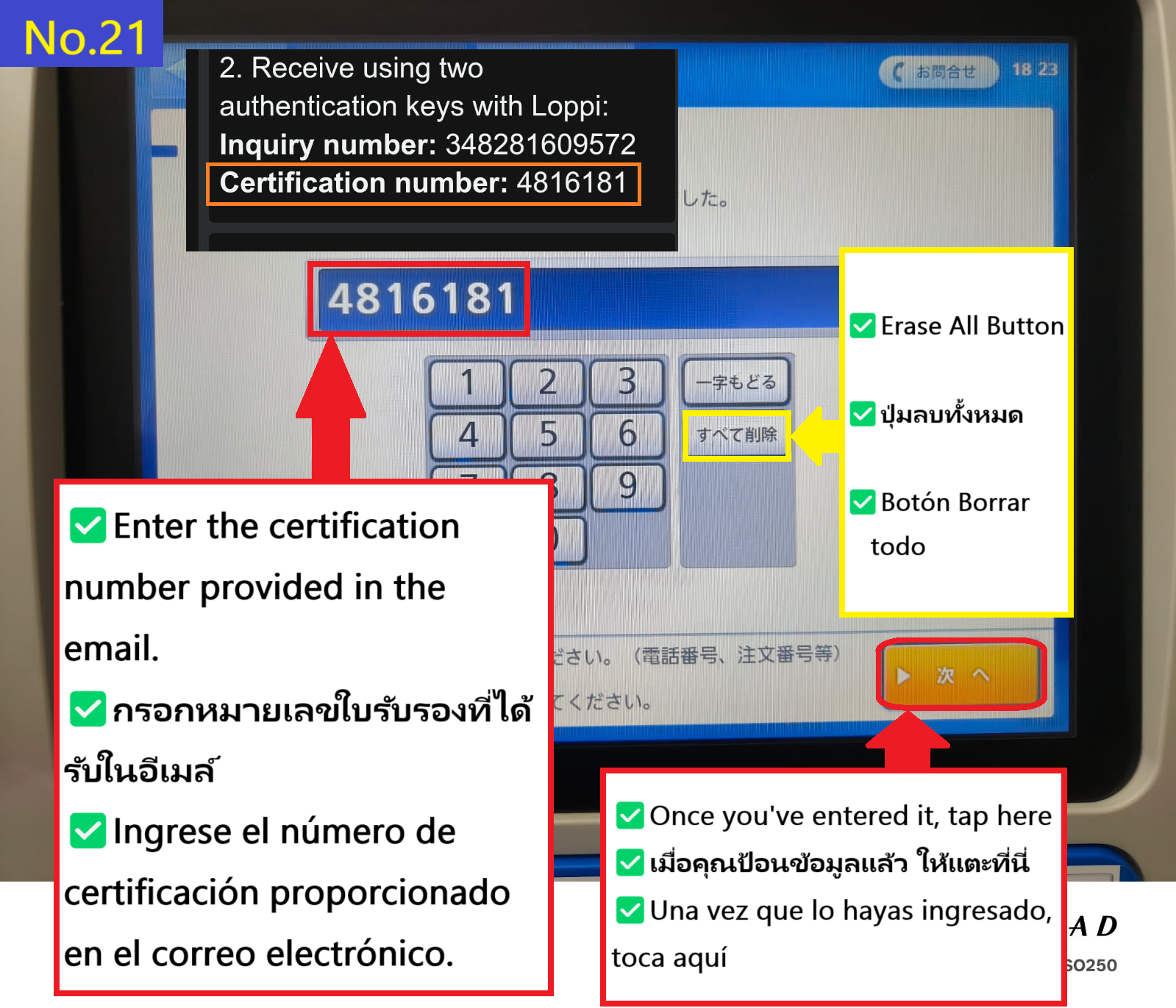
  • Ahora introduce tu número de verificación y pulsa la pestaña naranja en la parte inferior derecha
  • Image description of Now enter your certification number and tap the orange tab at the bottom right

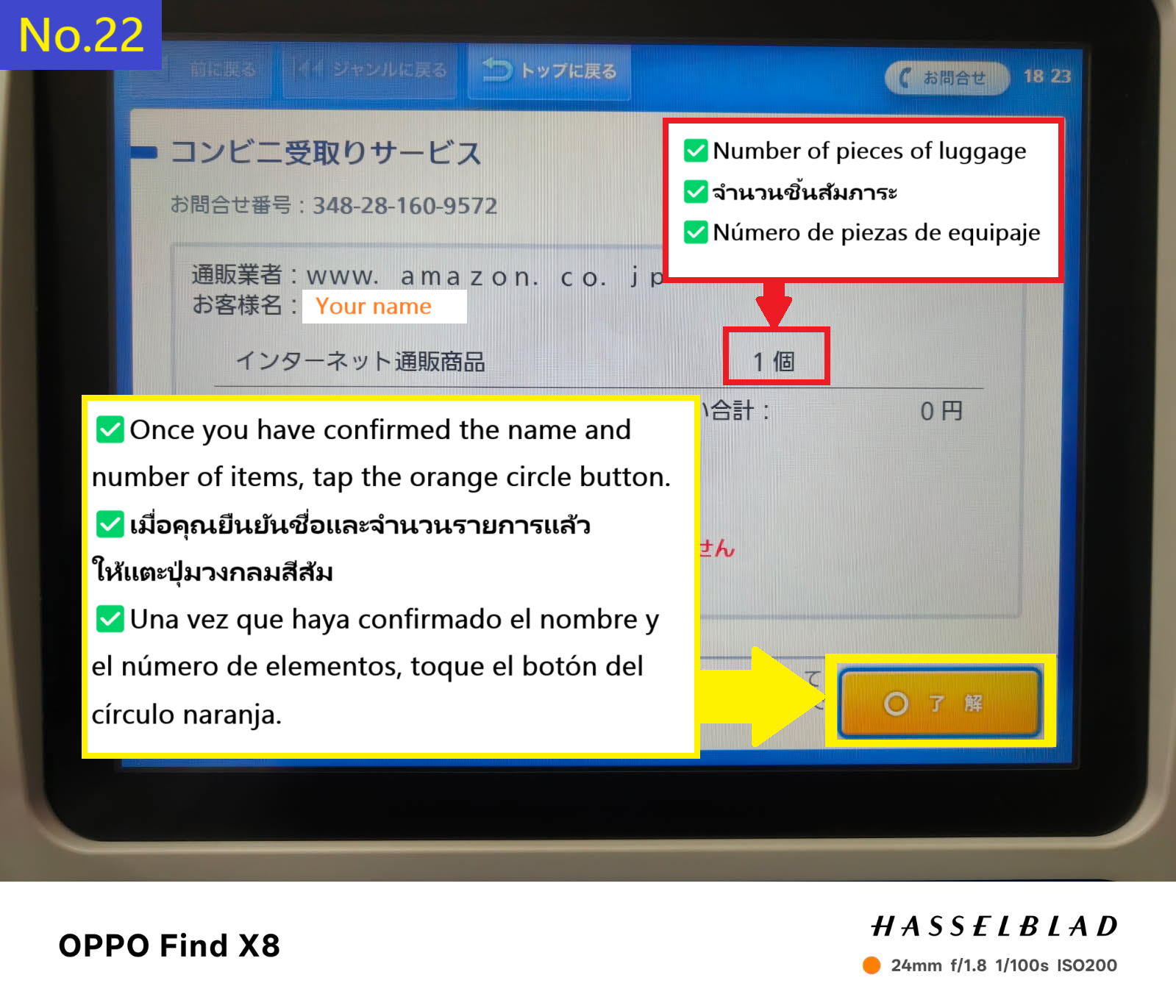
  • www.amazon.co.jp Una vez que confirmes tu nombre, pulsa el botón circular naranja en la parte inferior derecha
  • Image description of www.amazon.co.jp
Once you have confirmed your name, tap the orange circle tab in the bottom right

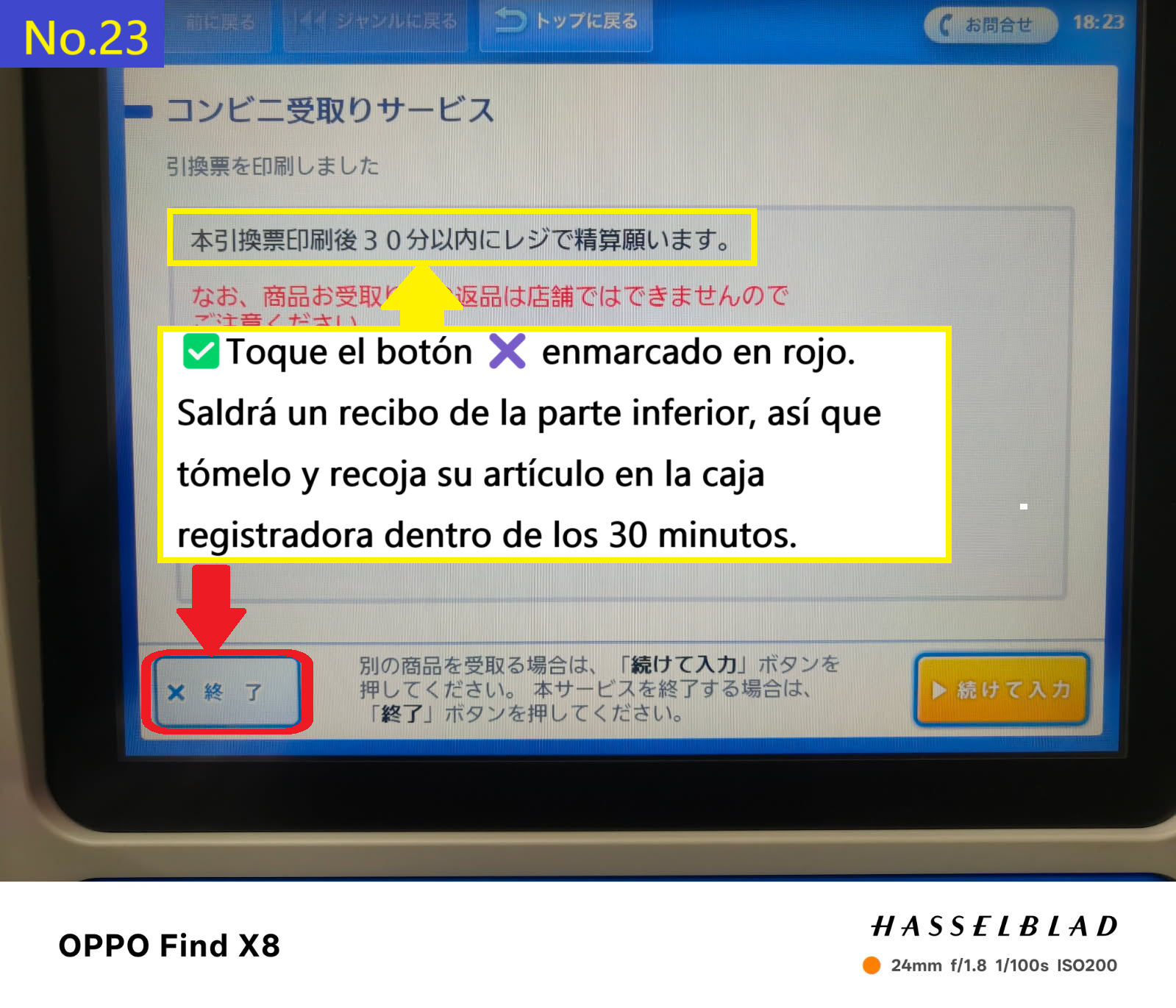
  • El recibo aparecerá en la parte inferior de la pantalla del terminal Loppi. Pulsa la pestaña X para obtener el recibo. Recoge tu paquete en la caja dentro de los 30 minutos siguientes a la impresión del recibo.
  • Image description of The receipt will appear at the bottom of the Loppi terminal screen. Tap the X tab at the bottom of the screen to receive your receipt. Please collect your item at the store's cash register within 30 minutes of receiving the receipt.

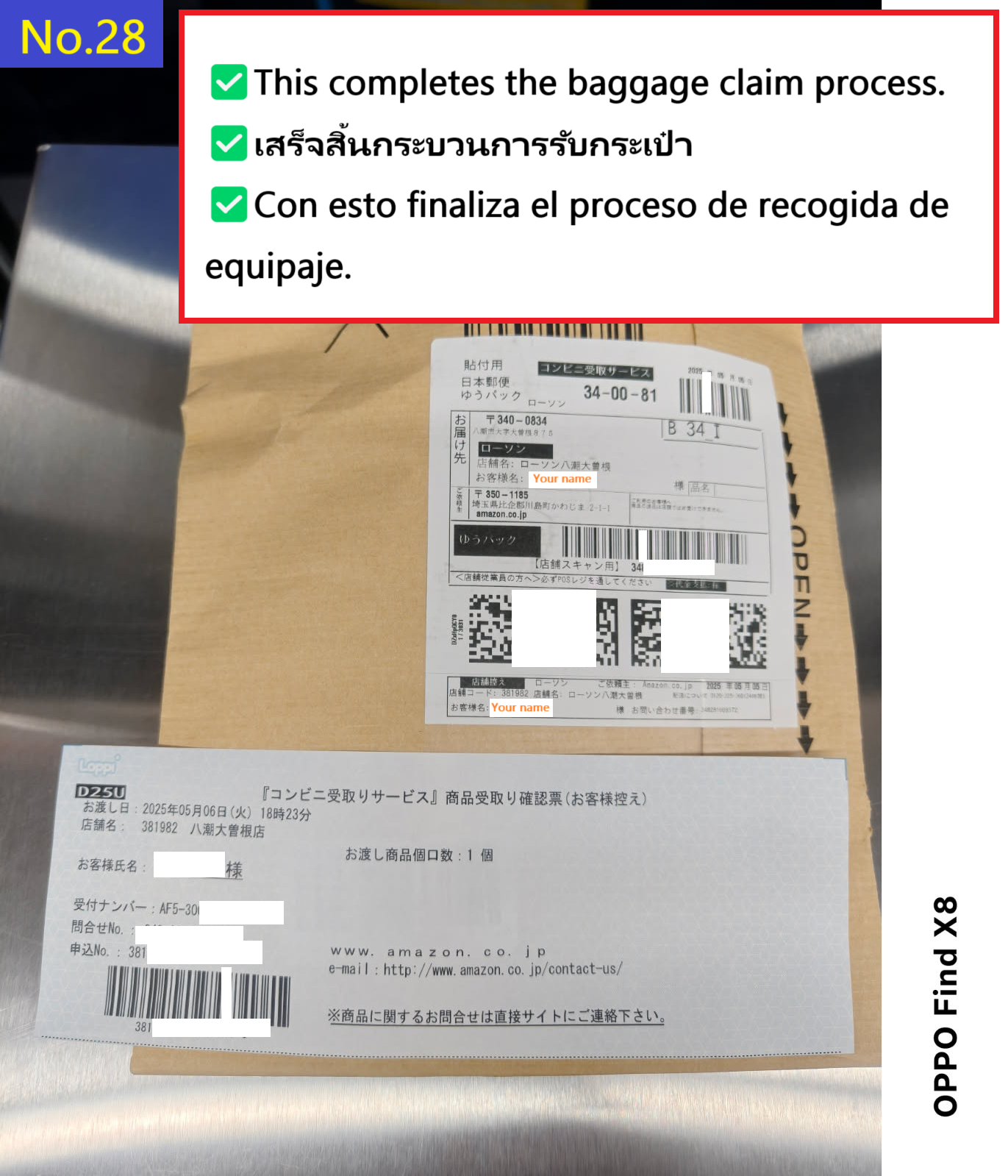
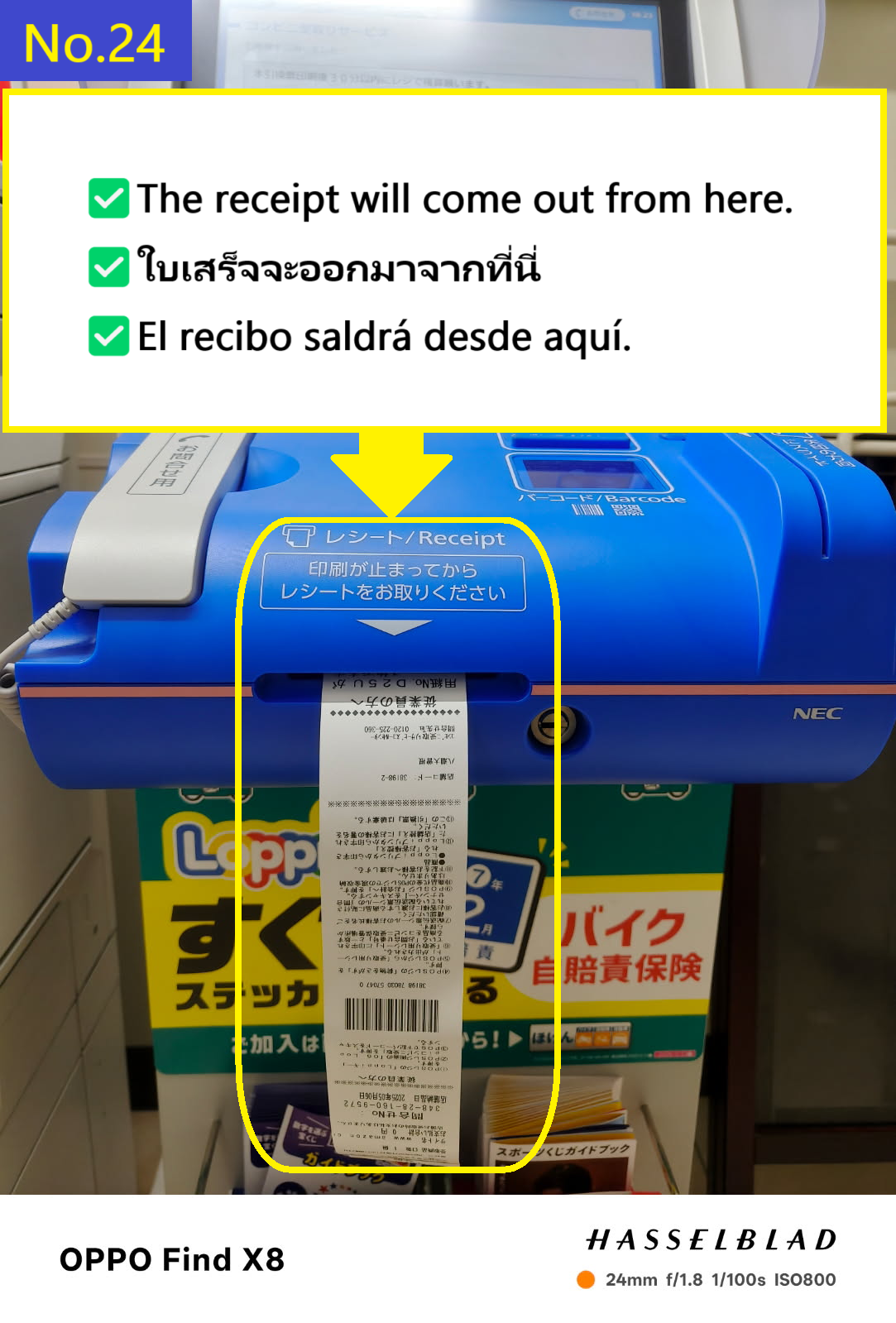
  • El recibo se verá así
  • Image description of The receipt will come out like this

  • Lleva el recibo al mostrador dentro de la tienda. En este momento, te será más fácil si utilizas Google Translate u otra herramienta para traducir "Amazon parcel pickup(アマゾンの荷物受取)" al japonés y muestras la pantalla traducida junto con el recibo al cajero.
  • Image description of Take the receipt and go to the cash register inside the store.
     At this time, it will be easier if you use Google Translate or similar to translate Amazon parcel pickup(アマゾンの荷物受取) into Japanese and show the receipt and the translation screen to the cashier.

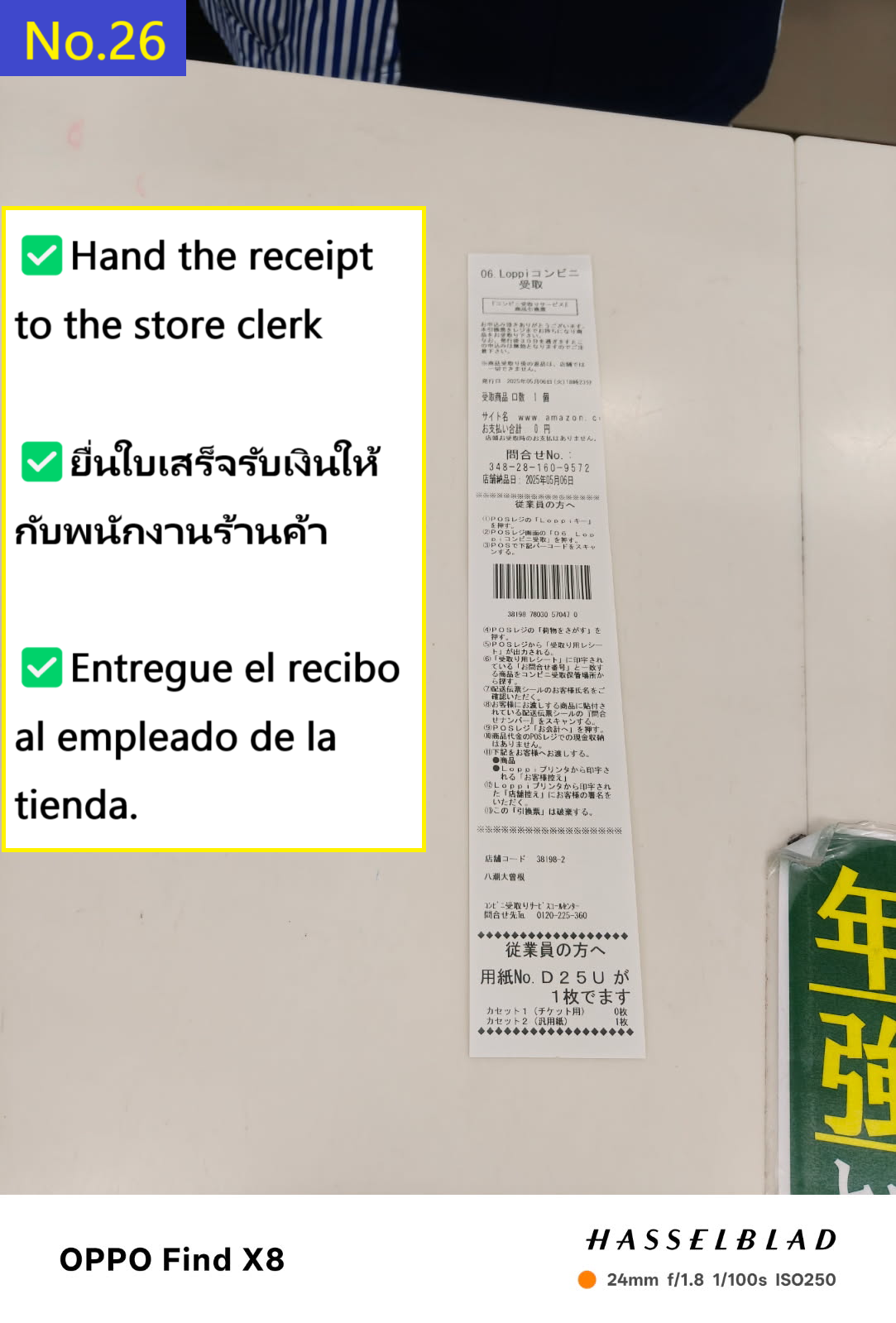
  • Entrega el recibo al personal de caja
  • Image description of Hand the receipt to the clerk

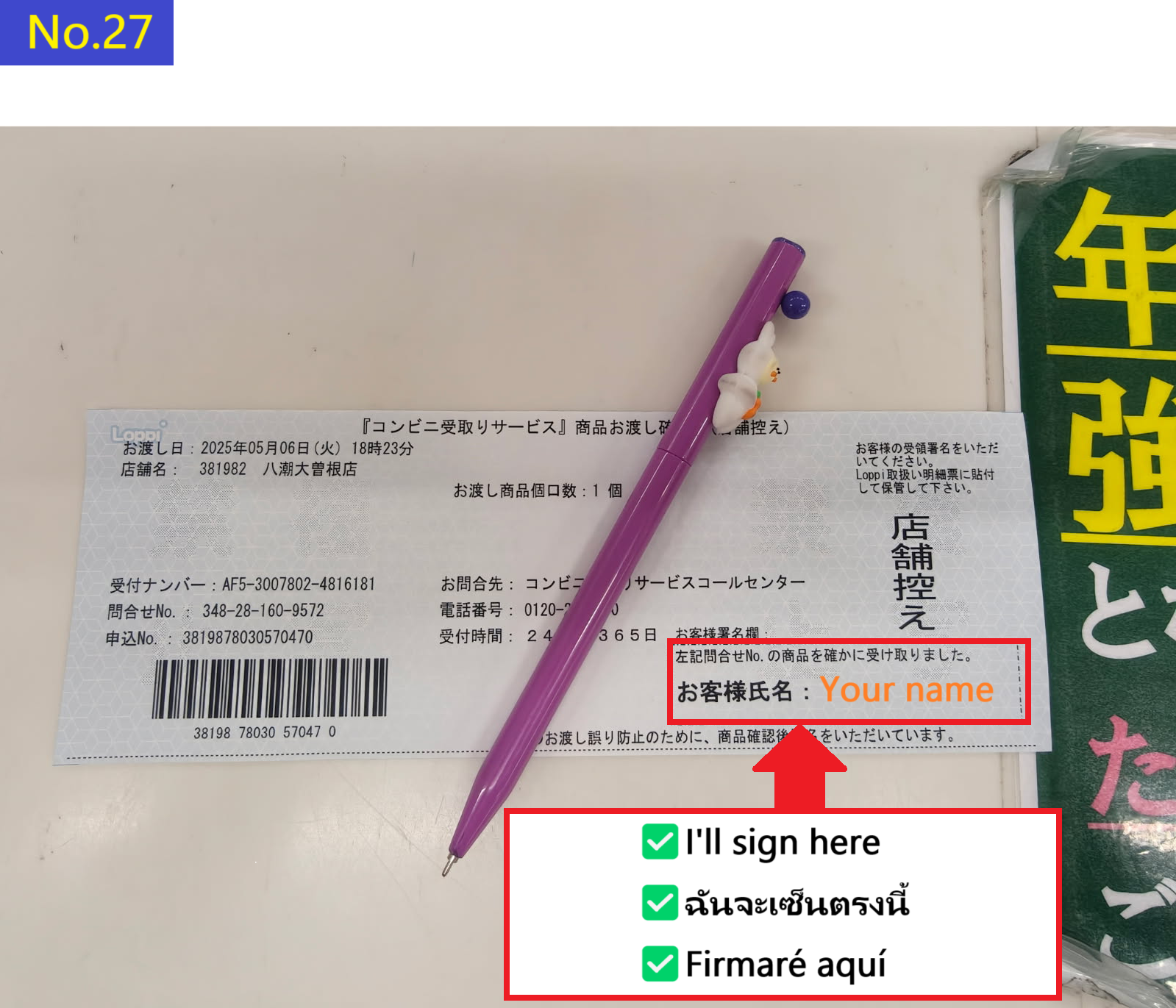
  • El empleado te entregará un documento como este. Firma en el espacio en blanco en la parte inferior derecha.
  • Image description of The clerk will show you a piece of paper like this, so please sign in the blank space at the bottom right.

  • Con esto se completa la recogida de tu paquete.
  • Image description of This completes the receipt of your luggage.

    🤖 Search for Products by Text or Image (AI-powered)

    Can’t find what you want? Let AI help!
    You can search using images or keywords—even if you don't know the product name.

    📷📝 Buscar productos (texto o imagen)