This site is a guide for international travelers on how to register an Amazon Japan (Amazon.co.jp) account,
search for products using images or keywords,
and receive packages at hotels, convenience stores, and more.
Finding what you want in a foreign country can be tough, especially with language barriers...
That's where BuyOnJapan comes in! By using our search features, you can easily shop on Amazon Japan
✅ Have your packages delivered to your hotel or a nearby convenience store
✅ Avoid carrying around lots of shopping bags
✅ Take a photo of what you want and instantly search for it with AI
✅ Find many products that are even cheaper than tax-free store prices
✅ Save your time for sightseeing instead of shopping trips
Sounds pretty awesome, right?
At BuyOnJapan, you can select a photo or screenshot and
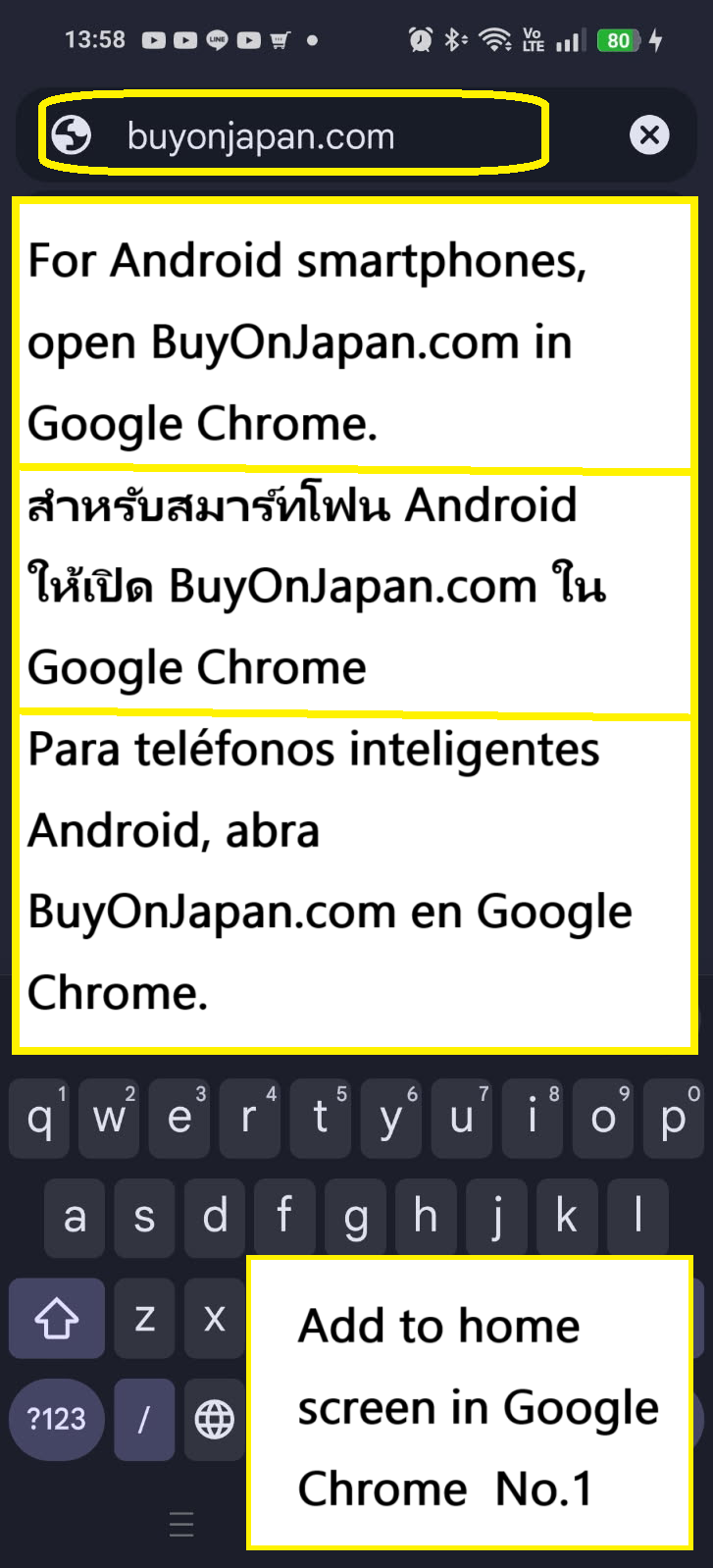
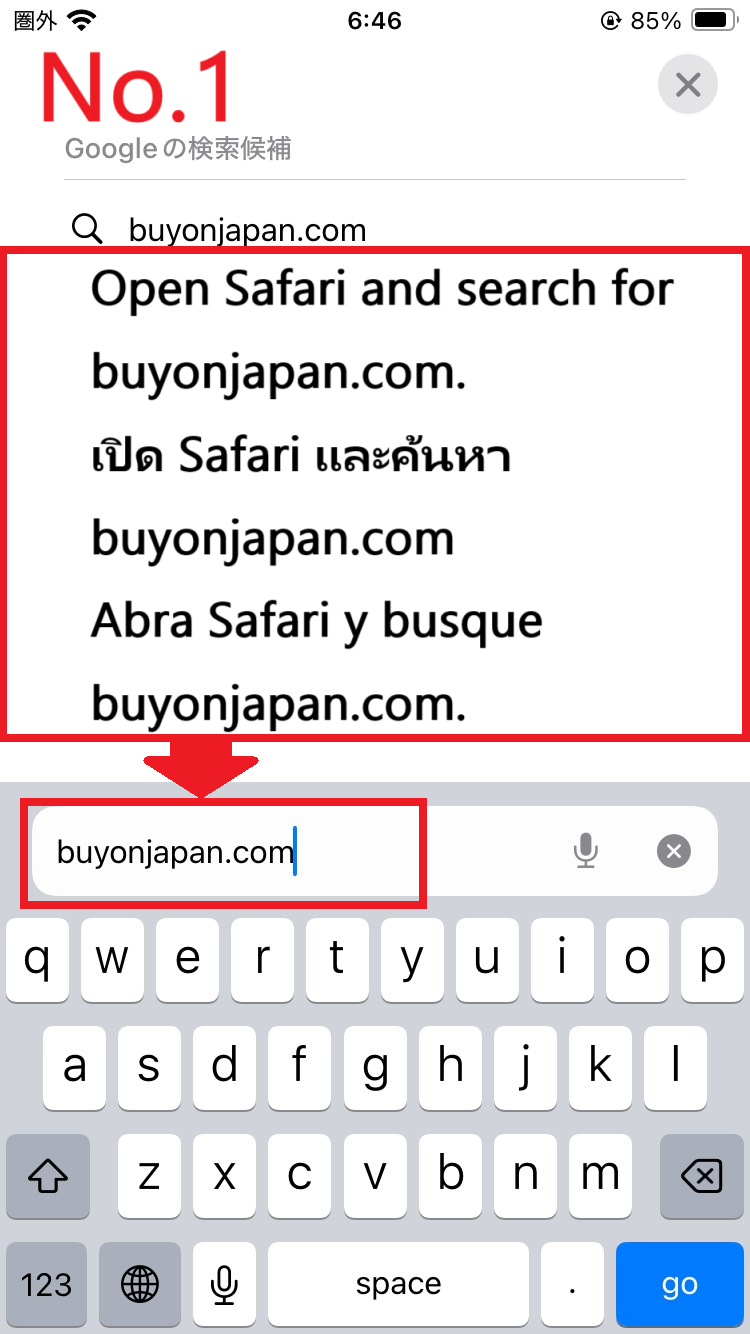
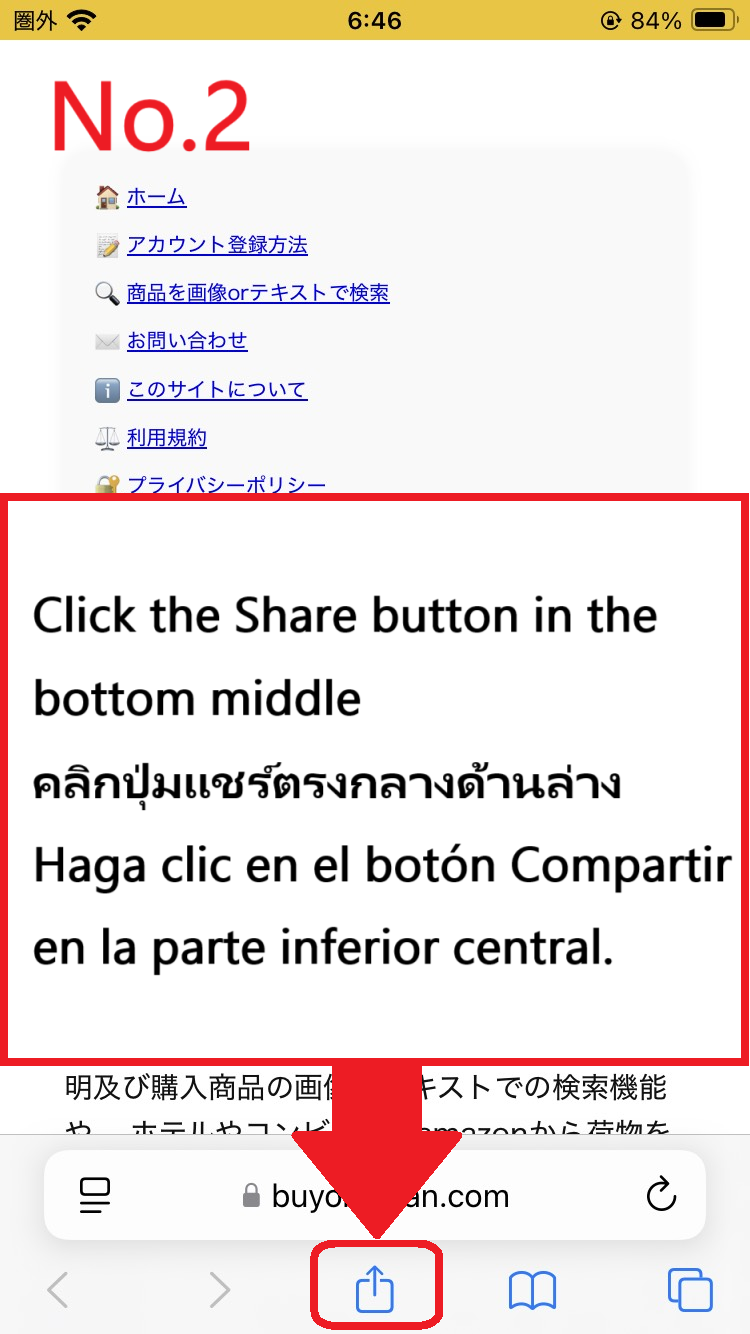
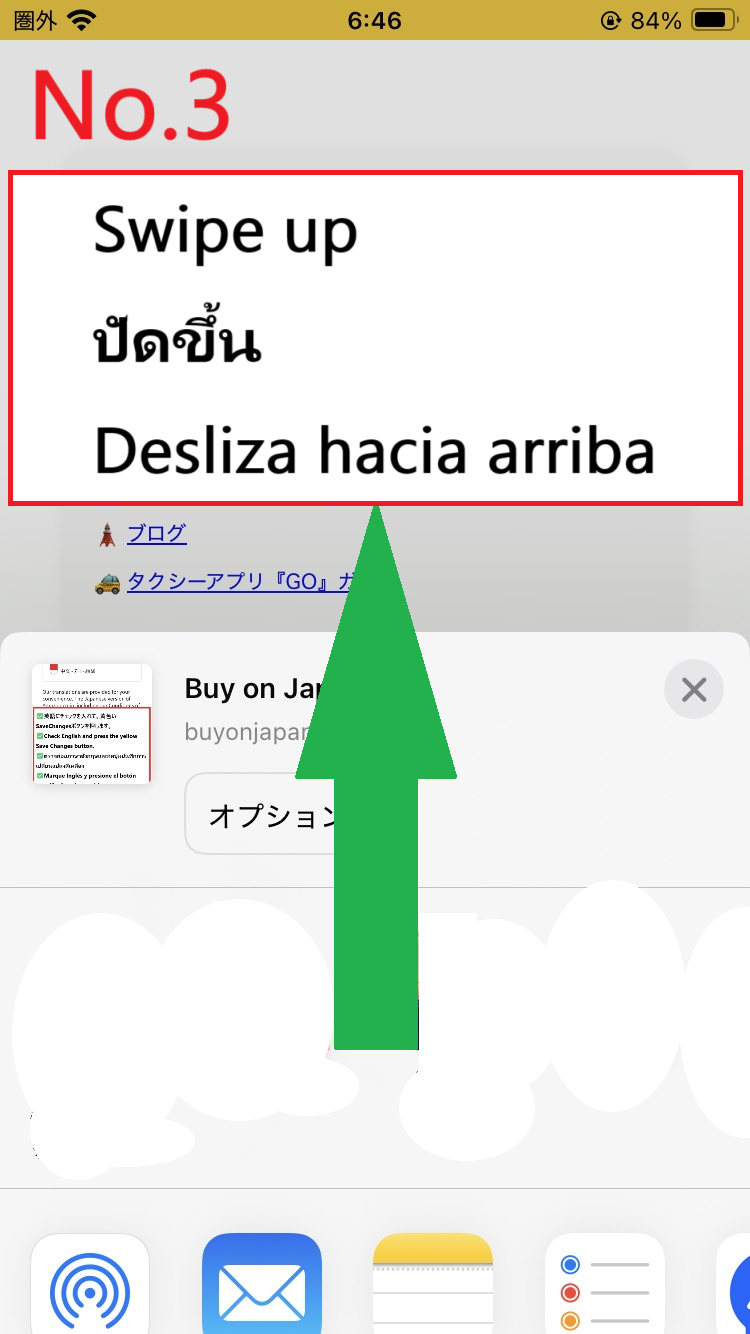
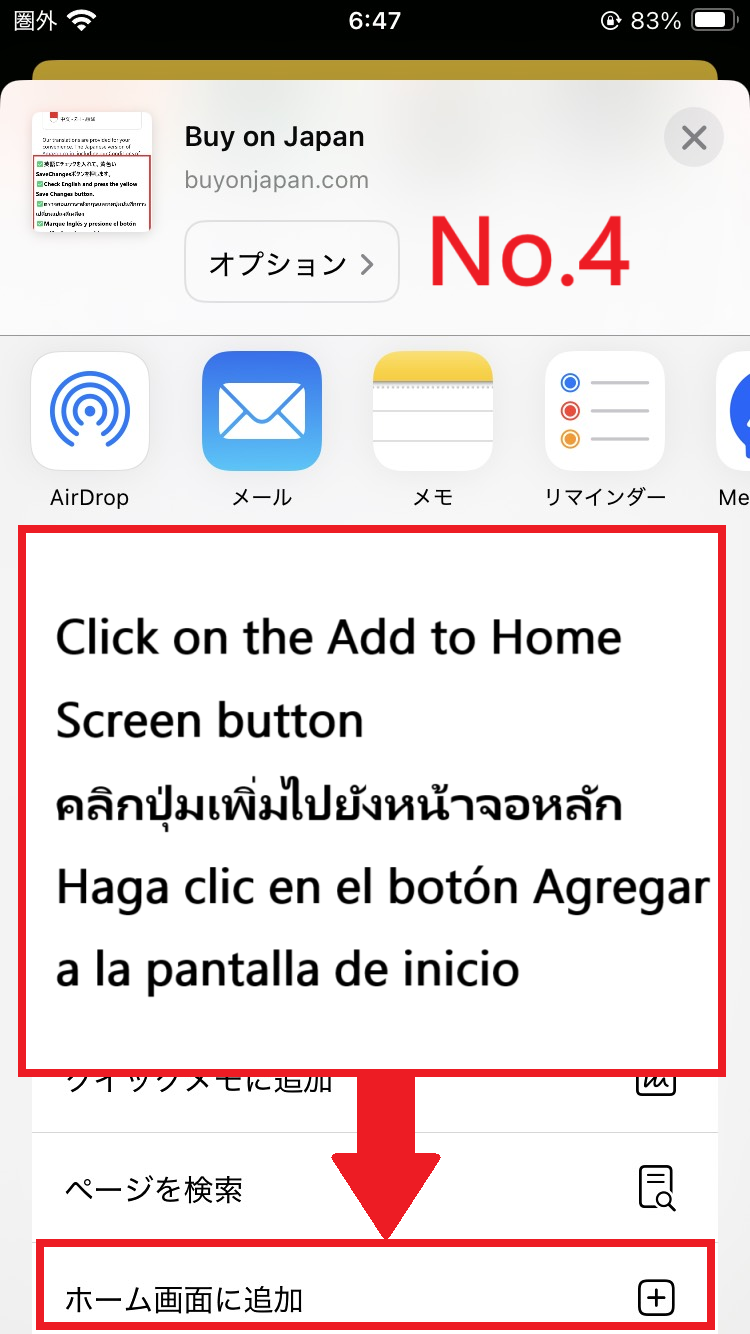
📱 Add this website to your smartphone home screen to use it like an app!
Open BuyOnJapan.com in Google Chrome.
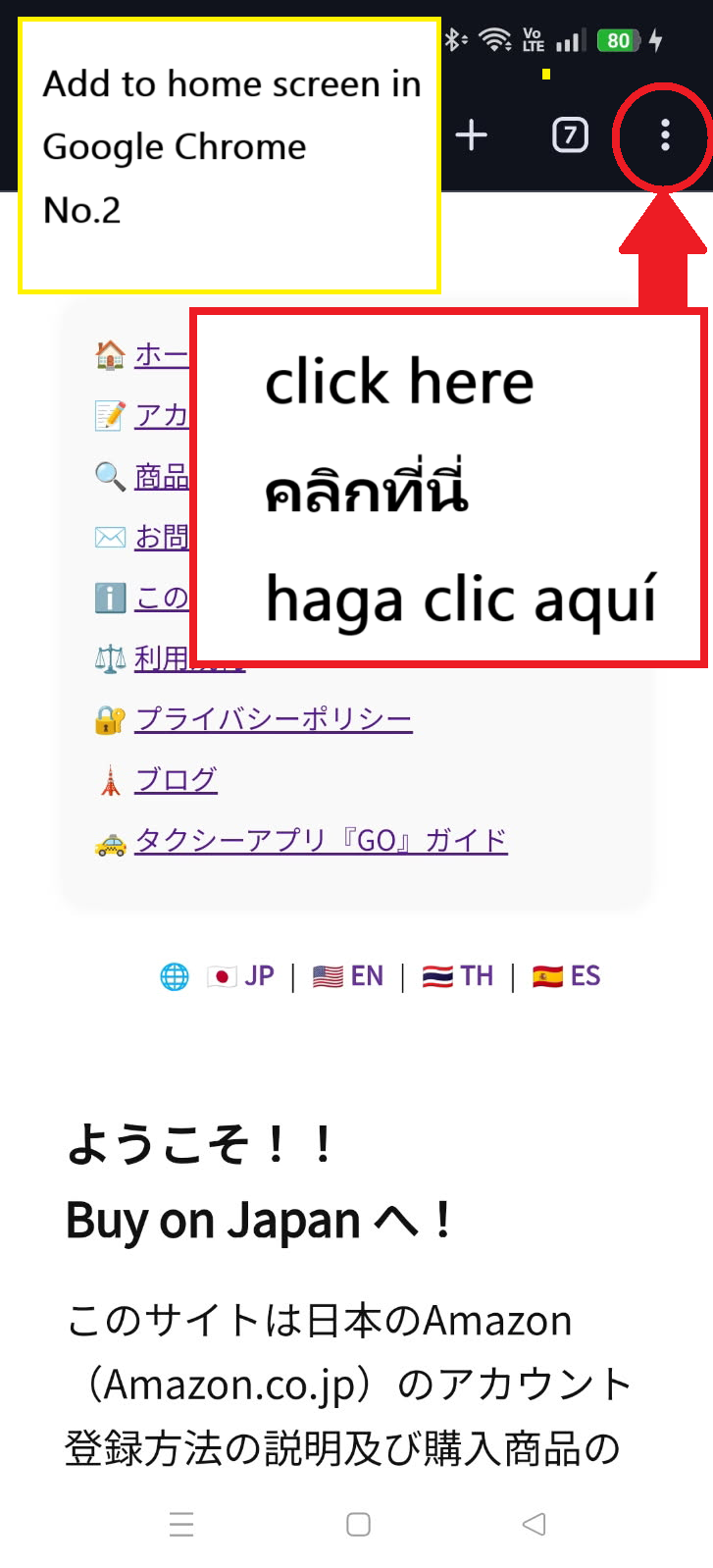
Press the menu button ⋮ in the top right.
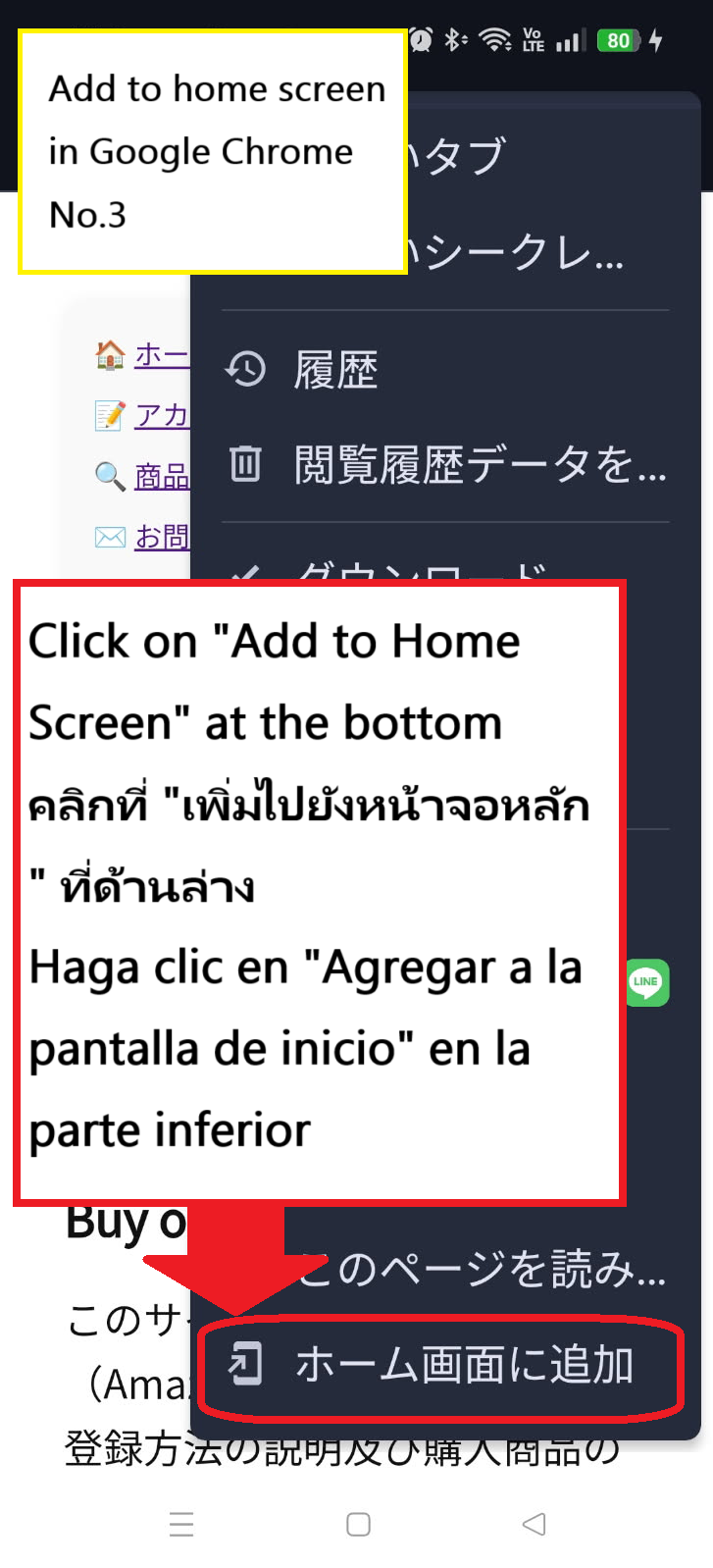
Click on "Add to home screen" at the bottom of the menu.
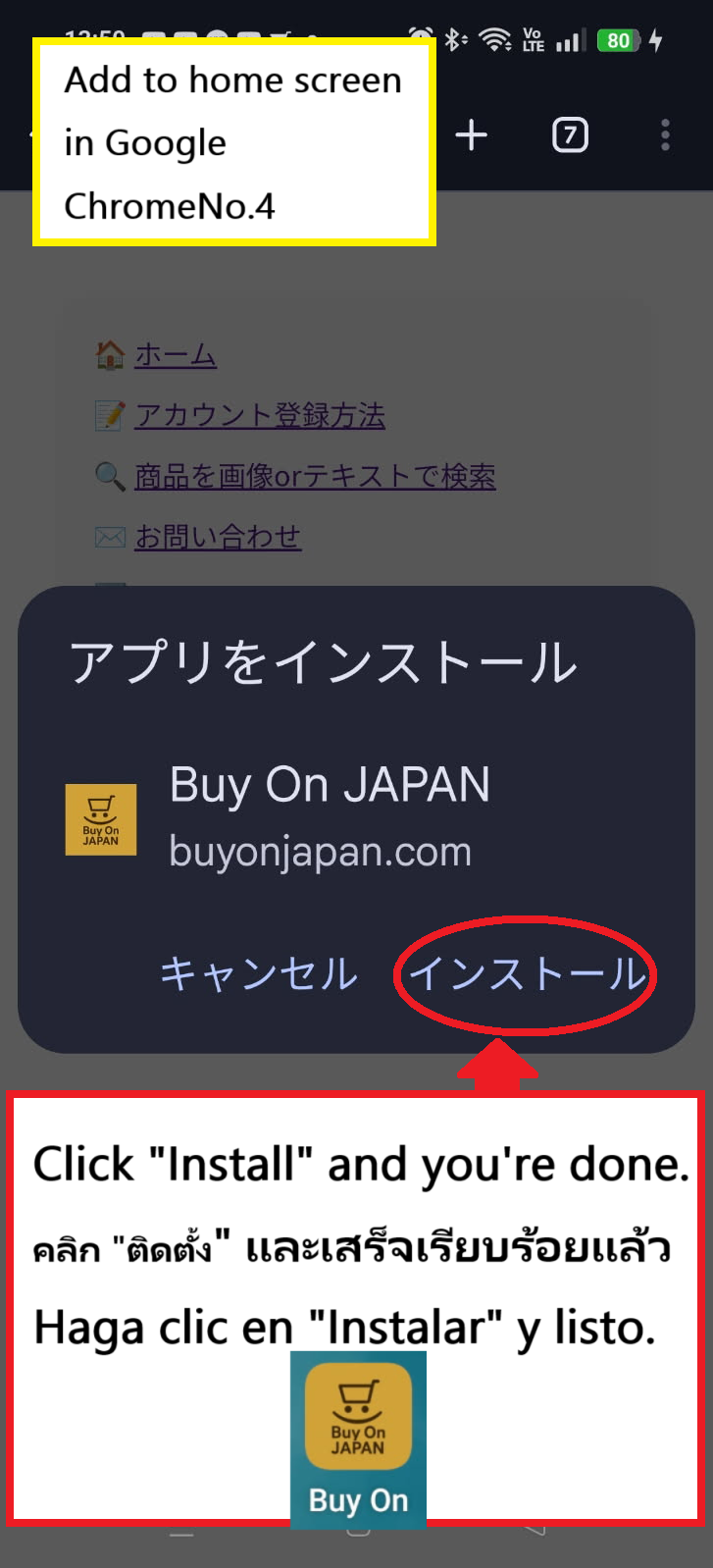
Once you press the install button, a BuyOnJapan icon will be created on your Android home screen, allowing you to use it conveniently like an app.
※ If "Add to Home Screen" doesn’t work on Android, check if "Home screen layout lock" is enabled in settings. Temporarily disable it to proceed.
Note: This feature only works with Safari on iPhone. Chrome and other browsers do not support it.
Shopping for souvenirs and must-have items is part of the fun of visiting Japan, right?
But sometimes, it’s hard to find exactly what you want in an unfamiliar place, especially with language barriers. Searching for that one perfect product in a store can be exhausting.
That’s where Amazon Japan comes in! By shopping online, you can save time and energy while still getting exactly what you want.
Sounds convenient, doesn’t it?
Of course, many people enjoy exploring foreign cities and shopping in person, but if:
You can’t find the product you want
You’re buying too much to carry comfortably
You don’t want to spend too much time shopping...
Then simply search by product name or image with Buy on Japan, and click to purchase easily on Amazon Japan.
📦 Delivery Options with Amazon Japan (For Travelers)
Method
Available?
Notes
✅ Hotel Front Desk
Yes
Hotel must allow package receipt. Always confirm in advance!
Available for Yamato shipments only. ID may be required.
✅ Post Office Hold
Maybe
Requires manual arrangement. Amazon does not support direct selection.
✅ Airport Delivery Counter
Maybe
Some services like JAL ABC offer this. Not officially linked to Amazon.
❌ Airbnb / Guesthouse Address
Maybe
Not recommended. Risk of lost or refused deliveries.
🏨How to pick up Amazon items at your hotel and fill in your address
First, if you do not have an Amazon account yet, please read the guide on how to create an Amazon account and complete the registration.
When entering your new address, make sure to accurately fill in the address of your hotel where you will be staying.
Enter a new shipping address or click the (Add a new address)
The name of the country remains Japan, unchanged.
Full name (First and Last name)
Phone number
Postal code
Prefecture (Selection formula of pull-down menu)
City, Ward, Town
Chome, Banchi, Go
Building/ Apt/ Company/ Room no.
Make this my default address
Once you have filled in all the required information, press the Use this address button.
✨Click here to set up your delivery location (hotel, convenience store, or pickup center)✨
 That's it! The language switch is complete.