How to pay for Amazon Japan at FamilyMart (steps from within the shopping cart)
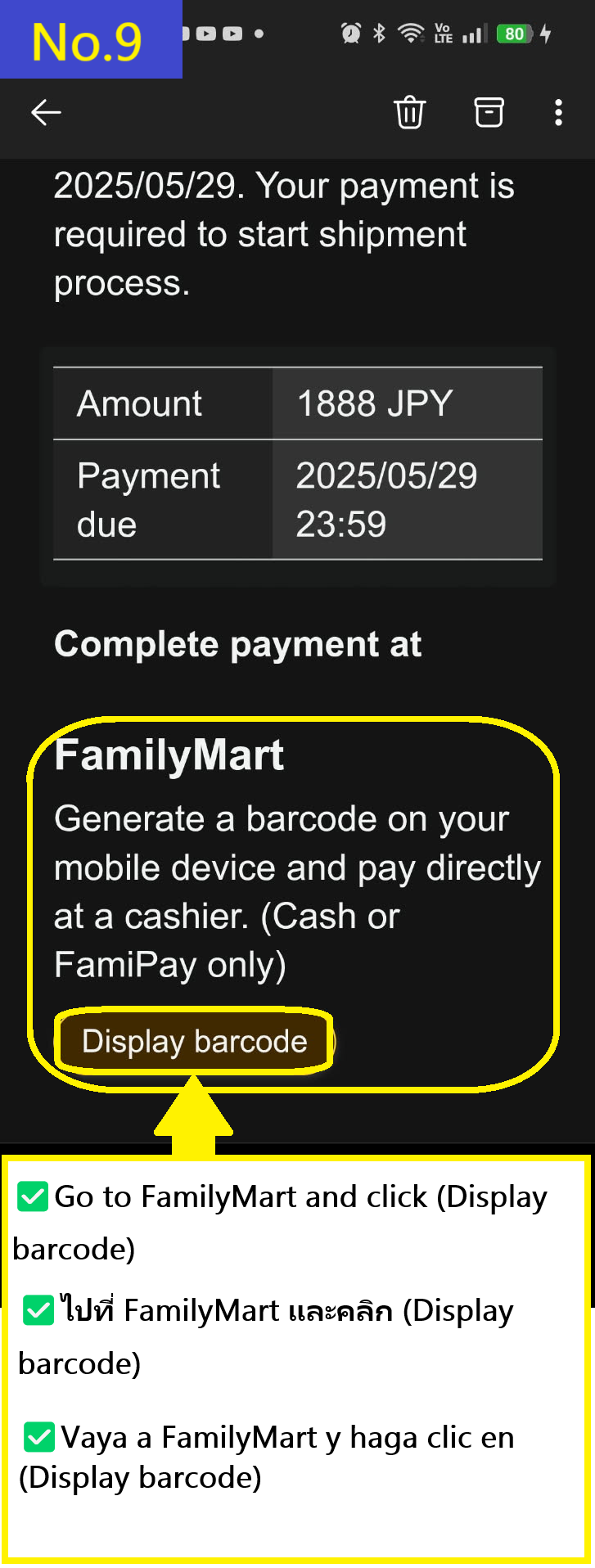
NO.1 Click on the (Proceed to Checkout) button in your cart NO.2 You will be asked, "need anything else?" If you don't, click the (Continue to checkout) button. No.3 Swipe down a little and click (Change payment method) No.4 Find the "Convenience store" option in the payment methods list and check it. No.5 Once checked, click the (Continue) button below. No.6 Select a delivery option and click the (Continue) button. *There is only one option this time, so just go ahead. No.7 Please make payment within three days. No.8 You will receive an email like this (Pay ID). No.9 Open the email and look for FamilyMart's (Display barcode) and click it to jump to the Amazon Japan page. *The barcode will only expire in 9 minutes and 30 seconds after it is displayed. If you are unable to complete the payment within that time, you will need to open the email again. No.10 You will be redirected to the Amazon Japan page, where you will need to click on FamilyMart's (Display barcode) again. No.11 Present the barcode at the FamilyMart cash register within 9 minutes and 30 seconds and pay. If the time has passed, click again from the image in No. 9 (Pay ID email). No.12 You will receive payment Confirmation. No.13 The payment confirmation email looks like this. Wait until your package arrives. In this way, you can shop on Amazon Japan even without a credit card. ↑
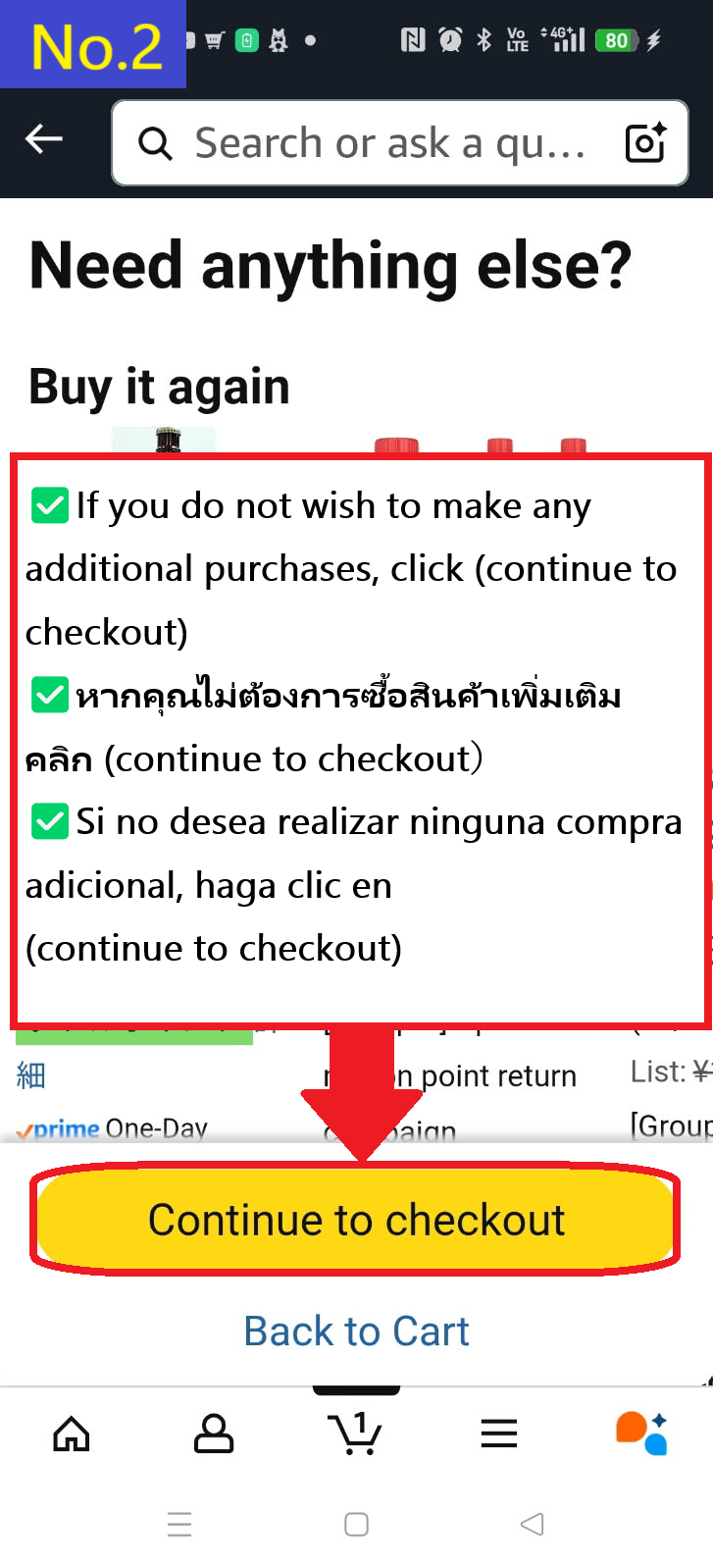
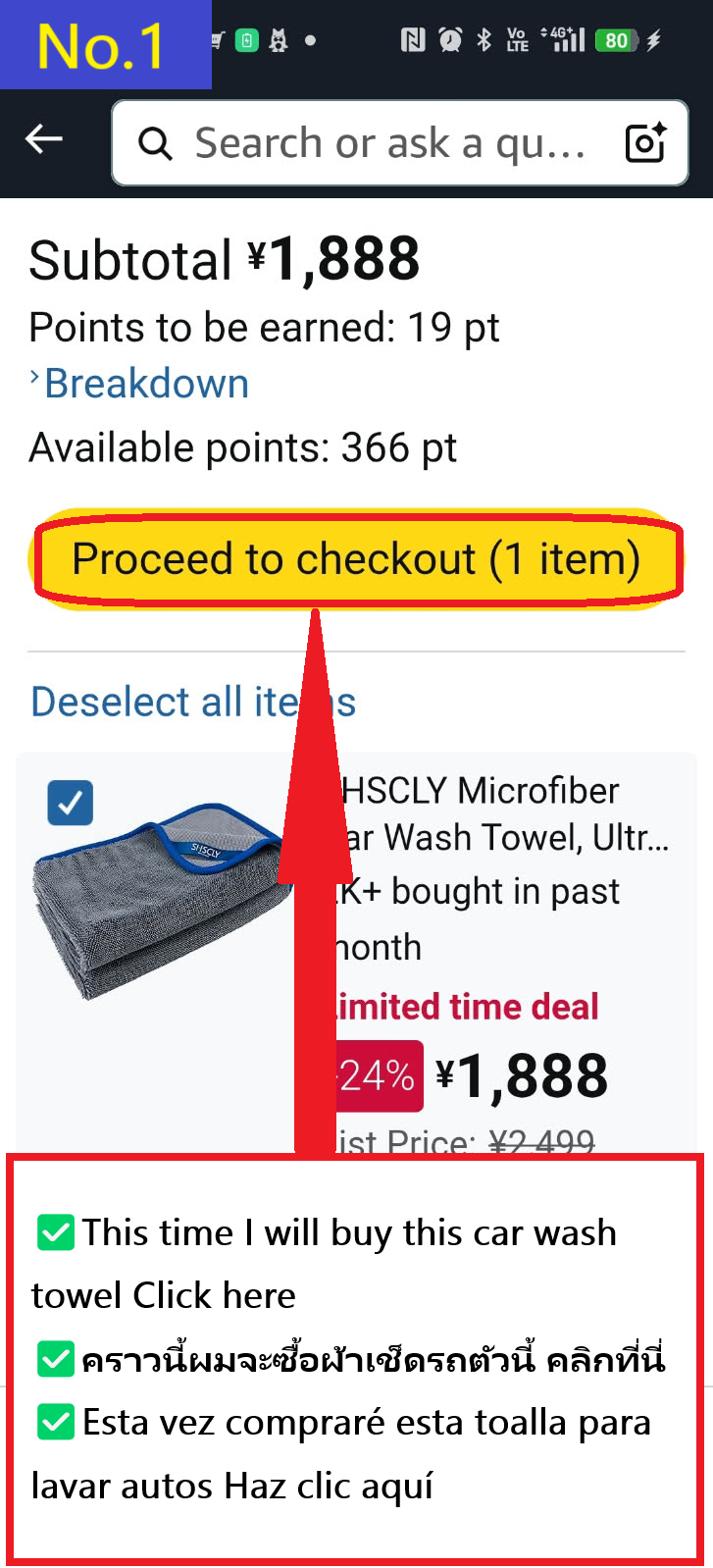 NO.2 You will be asked, "need anything else?" If you don't, click the (Continue to checkout) button.
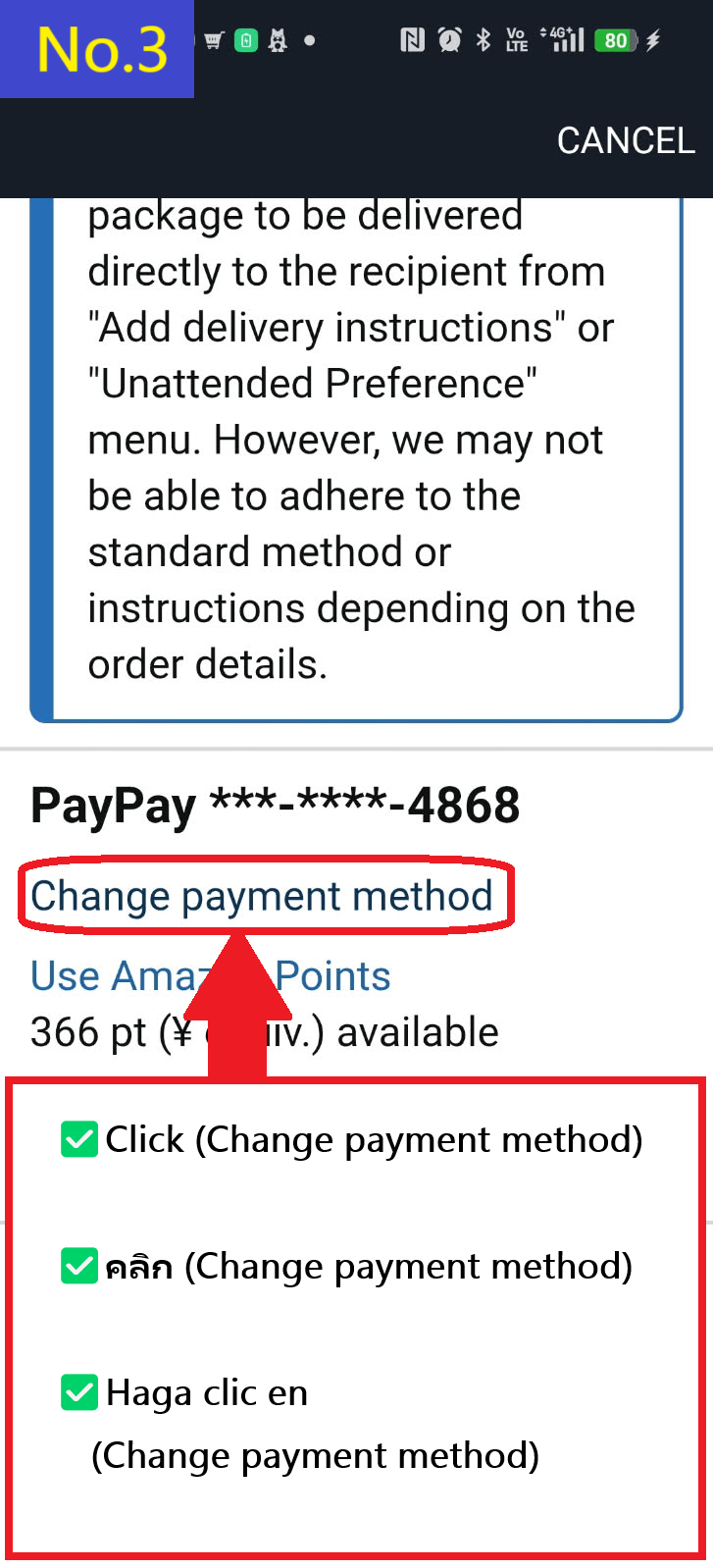
 No.3 Swipe down a little and click (Change payment method)
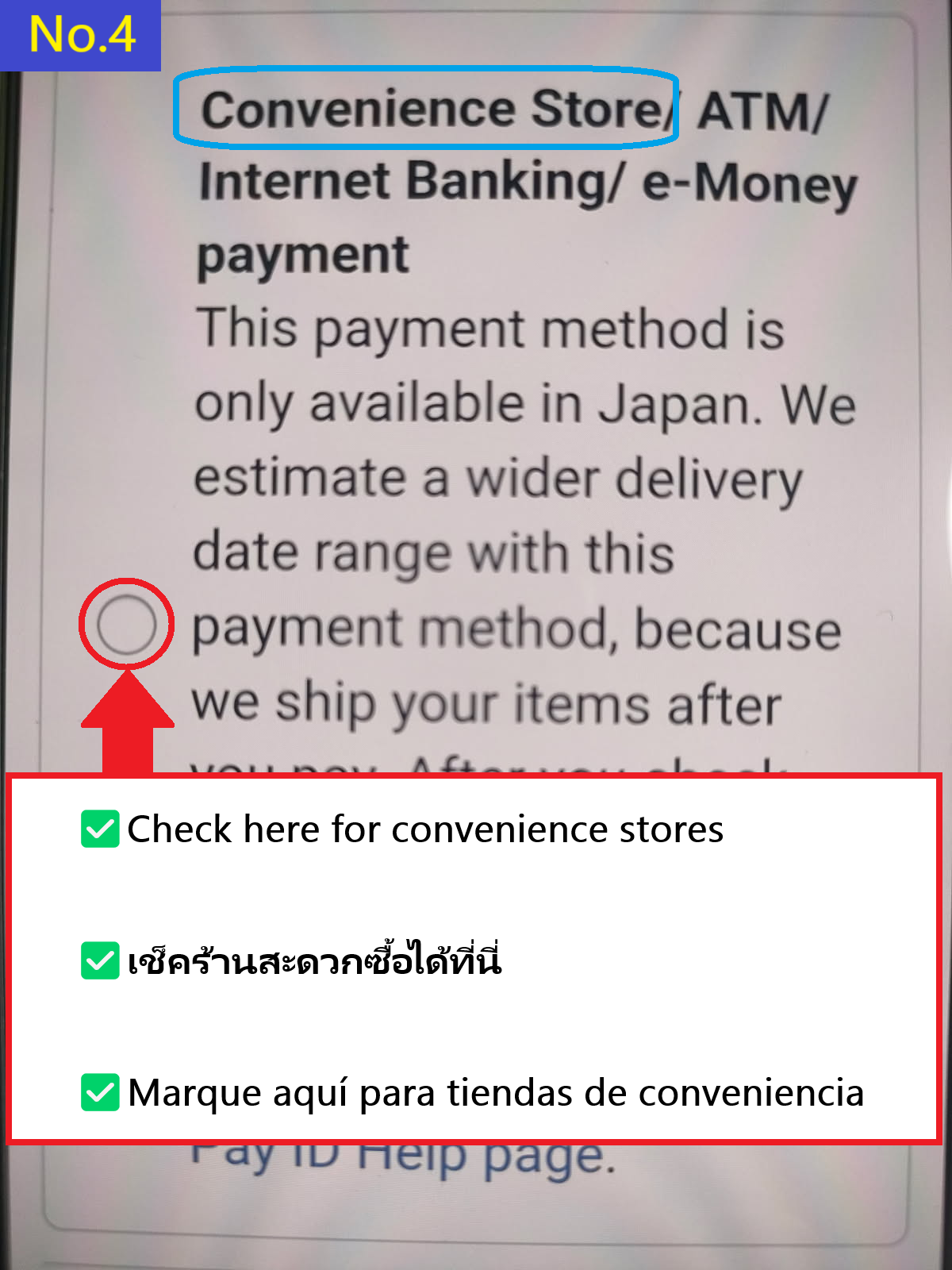
 No.4 Find the "Convenience store" option in the payment methods list and check it.
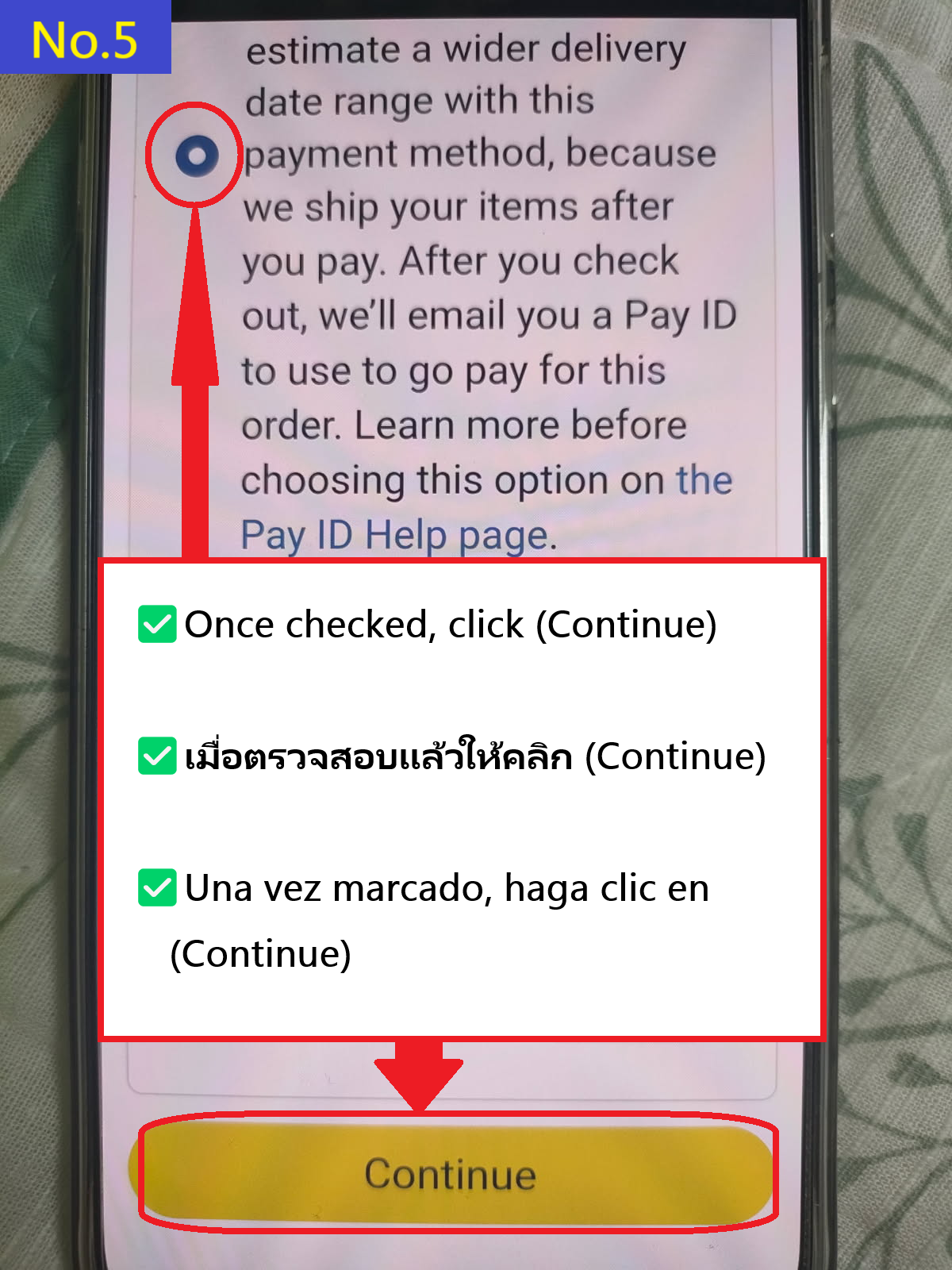
 No.5 Once checked, click the (Continue) button below.
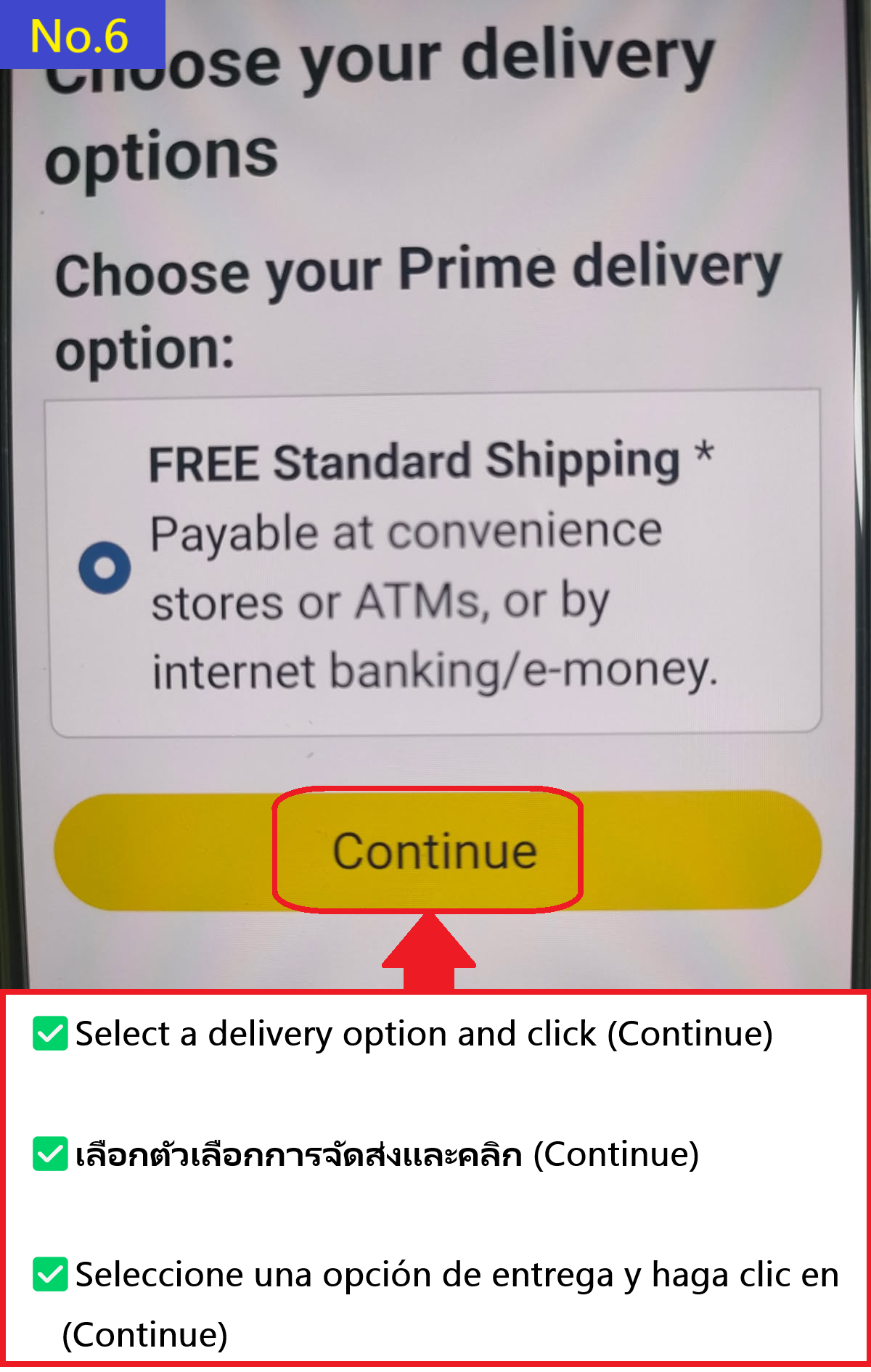
 No.6 Select a delivery option and click the (Continue) button. *There is only one option this time, so just go ahead.
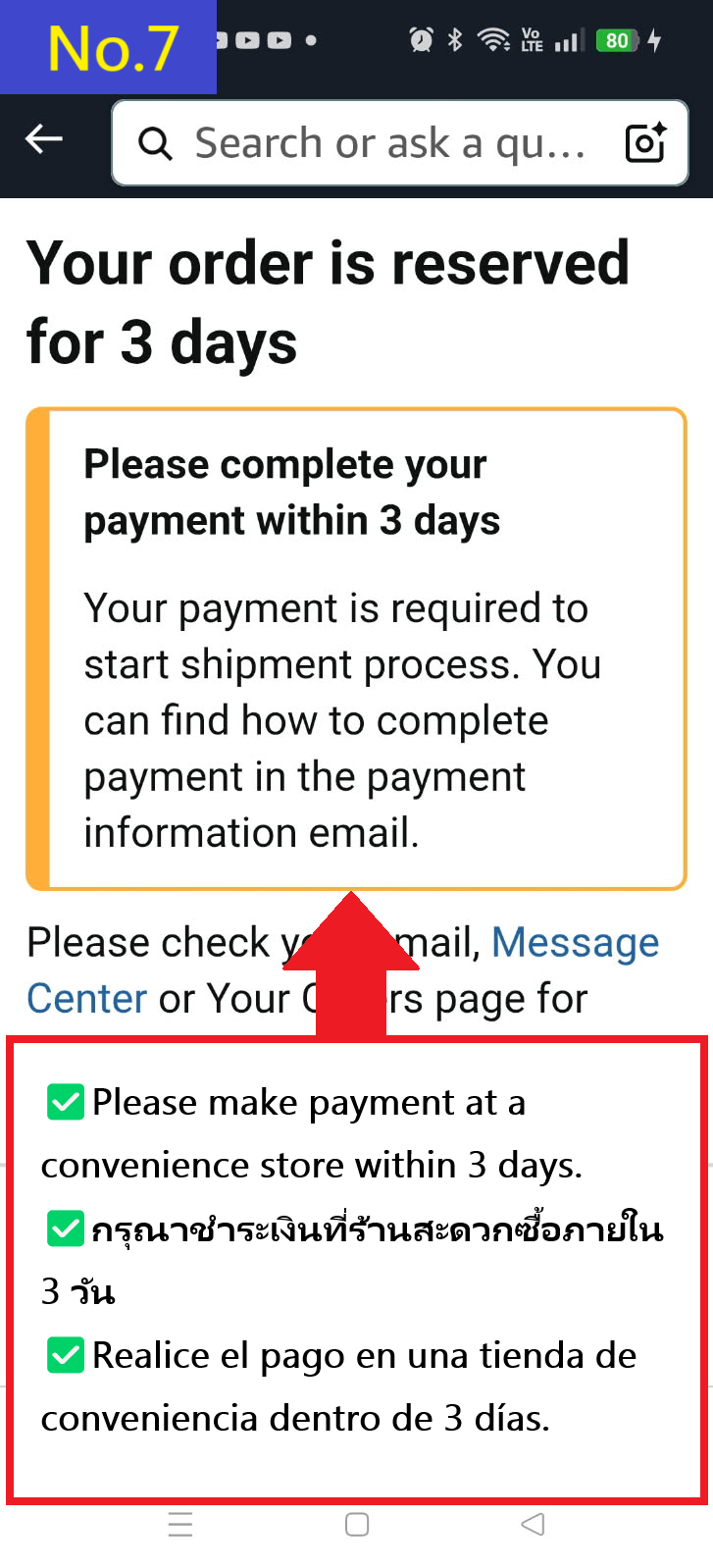
 No.7 Please make payment within three days.
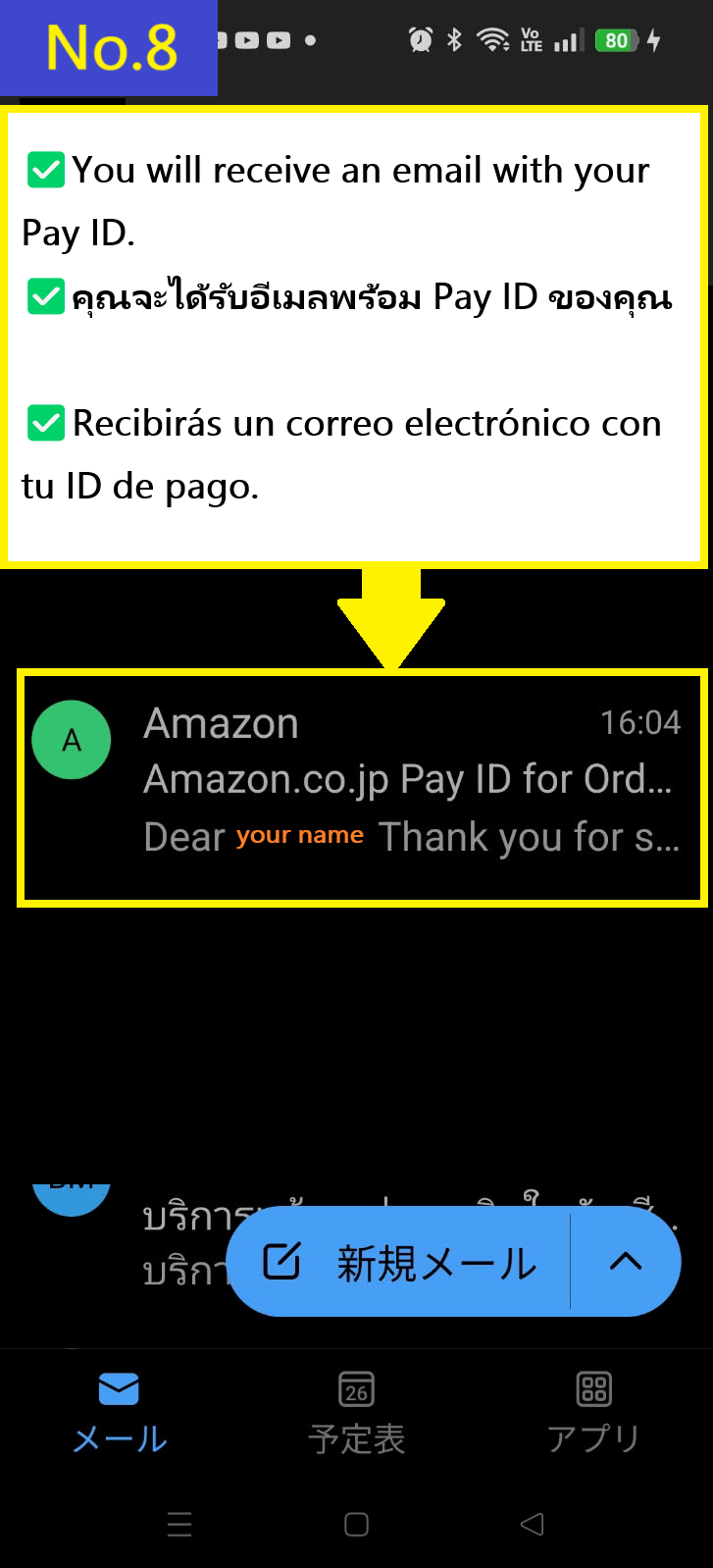
 No.8 You will receive an email like this (Pay ID).
 No.9 Open the email and look for FamilyMart's (Display barcode) and click it to jump to the Amazon Japan page. *The barcode will only expire in 9 minutes and 30 seconds after it is displayed. If you are unable to complete the payment within that time, you will need to open the email again.
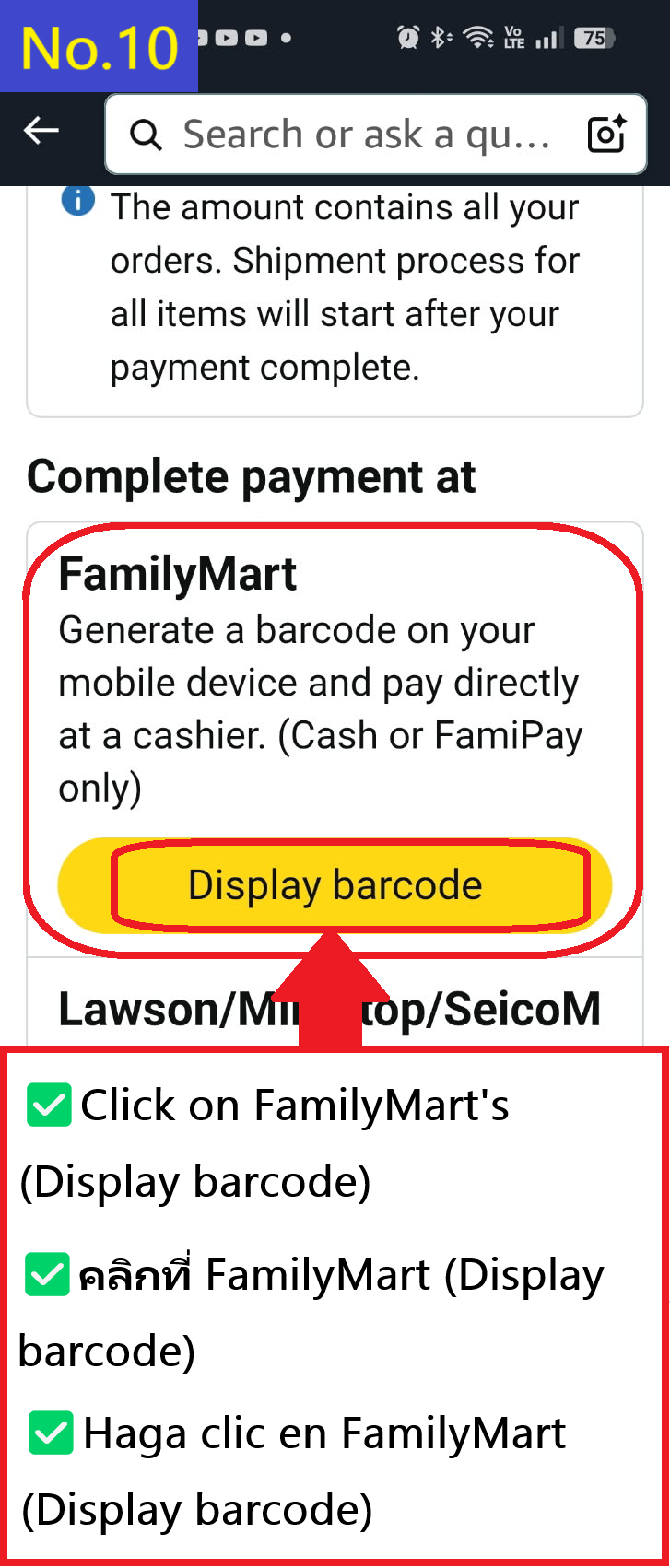
 No.10 You will be redirected to the Amazon Japan page, where you will need to click on FamilyMart's (Display barcode) again.
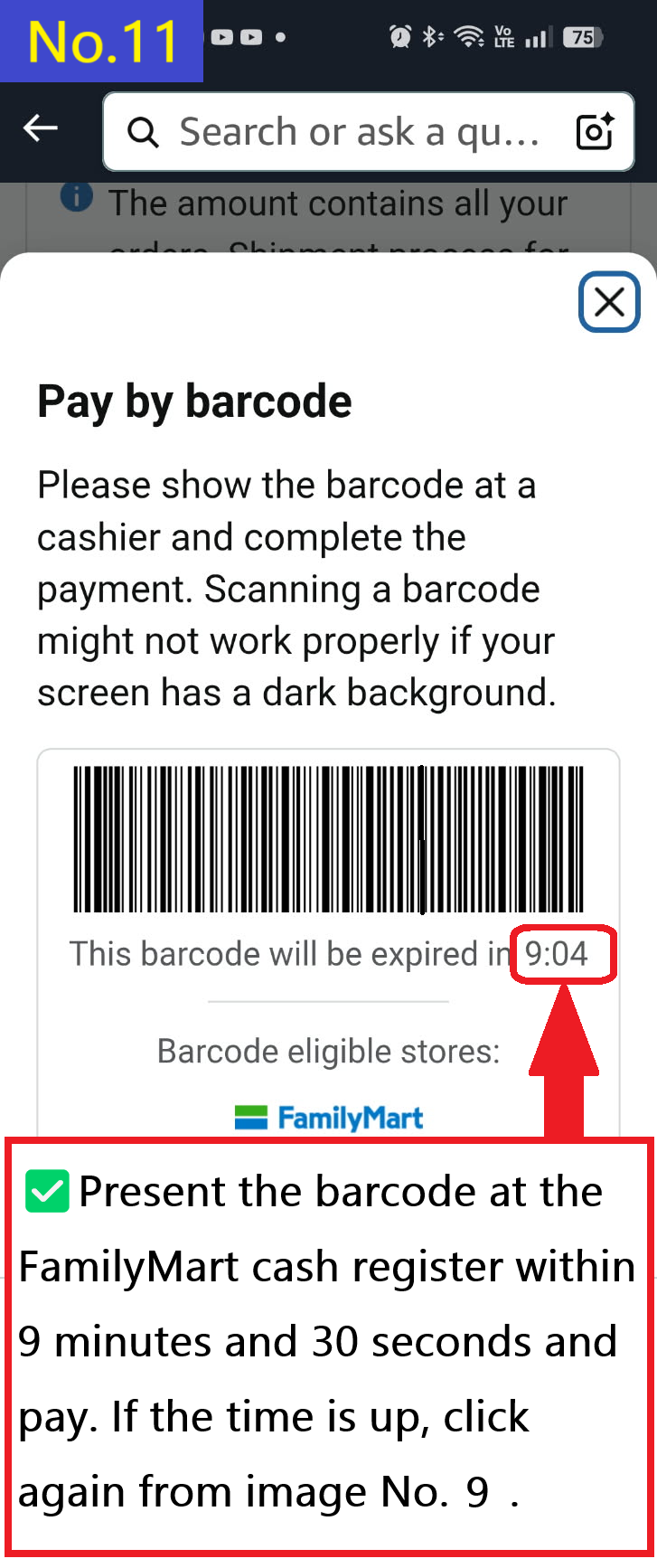
 No.11 Present the barcode at the FamilyMart cash register within 9 minutes and 30 seconds and pay. If the time has passed, click again from the image in No. 9 (Pay ID email).
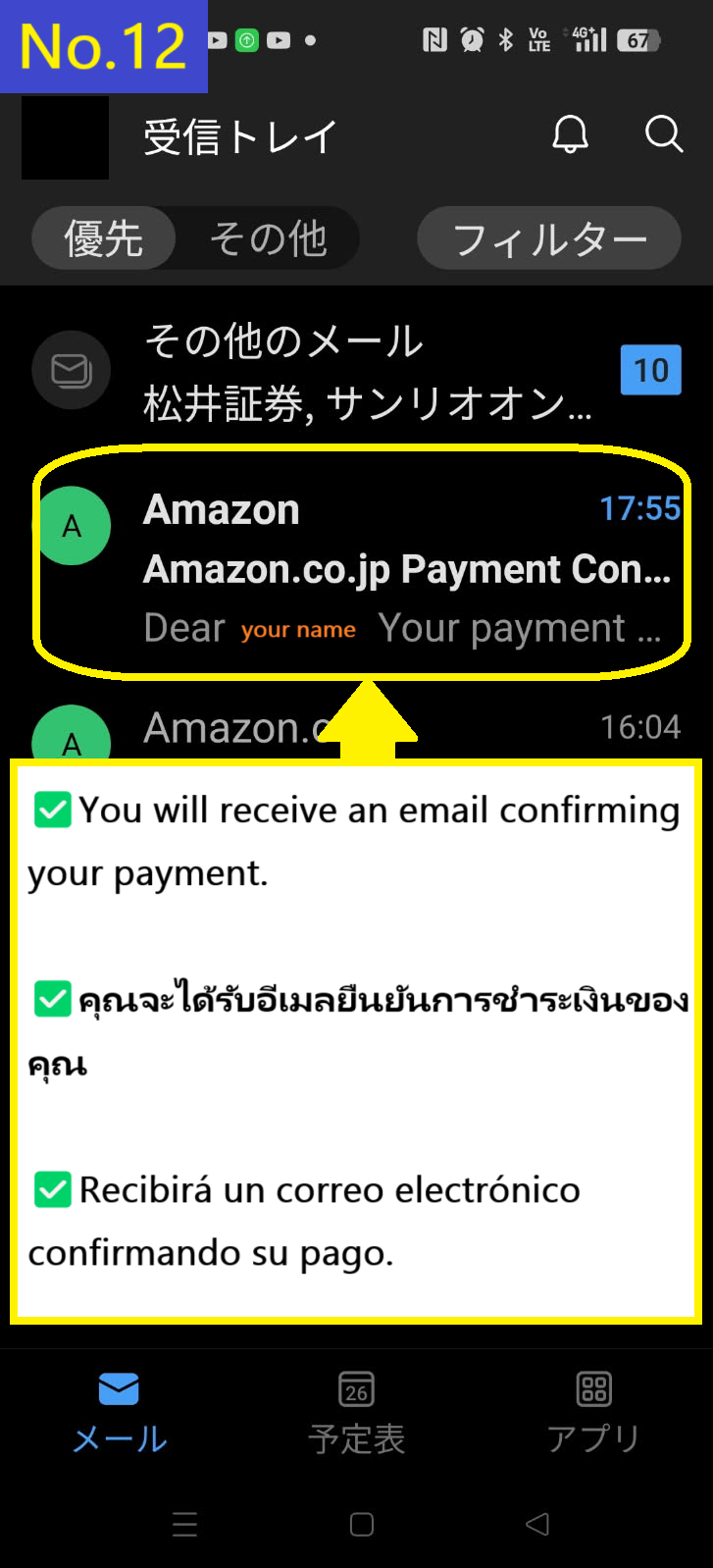
 No.12 You will receive payment Confirmation.
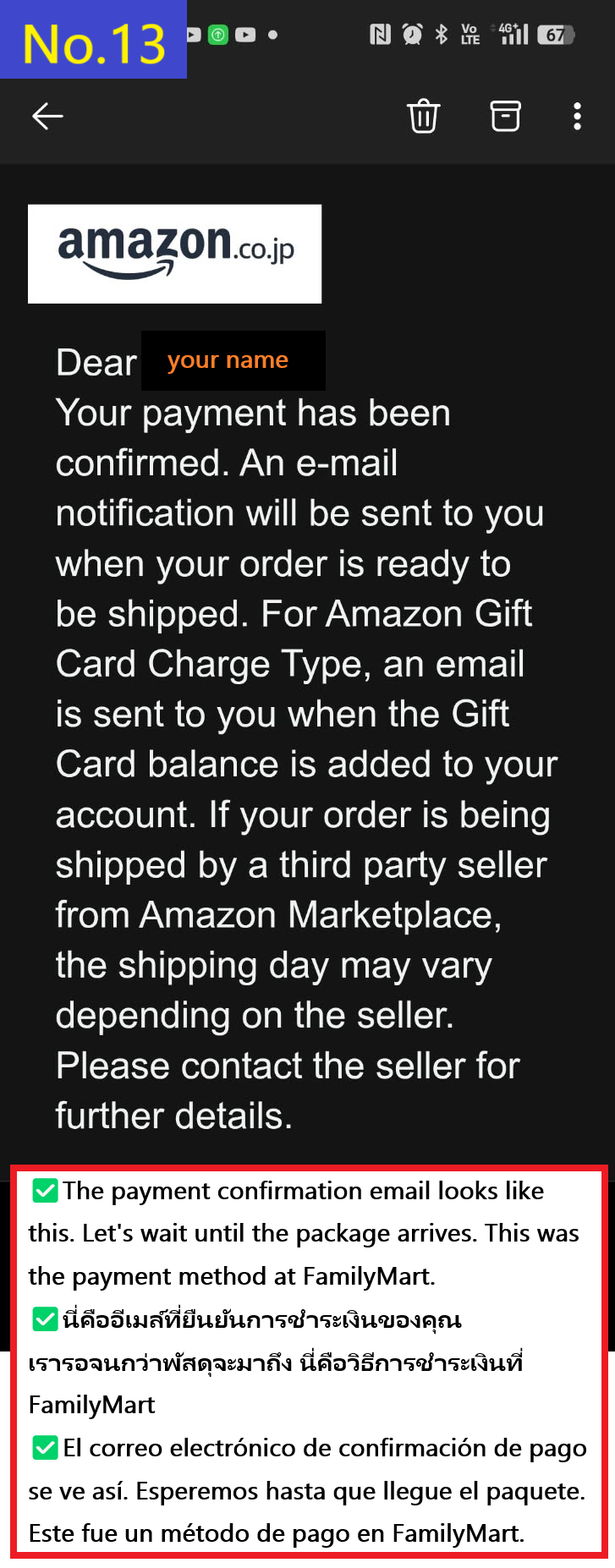
 No.13 The payment confirmation email looks like this. Wait until your package arrives.
 In this way, you can shop on Amazon Japan even without a credit card.