Please refer to the example below to proceed with registering your Amazon Japan account.

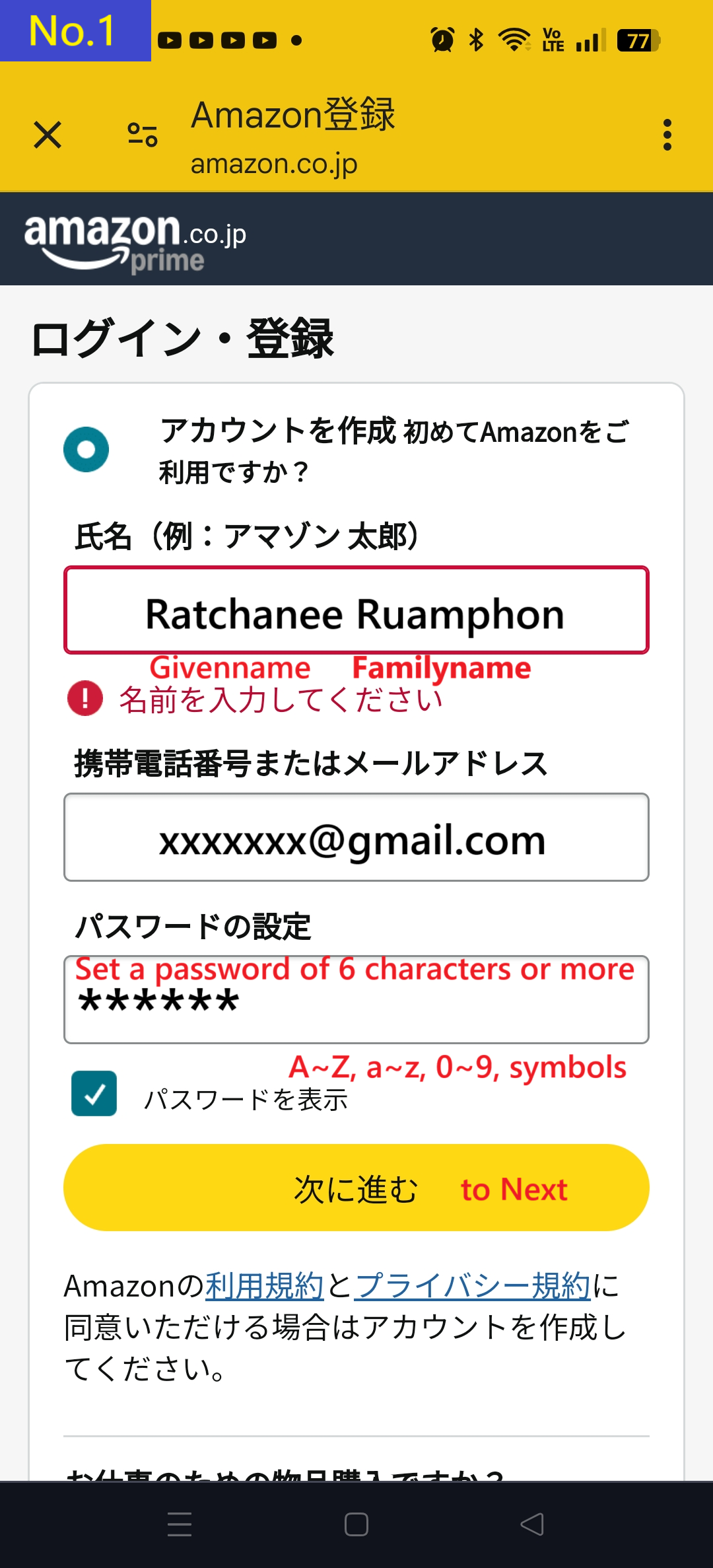
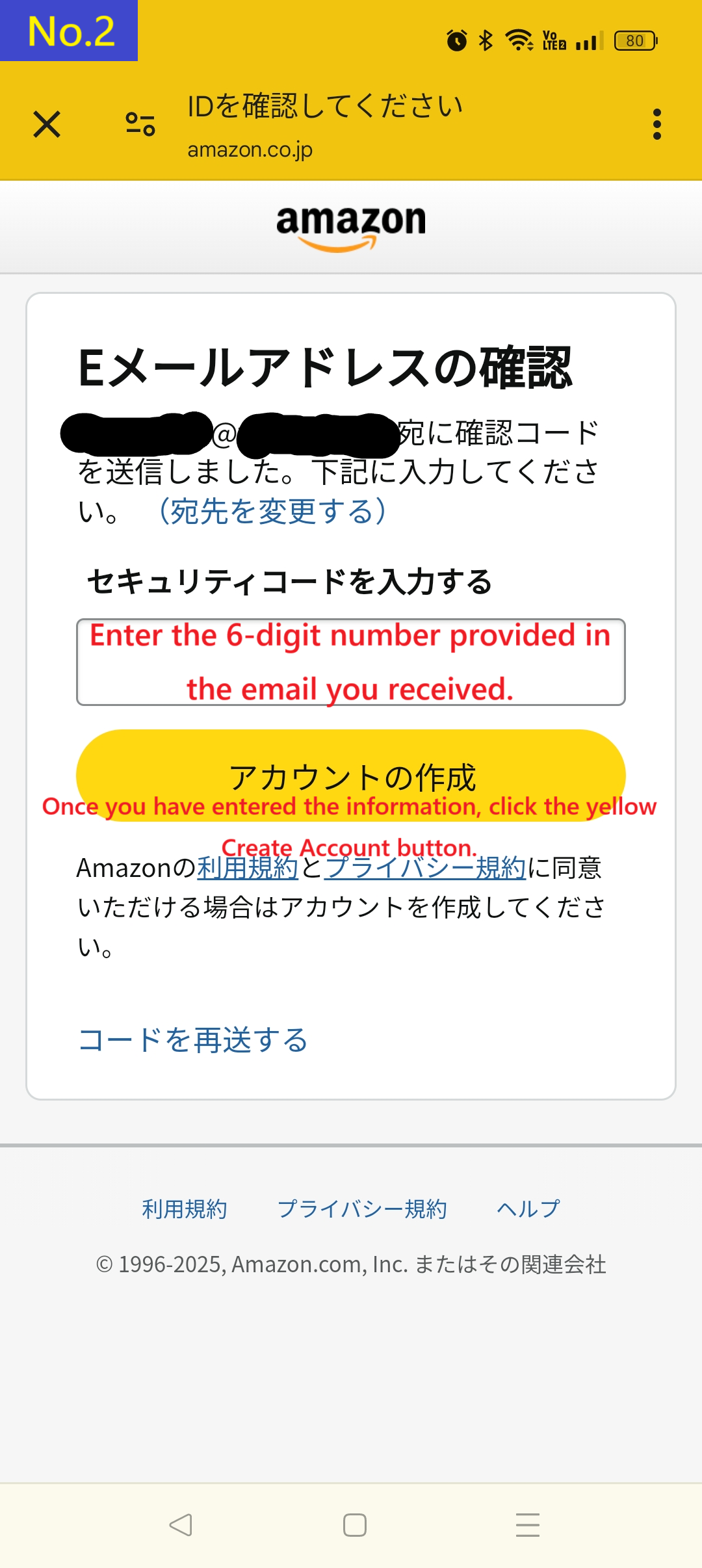
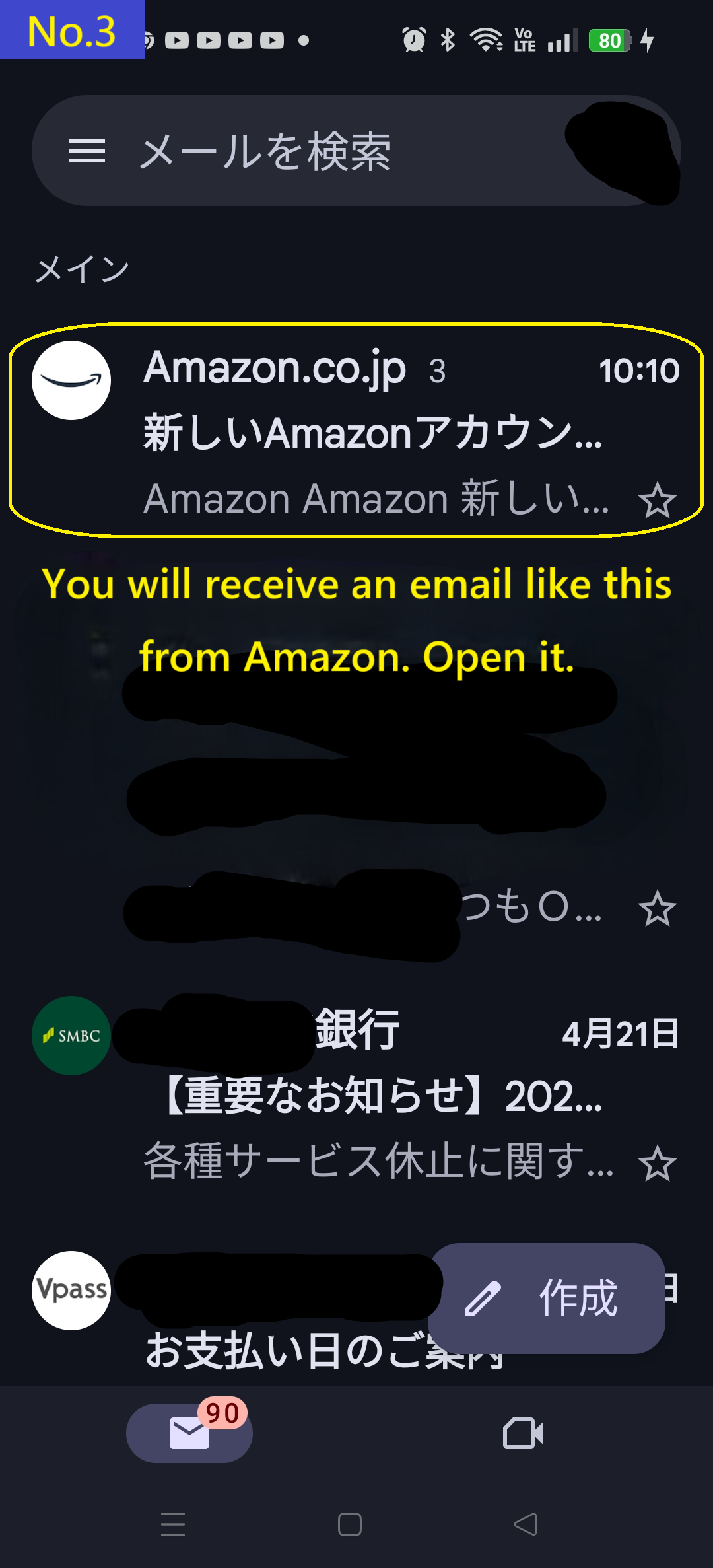
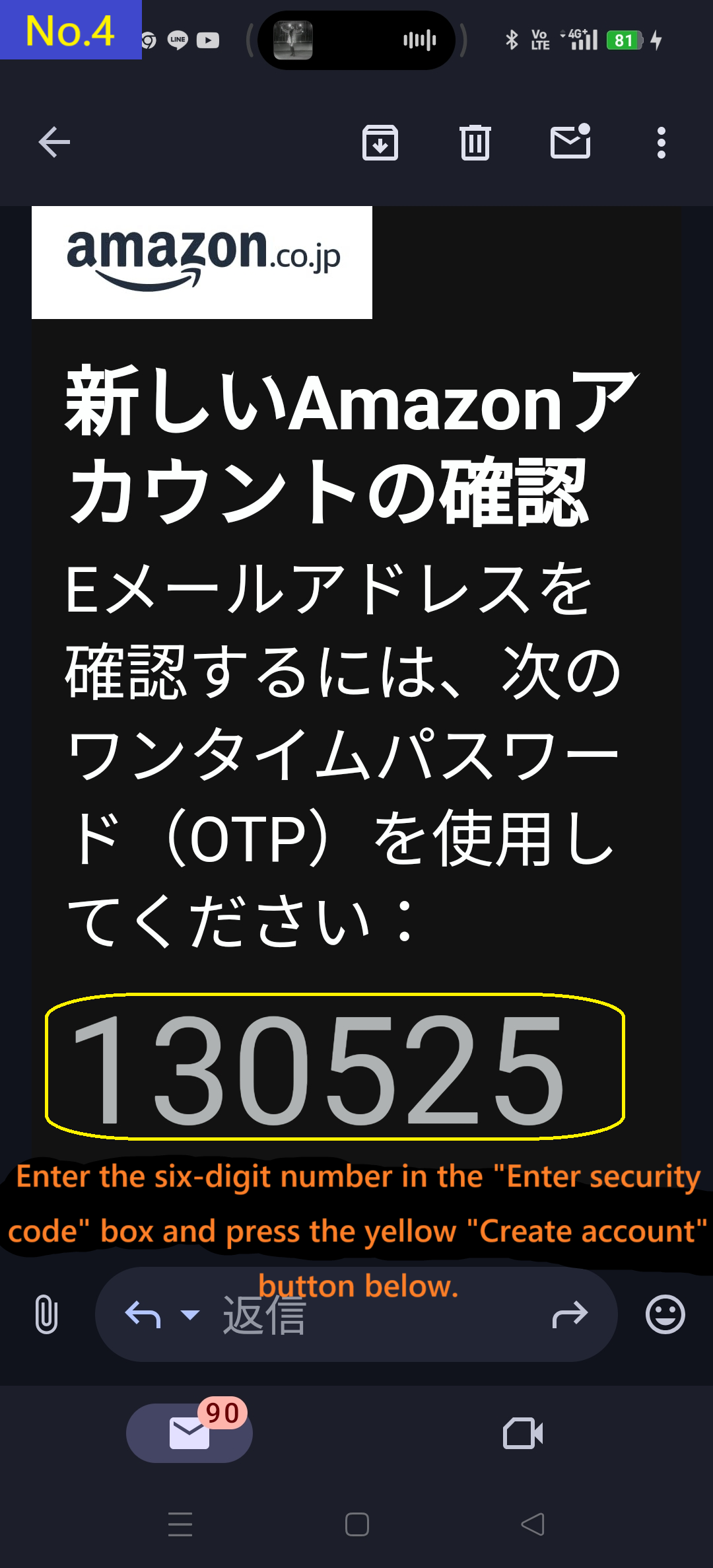
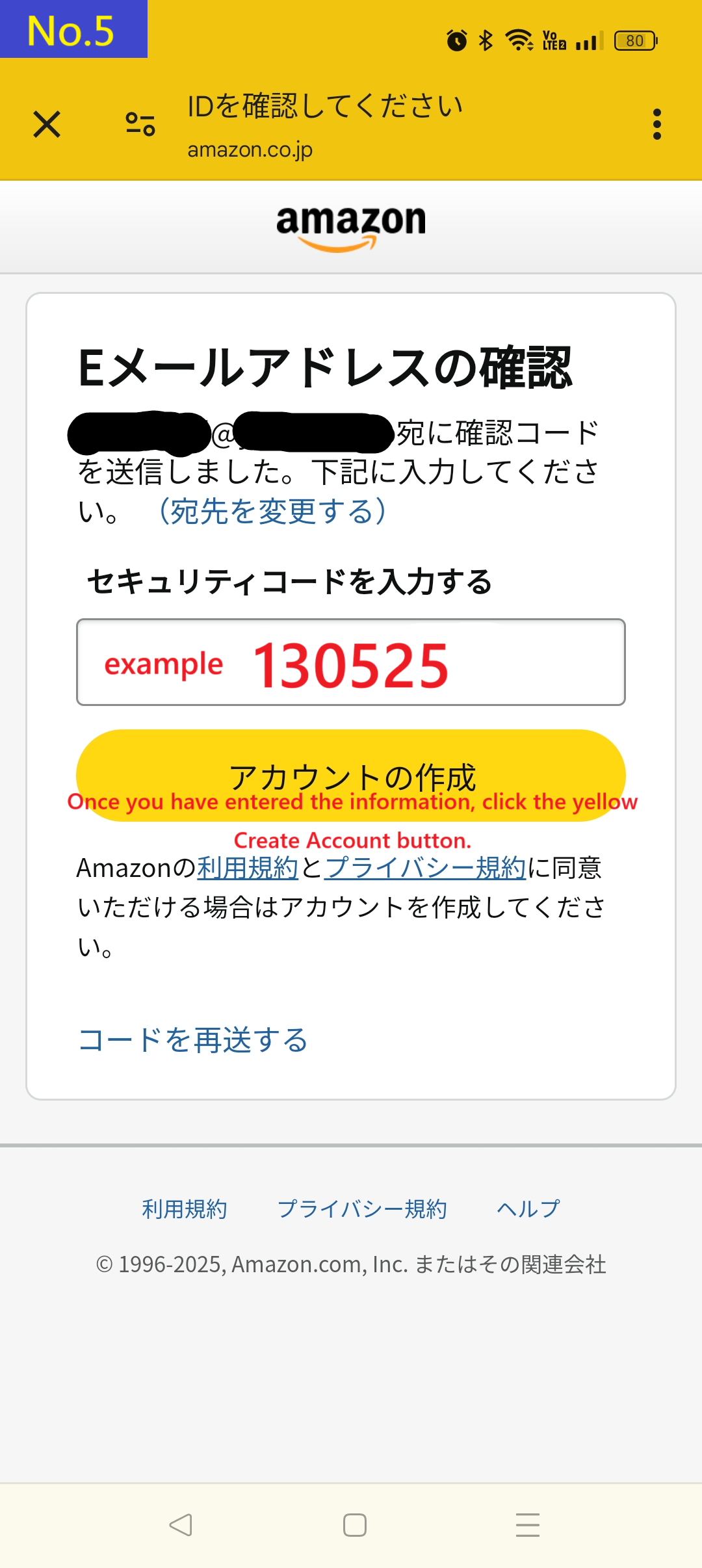
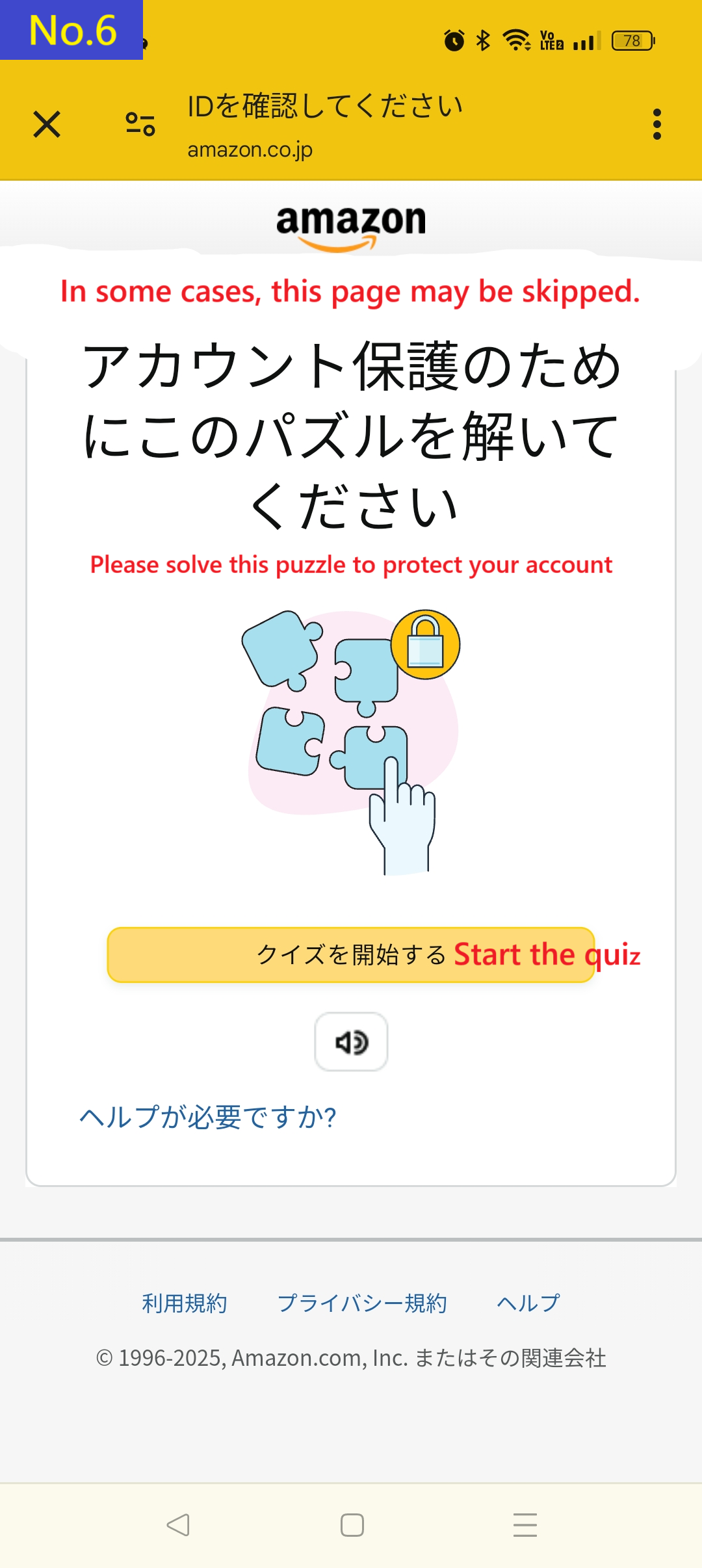
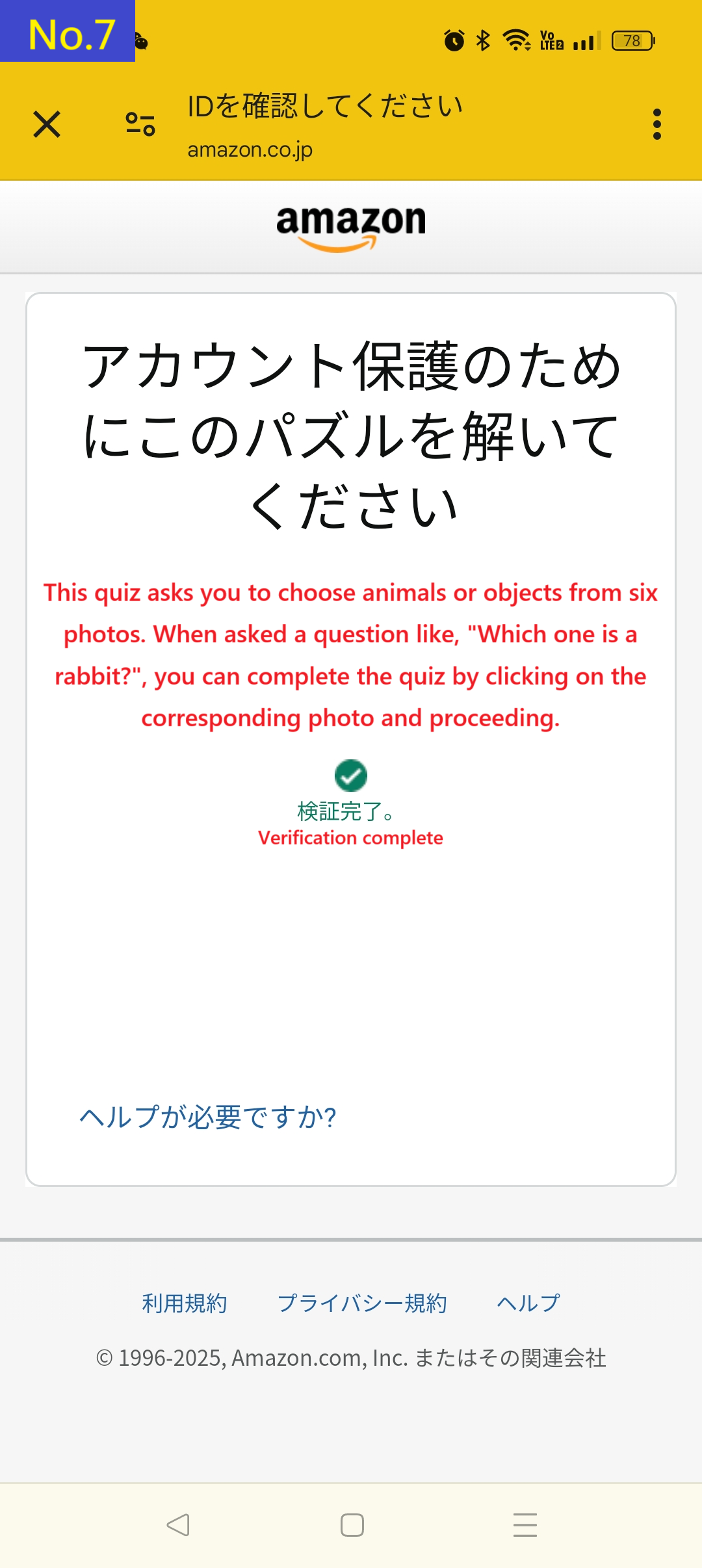
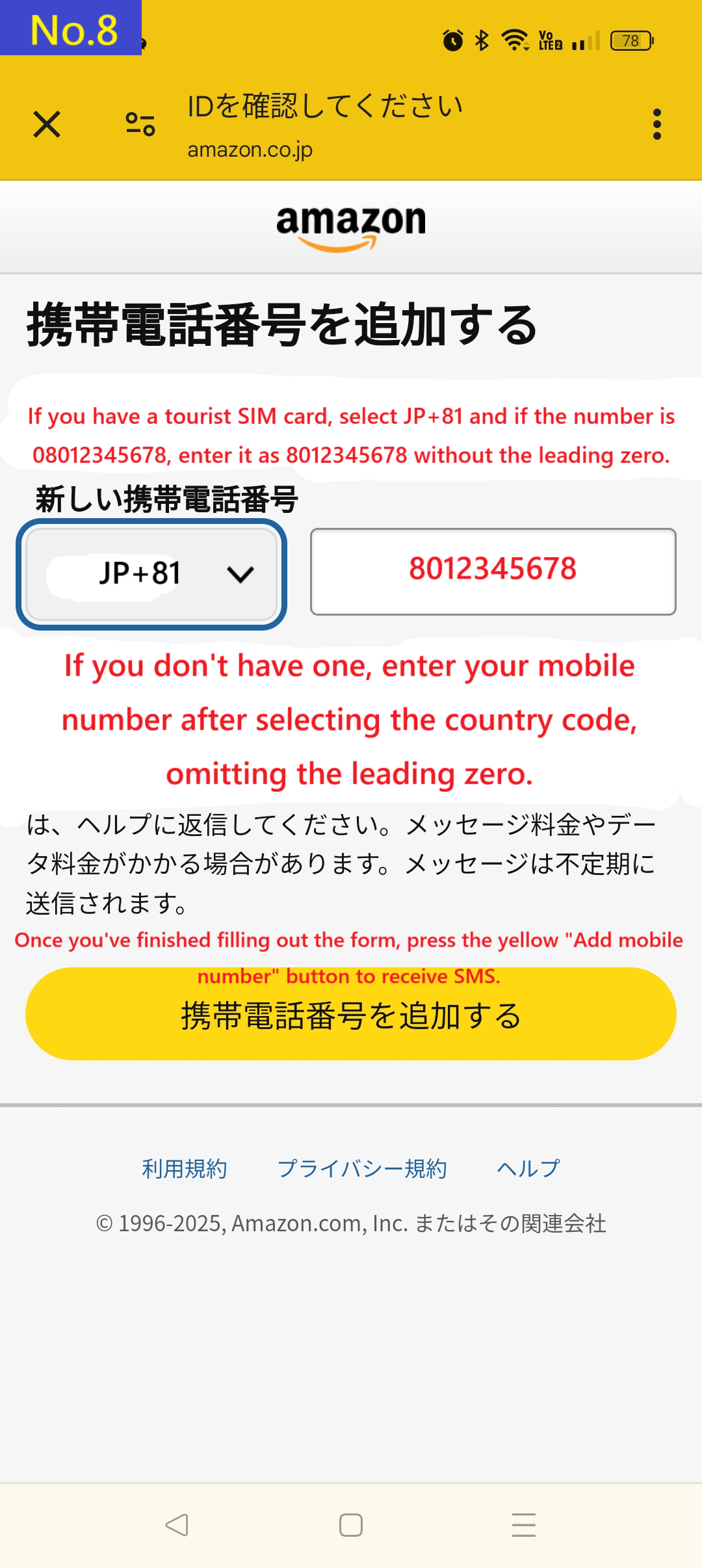
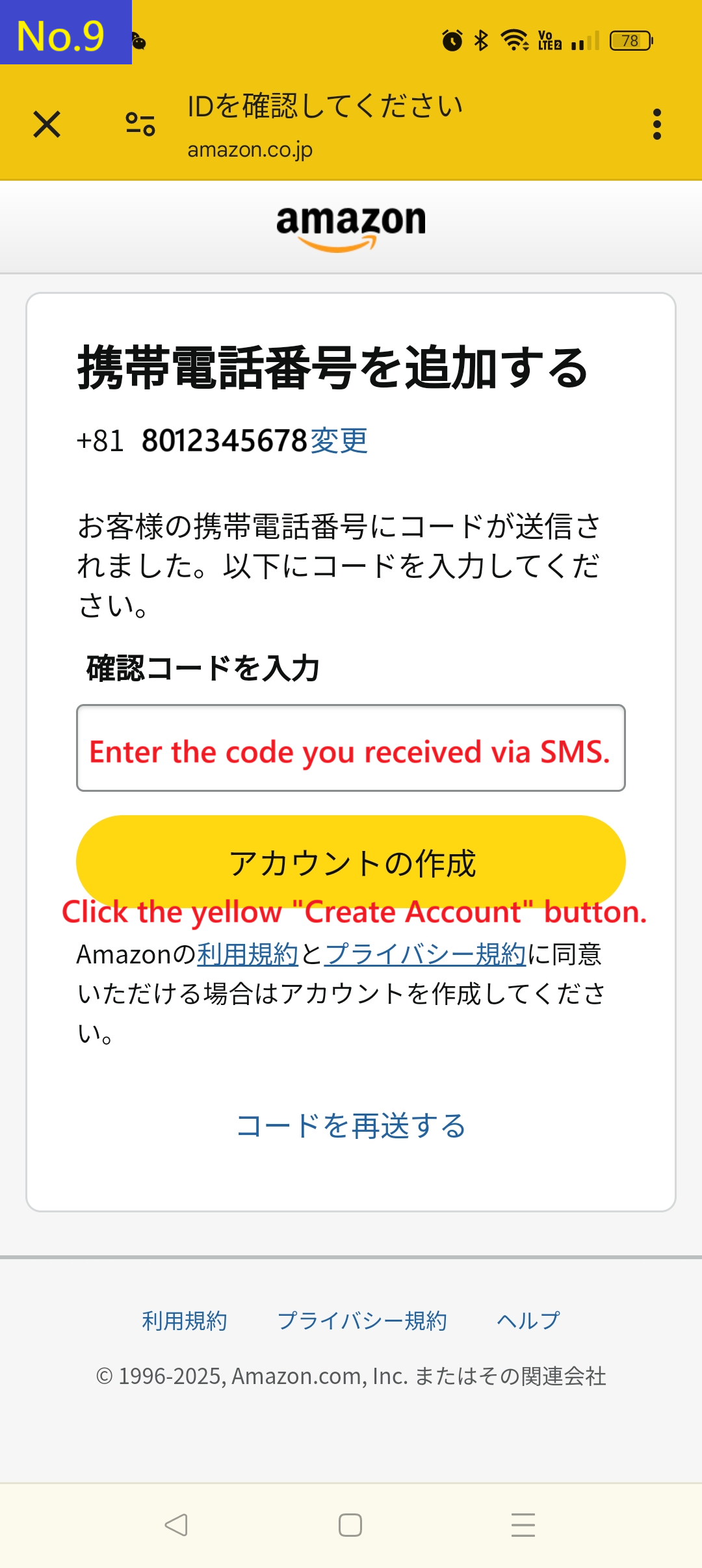
That's all for how to create an Amazon Japan account.
You can create an Amazon Japan account from the link below.
※Important: If you press the “Back” button while on the registration page, any information you’ve already entered will be lost. So before you begin, we recommend reviewing the sample form at the bottom of the page carefully.
Also, you can register more easily if you install the official Amazon Japan app. Because it opens in a separate window from BuyOnJapan, you can register while checking the instructions.After downloading the ZIP file, you need to extract (unzip) it before viewing the images.
On iPhone: After downloading via Safari, the ZIP file is saved in the “Files” app. Tap the file to automatically extract it and view the images.
On Android: You can usually unzip the file using the “Files” or “My Files” app. If not, you can use free apps like “ZArchiver” or “WinZip.”
Once unzipped, open the images with your photo viewer or file app and swipe through them in order.
It's recommended to open the Amazon registration page side-by-side with the images to fill out the form easily.
※The image files in the ZIP are named step01_en.png to step09_en.png.
Even if the display order is incorrect, each image includes a visible "Step" number, so you can follow the correct sequence.
You can swipe through the images step-by-step on your device.
Have you created an account? Take a photo of the item you want and use BuyOnJapan's image search to check the price of the item now!
👉 Before shopping on Amazon Japan, please check the important precautions