How to receive your parcel at the Lawson convenience store
Steps to follow when the product is in your cart
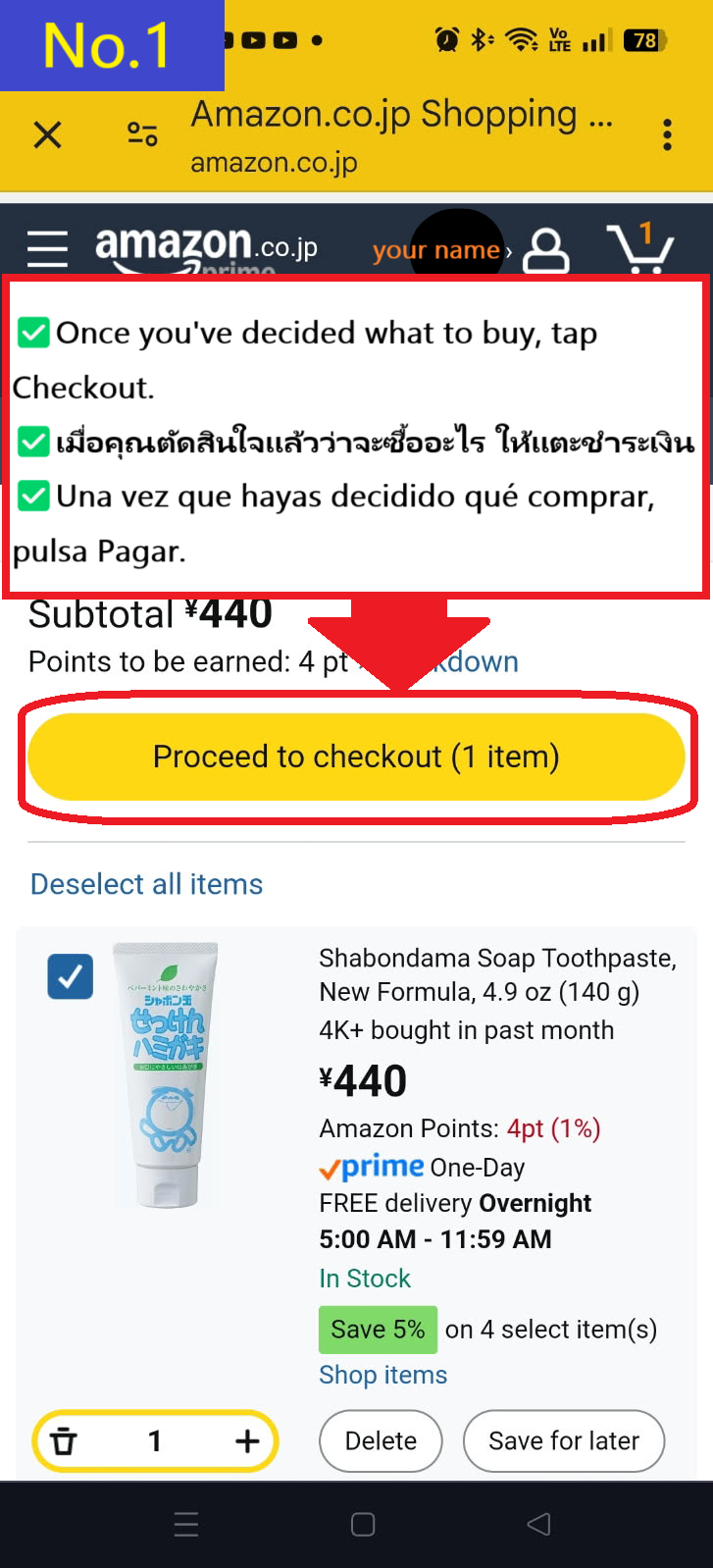
If the item you want to purchase is the same as the item in your cart, tap Proceed to checkout
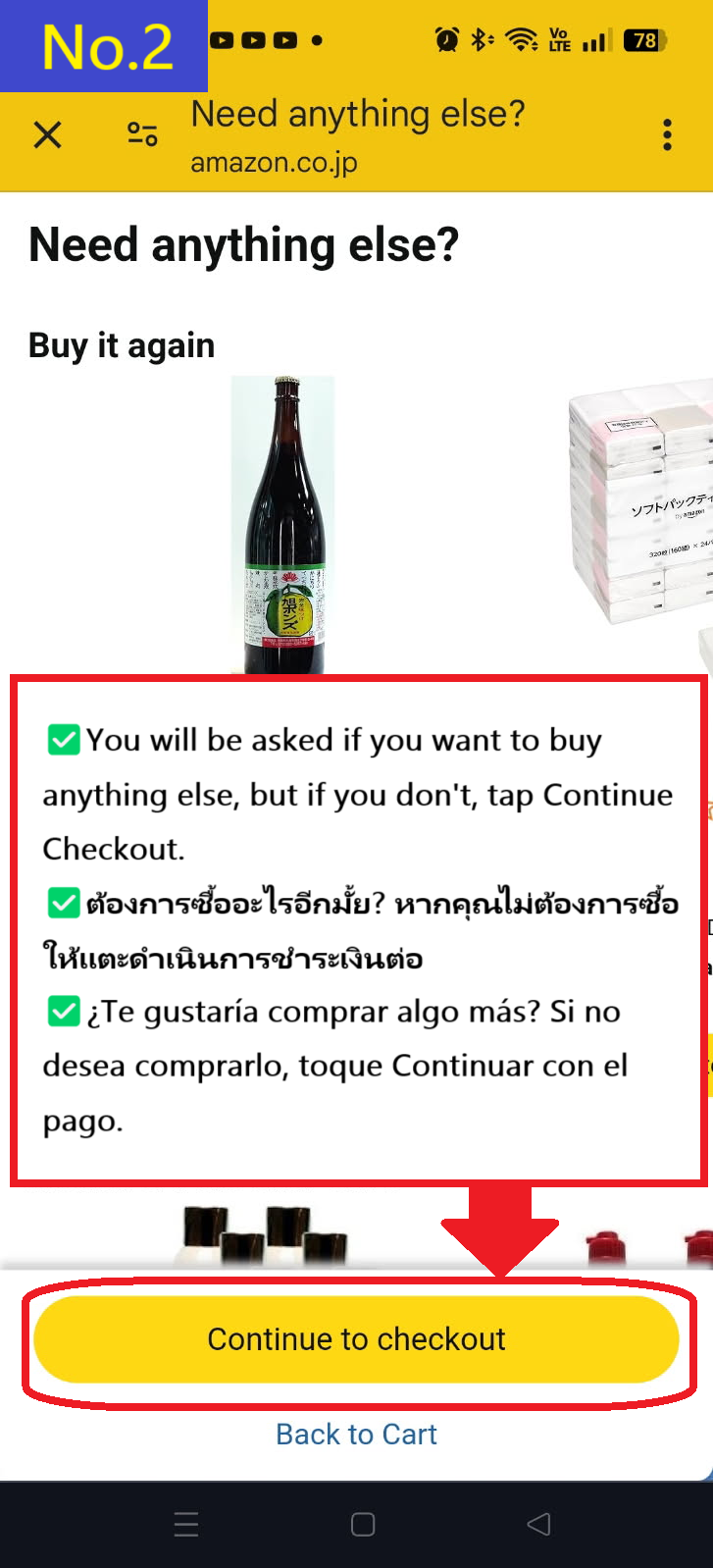
You will be recommended other products, but if you don't need them, tap Continue to checkout.
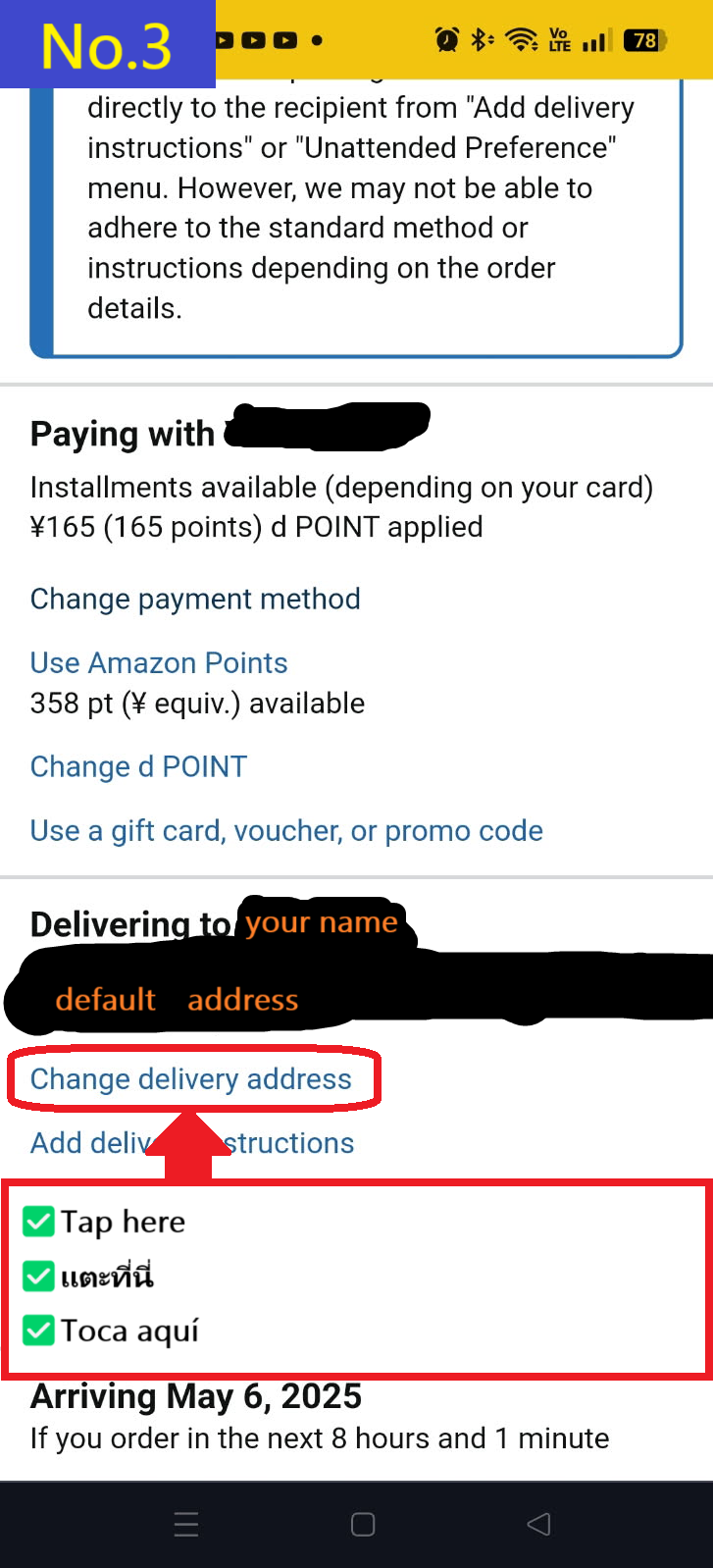
Tap Change delivery address at the bottom
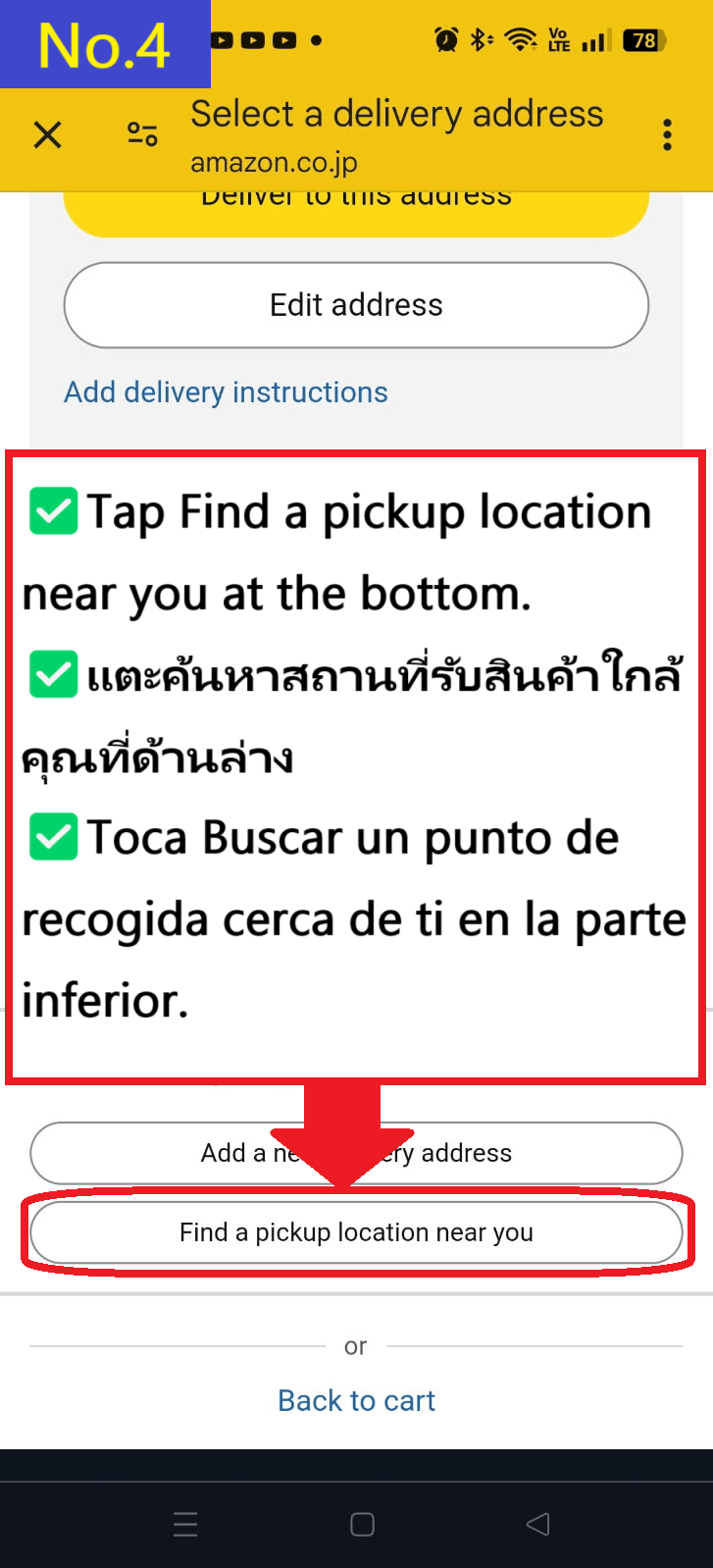
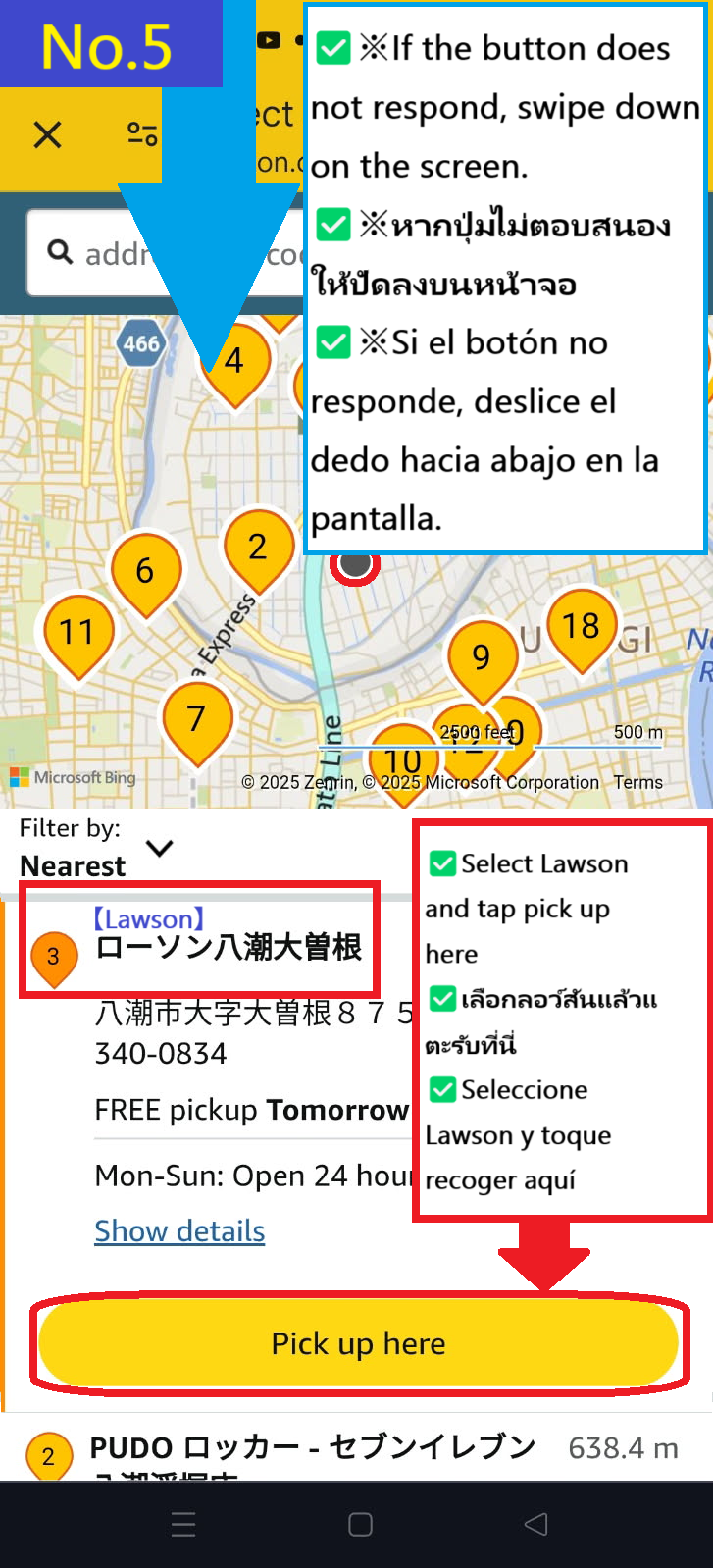
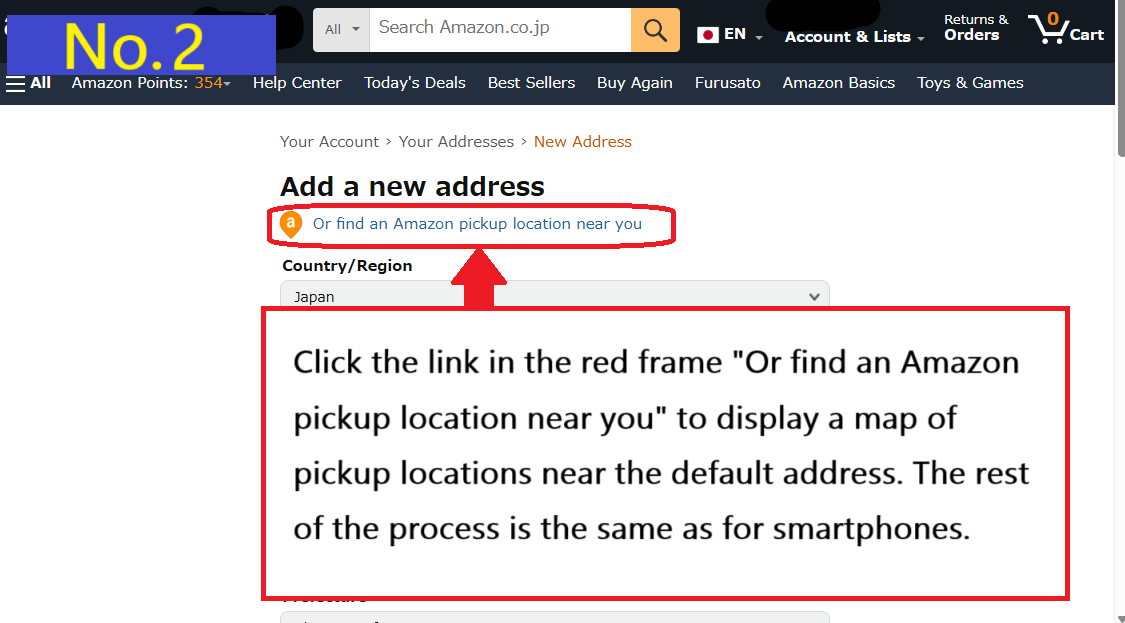
Tap Find a pickup location near you at the bottom.
This time, select Lawson Yashio Ozone store number 3 on the map and tap Pick up here.
※If you can't tap, swipe down on the screen to reload the screen, then select the store and tap Pick up here again.
We recommend installing the official Amazon Japan app, as this bug will fix the problem.
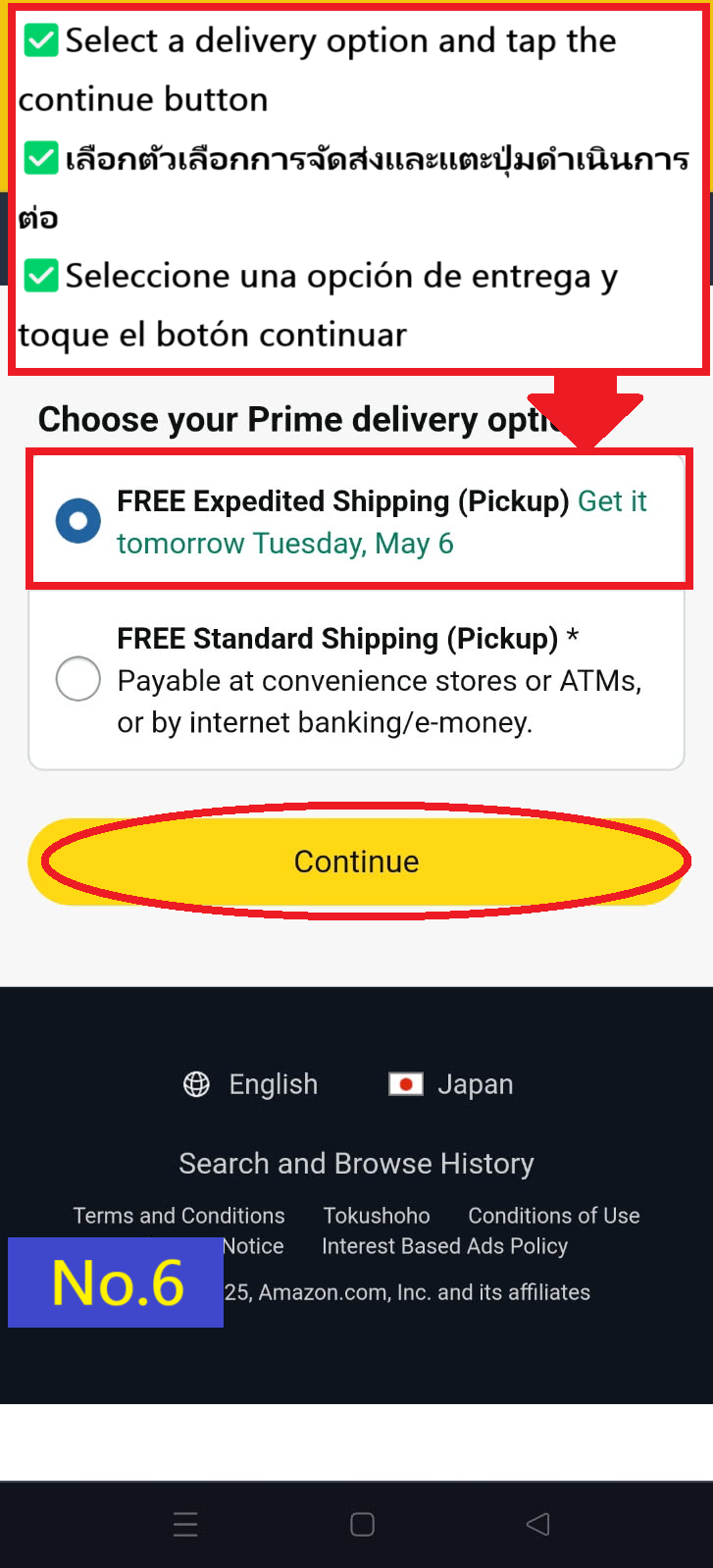
Select your preferred delivery option and tap "continue"
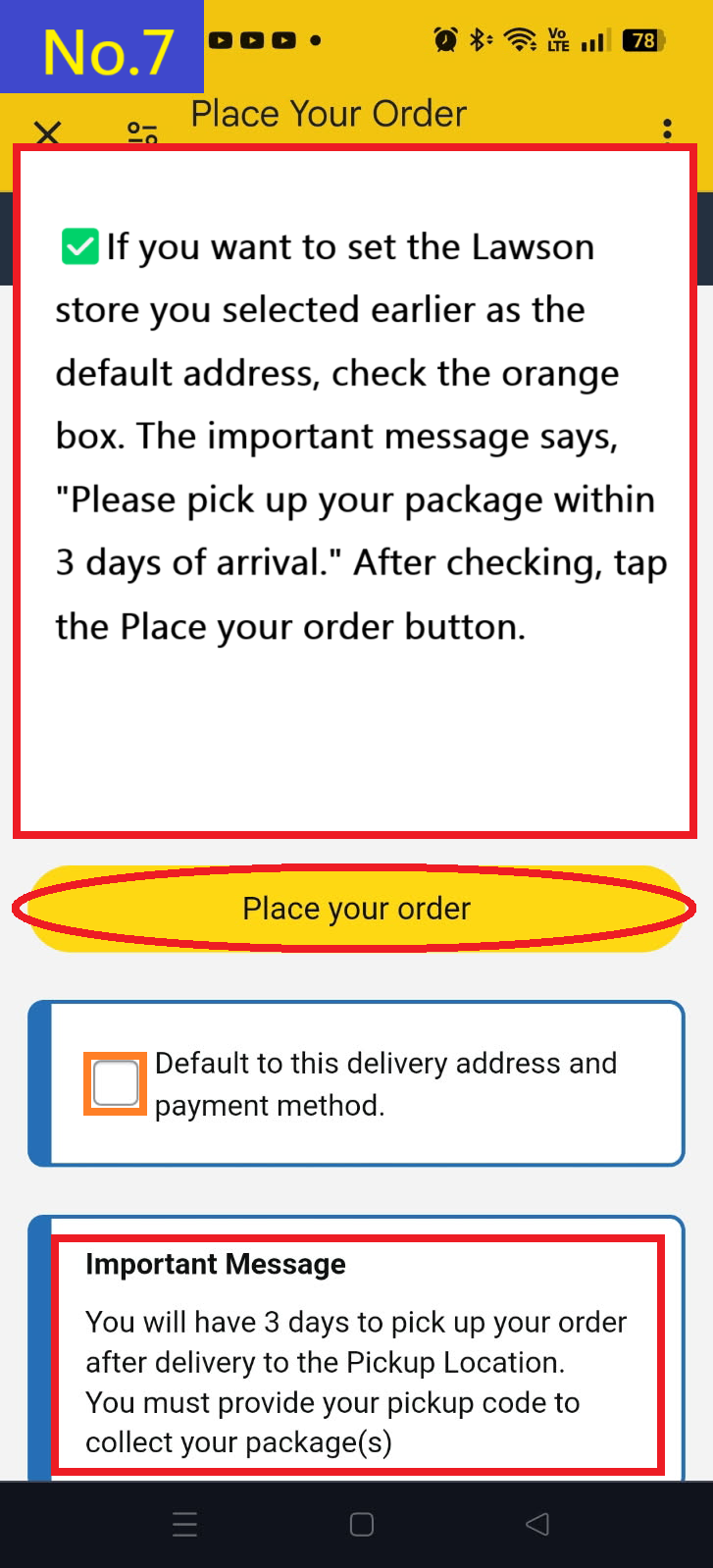
If you want to make this address the default, check default to this delivery address and tap Place your order.
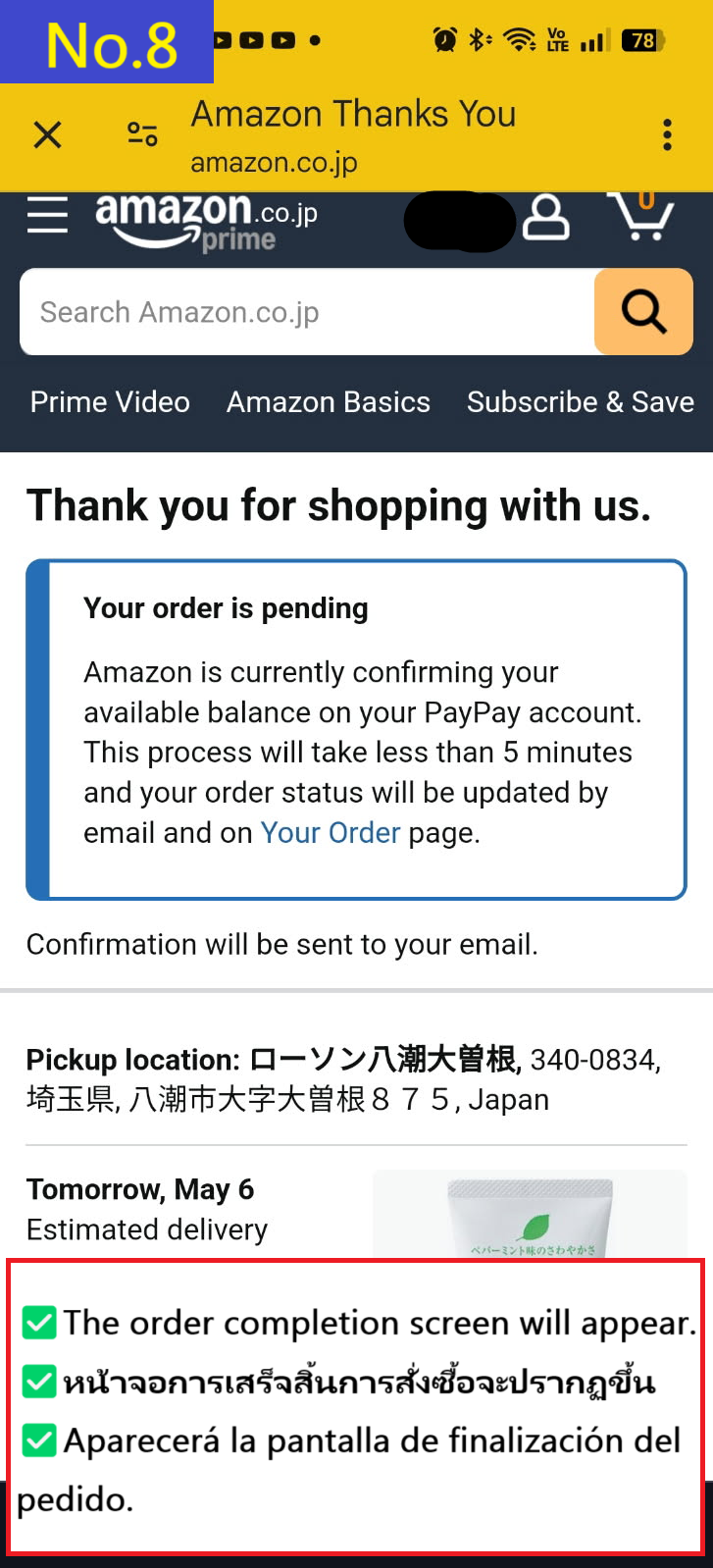
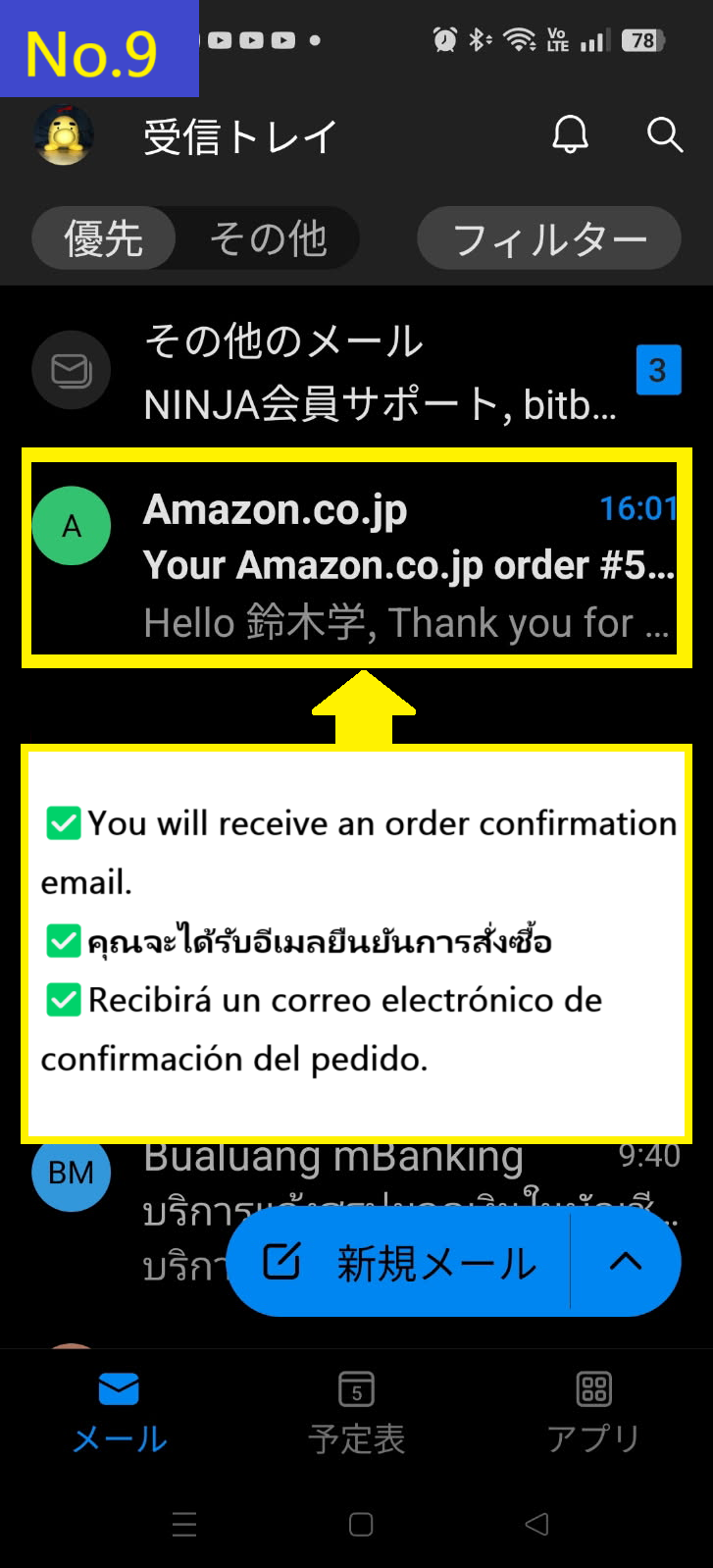
The order confirmation details page will appear.
First, you will receive an order email.
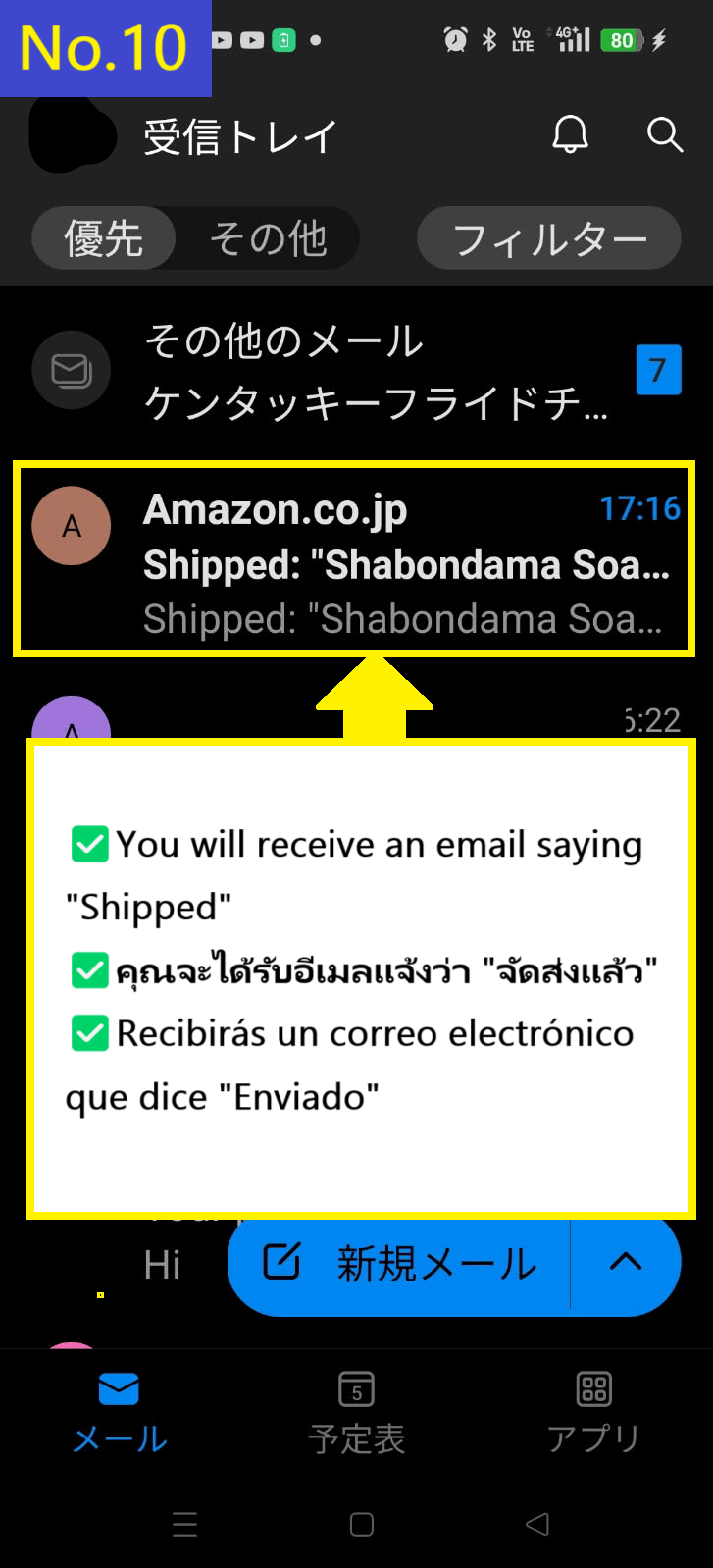
You will receive the "Shipped" email second.
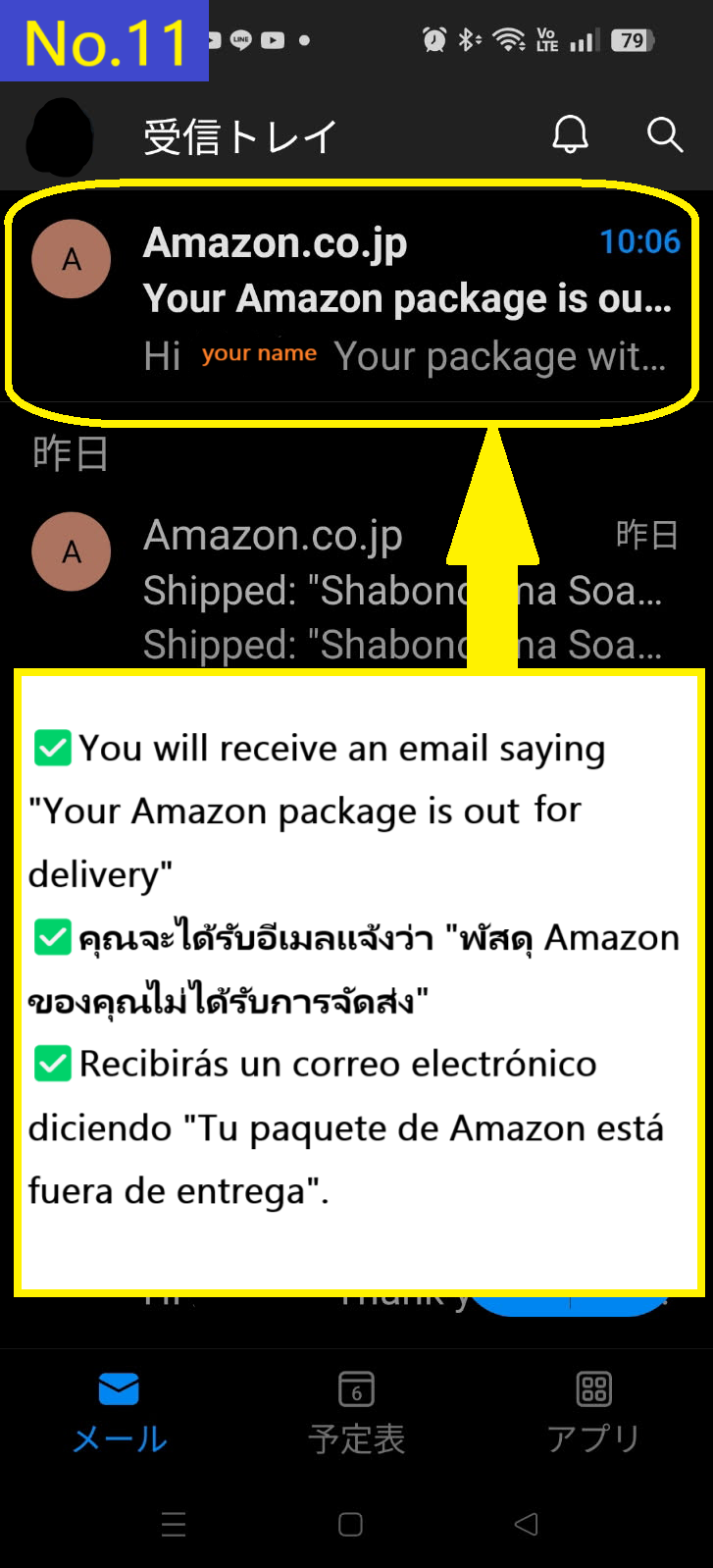
You receive the third email saying that the package is out for delivery.
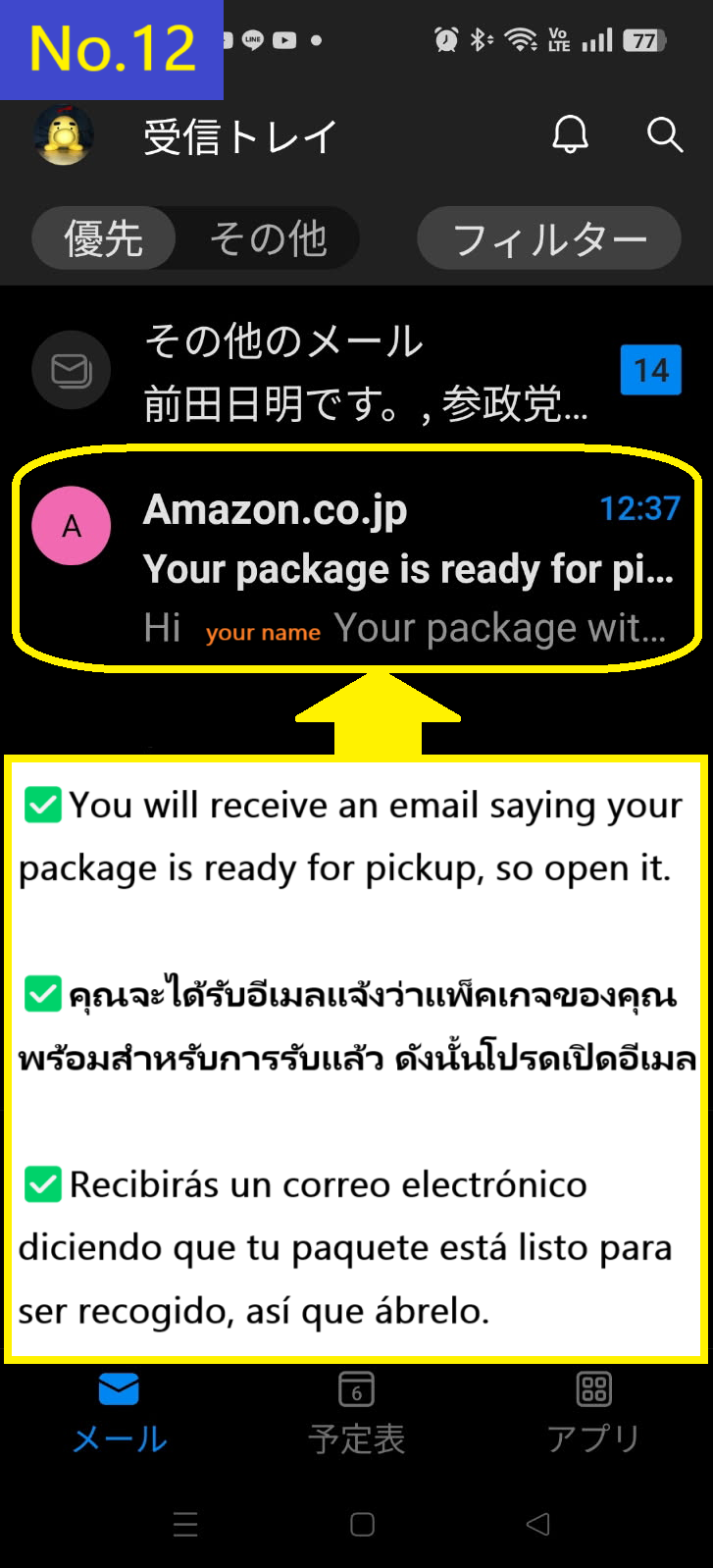
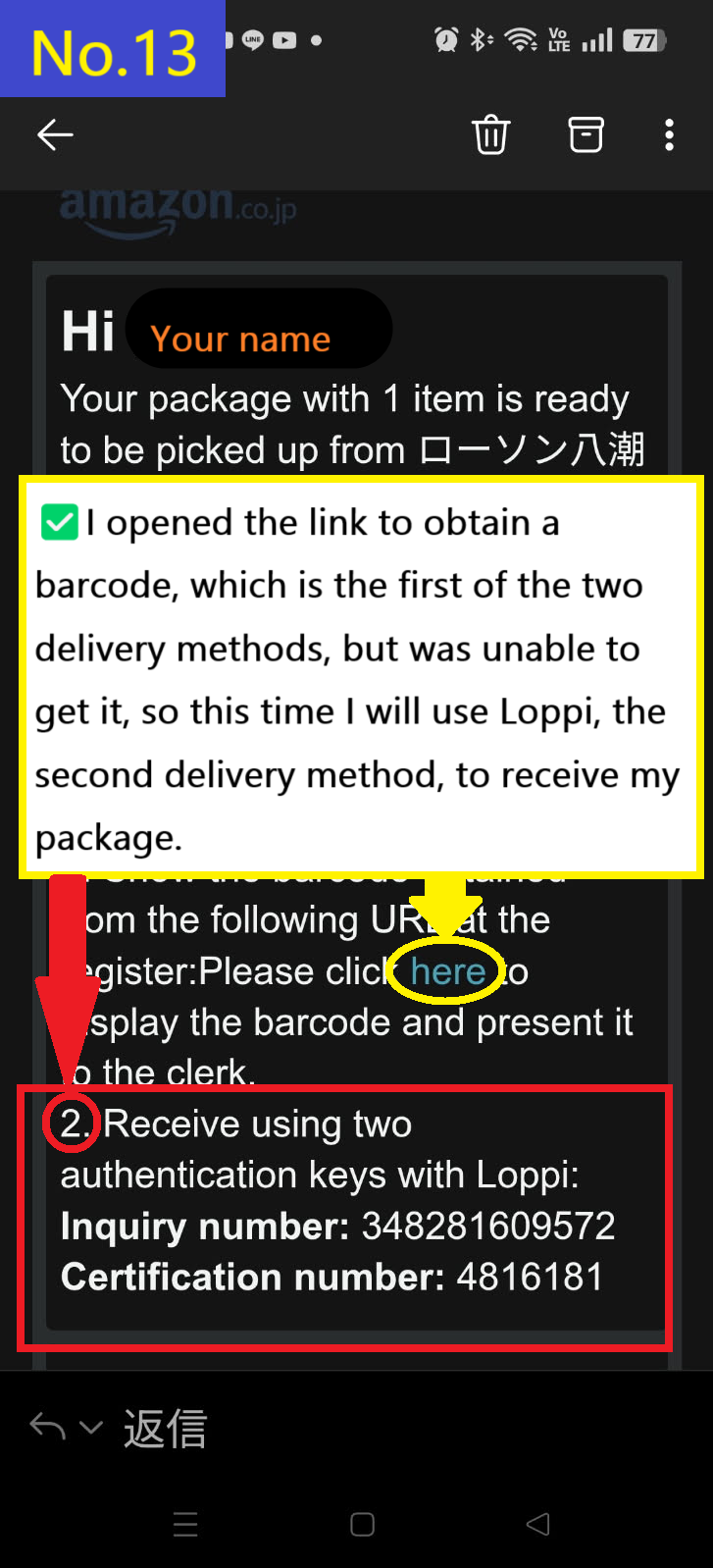
You will receive a fourth email saying your package is ready for pickup.
There were two ways to receive the item, but the link to get the barcode didn't work this time, so I will explain how to receive it at the Loppi terminal at Lawson using the inquiry number and certification number.
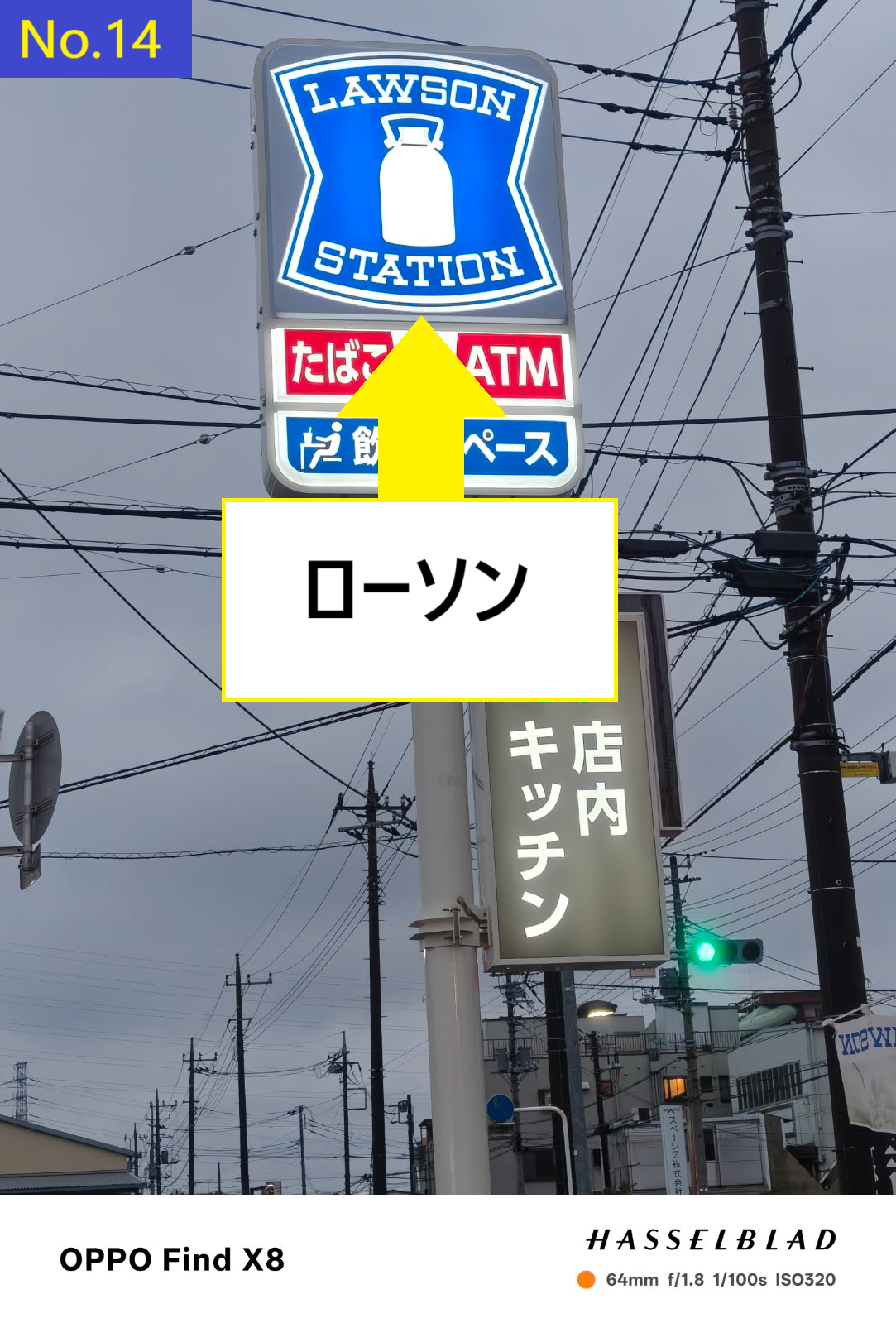
This is the Lawson sign.
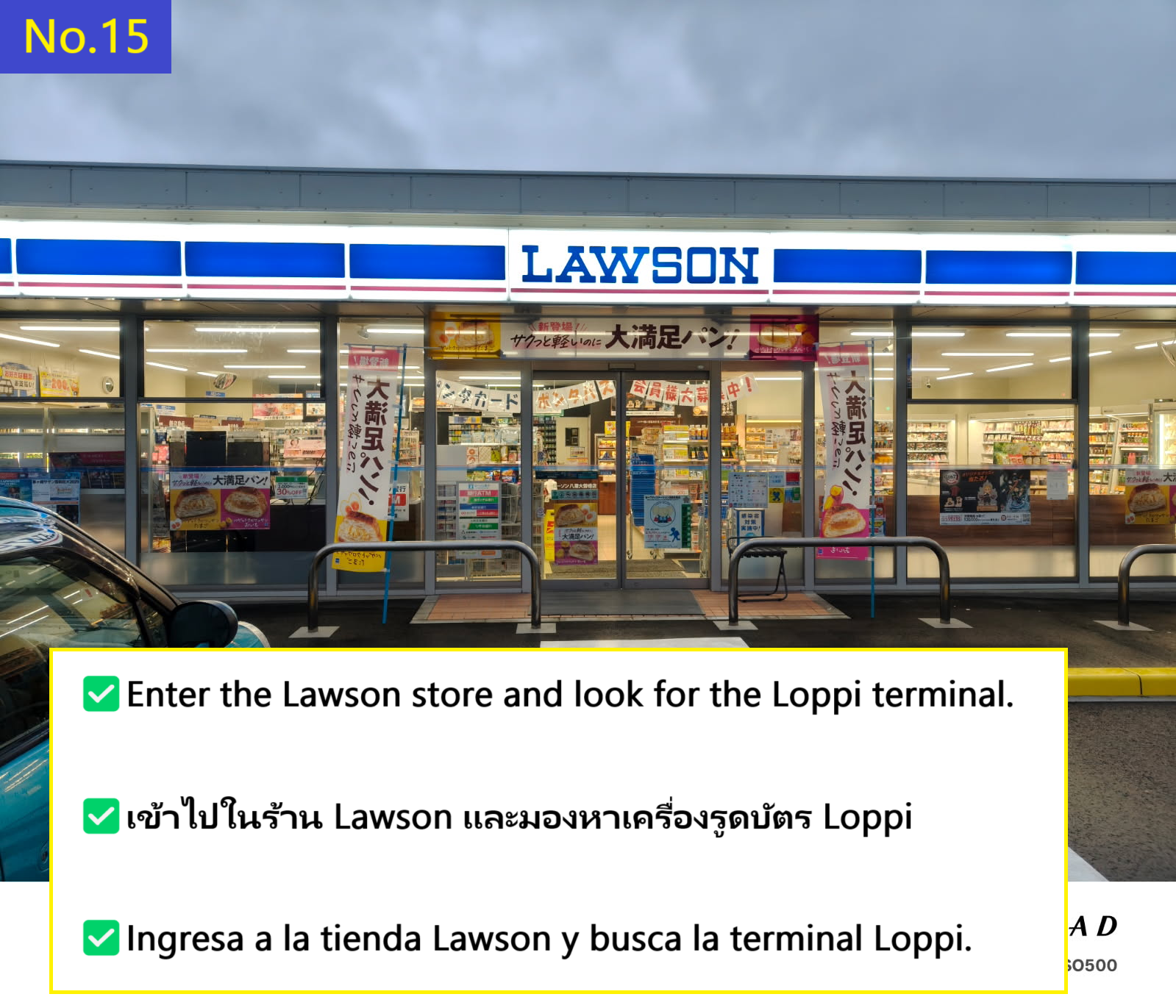
This is the Lawson store where I received my order.
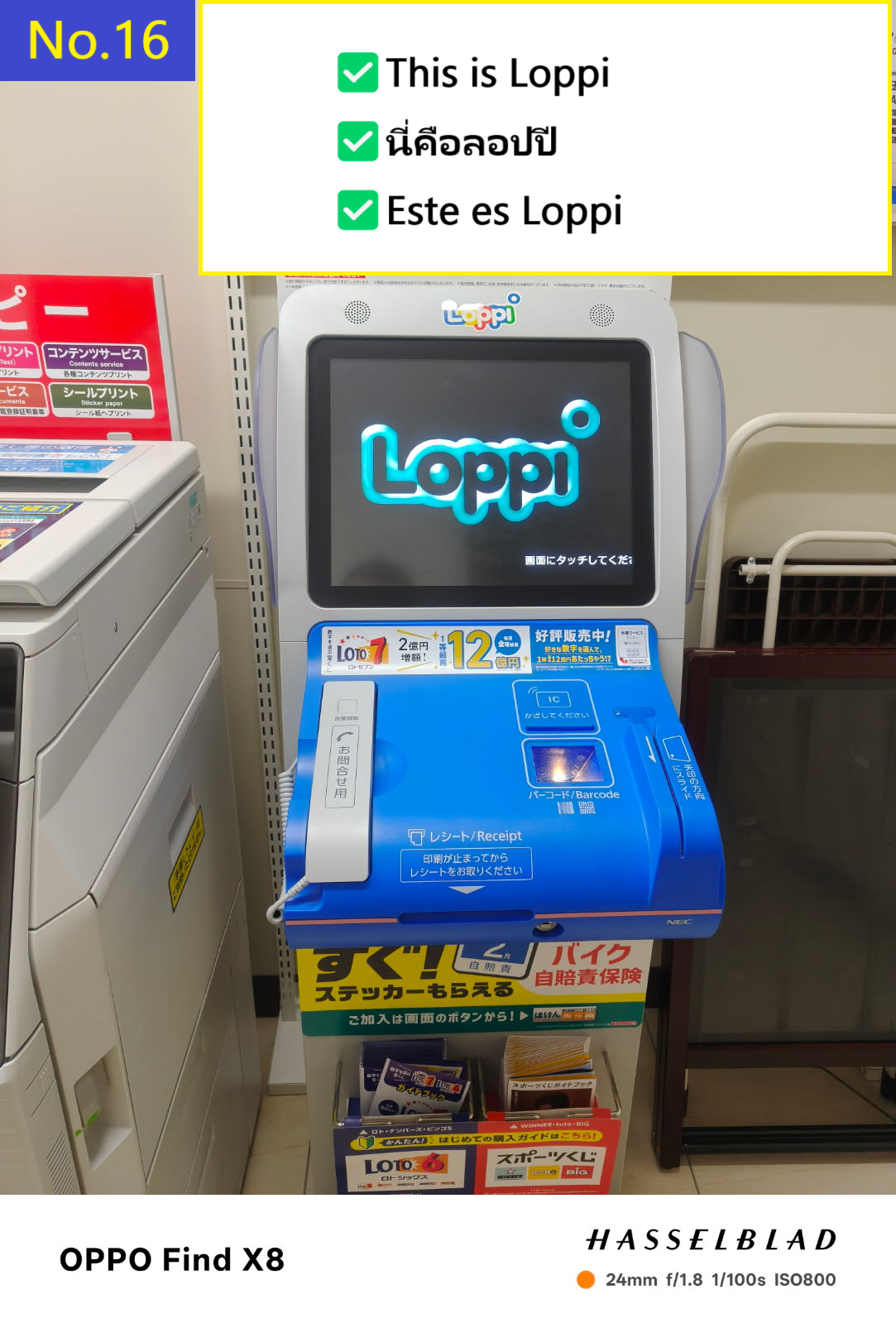
Enter the store and look for the Loppi terminal.
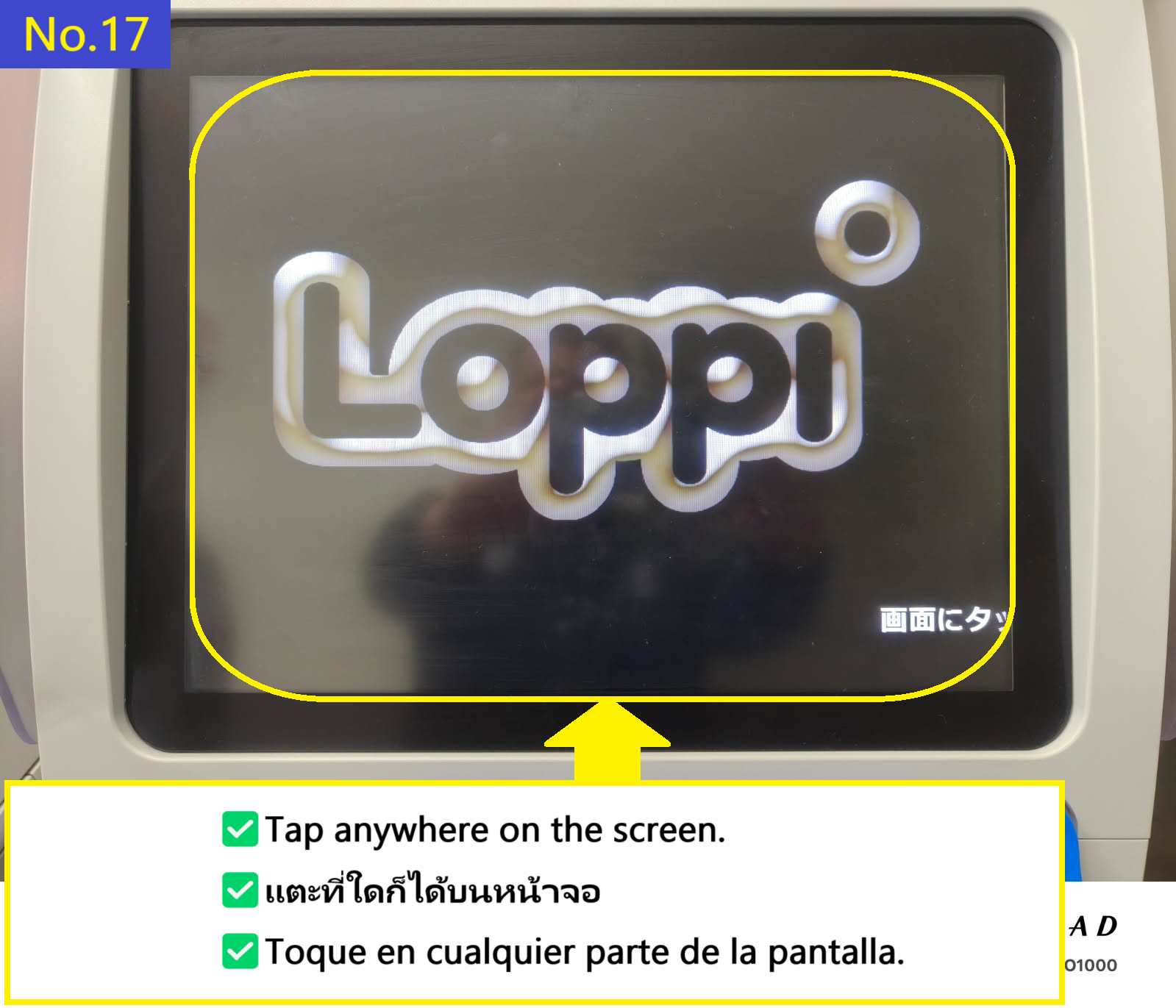
Tap anywhere on the Loppi terminal screen
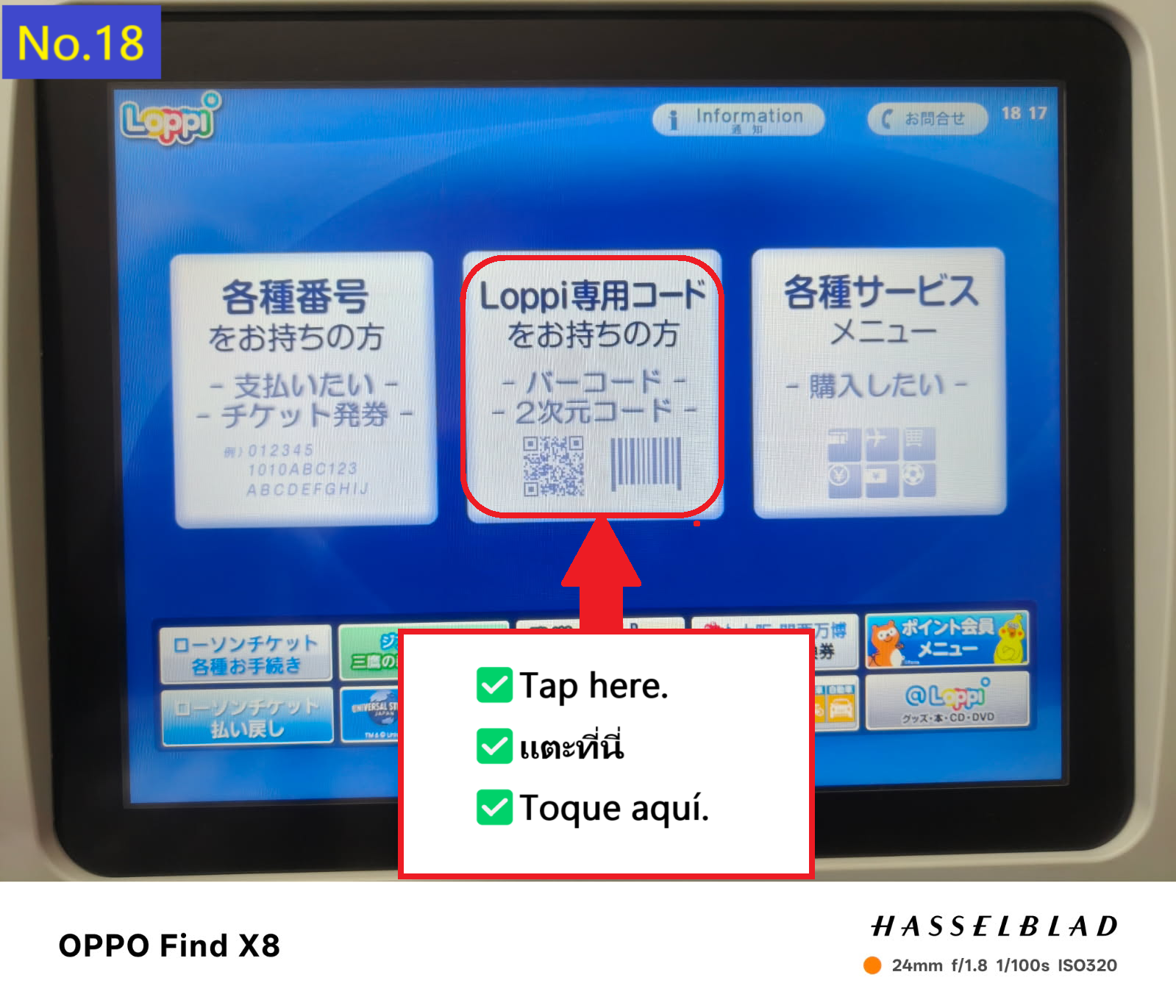
I tried to switch to English translation, but it didn't work and I'll explain it in Japanese. Tap the Loppi code tab in the middle.
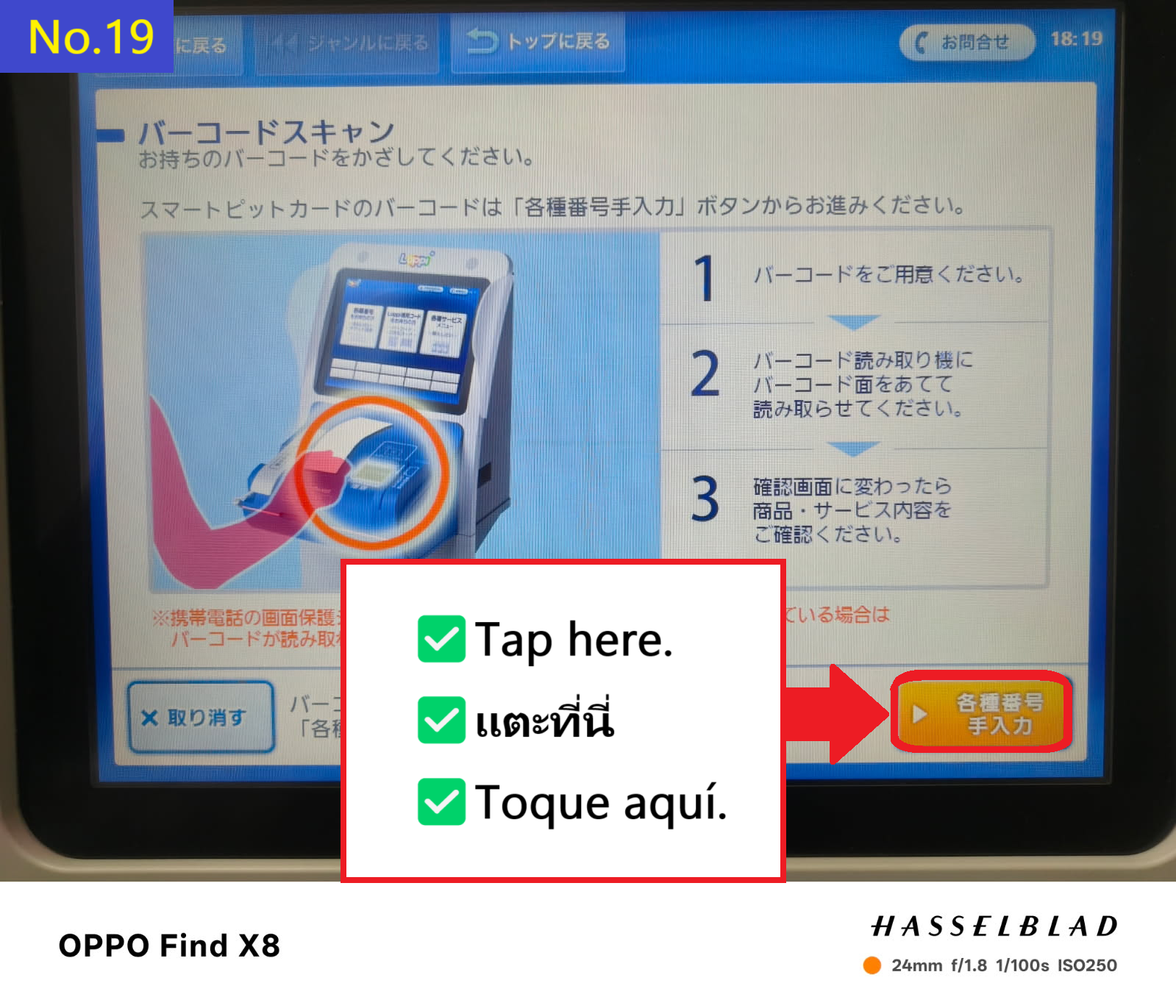
Tap the orange tab in the bottom right
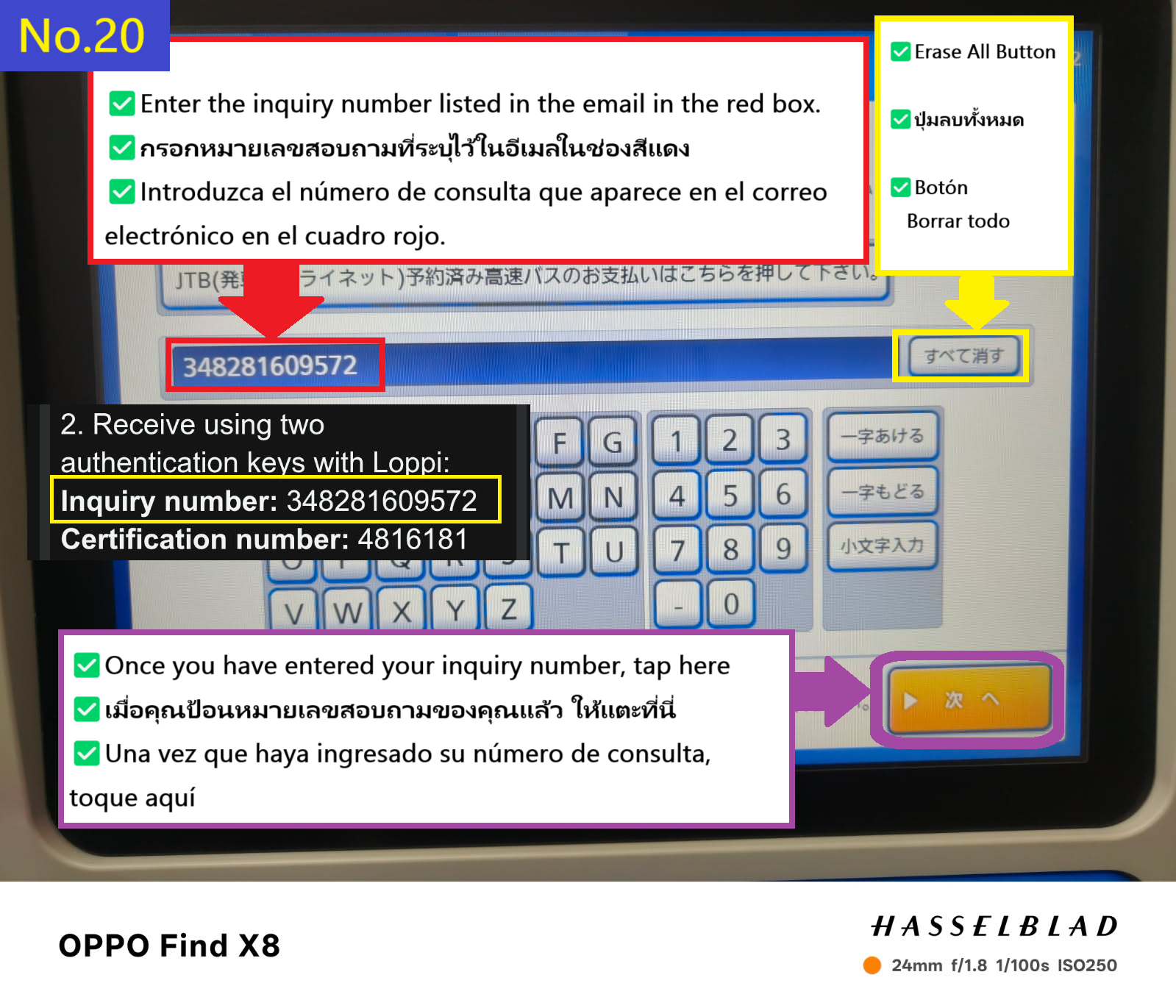
First, enter your inquiry number and tap the orange tab on the bottom right.
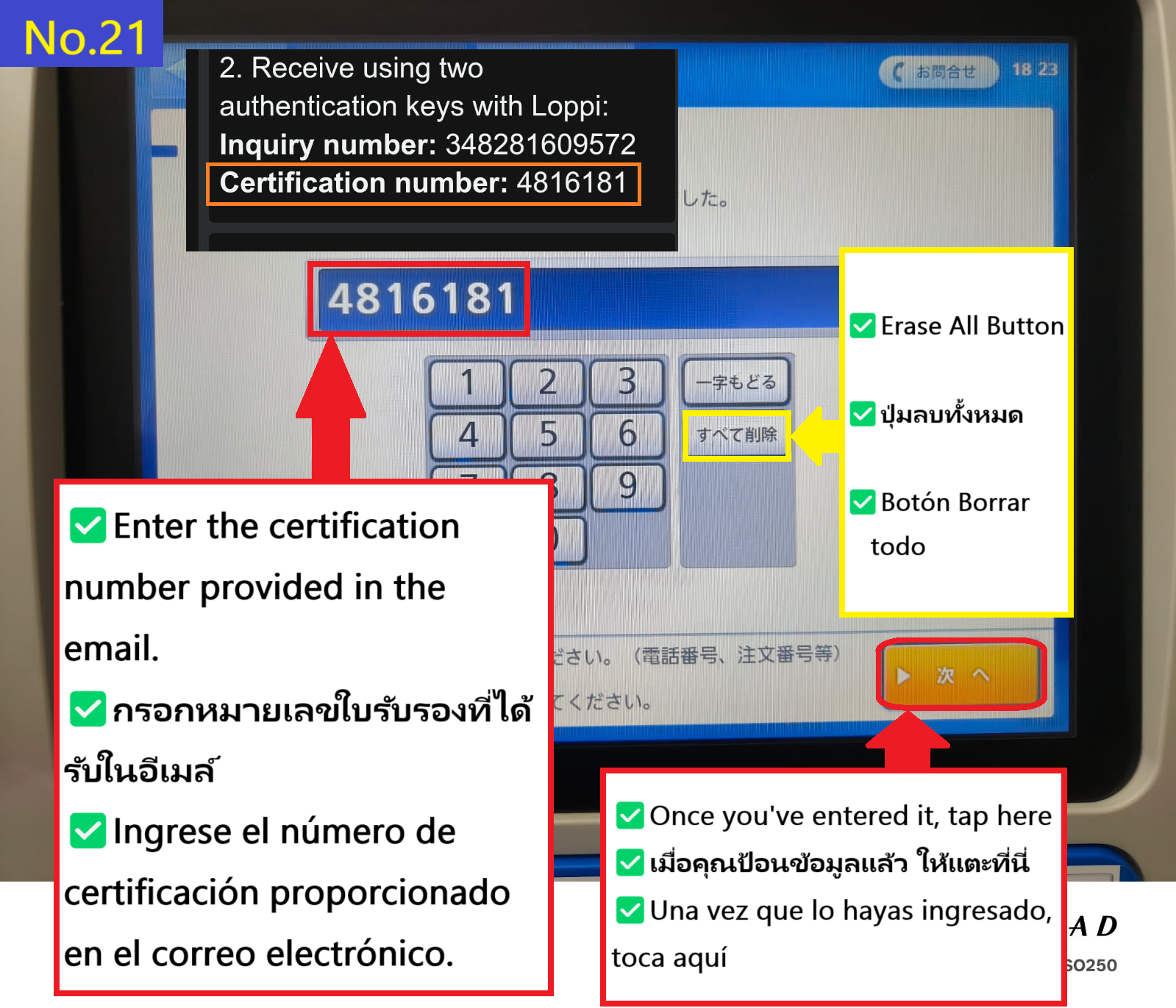
Now enter your certification number and tap the orange tab at the bottom right
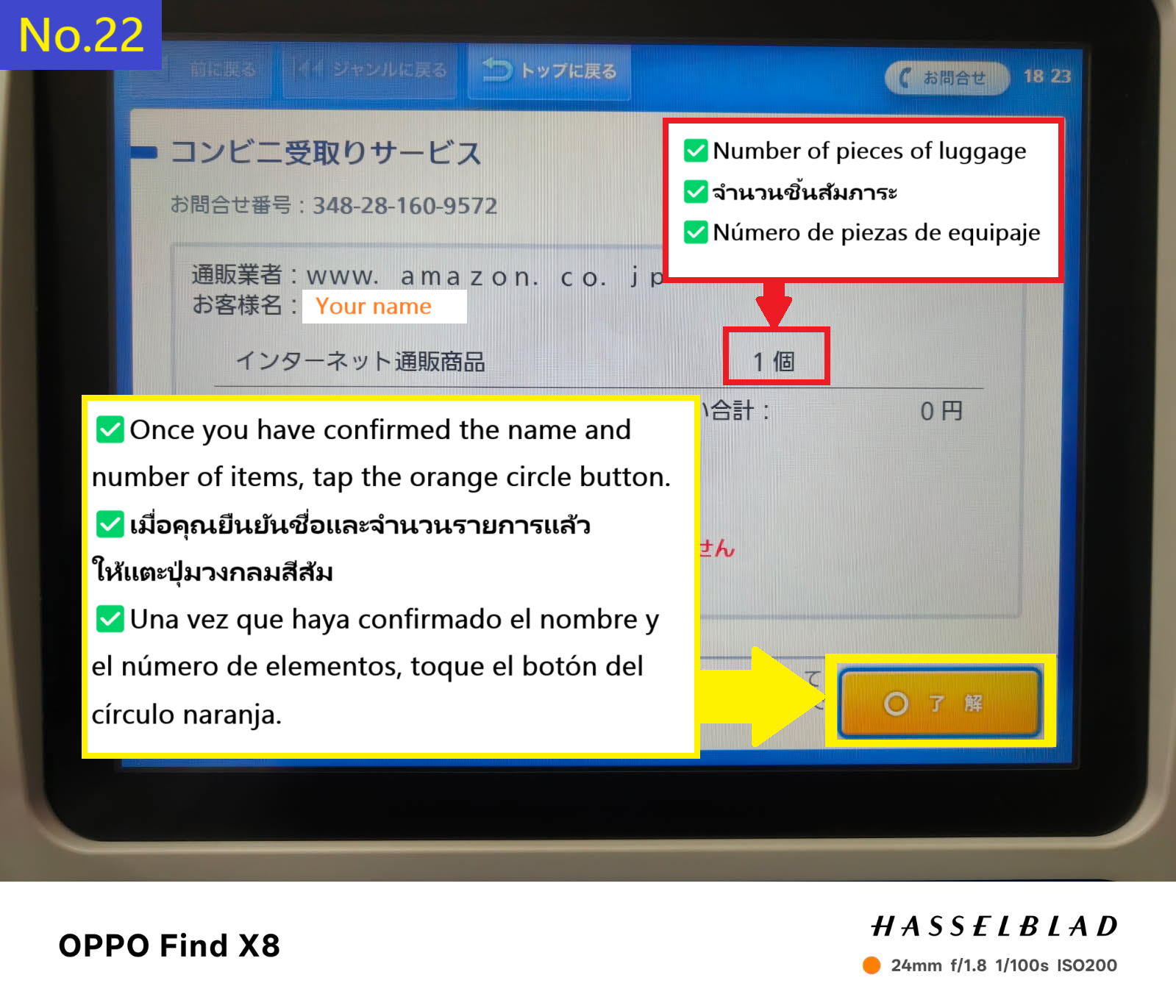
www.amazon.co.jp
Once you have confirmed your name, tap the orange circle tab in the bottom right
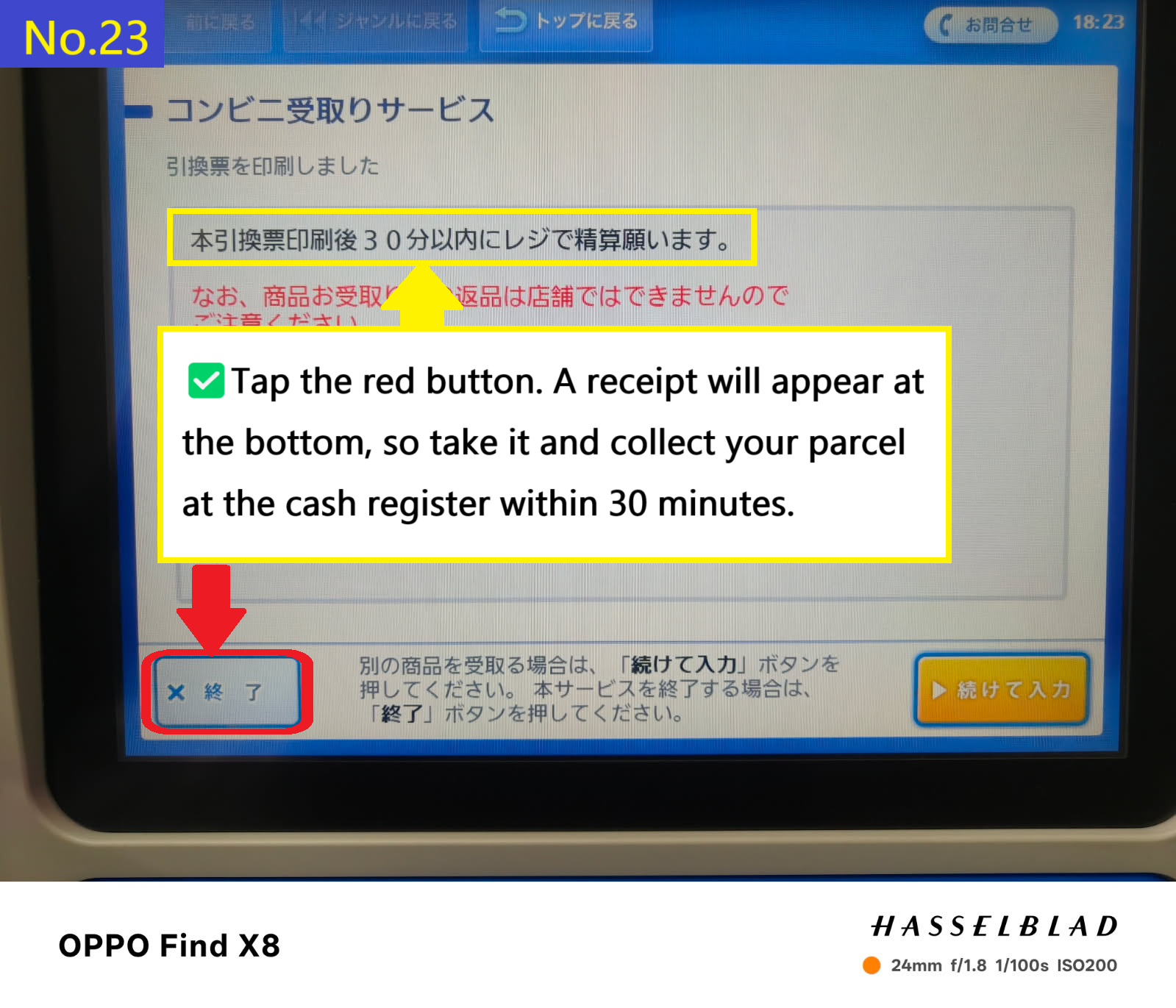
The receipt will appear at the bottom of the Loppi terminal screen. Tap the X tab at the bottom of the screen to receive your receipt. Please collect your item at the store's cash register within 30 minutes of receiving the receipt.
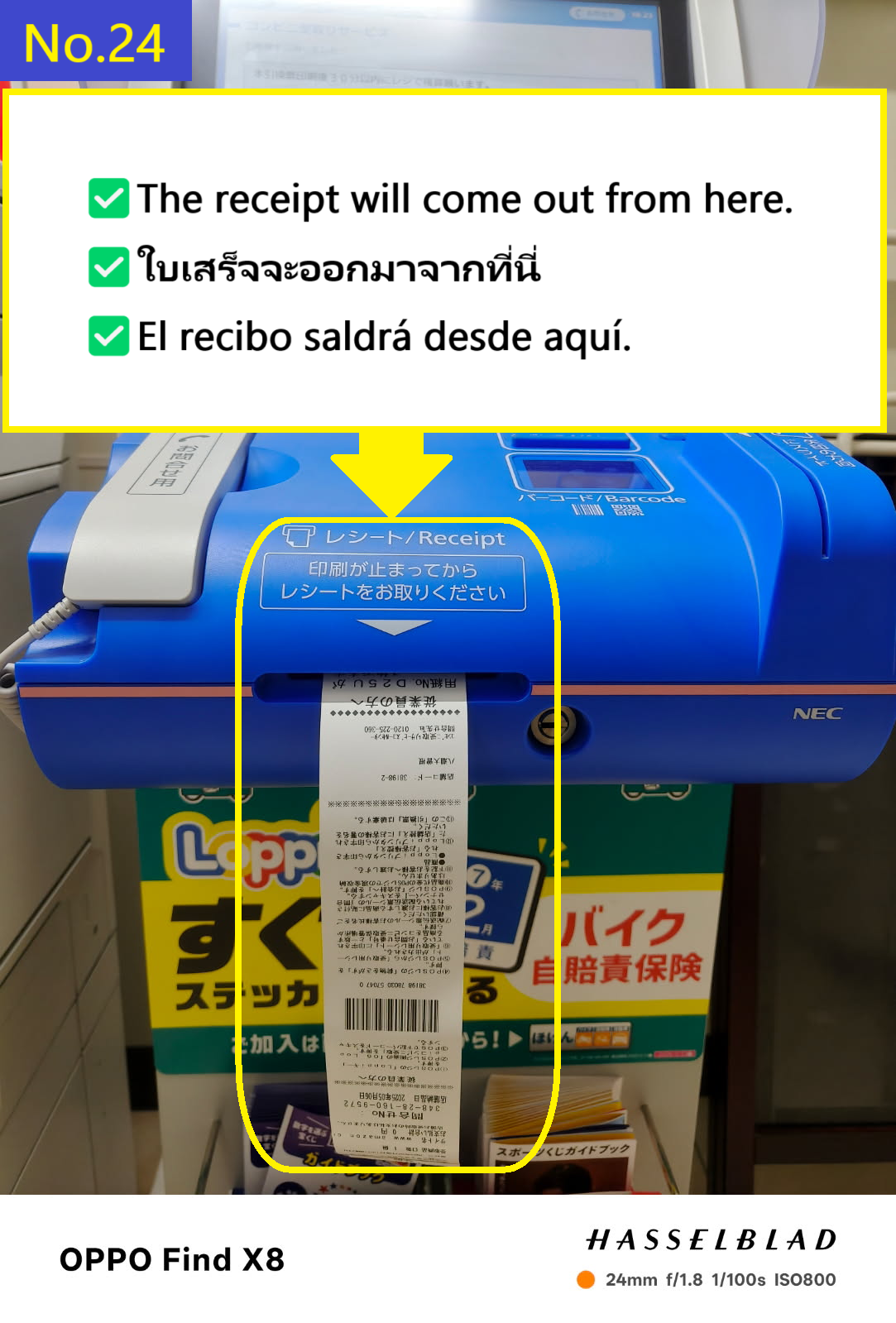
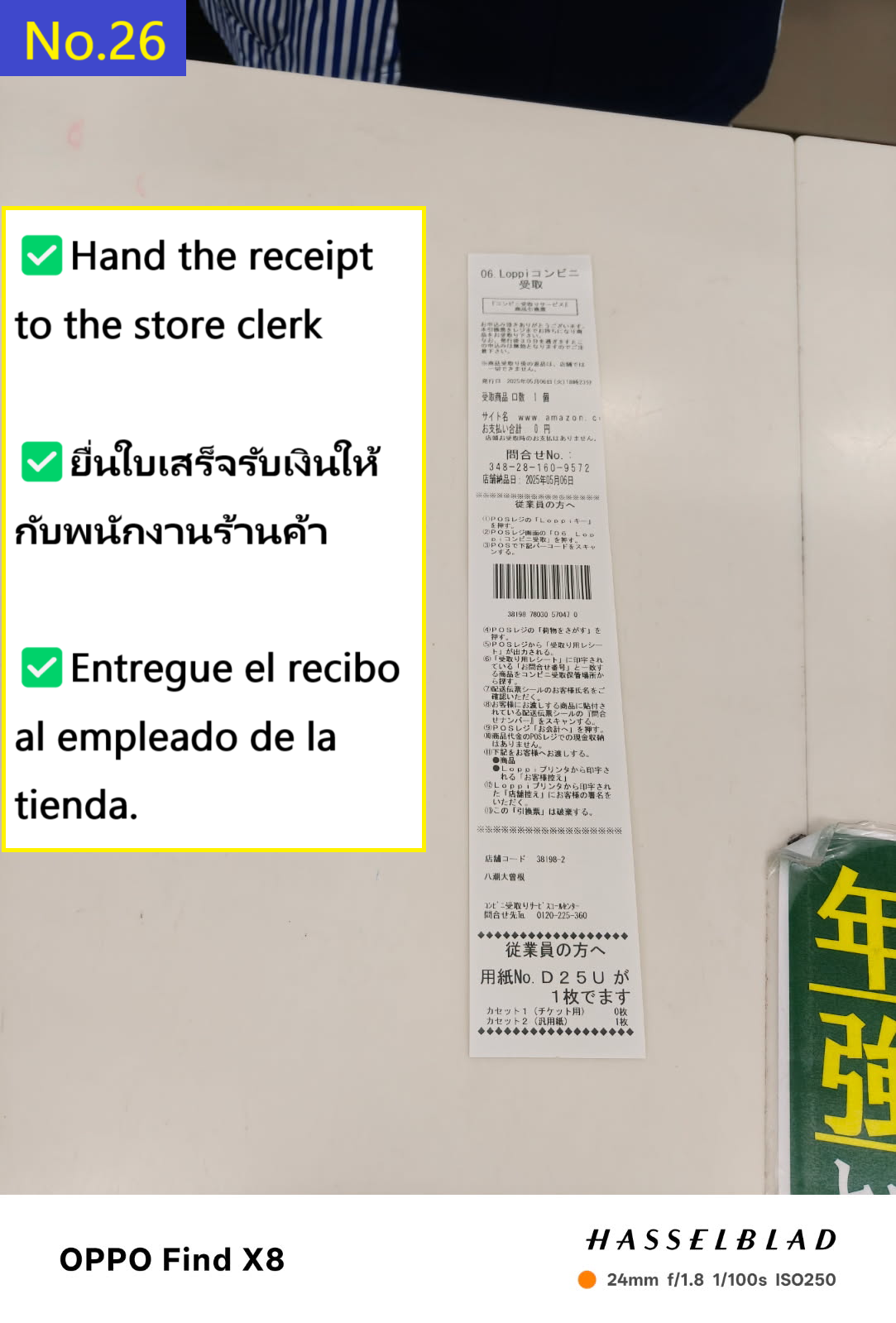
The receipt will come out like this
Take the receipt and go to the cash register inside the store.
At this time, it will be easier if you use Google Translate or similar to translate "Amazon parcel pickup(アマゾンの荷物受取)" into Japanese and show the receipt and the translation screen to the cashier.
Hand the receipt to the clerk
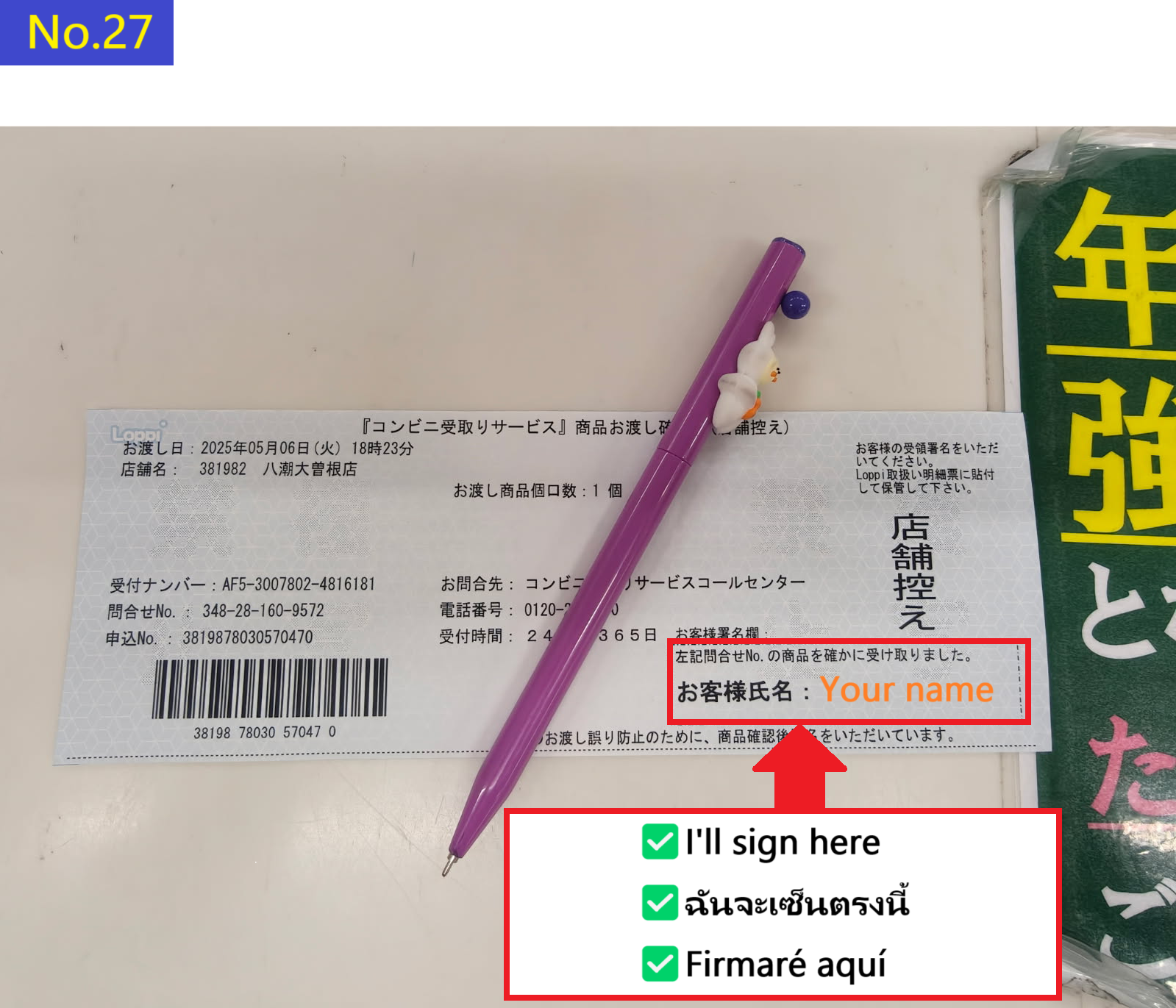
The clerk will show you a piece of paper like this, so please sign in the blank space at the bottom right.
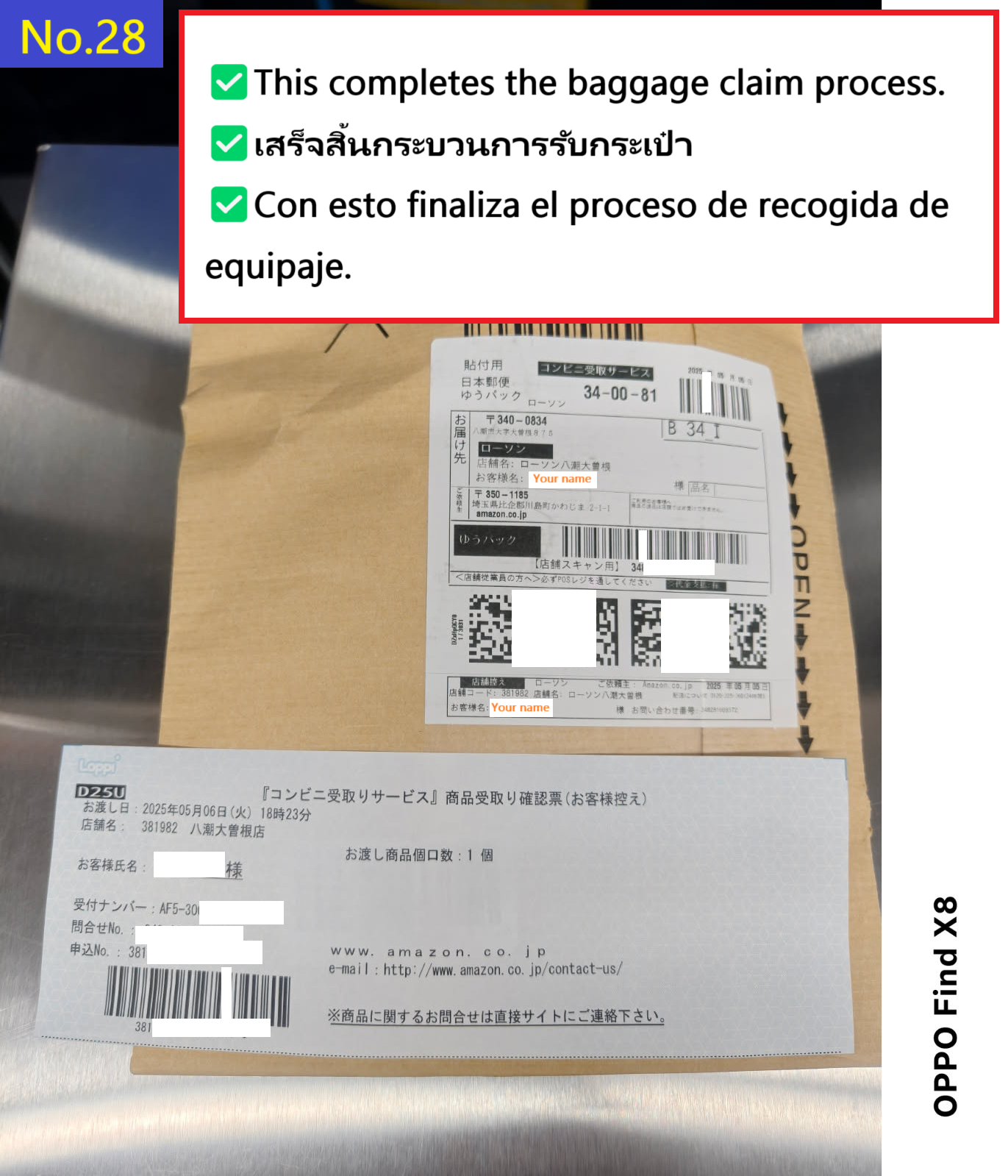
This completes the receipt of your luggage.
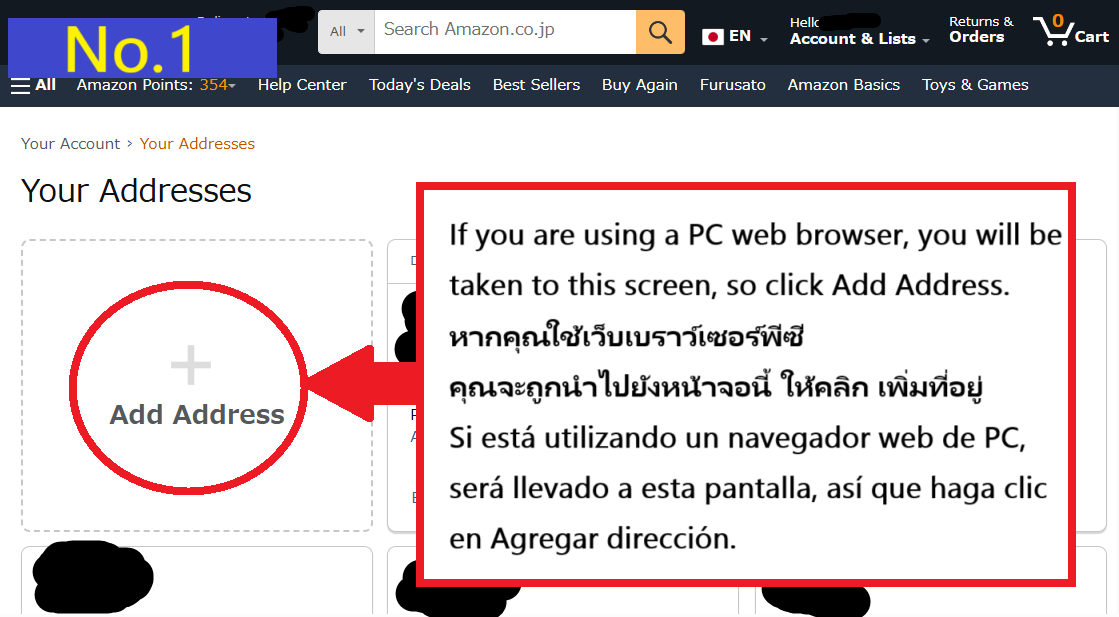
Just in case. Steps to access the pickup facility registration page on a PC web browser
Summary of Amazon's "Cancellation after purchase" rules
Basically, you can cancel up until the item is shipped.
How much time do you have?
It depends on the product and the seller, but usually it's safe to cancel within 30 minutes to an hour after ordering.
🎯 More specifically
[Amazon Direct Sales (Seller: Amazon.co.jp)]
The cancel button is active for about 30 minutes to an hour after ordering.
However, if the order is processed too quickly
→ It may become "preparing to ship" in about 10 minutes and you may not be able to cancel.