🌐 🇯🇵 JP | 🇺🇸 EN | 🇹🇭 TH | 🇪🇸 ES

Cómo recibir tu paquete en la tienda de conveniencia FamilyMart(ファミリーマート)


Pasos a seguir cuando el producto está en tu carrito


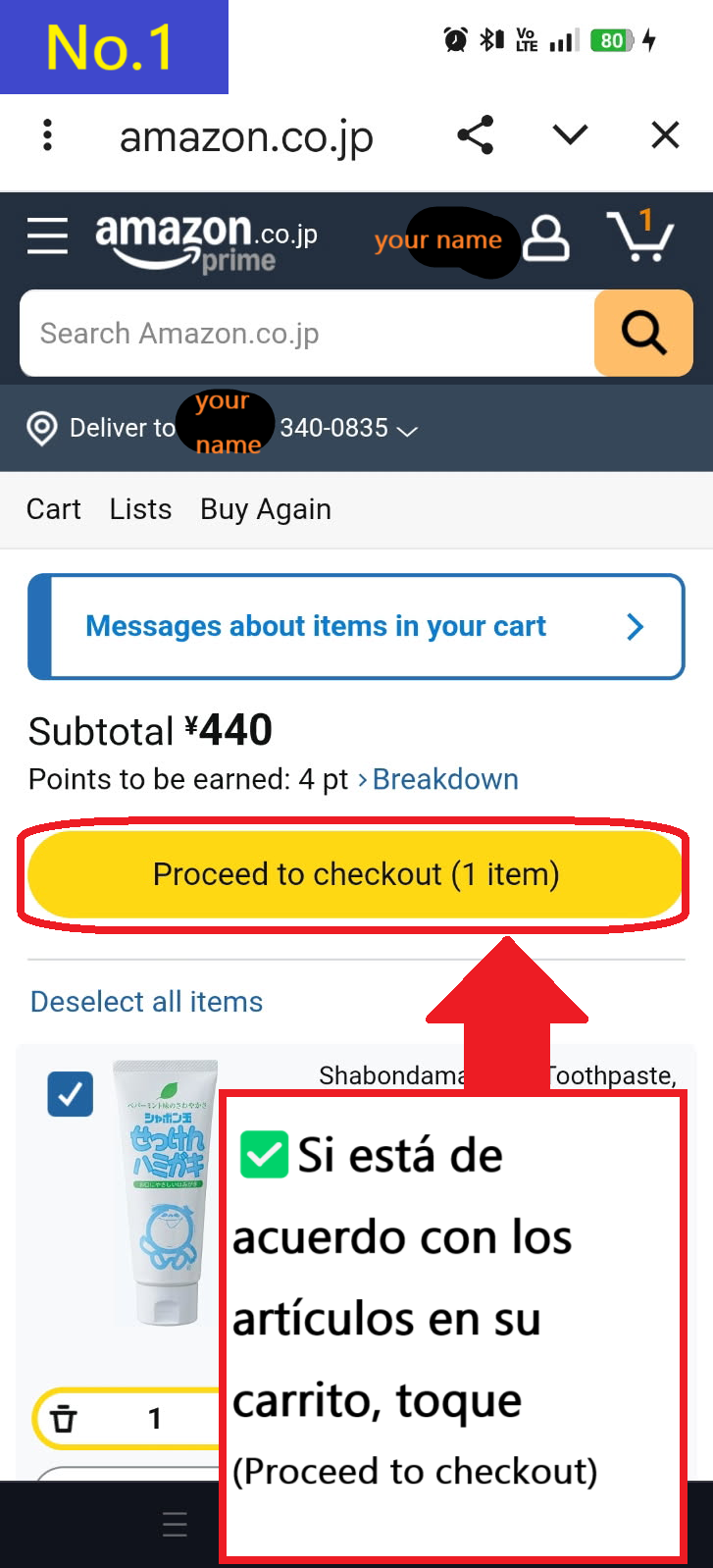
  • Si el artículo que deseas comprar es el mismo que el que está en tu carrito, pulsa Proceed to checkout
  • Image description of If the item you want to purchase is the same as the item in your cart, tap Proceed to checkout

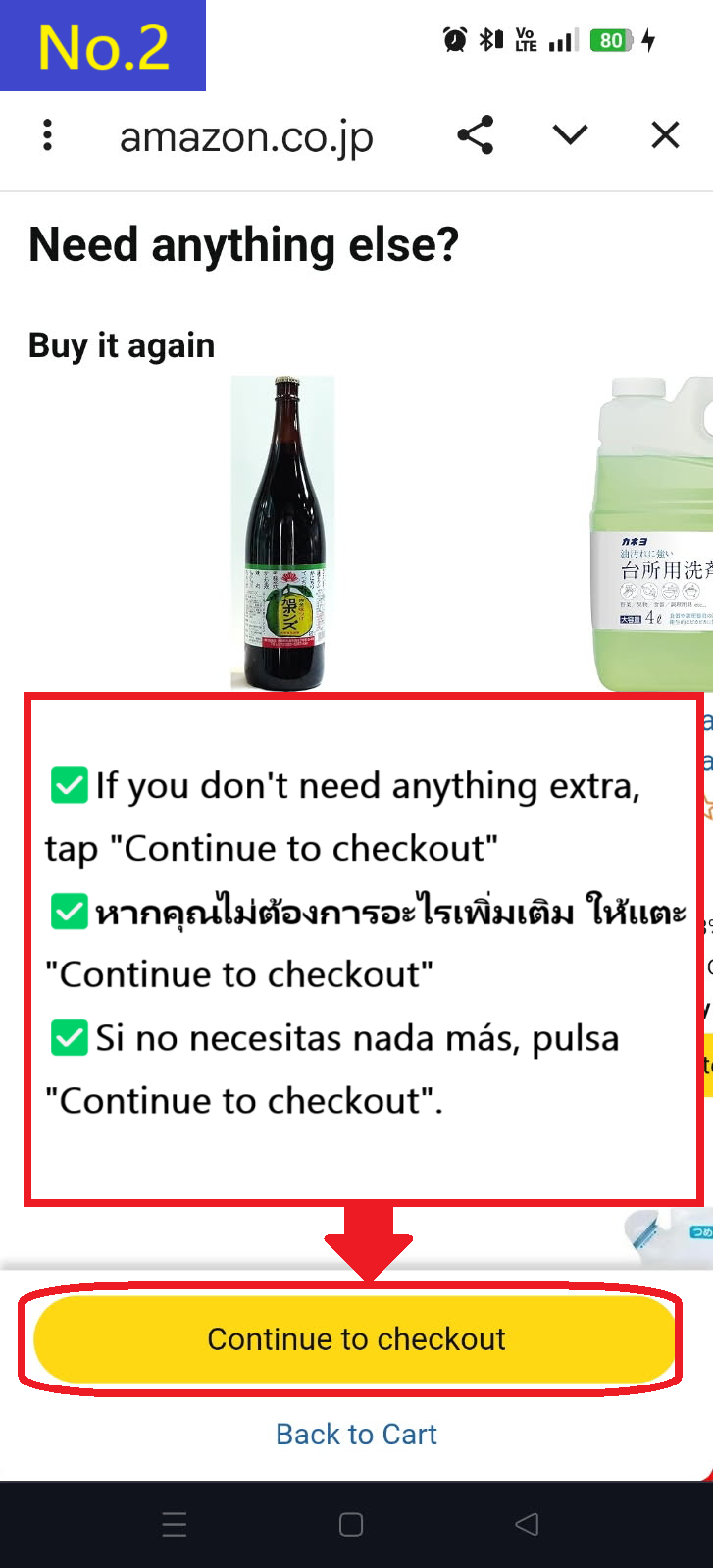
  • Se te recomendarán otros productos, pero si no los necesitas, pulsa Continue to checkout
  • Image description of You will be recommended other products, but if you don't need them, tap Continue to checkout.

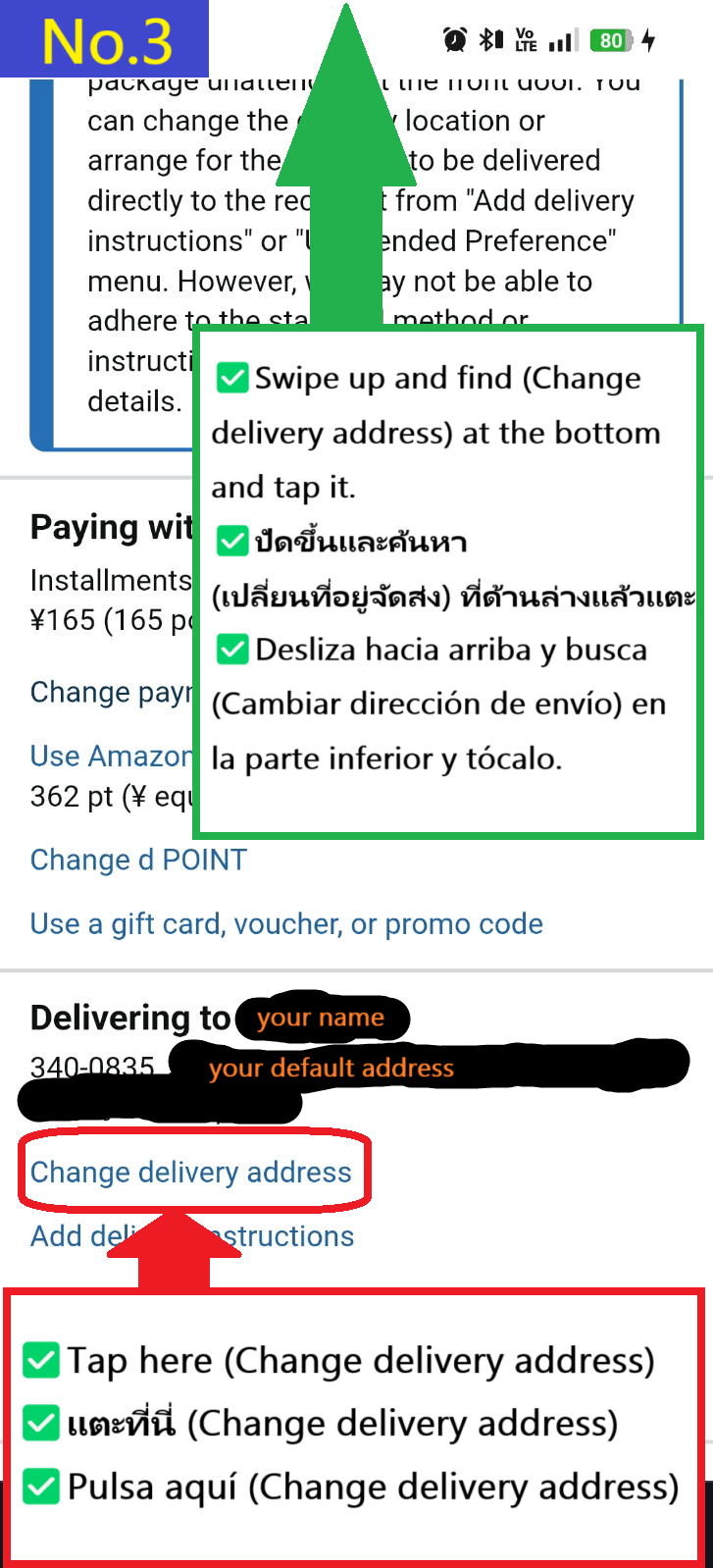
  • Pulsa Change delivery address en la parte inferior
  • Image description of Tap Change delivery address at the bottom

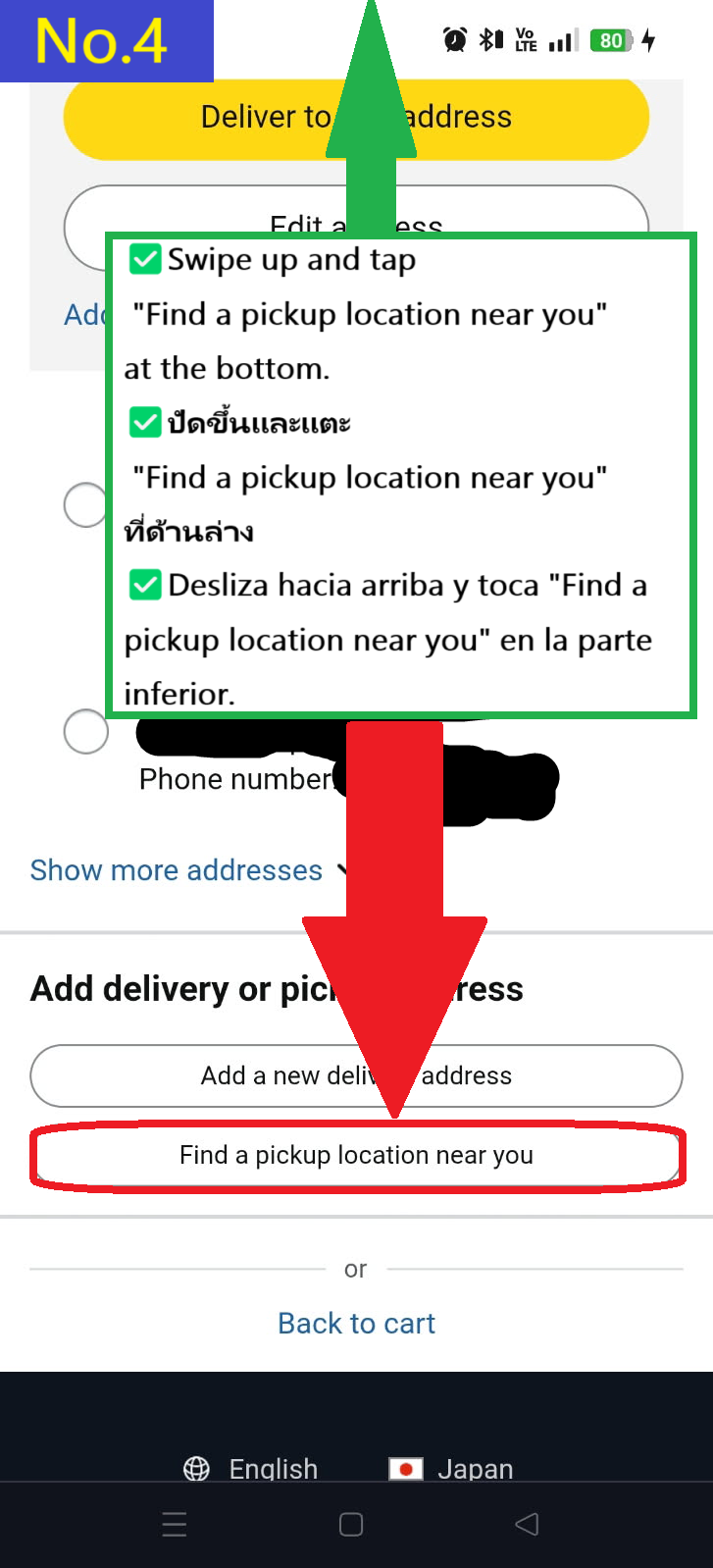
  • Pulsa Find a pickup location near you en la parte inferior
  • Image description of Tap Find a pickup location near you at the bottom.

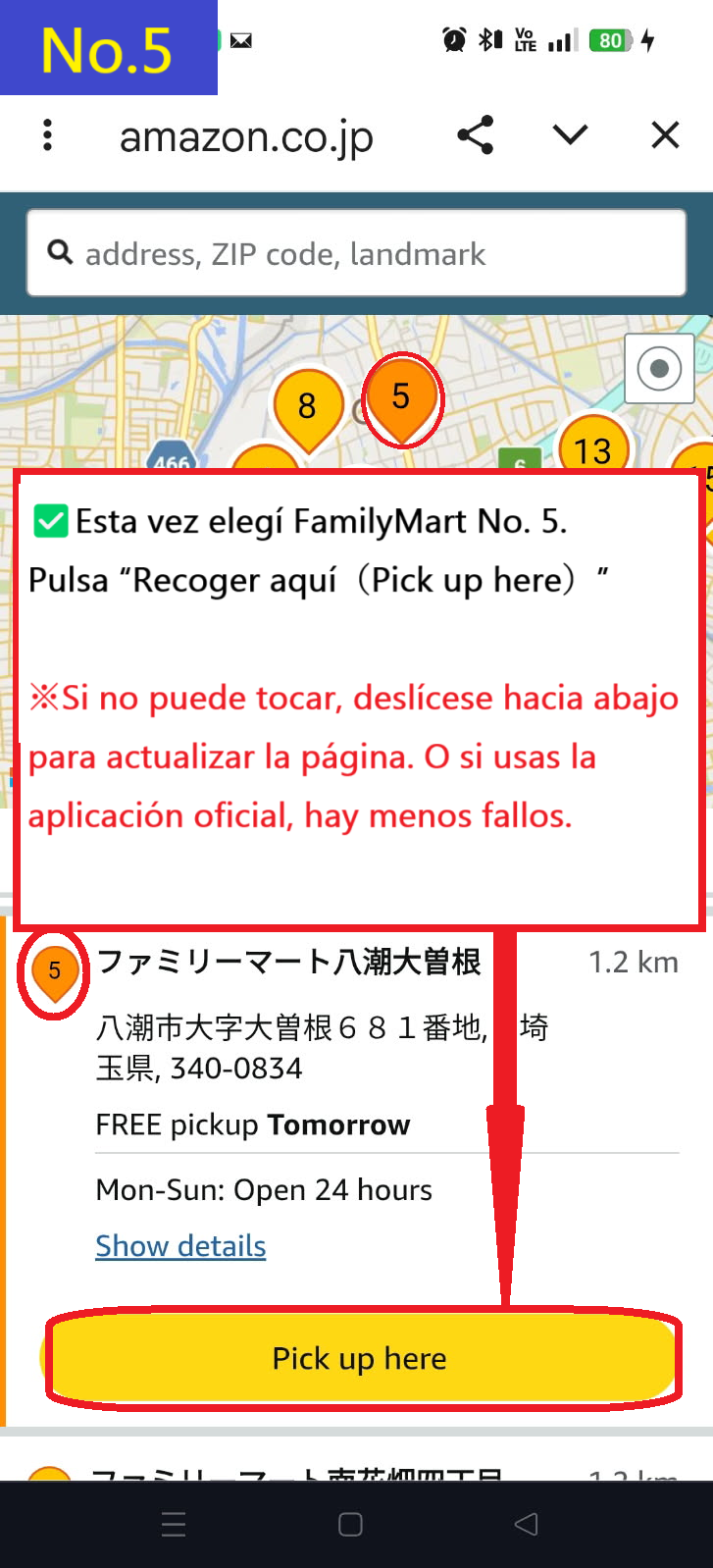
  • Esta vez, selecciona FamilyMart(ファミリーマート) Yashio Ozone tienda número 5 en el mapa y pulsa Pick up here
    ※Si no puedes pulsar, desliza hacia abajo para recargar la pantalla, luego selecciona la tienda nuevamente y pulsa Pick up here.
    Recomendamos instalar la aplicación oficial de Amazon Japón, ya que este error se resuelve con ella.
  • Image description of This time, select FamilyMart(ファミリーマート) Yashio Ozone store number 5 on the map and tap Pick up here.

    ✅ Descarga la aplicación oficial de Amazon Japón

    🍎 Descargar en App Store
    🤖 Descargar en Google Play


  • Selecciona tu opción de entrega preferida y pulsa "Continuar(continue)"
  • Image description of Select your preferred delivery option and tap continue

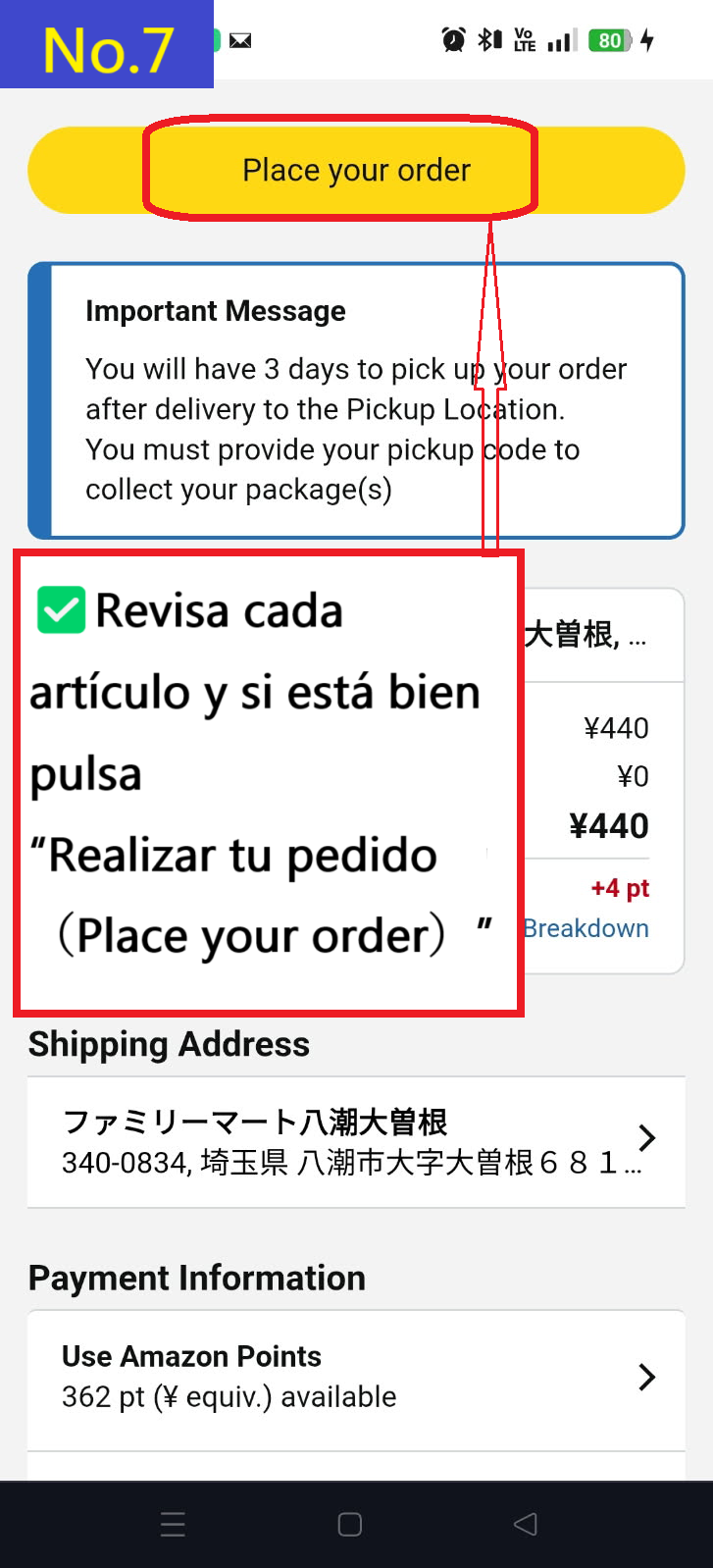
  • Si deseas establecer esta dirección como predeterminada, marca la opción default to this delivery address y pulsa Place your order
  • Image description of If you want to make this address the default, check default to this delivery address and tap Place your order.

  • Aparecerá la página con los detalles de la confirmación del pedido
  • Image description of The order confirmation details page will appear.

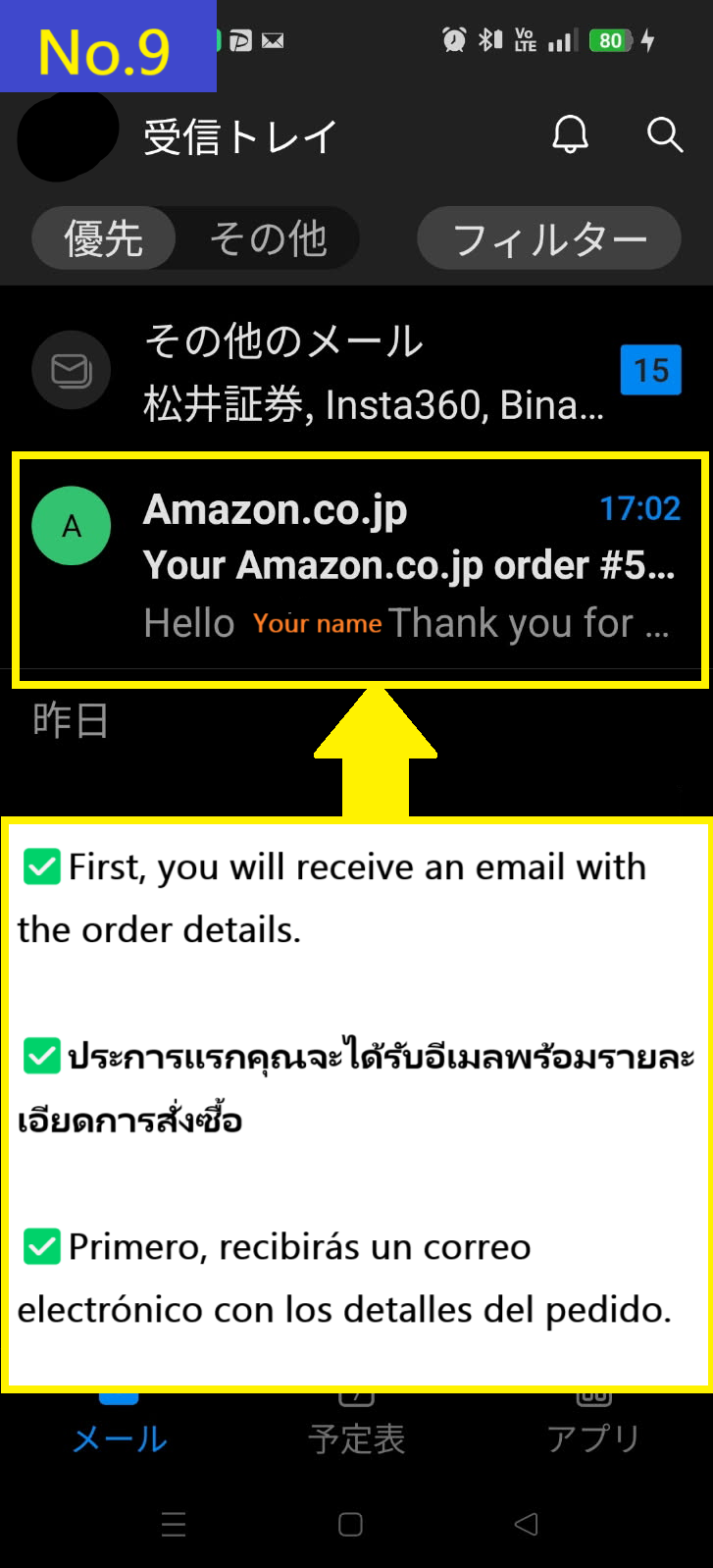
  • Primero, recibirás un correo electrónico con la confirmación del pedido
  • Image description of First, you will receive an order email.

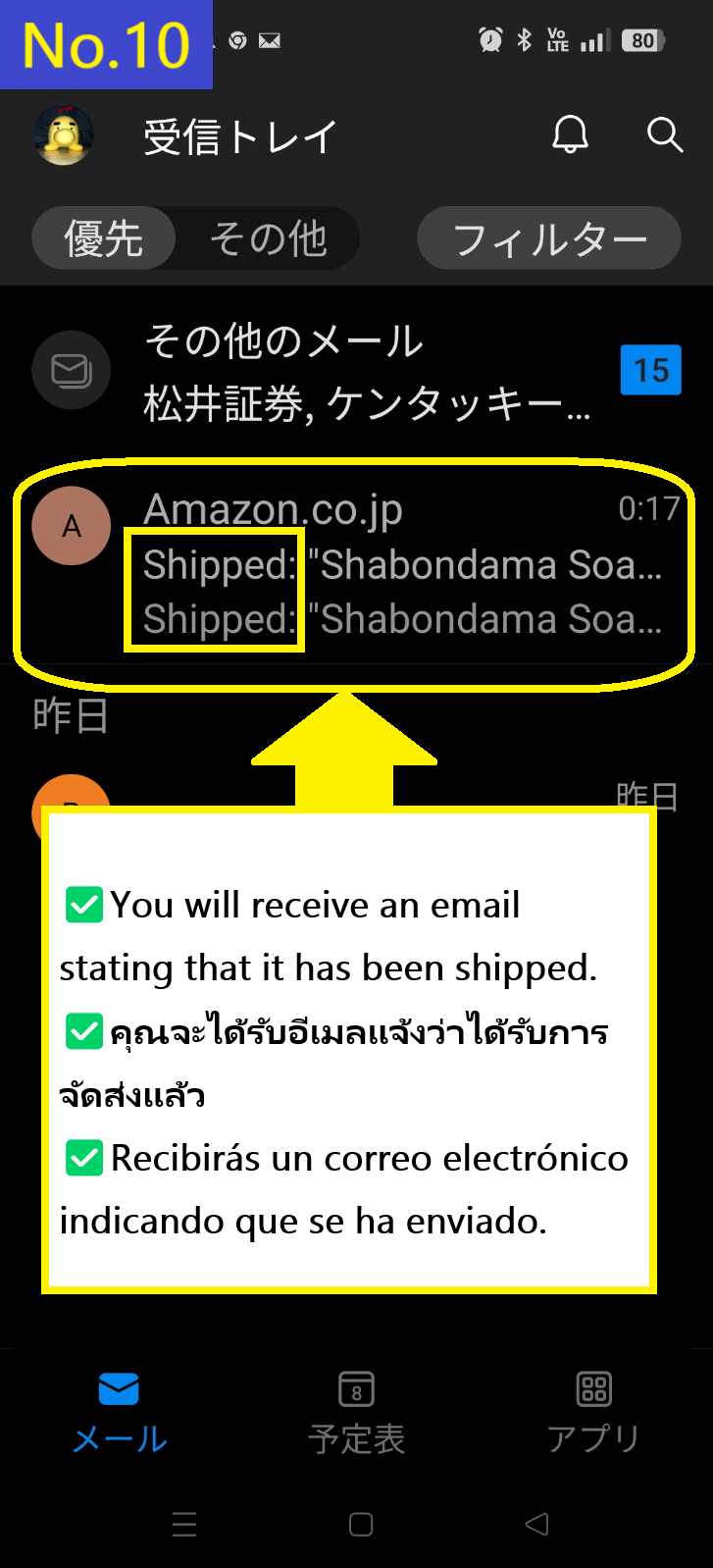
  • Recibirás el segundo correo electrónico con el asunto "Shipped"
  • Image description of You will receive the Shipped email second.

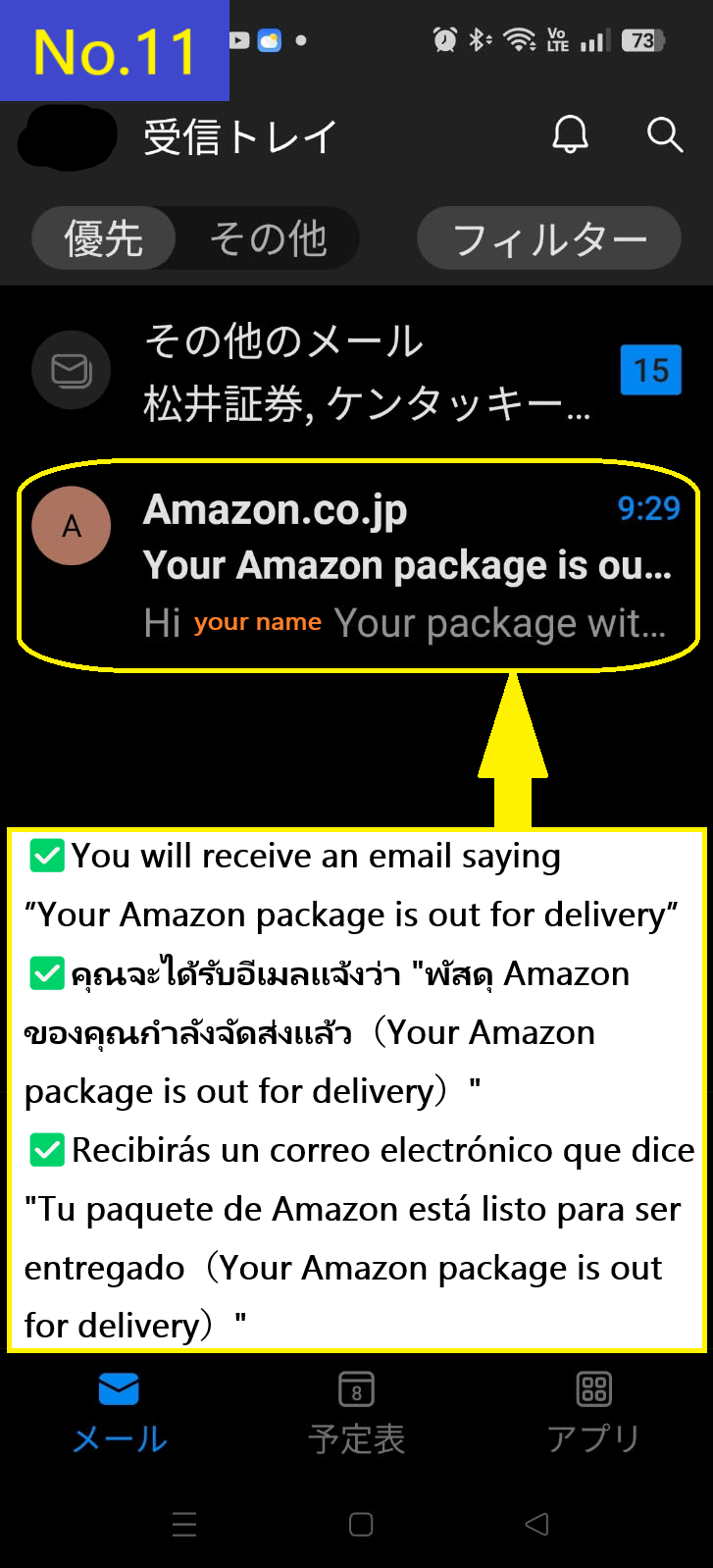
  • Recibirás el tercer correo electrónico que indica que el paquete está en camino
  • Image description of You receive the third email saying that the package is out for delivery.

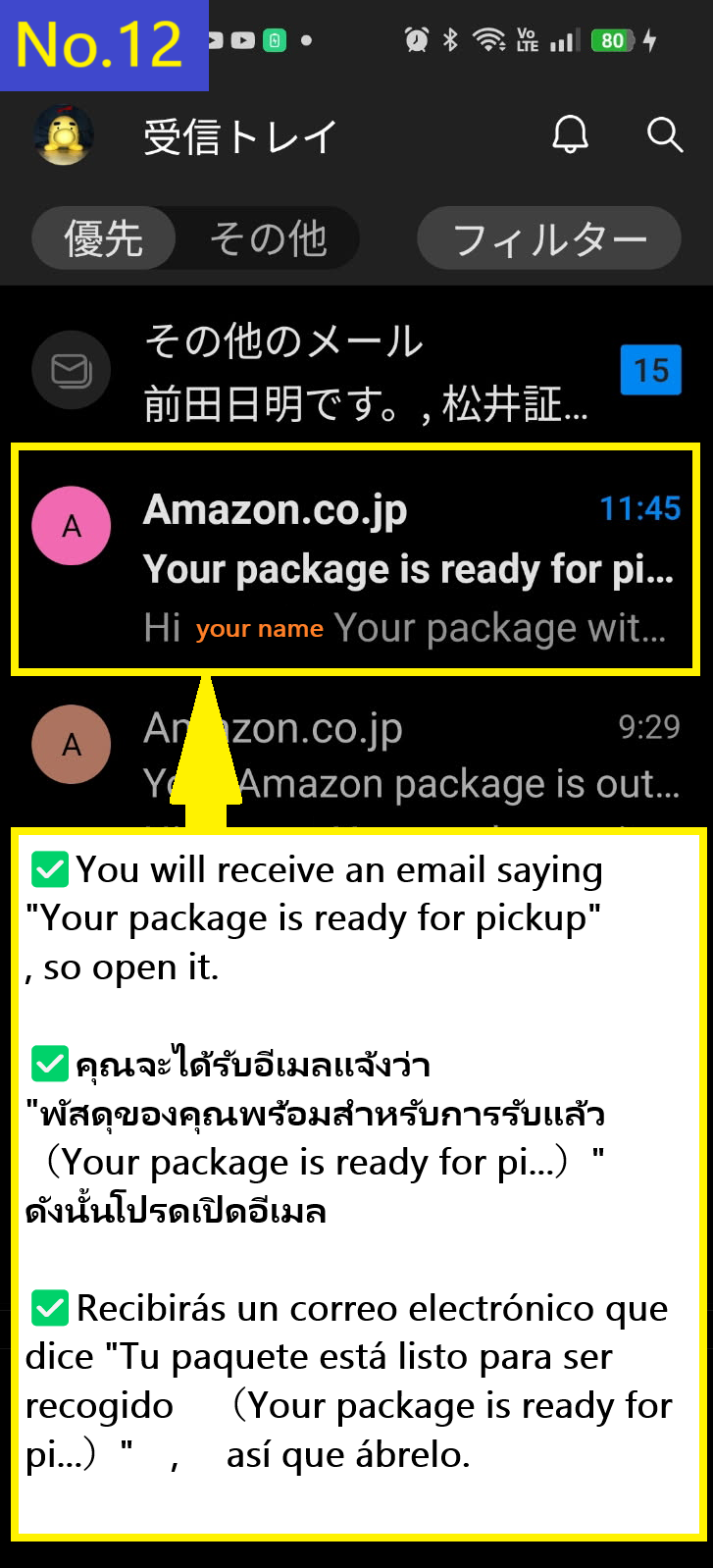
  • Recibirás un cuarto correo electrónico indicando que tu paquete está listo para ser recogido
  • Image description of You will receive a fourth email saying your package is ready for pickup.

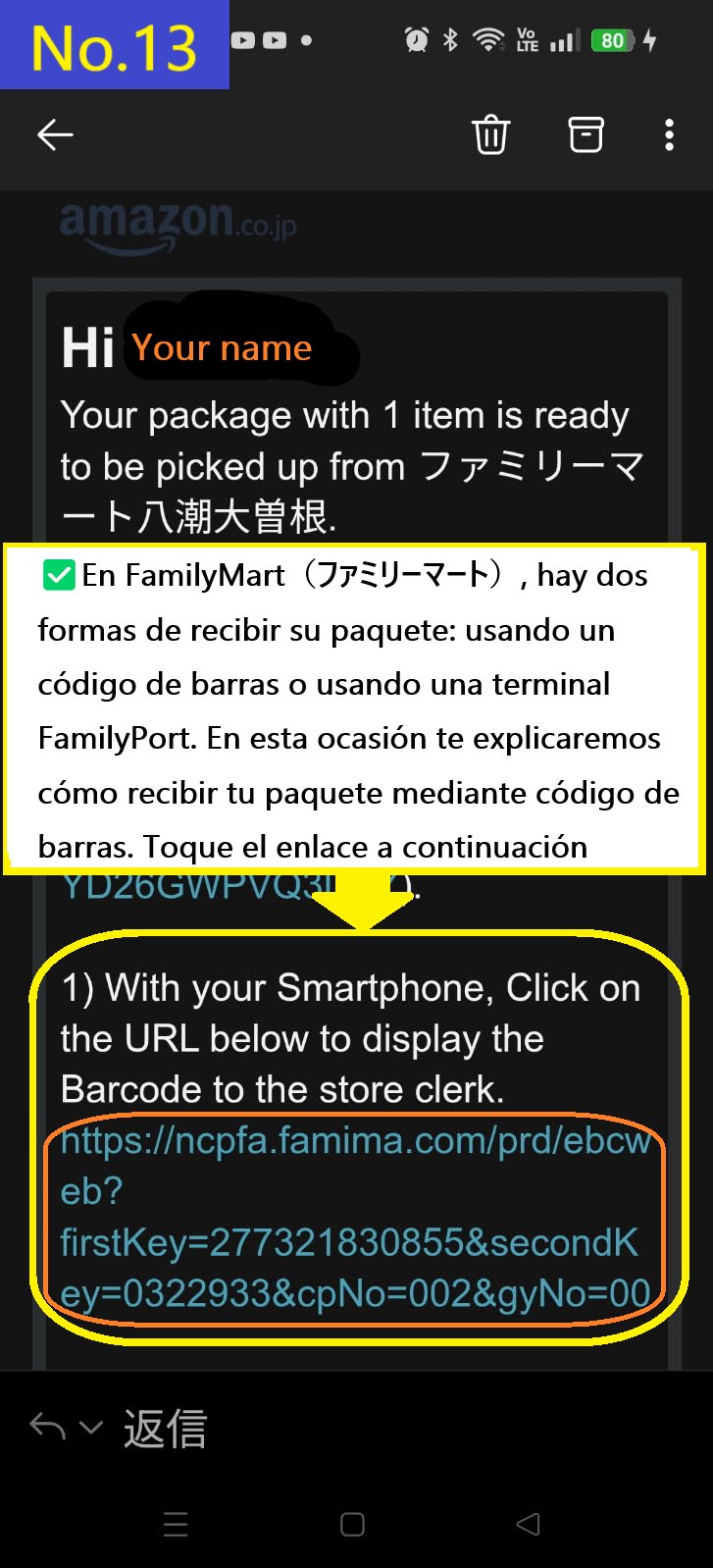
  • En el caso de FamilyMart(ファミリーマート), hay dos formas de recoger tu paquete: usando un código de barras o utilizando el terminal de FamilyMart. Esta vez explicaremos cómo recogerlo usando el código de barras. Pulsa el enlace de abajo. Es muy fácil y recomendado.
  • Image description of In the case of FamilyMart(ファミリーマート), there are two ways to receive your parcel: using a barcode or using a FamilyMart terminal. This time, we will explain how to receive your parcel using a barcode. Tap the link below. This is very easy and recommended.

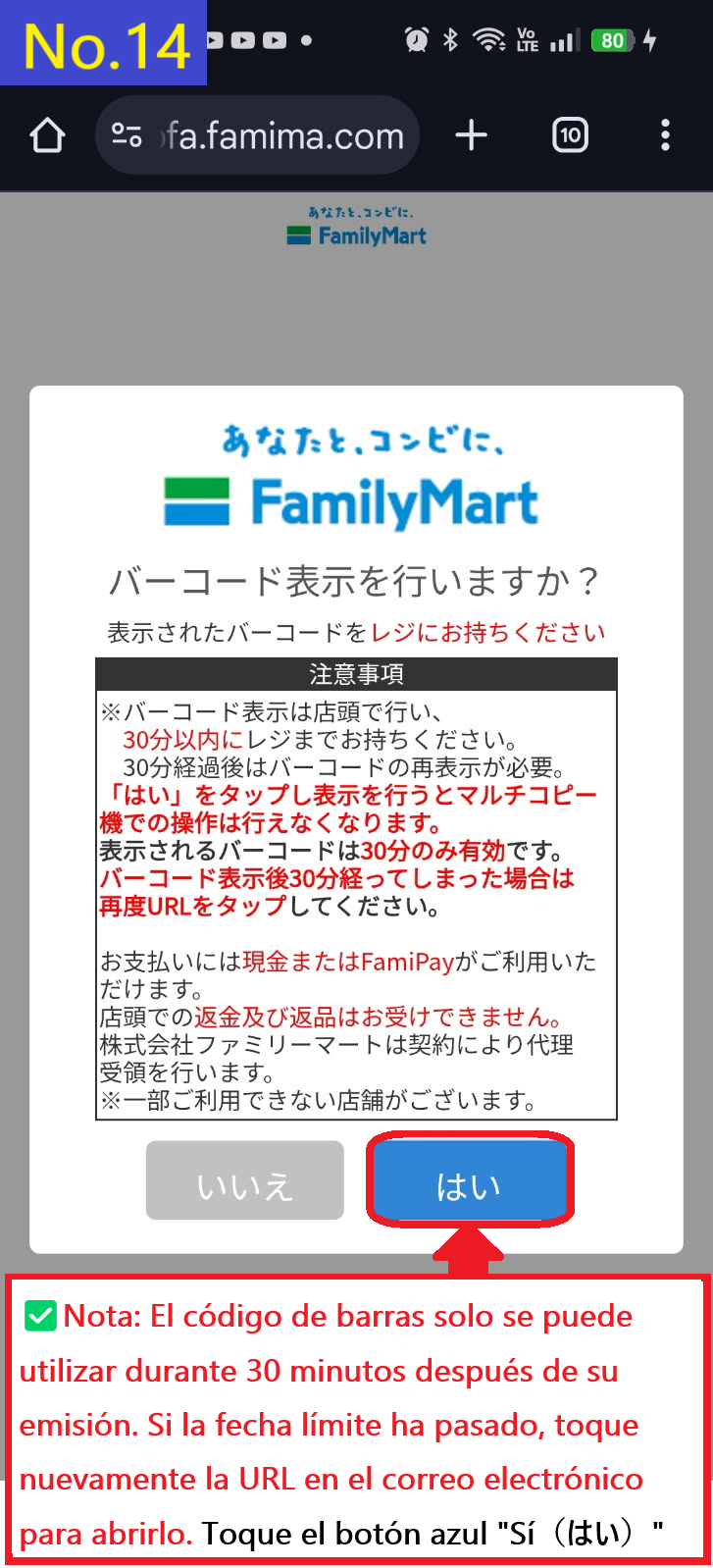
  • Esto te llevará a la pantalla de generación del código de barras. El código solo es válido durante 30 minutos después de emitido, por lo que es mejor hacerlo antes de entrar a la tienda. Si han pasado más de 30 minutos, deberás obtener un nuevo código desde el enlace del correo electrónico. Pulsa el botón azul "Yes" en la esquina inferior derecha.
  • Image description of This will take you to the barcode generation screen. The barcode is only valid for 30 minutes after it is issued, so it is best to do so before entering the store to receive it. If 30 minutes have passed, you will need to re-acquire the barcode from the URL in the email. Tap the blue 'Yes' button at the bottom right.

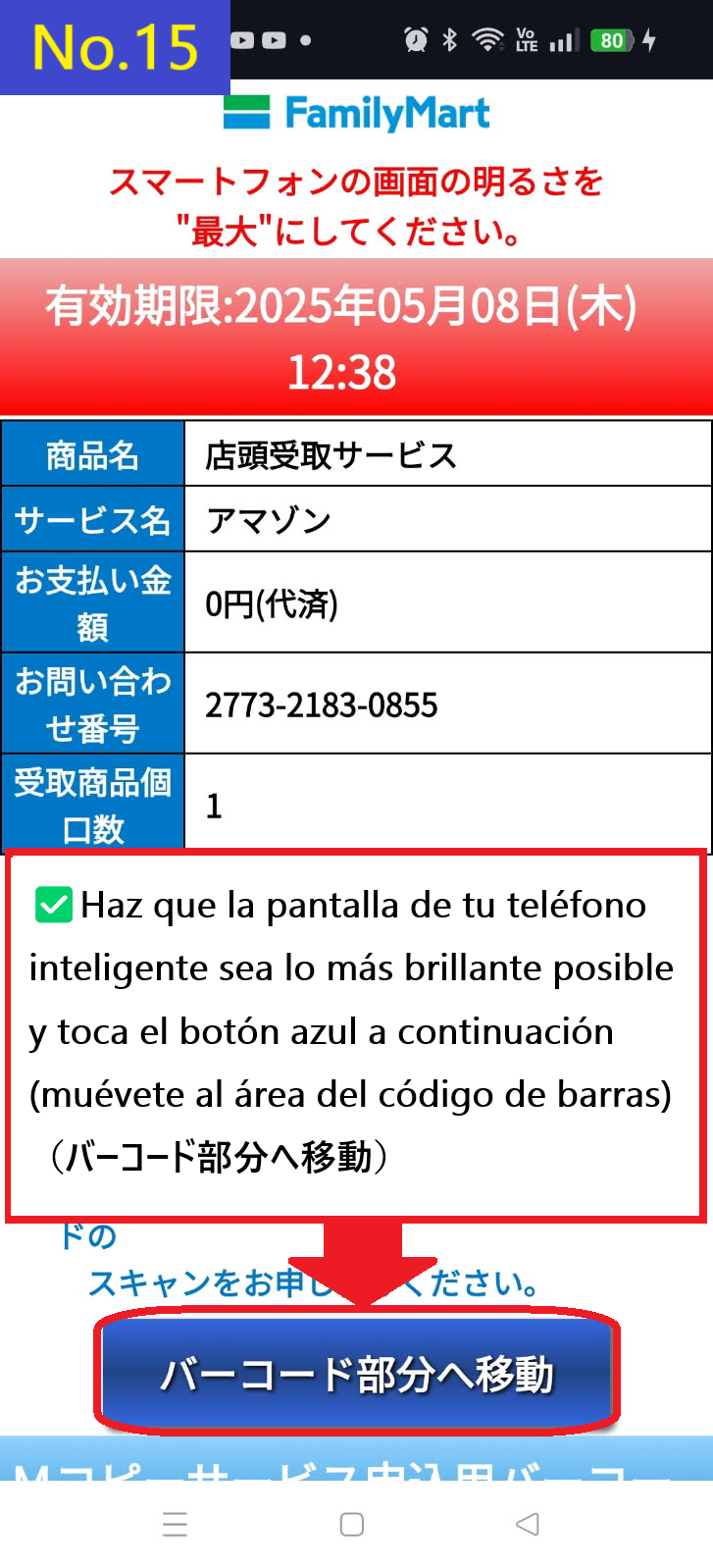
  • Pulsa el botón azul en la parte inferior de la pantalla para ir a la sección del código de barras(バーコード部分へ移動)
  • Image description of Tap the blue button at the bottom of the screen move to the barcode section(バーコード部分へ移動)

  • Como se mencionó anteriormente, el código tiene una validez de 30 minutos. Por favor presenta este código de barras en la caja de FamilyMart(ファミリーマート). Si el tiempo ha expirado, haz clic nuevamente en el enlace del correo para obtener uno nuevo.
  • Image description of As mentioned above, the validity period is 30 minutes. Please present this barcode at the FamilyMart cash register. If the validity period has passed, please click on the URL in the email again to reissue the barcode.

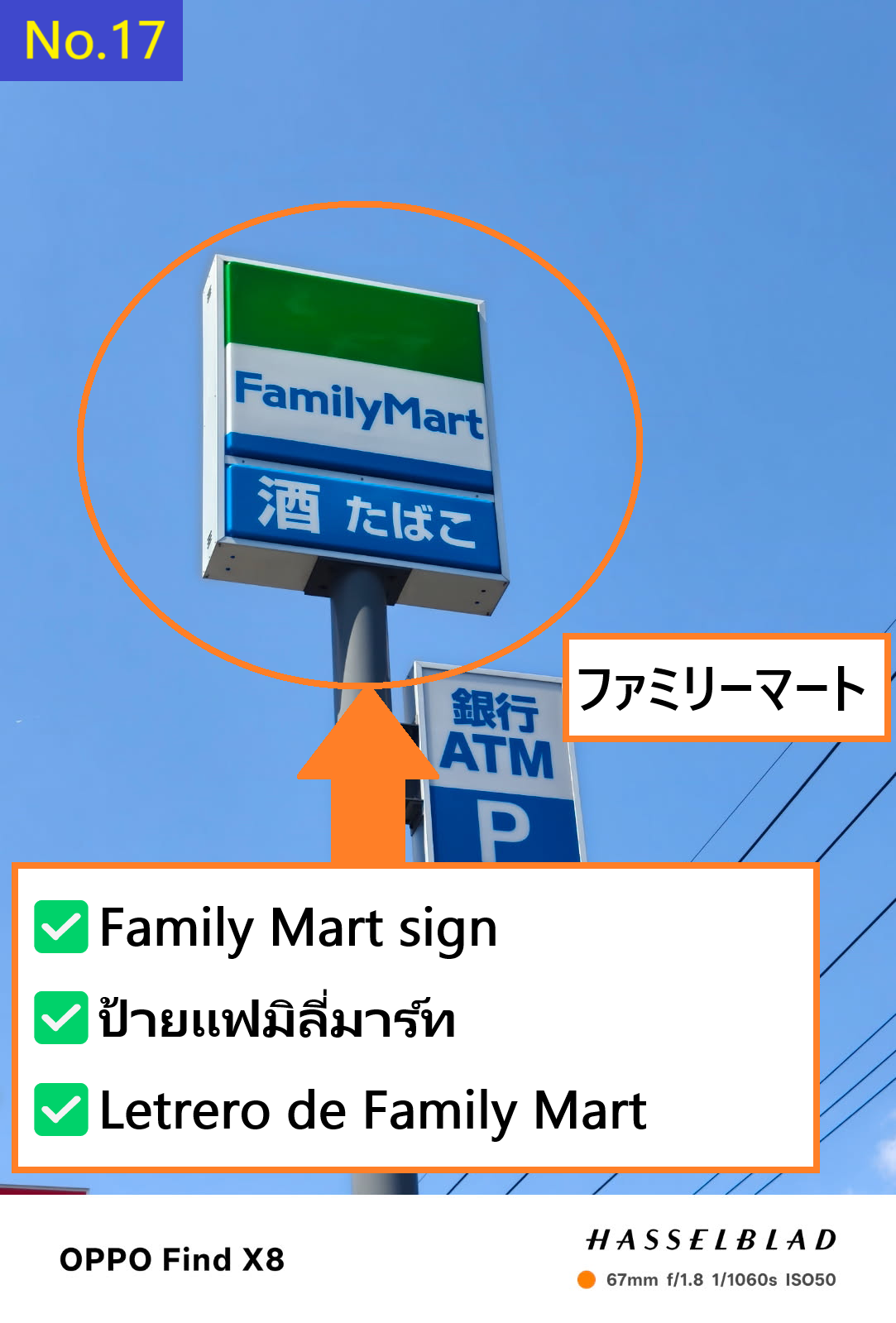
  • Este es el cartel de Family Mart(ファミリーマート)
  • Image description of This is the Family Mart(ファミリーマート) sign.

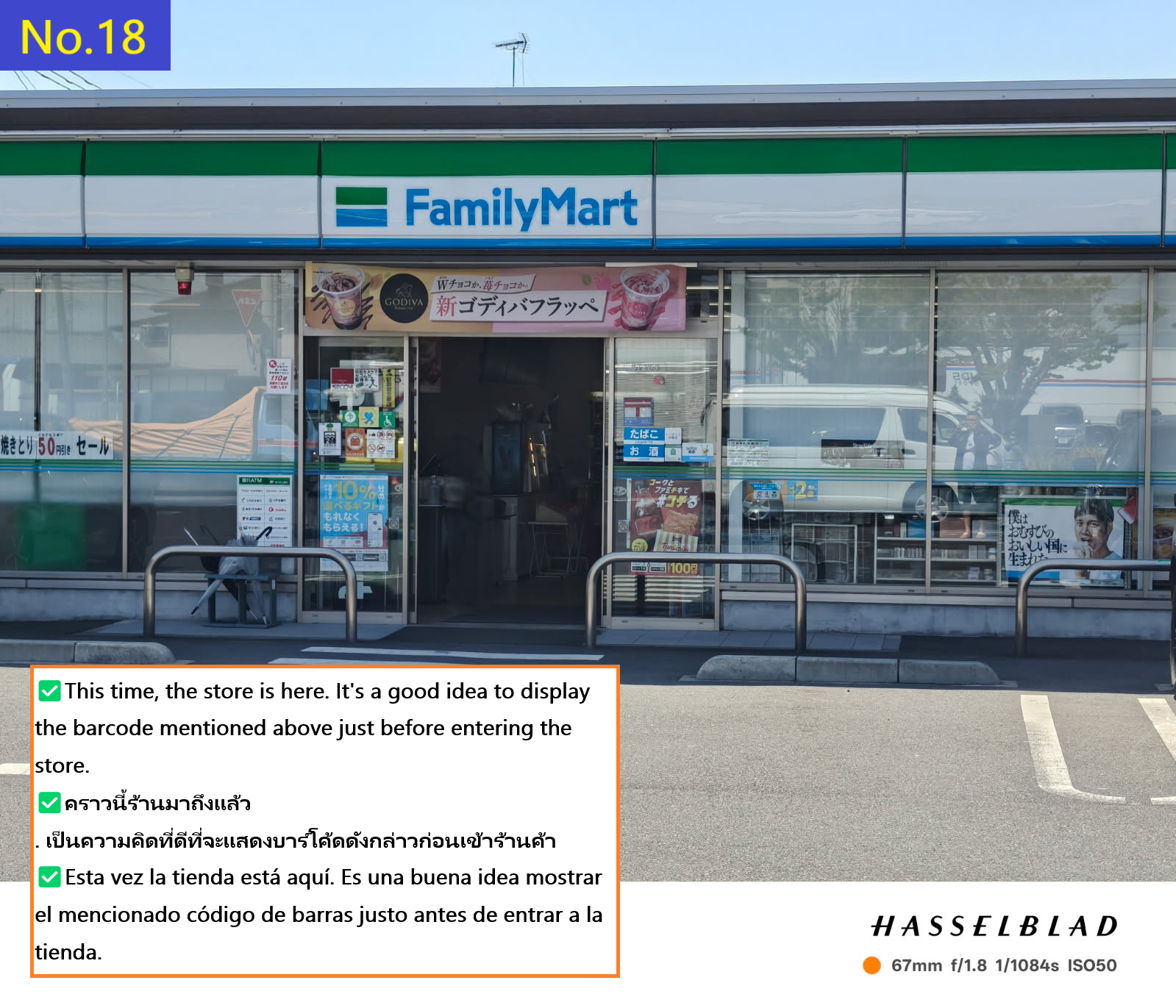
  • Esta es la tienda donde recogí mi pedido esta vez
  • Image description of This is the store where I picked up my order this time.

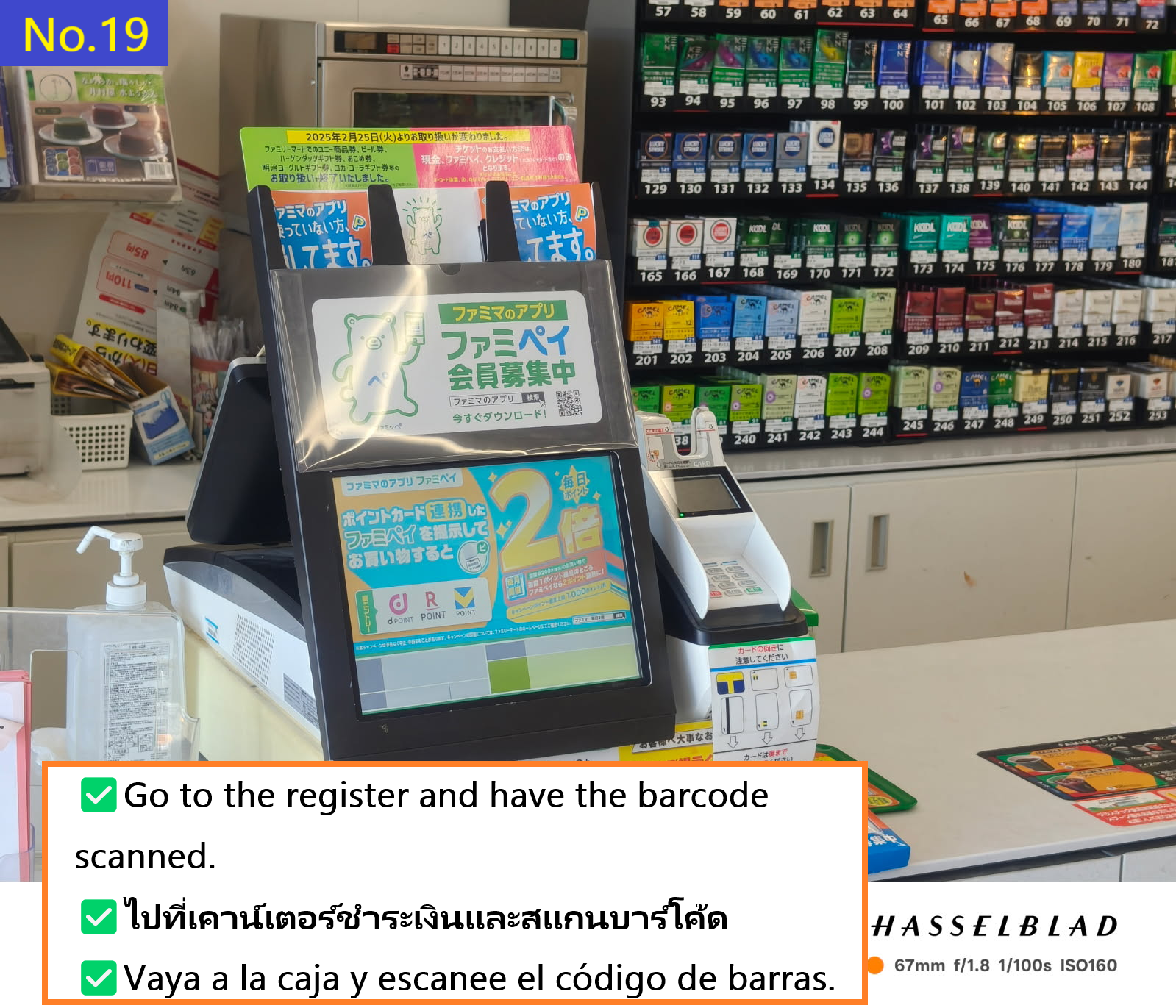
  • Ve a la caja y muestra el código de barras al personal para que lo escanee
  • Image description of Go to the cash register and have the clerk scan the barcode.

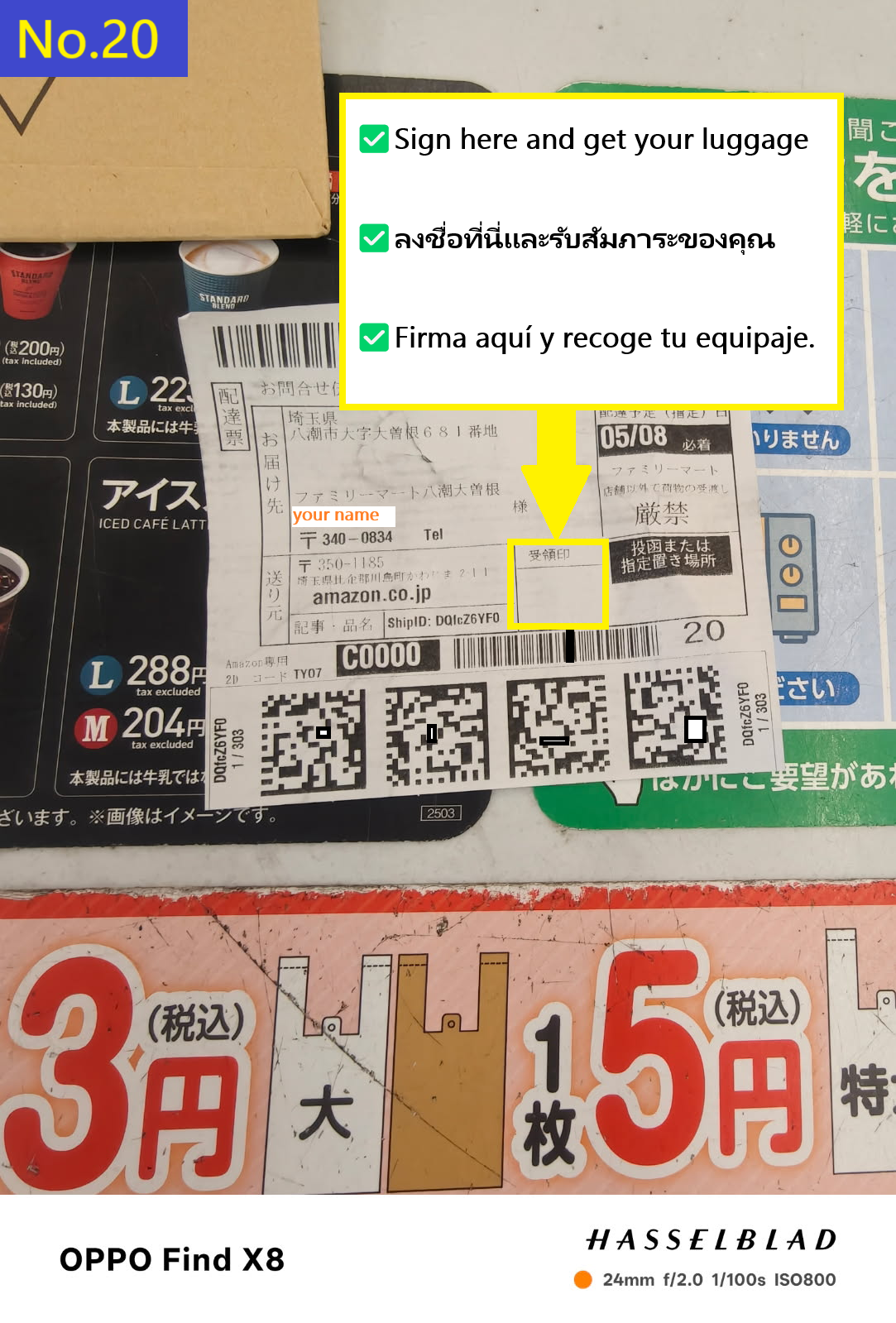
  • Firma aquí, recibe tu paquete y el recibo, ¡y listo!
  • Image description of Sign here, receive your package and receipt, and you're done.

    📷📝 Buscar productos (texto o imagen)