🌐 🇯🇵 JP | 🇺🇸 EN | 🇹🇭 TH | 🇪🇸 ES

วิธีรับพัสดุของคุณที่ร้านสะดวกซื้อ FamilyMart(ファミリーマート)


ขั้นตอนเมื่อสินค้าที่คุณต้องการอยู่ในรถเข็นของคุณ


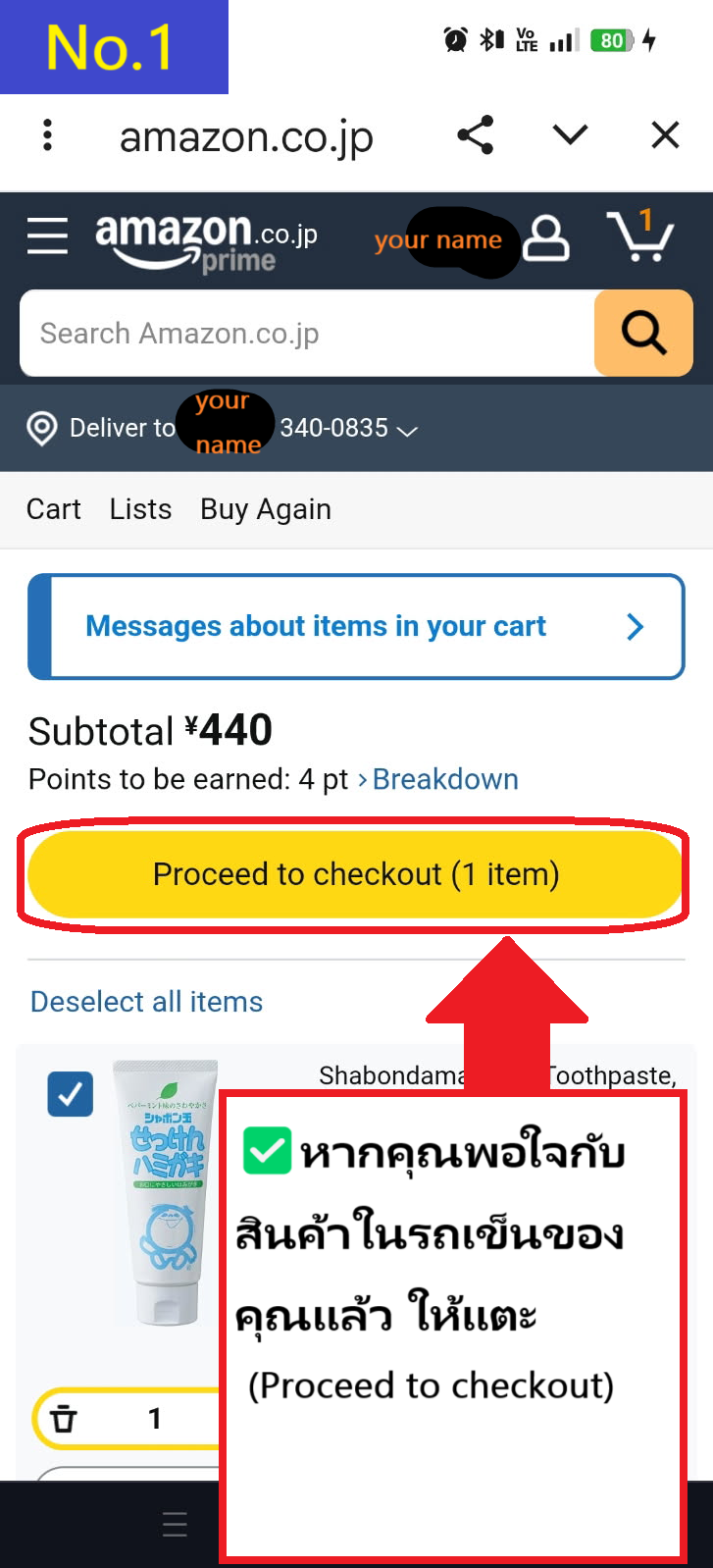
  • หากสินค้าที่คุณต้องการซื้อเหมือนกับที่อยู่ในรถเข็นของคุณ ให้แตะที่ Proceed to checkout
  • Image description of If the item you want to purchase is the same as the item in your cart, tap Proceed to checkout

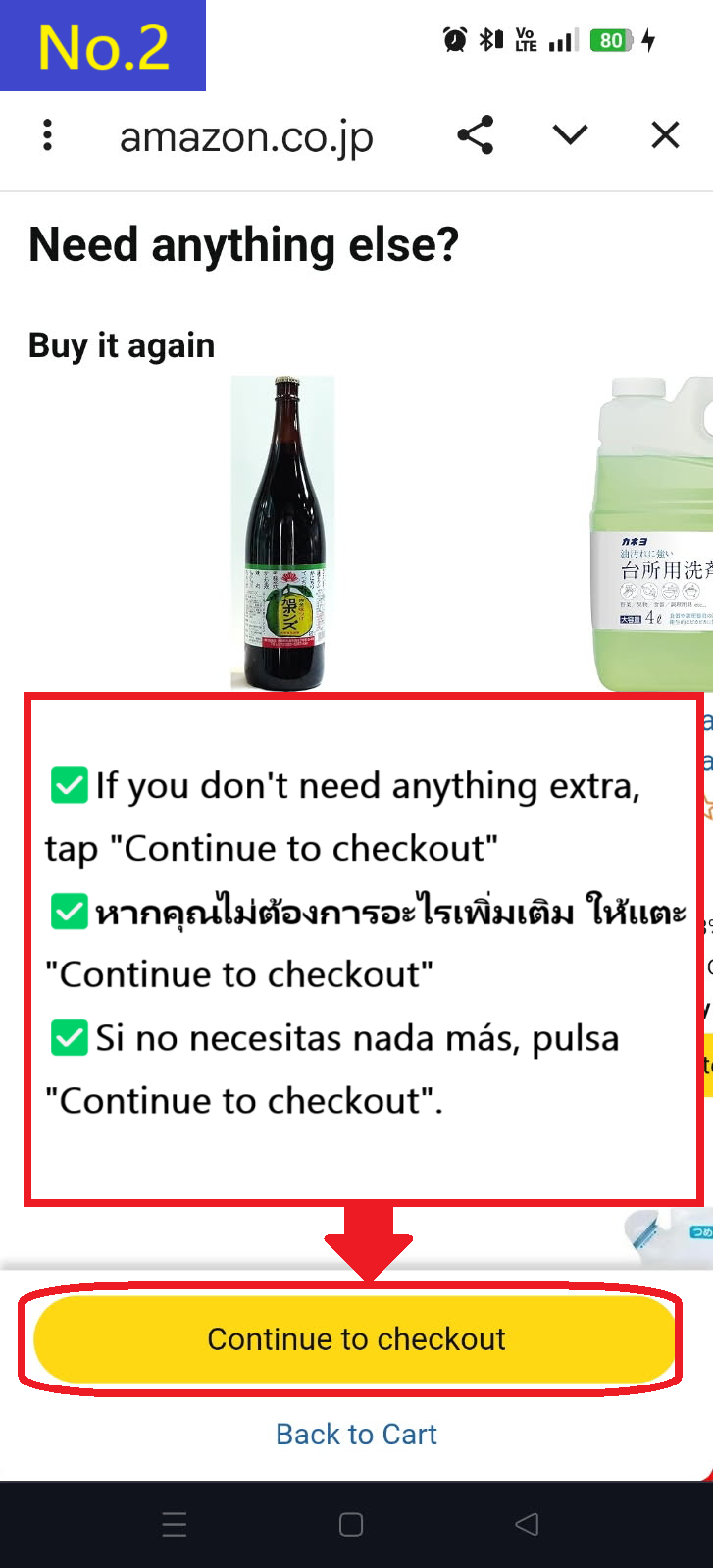
  • คุณจะได้รับคำแนะนำสินค้ารายการอื่น ๆ แต่หากคุณไม่ต้องการ ให้แตะที่ Continue to checkout
  • Image description of You will be recommended other products, but if you don't need them, tap Continue to checkout.

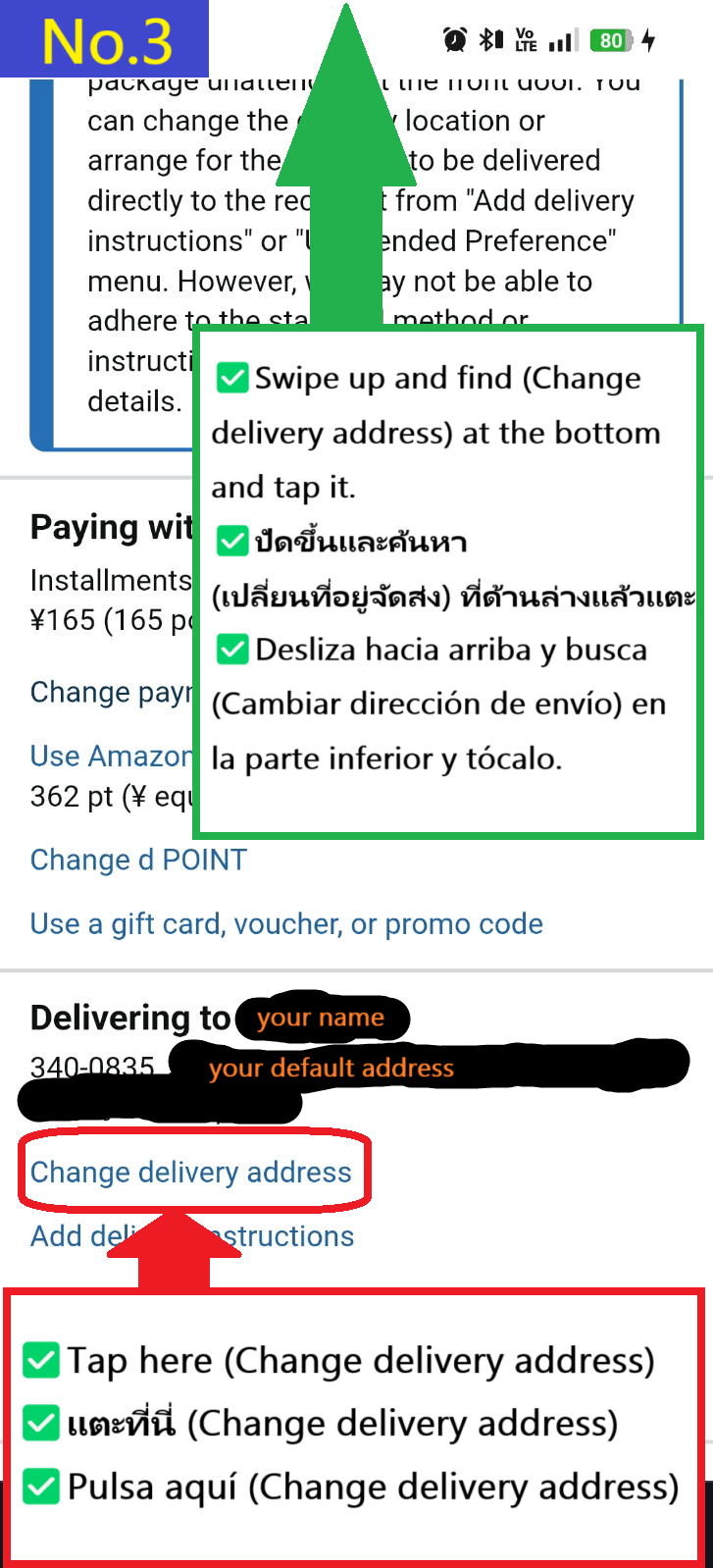
  • แตะที่ Change delivery address ที่ด้านล่าง
  • Image description of Tap Change delivery address at the bottom

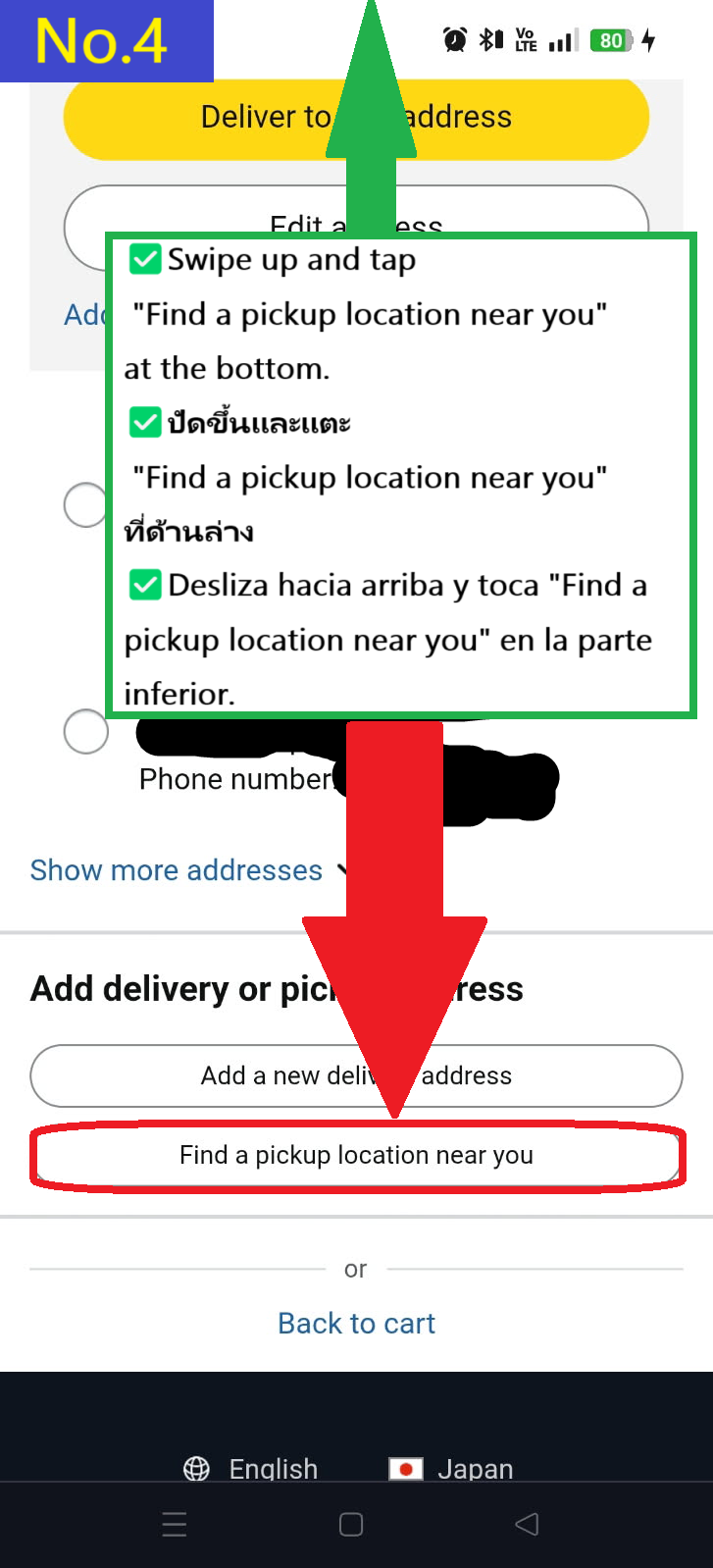
  • แตะที่ Find a pickup location near you ที่ด้านล่าง
  • Image description of Tap Find a pickup location near you at the bottom.

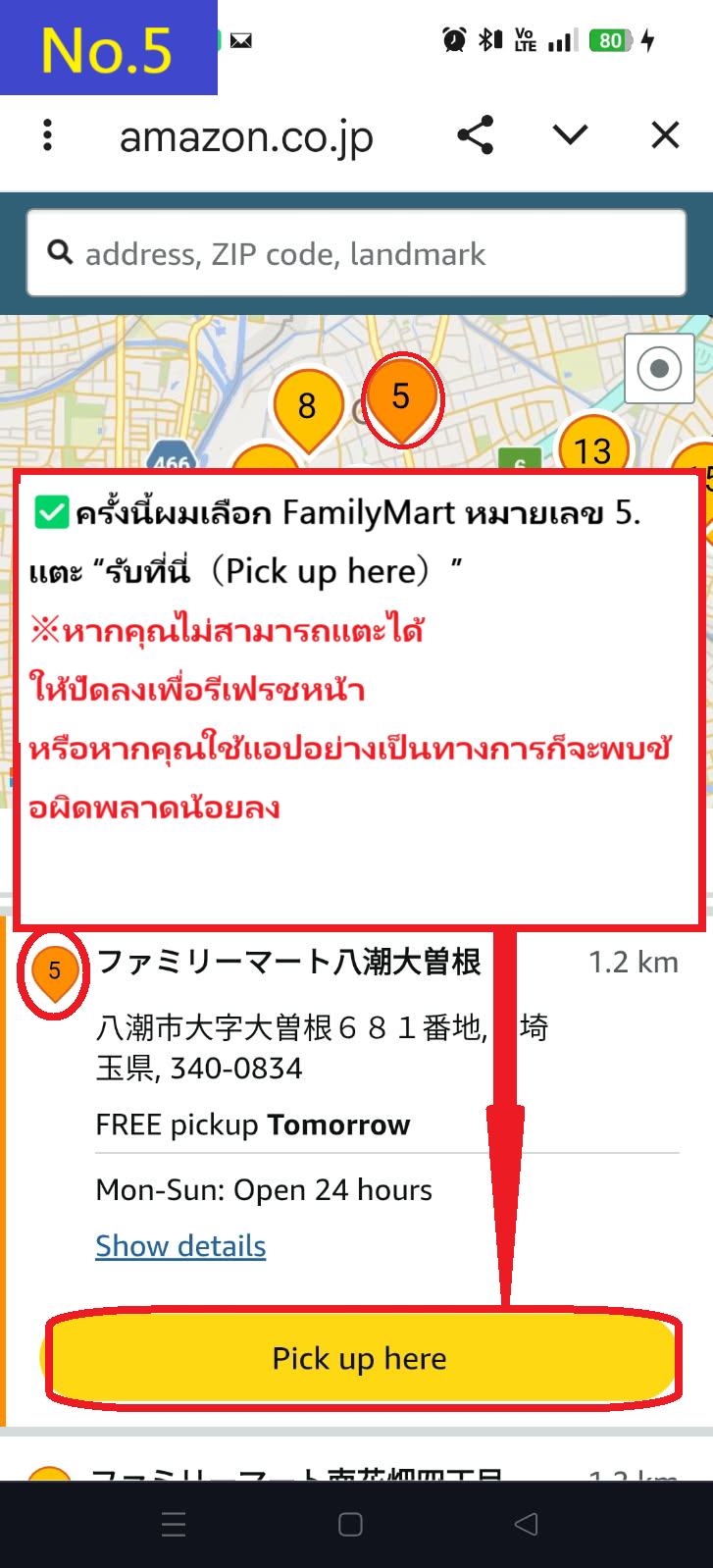
  • ครั้งนี้ ให้เลือก FamilyMart(ファミリーマート) Yashio Ozone ร้านหมายเลข 5 บนแผนที่ แล้วแตะที่ Pick up here
    ※หากคุณไม่สามารถแตะได้ ให้เลื่อนหน้าจอลงเพื่อรีโหลด แล้วเลือกสาขาใหม่อีกครั้งและแตะ Pick up here
    ขอแนะนำให้ติดตั้งแอป Amazon Japan อย่างเป็นทางการ เนื่องจากบั๊กนี้จะได้รับการแก้ไข
  • Image description of This time, select FamilyMart(ファミリーマート) Yashio Ozone store number 5 on the map and tap Pick up here.

    ✅ ดาวน์โหลดแอป Amazon Japan อย่างเป็นทางการ

    🍎 ดาวน์โหลดผ่าน App Store
    🤖 ดาวน์โหลดผ่าน Google Play


  • เลือกตัวเลือกการจัดส่งที่คุณต้องการแล้วแตะ "ดำเนินการต่อ(continue)"
  • Image description of Select your preferred delivery option and tap continue

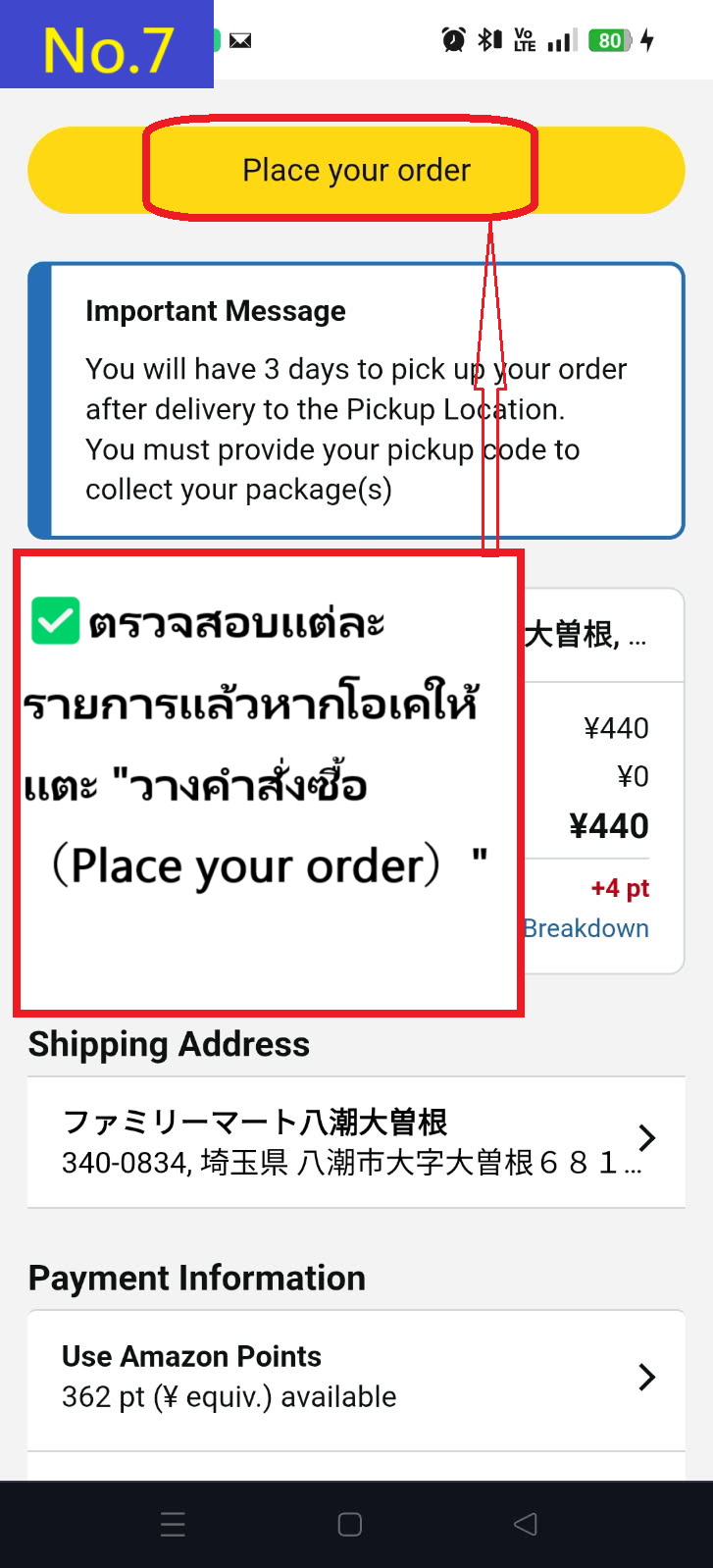
  • หากคุณต้องการตั้งที่อยู่นี้เป็นค่าเริ่มต้น ให้ทำเครื่องหมายที่ default to this delivery address และแตะ Place your order
  • Image description of If you want to make this address the default, check default to this delivery address and tap Place your order.

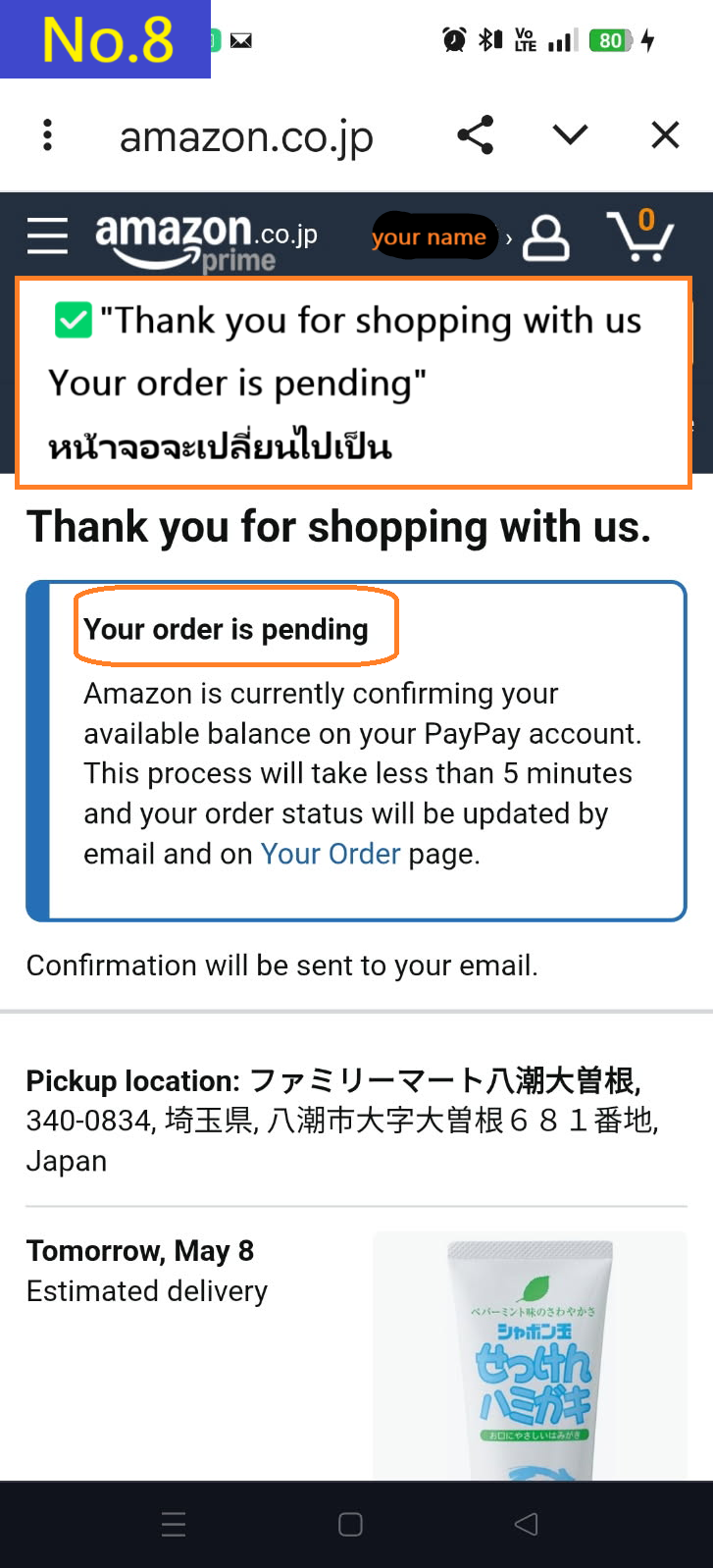
  • หน้ารายละเอียดการยืนยันคำสั่งซื้อจะปรากฏขึ้น
  • Image description of The order confirmation details page will appear.

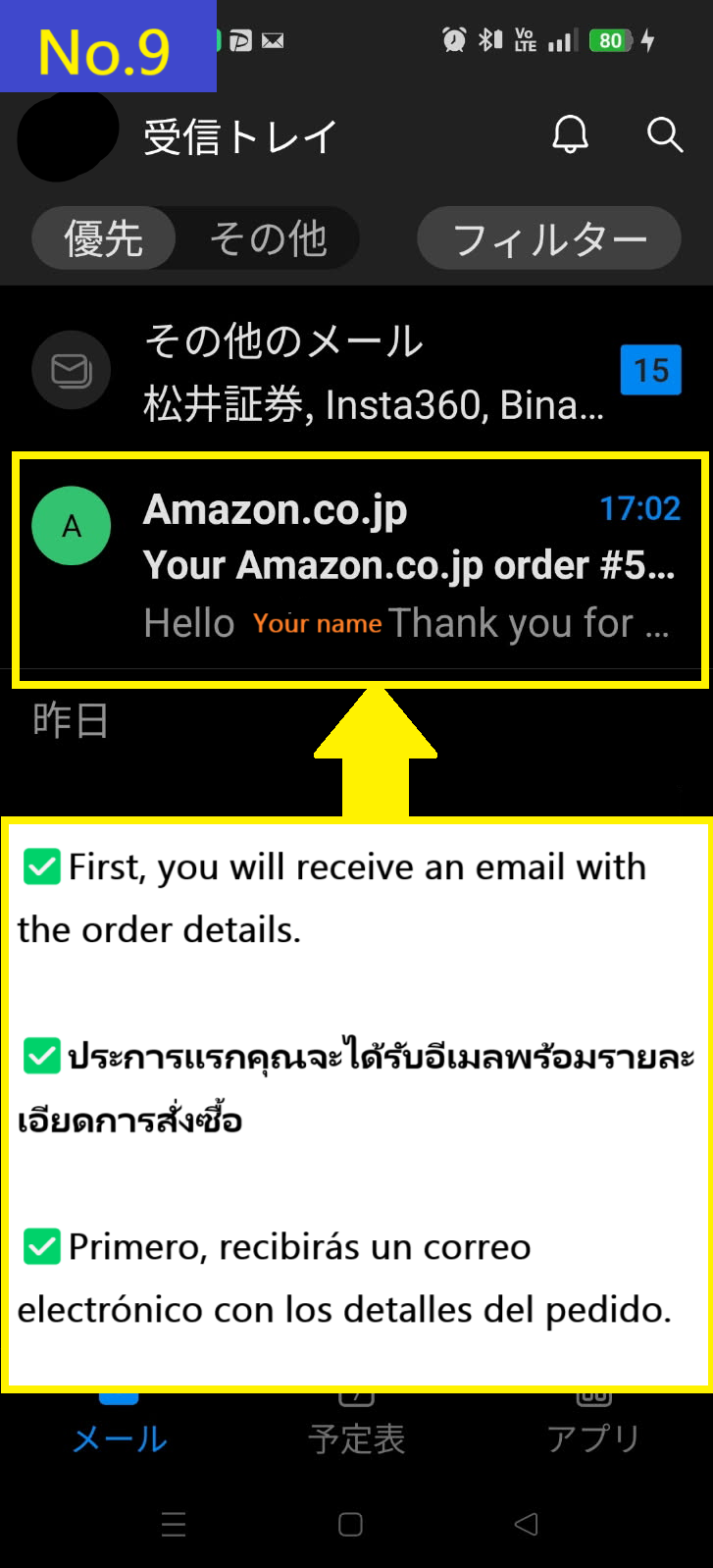
  • ก่อนอื่น คุณจะได้รับอีเมลยืนยันคำสั่งซื้อ
  • Image description of First, you will receive an order email.

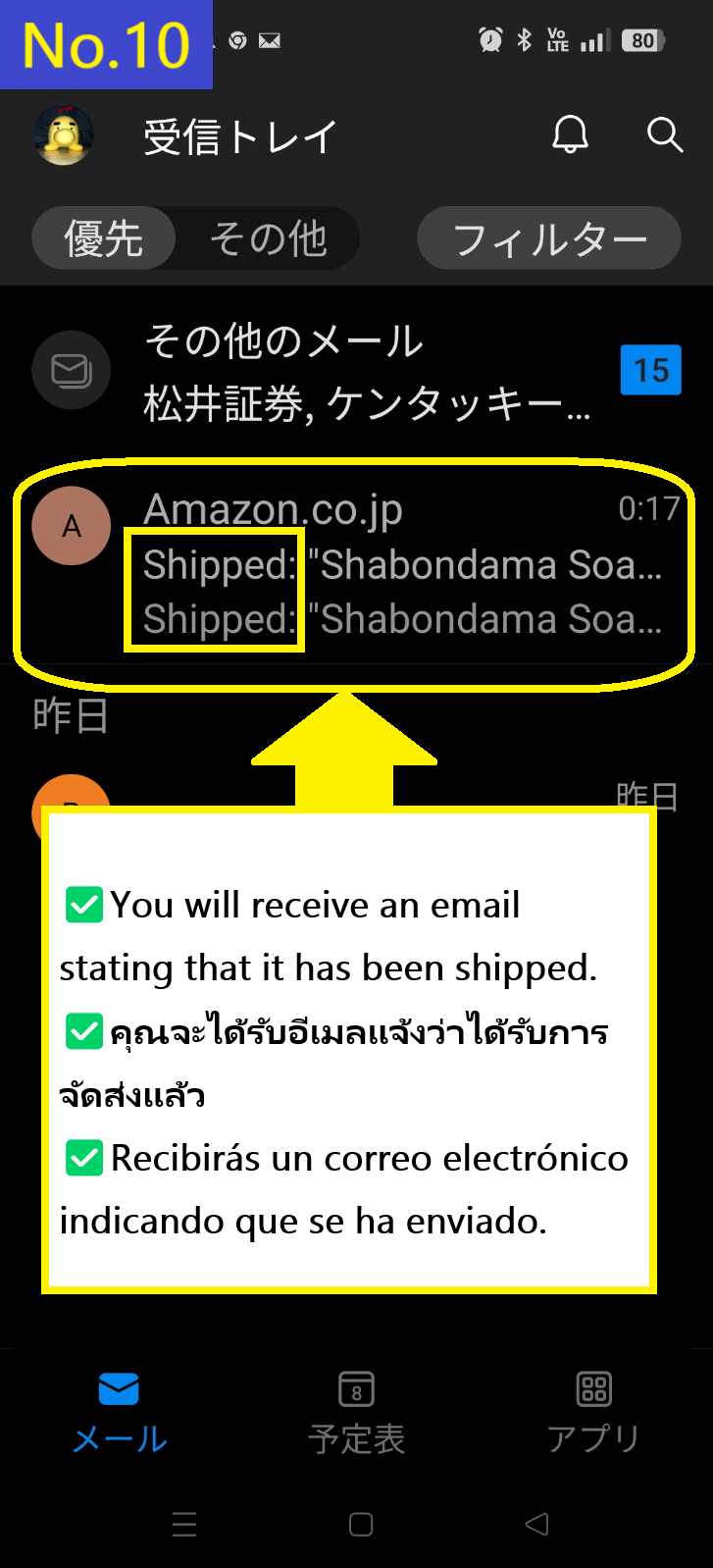
  • คุณจะได้รับอีเมล "Shipped" เป็นฉบับที่สอง
  • Image description of You will receive the Shipped email second.

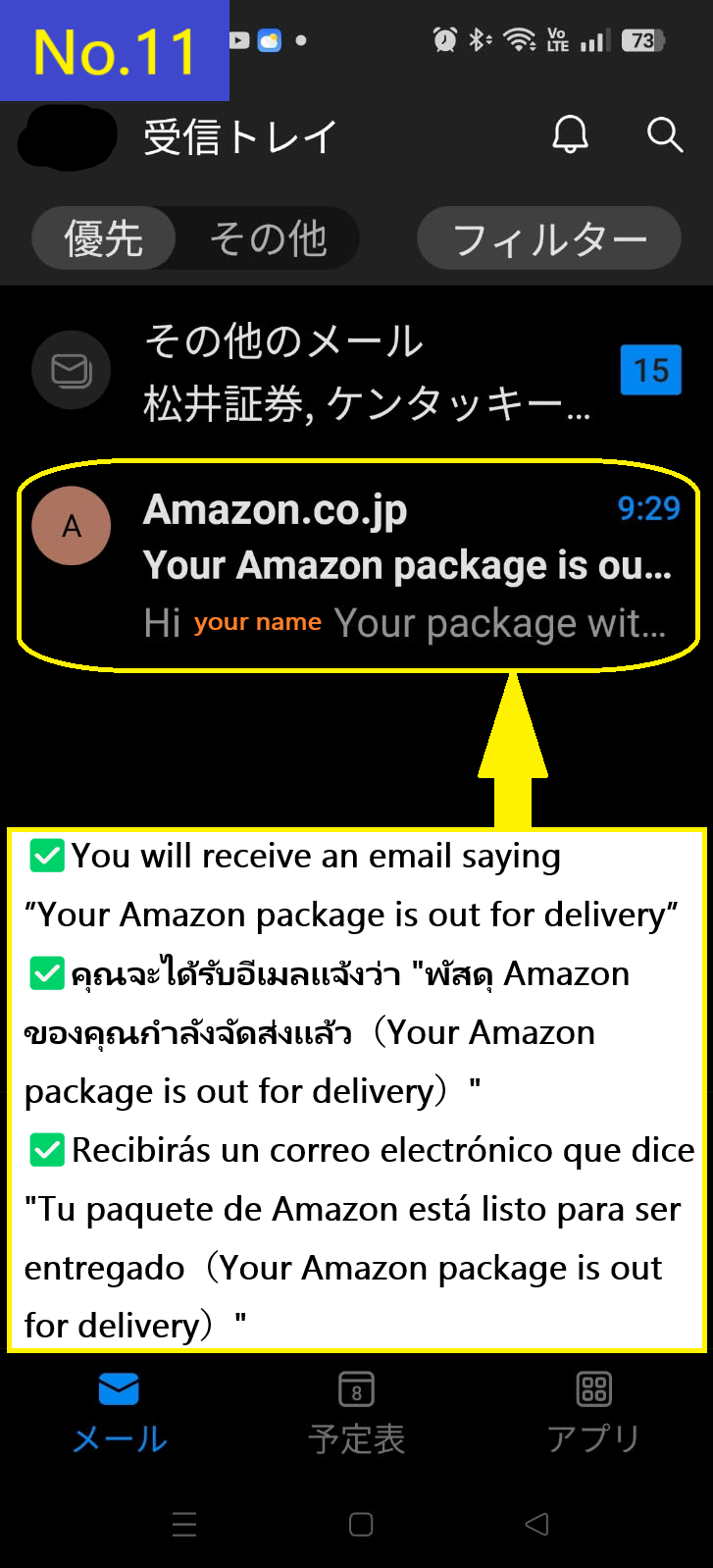
  • คุณจะได้รับอีเมลฉบับที่สามแจ้งว่าพัสดุอยู่ระหว่างการจัดส่ง
  • Image description of You receive the third email saying that the package is out for delivery.

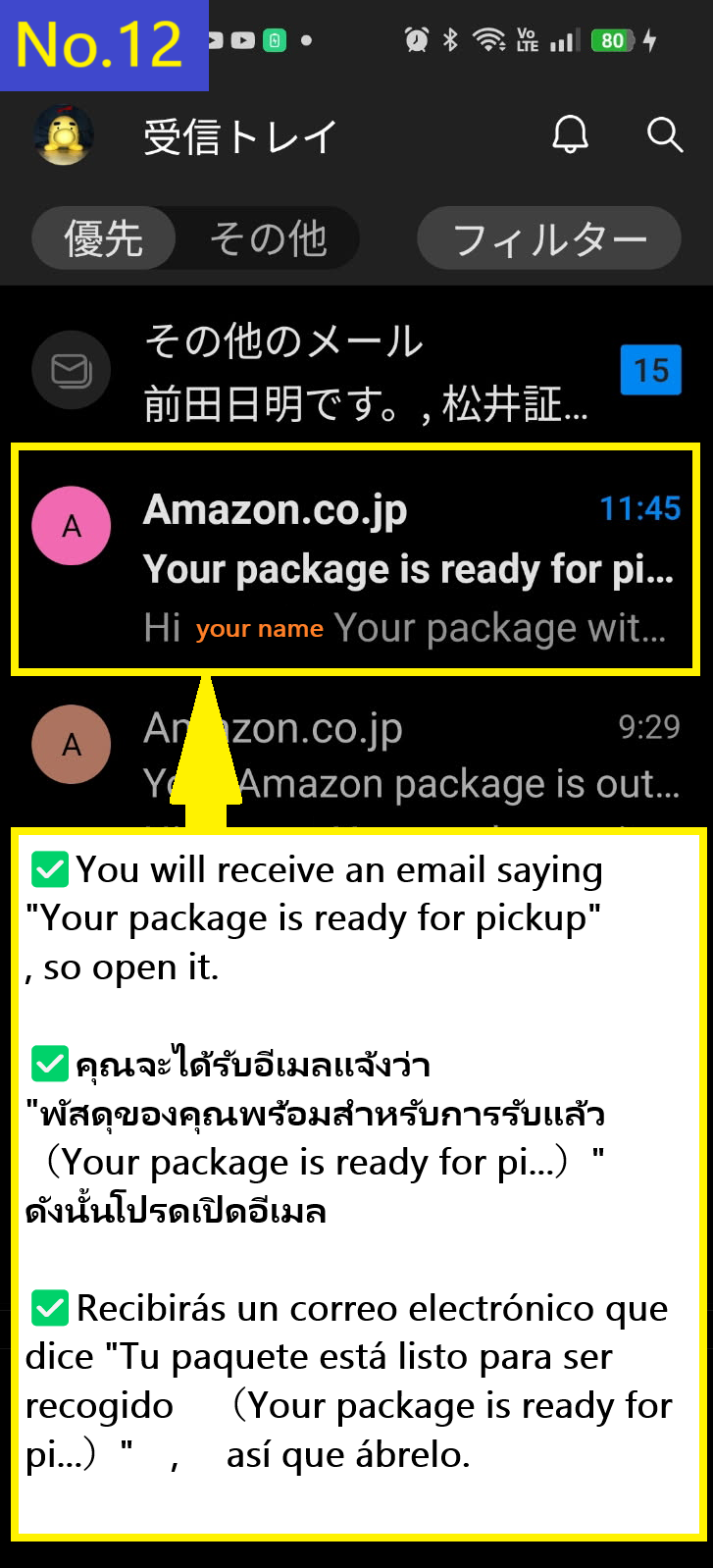
  • คุณจะได้รับอีเมลฉบับที่สี่แจ้งว่าพัสดุของคุณพร้อมสำหรับการรับแล้ว
  • Image description of You will receive a fourth email saying your package is ready for pickup.

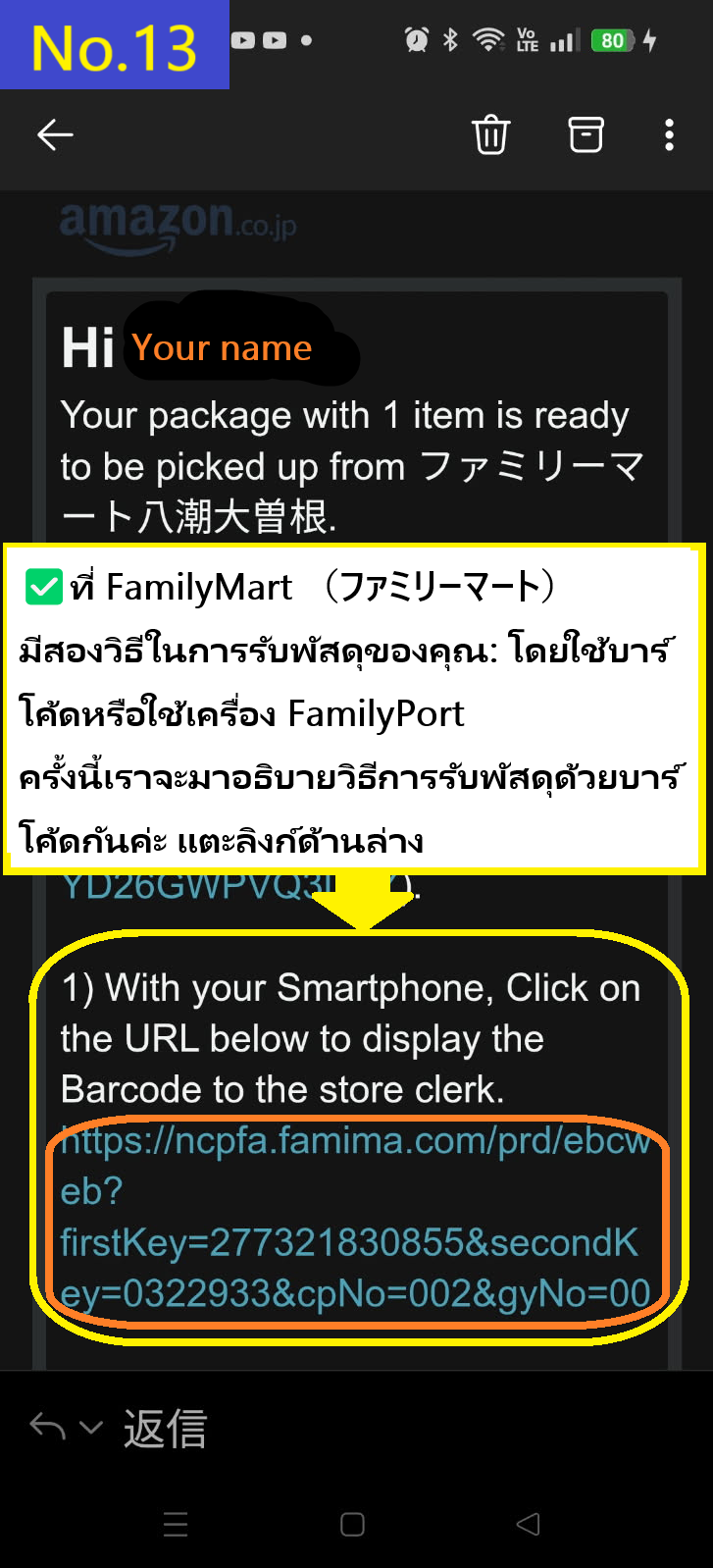
  • ในกรณีของ FamilyMart(ファミリーマート) มีสองวิธีในการรับพัสดุของคุณ: ใช้บาร์โค้ด หรือใช้เครื่องรับพัสดุของ FamilyMart ครั้งนี้เราจะอธิบายวิธีการรับพัสดุโดยใช้บาร์โค้ด ให้แตะที่ลิงก์ด้านล่าง วิธีนี้ง่ายมากและขอแนะนำเป็นอย่างยิ่ง
  • Image description of In the case of FamilyMart(ファミリーマート), there are two ways to receive your parcel: using a barcode or using a FamilyMart terminal. This time, we will explain how to receive your parcel using a barcode. Tap the link below. This is very easy and recommended.

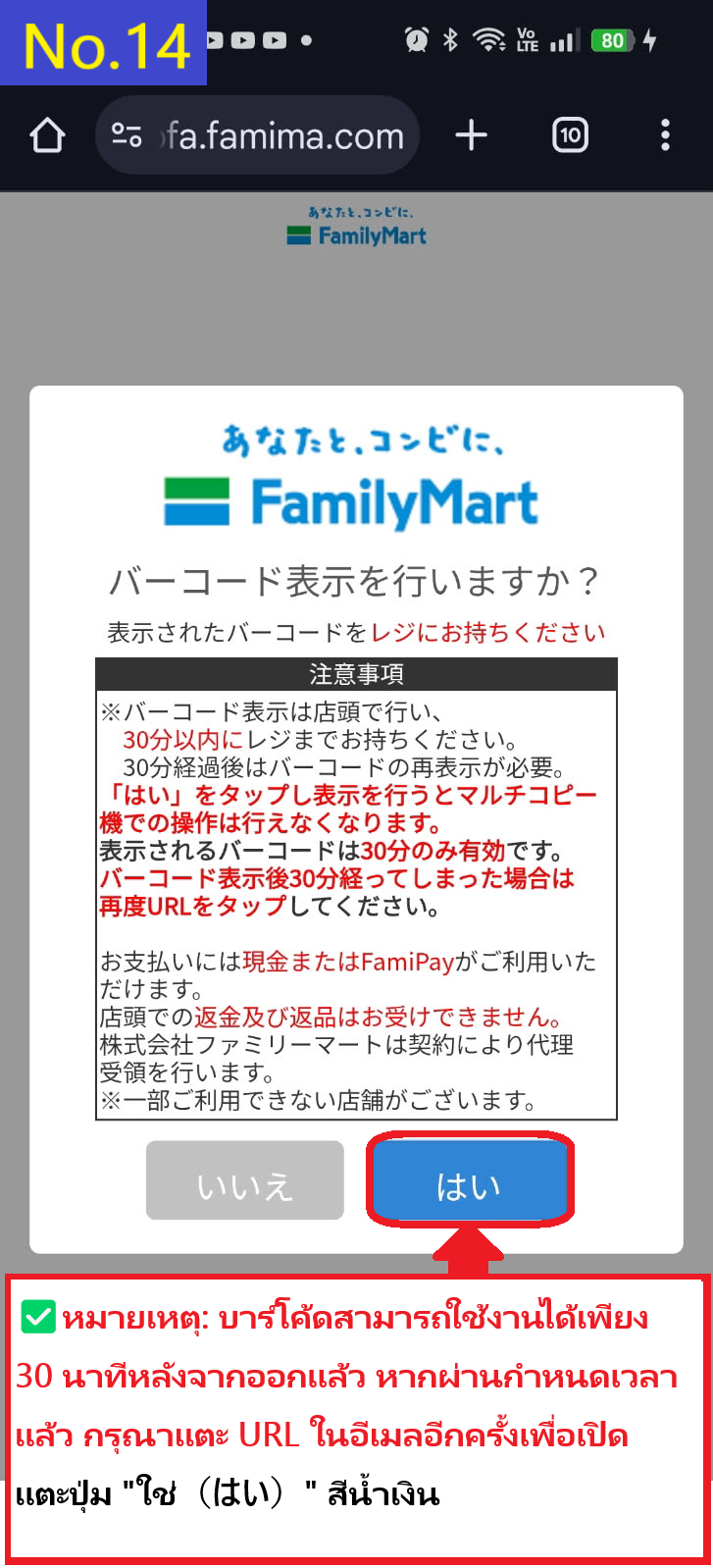
  • คุณจะเข้าสู่หน้าจอสำหรับสร้างบาร์โค้ด บาร์โค้ดจะมีอายุเพียง 30 นาทีหลังจากออก ดังนั้นควรดำเนินการก่อนเข้าไปรับสินค้าที่ร้าน หากผ่านไปแล้ว 30 นาที คุณจะต้องขอบาร์โค้ดใหม่จาก URL ในอีเมล แตะปุ่ม "Yes" สีน้ำเงินที่มุมล่างขวา
  • Image description of This will take you to the barcode generation screen. The barcode is only valid for 30 minutes after it is issued, so it is best to do so before entering the store to receive it. If 30 minutes have passed, you will need to re-acquire the barcode from the URL in the email. Tap the blue 'Yes' button at the bottom right.

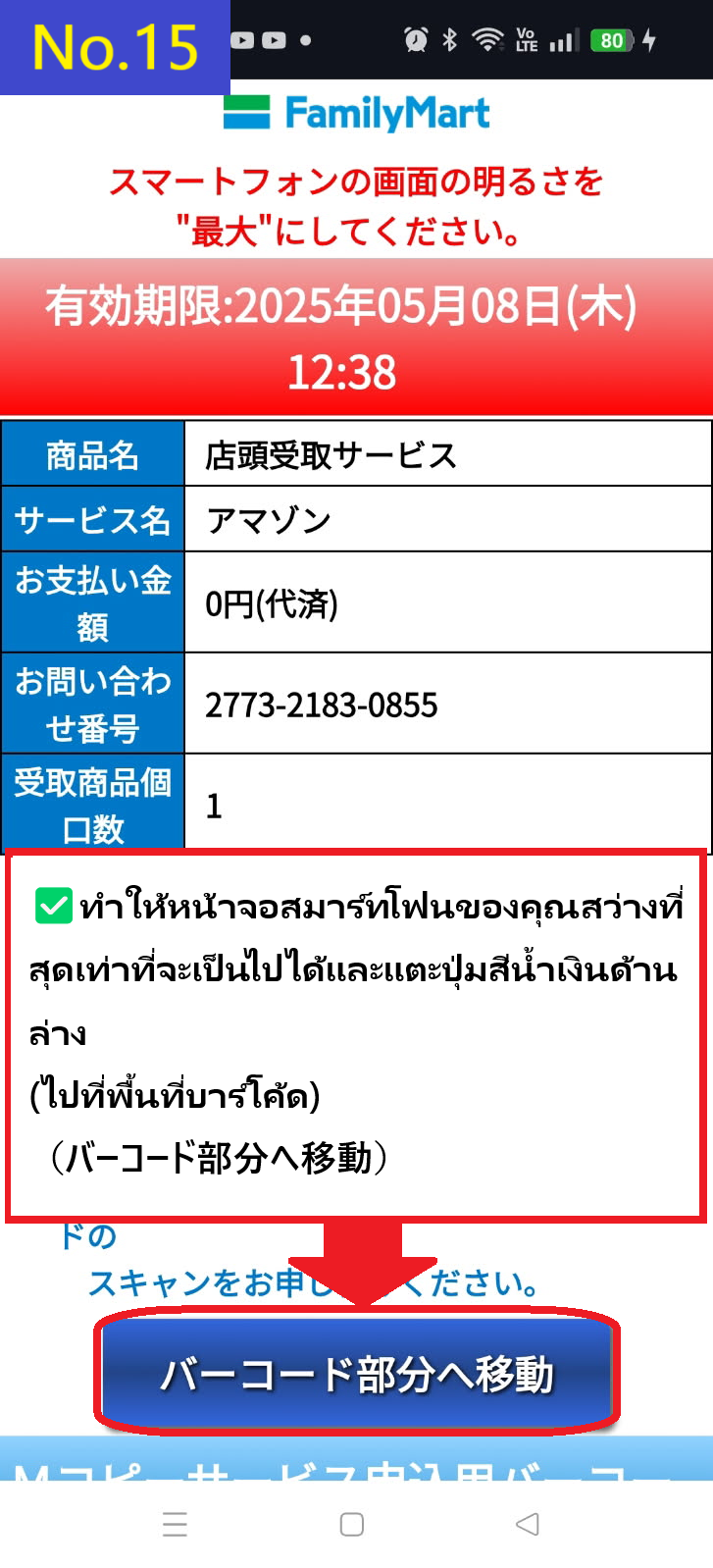
  • แตะปุ่มสีน้ำเงินที่ด้านล่างของหน้าจอเพื่อไปยังส่วนของบาร์โค้ด(バーコード部分へ移動)
  • Image description of Tap the blue button at the bottom of the screen move to the barcode section(バーコード部分へ移動)

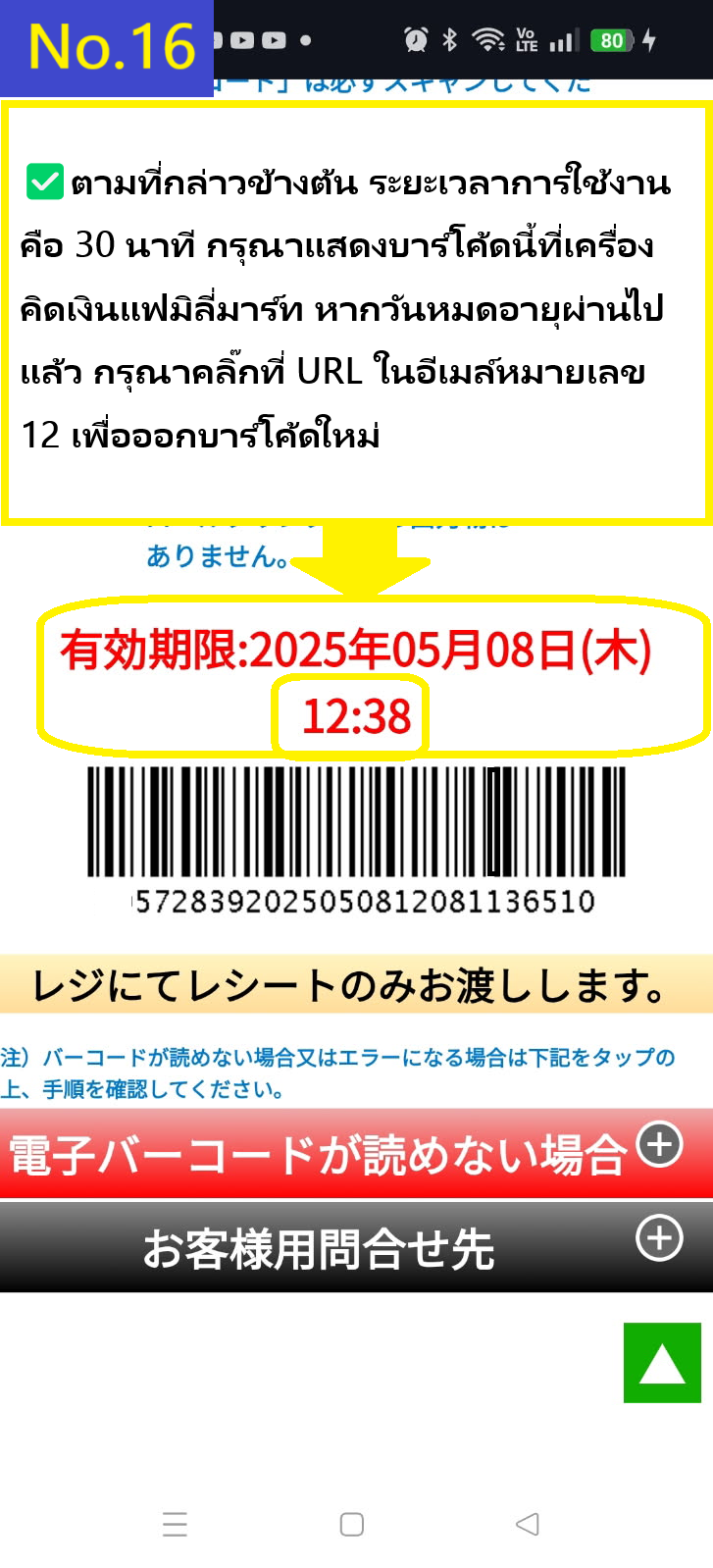
  • ตามที่กล่าวไป บาร์โค้ดมีอายุ 30 นาที กรุณาแสดงบาร์โค้ดนี้ที่แคชเชียร์ของ FamilyMart(ファミリーマート) หากหมดอายุ กรุณาคลิกลิงก์ในอีเมลอีกครั้งเพื่อขอรับบาร์โค้ดใหม่
  • Image description of As mentioned above, the validity period is 30 minutes. Please present this barcode at the FamilyMart cash register. If the validity period has passed, please click on the URL in the email again to reissue the barcode.

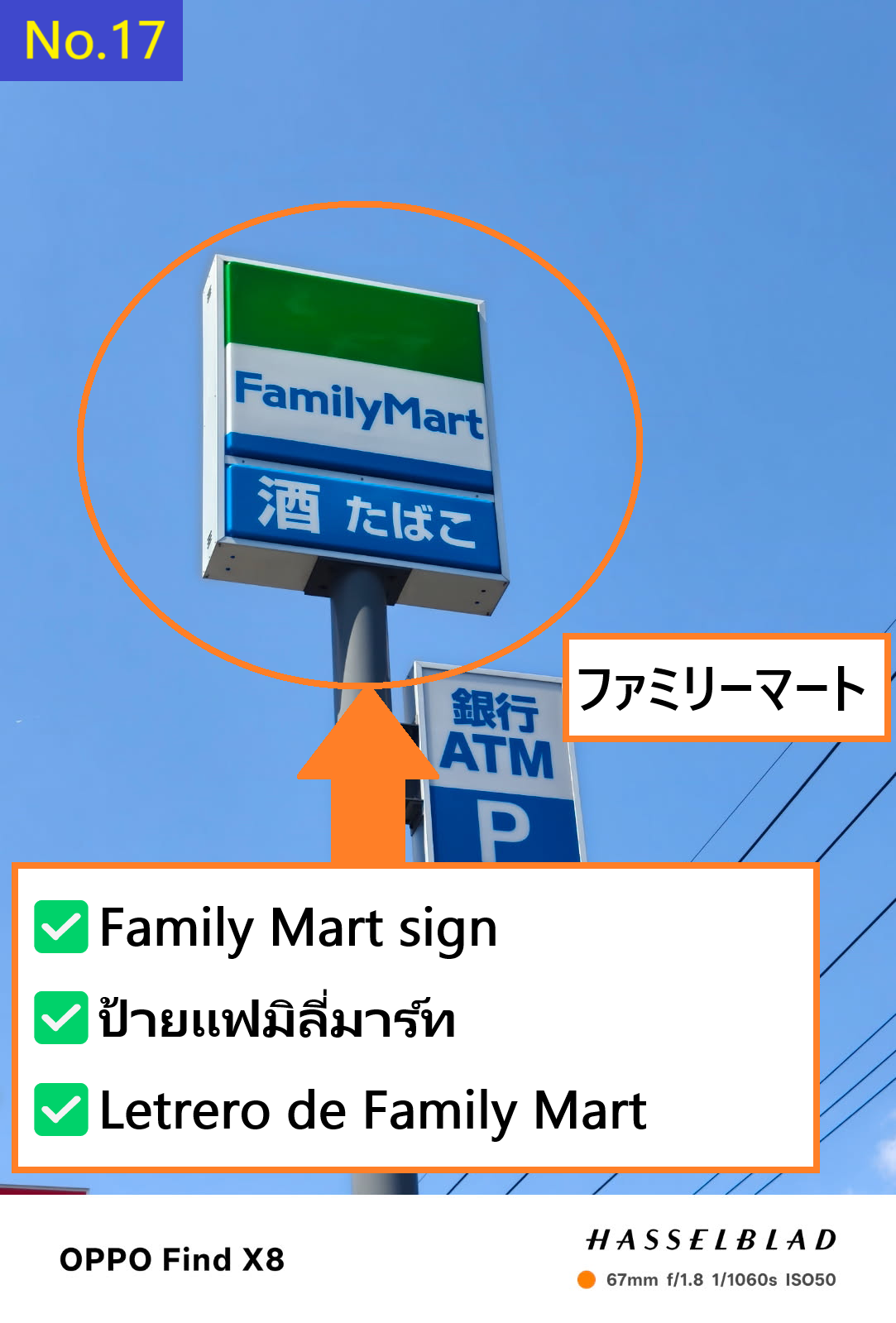
  • นี่คือป้าย Family Mart(ファミリーマート)
  • Image description of This is the Family Mart(ファミリーマート) sign.

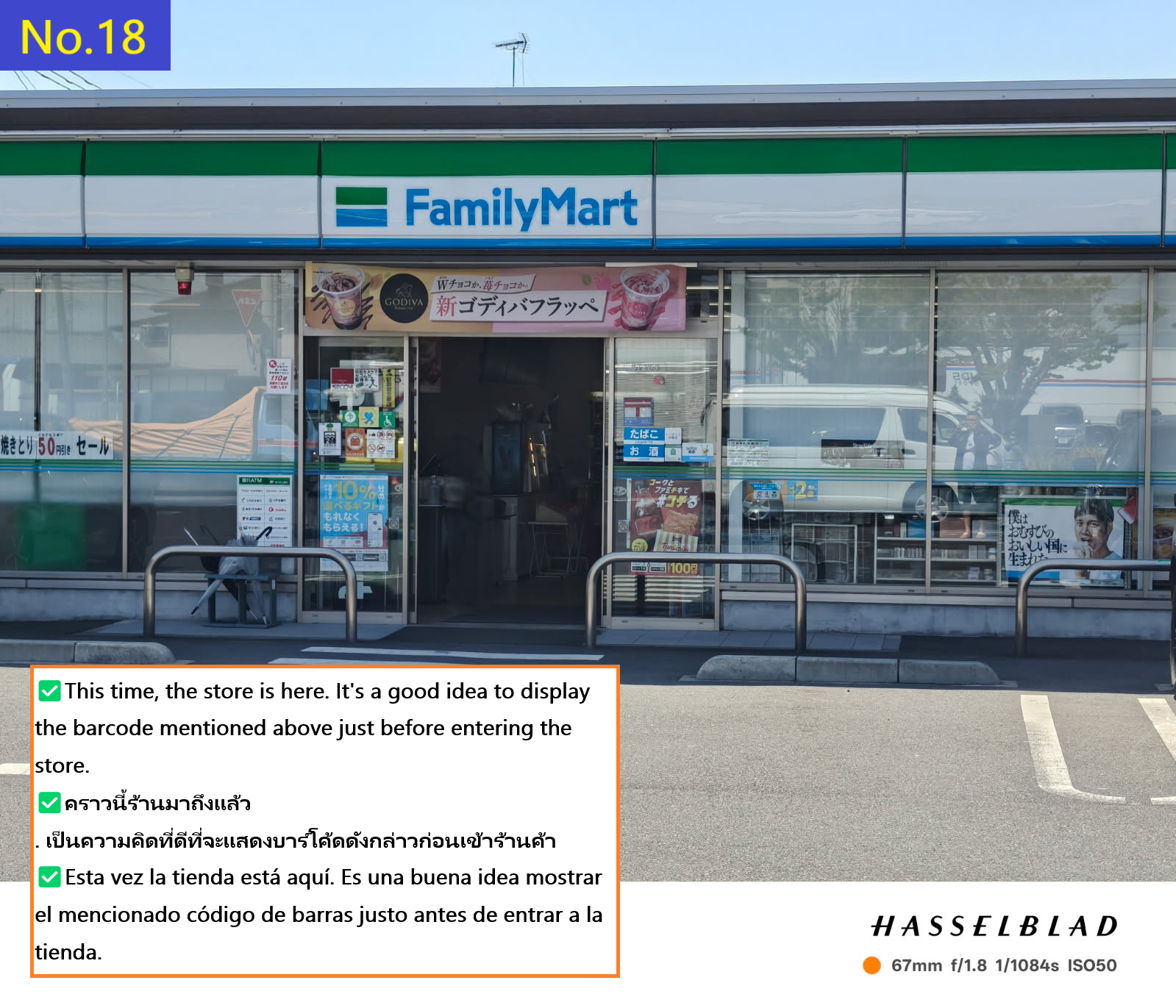
  • นี่คือร้านที่ฉันไปรับสินค้าครั้งนี้
  • Image description of This is the store where I picked up my order this time.

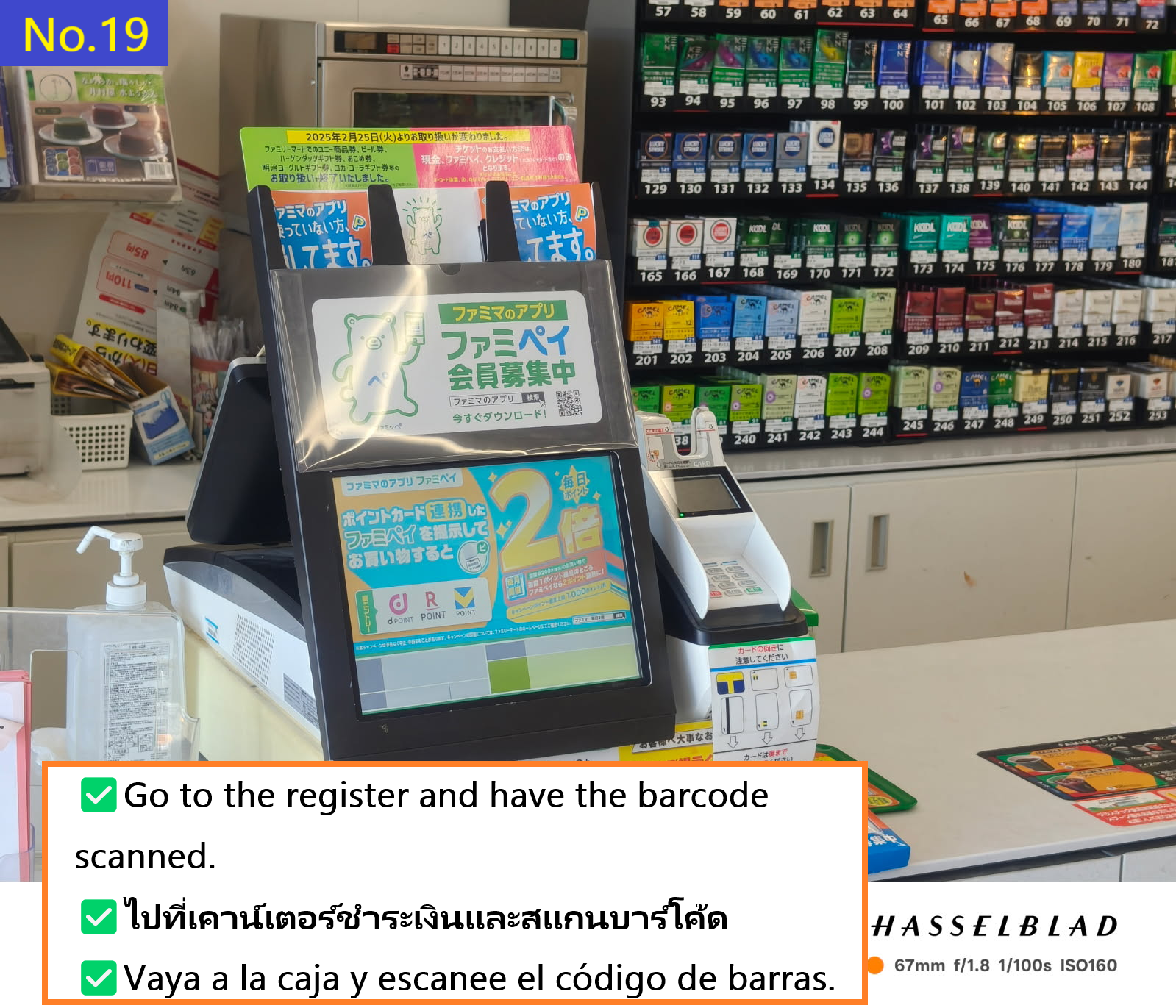
  • ไปที่แคชเชียร์และให้พนักงานสแกนบาร์โค้ด
  • Image description of Go to the cash register and have the clerk scan the barcode.

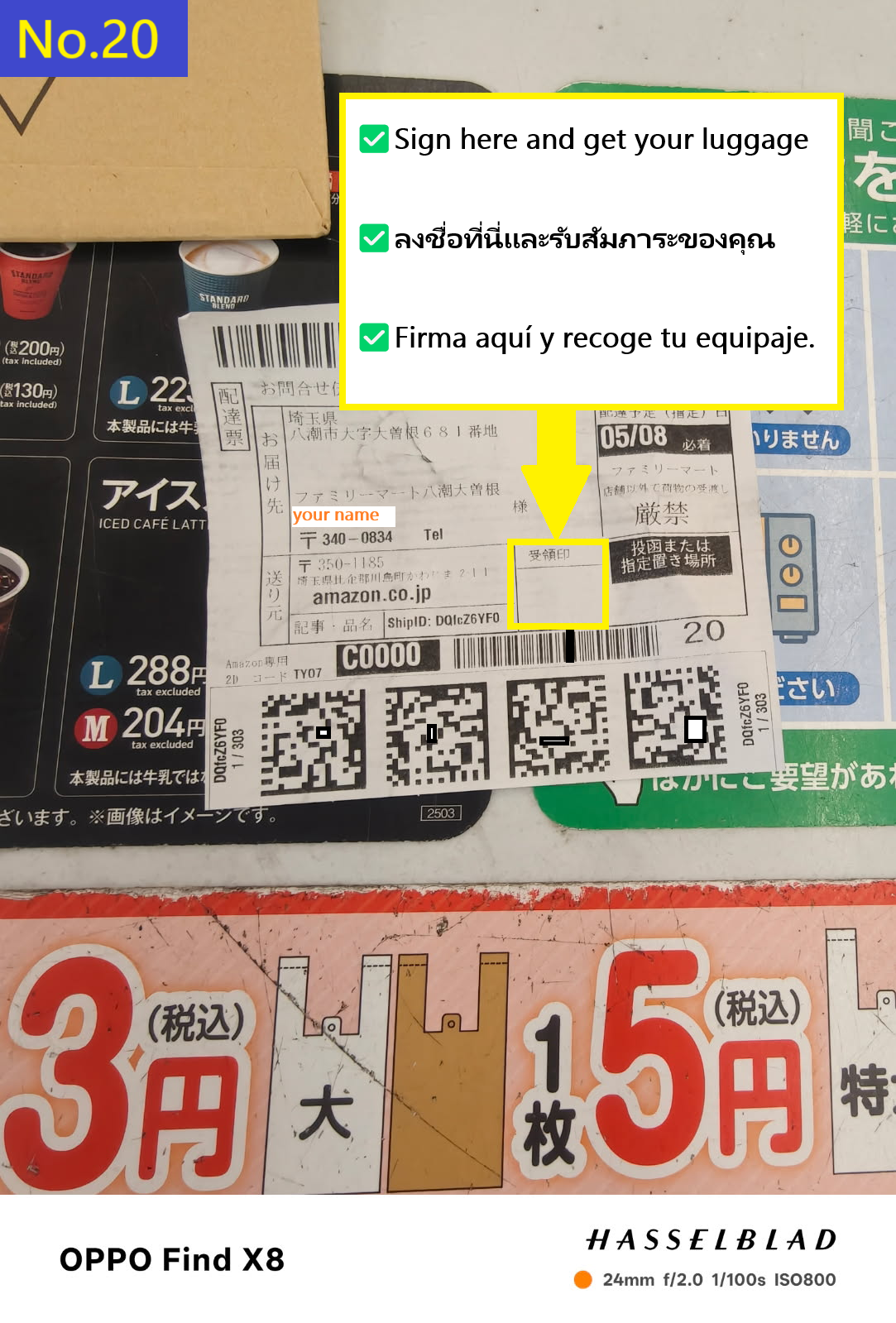
  • เซ็นชื่อในช่องนี้ รับพัสดุและใบเสร็จ แล้วเสร็จสิ้นกระบวนการ
  • Image description of Sign here, receive your package and receipt, and you're done.

    📷📝 ค้นหาสินค้า (ข้อความหรือรูปภาพ)